
1. Produktet er slutview
The Manba Mini Wireless Controller is a compact and portable gaming device designed for classic and retro games. Its small size makes it convenient for on-the-go use. This controller offers multi-platform compatibility, supporting various operating systems and gaming consoles.
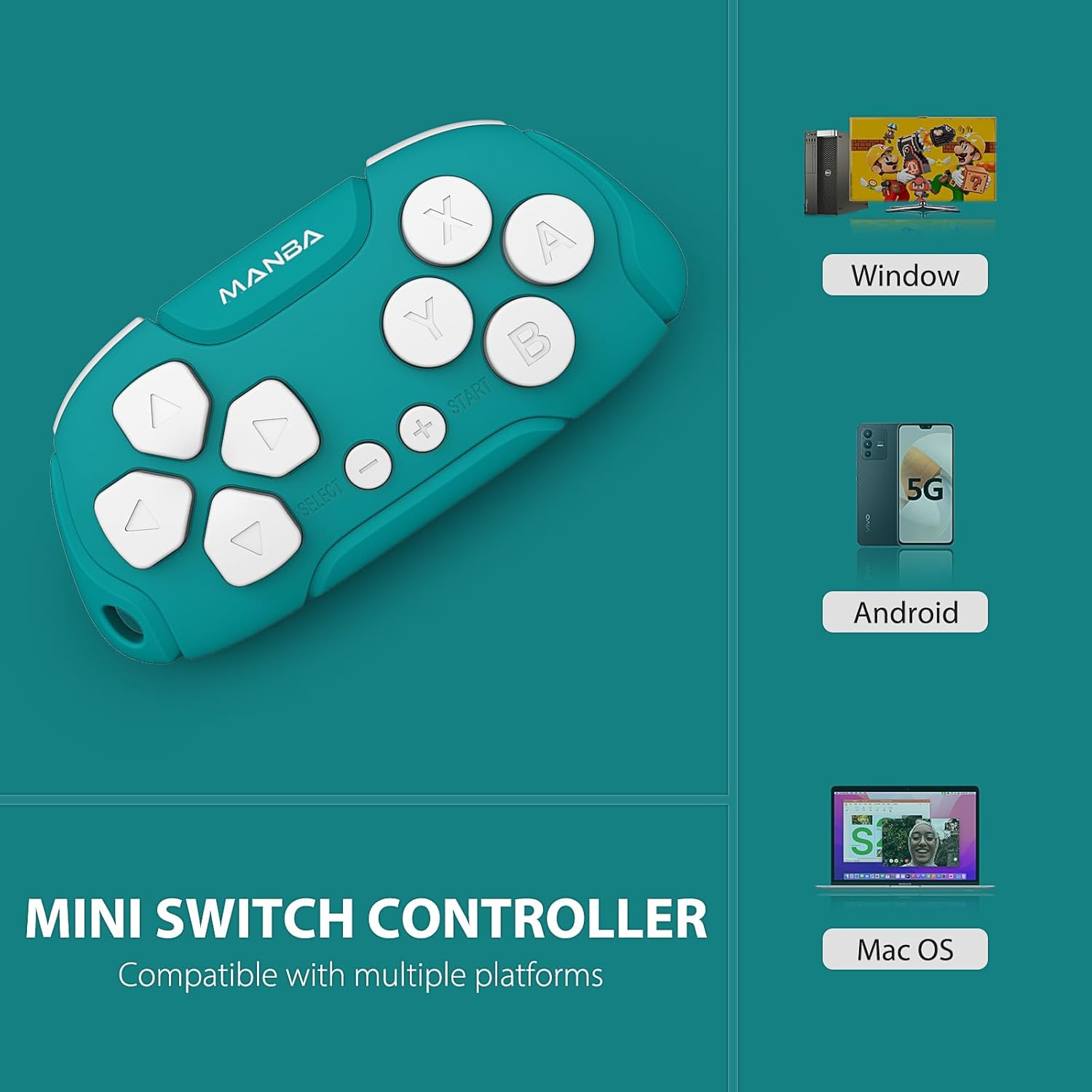
Image 1.1: Manba Mini Wireless Controller compatible with multiple platforms.
Beyond gaming, the controller can function in keyboard mode, making it suitable for applications like Anki (with remapping) and Clip Studio Paint, transforming it into a compact shortcut device.
2. Pakkens indhold
Bekræft at alle varer er til stede i din pakke:
- 1 × Manba Mini Wireless Controller
- 1 × Micro-USB-ladekabel
- 1 × Brugsanvisning (dette dokument)
3. Opsætning og tilslutning
3.1 Opladning af controlleren
Before first use, fully charge the controller. Connect the provided micro-USB cable to the controller's charging port and the other end to a USB power source (e.g., computer USB port, USB wall adapter). The LED indicator will show charging status and turn off when fully charged. A full charge typically takes 1-2 hours and provides approximately 8 hours of play time.
3.2 Tænd/sluk
- For at tænde: Press and hold the START button for a few seconds until the indicator light illuminates.
- For at slukke: Press and hold the START button for a few seconds until the indicator light turns off. The controller will also automatically power off after a period of inactivity.
3.3 Parring med enheder
The Manba Mini Wireless Controller supports various connection modes for different platforms. Refer to the specific instructions below for your device.
3.3.1 Nintendo Switch / Switch Lite / Switch OLED

Image 3.1: Controller compatibility with Nintendo Switch models.
- Gå til HOME-menuen på din Nintendo Switch.
- Vælge Controllere > Skift greb/rækkefølge.
- On the Manba Mini Controller, press and hold the Y + START buttons simultaneously until the LED indicator starts flashing rapidly.
- Once the controller appears on the Switch screen and the LED indicator becomes solid, the pairing is complete.
3.3.2 Windows (X-input)
- On the Manba Mini Controller, press and hold the X + START buttons simultaneously until the LED indicator starts flashing rapidly.
- På din Windows-pc skal du gå til Bluetooth og andre enhedsindstillinger.
- Vælge Tilføj Bluetooth eller anden enhed > Bluetooth.
- Select the controller from the list of available devices.
- Når den er tilsluttet, lyser LED-indikatoren på controlleren konstant.
3.3.3 Android / MacOS
- On the Manba Mini Controller, press and hold the A + START buttons simultaneously until the LED indicator starts flashing rapidly.
- On your Android device or Mac, go to Bluetooth-indstillinger.
- Aktivér Bluetooth, og søg efter nye enheder.
- Select the controller from the list of available devices.
- Når den er tilsluttet, lyser LED-indikatoren på controlleren konstant.
4. Betjeningsvejledning
4.1 General Gaming Use
The Manba Mini Wireless Controller is optimized for classic and retro games. It features a D-pad, action buttons (A, B, X, Y), and shoulder buttons (L, R). Familiarize yourself with the button layout for optimal gameplay.
4.2 Keyboard Mode for Productivity
In keyboard mode, the controller can be used as a shortcut remote for various applications. This is particularly useful for:
- Anki: For efficient flashcard review. Custom mapping may be required using software like Karabiner Elements on macOS.
- Clip Studio Paint: As a compact shortcut controller for digital art.

Image 4.1: Controller use with Anki for efficient study.
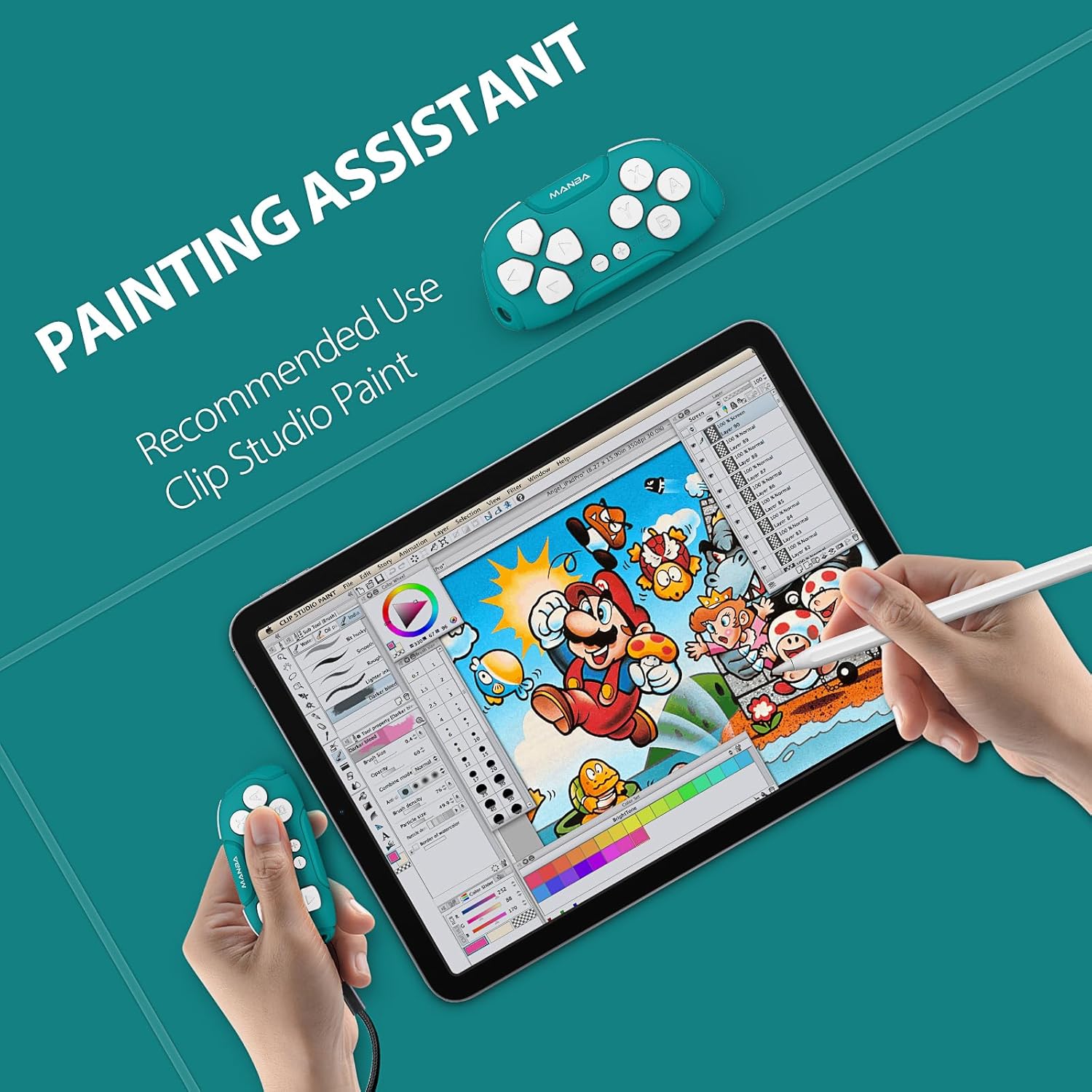
Image 4.2: Controller functioning as a painting assistant for Clip Studio Paint.
5. Pleje og vedligeholdelse
To ensure the longevity and optimal performance of your Manba Mini Wireless Controller, follow these care guidelines:
- Rensning: Brug en blød, tør klud til at tørre controlleren af. Ved genstridigt snavs, tør letampRengør kluden med vand. Undgå skrappe kemikalier eller slibende rengøringsmidler.
- Opbevaring: Opbevar controlleren et køligt, tørt sted væk fra direkte sollys og ekstreme temperaturer.
- Undgå dråber: Selvom den er holdbar, kan gentagne fald beskadige de indvendige komponenter. Håndteres forsigtigt.
- Væskeeksponering: Udsæt ikke controlleren for vand eller andre væsker.
6. Fejlfinding
If you encounter issues with your Manba Mini Wireless Controller, refer to the following common problems and solutions:
- Controlleren opretter ikke forbindelse/parrer ikke:
- Sørg for, at controlleren er fuldt opladet.
- Bekræft, at Bluetooth er aktiveret på din enhed.
- Make sure you are using the correct button combination for pairing with your specific platform (Y+START for Switch, X+START for Windows, A+START for Android/MacOS).
- Prøv at genstarte både controlleren og din enhed.
- Fjern alle tidligere parringer af controlleren fra din enheds Bluetooth-indstillinger, og forsøg at parre igen.
- Knapper reagerer ikke korrekt:
- Sørg for, at controlleren er korrekt parret og tilsluttet.
- For keyboard mode applications like Anki, ensure any necessary remapping software (e.g., Karabiner Elements for macOS) is correctly configured.
- D-Pad Functionality: Note that the D-pad on this controller consists of four individual buttons, not a single connected piece with a pivot point like some traditional controllers. This means it is possible to press opposing directions simultaneously (e.g., left and right), which may affect performance in certain platformers or timing-sensitive games. This design is intentional for its versatility in keyboard mode but differs from standard gaming D-pads.
- Kort batterilevetid:
- Ensure the controller is being charged for the recommended 1-2 hours.
- Batteriets ydeevne kan forringes over tid ved omfattende brug.
- Ensure the controller is powered off when not in use to conserve battery.
7. Tekniske specifikationer

Image 7.1: The compact size of the Manba Mini Wireless Controller.
| Fabrikant | Manba |
| Model | Mini Wireless Controller |
| ASIN | B0CFQJFQZG |
| Pakkedimensioner | 3.7 x 2.13 x 1.18 tommer |
| Batteri | 1 Lithium Polymer battery (included), 180 mAh capacity |
| Batterilevetid | Approximately 8 hours after 1-2 hours charging |
| Kompatibilitet | Nintendo Switch, Windows (X-input), Android, macOS |
8. Garanti- og supportoplysninger
For warranty information or technical support, please refer to the documentation included with your purchase or visit the official Manba brand store. Contact details for customer service are typically provided on the manufacturer's webwebsted.
You can visit the Manba Store for more information: Manba Official Store