
1. Introduktion
This manual provides essential information for the installation, operation, maintenance, and troubleshooting of your AMD EPYC 9004 9124 Hexadeca-core Processor. The AMD EPYC 9004 series processors are designed for high-performance server and data center environments, offering advanced computing capabilities and efficiency.
2. Sikkerhedsoplysninger
Please read and understand all safety precautions before handling or installing the processor. Failure to follow these guidelines may result in damage to the processor, motherboard, or other components, and could void your warranty.
- Beskyttelse mod elektrostatisk afladning (ESD): Always wear an anti-static wrist strap and work on an anti-static mat when handling the processor. ESD can severely damage electronic components.
- Håndteres med forsigtighed: Avoid touching the gold contacts or pins on the processor. Hold the processor by its edges.
- Skarpe kanter: Be aware of potentially sharp edges on the heatsink or motherboard components during installation.
- Sluk: Ensure the system is completely powered off and unplugged from the power source before installing or removing any components.
3. Pakkens indhold
Kontroller, at alle varer er til stede og i god stand, når du åbner pakken:
- 1 x AMD EPYC 9004 9124 Processor (Model: 100-000000802)
Note: A CPU cooler, thermal paste, and motherboard are sold separately and are required for operation.
4. Opsætning og installation
Follow these steps carefully to install your AMD EPYC 9004 9124 Processor into a compatible Socket SP5 motherboard.
4.1 Tjekliste før installation
- Compatible Socket SP5 Motherboard (ensure BIOS/UEFI is updated to support EPYC 9004 series).
- Compatible CPU Cooler for Socket SP5 (e.g., server-grade heatsink and fan or liquid cooling solution).
- Thermal Paste.
- Antistatisk håndledsrem og måtte.
- Screwdriver (if required for cooler installation).
4.2 Processorinstallationstrin
- Forbered bundkortet: Place the motherboard on an anti-static surface. Locate the Socket SP5 CPU socket.
- Åbn soklen: Carefully open the CPU socket retention mechanism according to your motherboard's manual. This typically involves lifting a lever or releasing a frame.
- Orienter processoren: Align the triangular or gold arrow indicator on the corner of the processor with the corresponding mark on the CPU socket. Ensure the processor is correctly oriented before attempting to place it.
- Indsæt processoren: Gently lower the processor straight down into the socket. Do not force it. If it does not seat easily, re-check the orientation.
- Sikr processoren: Close the CPU socket retention mechanism, ensuring the processor is firmly seated and locked into place.
- Påfør termisk pasta: Apply a small amount of high-quality thermal paste to the center of the CPU's integrated heat spreader (IHS). Refer to the thermal paste manufacturer's instructions for the recommended application method.
- Installer CPU-køler: Mount the CPU cooler onto the motherboard, ensuring it makes firm and even contact with the processor's IHS. Follow the cooler manufacturer's instructions for proper installation and fan connection.
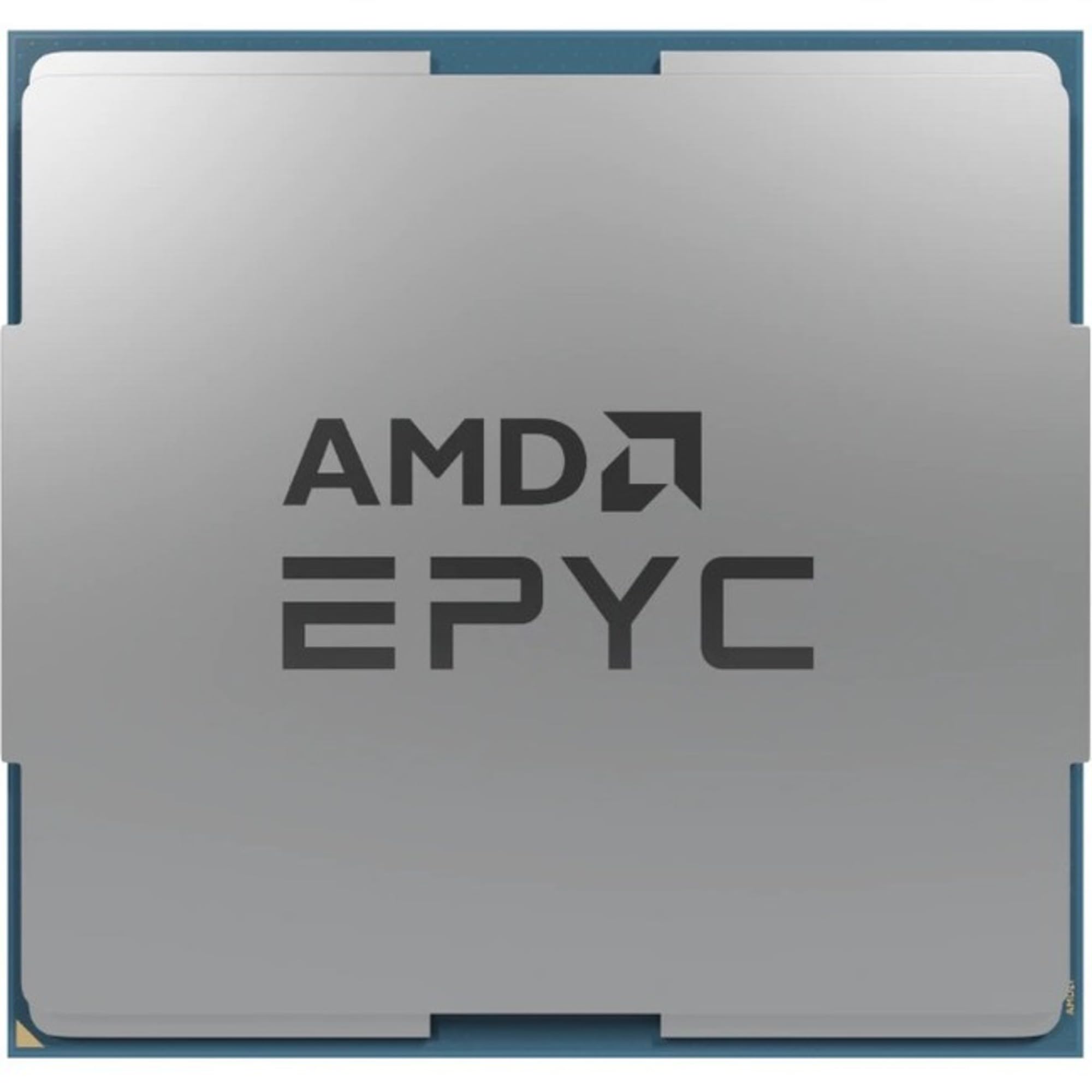
Figure 1: AMD EPYC 9004 9124 Processor. This image shows the top view of the processor, highlighting its square shape and the integrated heat spreader (IHS) on its surface.
5. Betjening af processoren
Once the processor is physically installed, further steps are required to ensure proper system operation.
5.1 BIOS/UEFI-konfiguration
- Adgang til BIOS/UEFI: Power on your system and press the designated key (e.g., Del, F2, F10) to enter the BIOS/UEFI setup utility.
- Bekræft CPU-genkendelse: Confirm that the BIOS/UEFI correctly identifies the AMD EPYC 9124 processor.
- Hukommelseskonfiguration: Ensure that the installed RAM is recognized and configured correctly, especially for multi-channel setups.
- Enable Virtualization (Optional): If you plan to use virtualization technologies (e.g., VMware, Hyper-V), enable AMD-V (SVM Mode) in the BIOS/UEFI settings.
- Gem og luk: Gem dine ændringer, og afslut BIOS/UEFI. Systemet genstarter.
5.2 Operating System Recognition and Drivers
- Installation af operativsystem: Installer dit foretrukne serveroperativsystem (f.eks. Windows Server, Linux-distribution).
- Chipsæt-drivere: Efter installation af operativsystemet skal du installere de nyeste chipsetdrivere til dit bundkort fra bundkortproducentens website. These drivers are crucial for optimal CPU performance and system stability.
- Systemovervågning: Use system monitoring tools to verify CPU temperature, clock speeds, and core utilization to ensure stable operation.
6. Vedligeholdelse
Proper maintenance ensures the longevity and optimal performance of your AMD EPYC processor.
- Fjernelse af støv: Regularly clean dust from the CPU cooler and system fans using compressed air. Dust accumulation can impede airflow and lead to overheating.
- Termisk pasta: Over time, thermal paste can dry out and lose effectiveness. Consider reapplying thermal paste every 2-3 years, or if you notice increased CPU temperatures. This requires removing the CPU cooler.
- Temperaturovervågning: Use software utilities to monitor CPU temperatures, especially under heavy load. Ensure temperatures remain within safe operating limits as specified by AMD.
- BIOS/UEFI-opdateringer: Keep your motherboard's BIOS/UEFI updated to the latest version. Updates often include performance improvements, bug fixes, and support for new features.
7. Fejlfinding
This section addresses common issues you might encounter with your AMD EPYC 9124 processor.
7.1 No Power On Self-Test (POST) / No Display
- Tjek strømforbindelser: Ensure all power cables (24-pin ATX, 8-pin EPS/CPU power) are securely connected to the motherboard and power supply.
- Genmonter komponenter: Carefully reseat the CPU, RAM modules, and any expansion cards (e.g., GPU).
- Ryd CMOS: Refer to your motherboard manual to clear the CMOS settings. This can resolve incorrect BIOS configurations.
- Minimumkonfiguration: Try booting with only the essential components: CPU, one RAM stick, and the graphics card (if no integrated graphics).
7.2 Overophedningsproblemer
- Bekræft installation af køler: Ensure the CPU cooler is properly seated and making good contact with the CPU. Check that all mounting screws are tightened evenly.
- Anvendelse af termisk pasta: Confirm that thermal paste was applied correctly and adequately. Reapply if necessary.
- Ventilatorbetjening: Check that the CPU cooler fan(s) are spinning correctly and connected to the appropriate fan headers on the motherboard.
- Luftstrøm i kabinettet: Ensure your server chassis has adequate airflow with properly configured intake and exhaust fans.
7.3 Systemustabilitet / Nedbrud
- Tjek RAM: Run memory diagnostic tools (e.g., MemTest86) to check for faulty RAM modules.
- Driver opdateringer: Sørg for, at alle systemdrivere, især chipsetdrivere, er opdaterede.
- Strømforsyning: Verify that your power supply unit (PSU) has sufficient wattage og fungerer korrekt.
- Problemer med operativsystemet: Perform a clean installation of the operating system if software corruption is suspected.
8. Specifikationer
Detailed technical specifications for the AMD EPYC 9004 9124 Processor:
| Feature | Specifikation |
|---|---|
| Mærke | AMD |
| Modelnummer | 100-000000802 |
| CPU producent | AMD |
| CPU hastighed | 3 GHz |
| CPU socket | Sokkel SP5 |
| Wattage | 3.7 watts (Note: This value might refer to a specific power state or a misinterpretation; typical TDP for EPYC processors is significantly higher. Refer to official AMD documentation for actual TDP.) |
| Cache Memory Installed Size | 16 MB (L3 Cache is typically much larger for EPYC processors; this might refer to L2 cache or a partial specification. Refer to official AMD documentation for full cache details.) |
| Processor Count (Cores) | 16 |
| Processor Number of Concurrent Threads | 32 |
| Platform | Ikke maskinspecifik |
| Varens vægt | 0.2 kg |
9. Garanti og support
According to the product information, this AMD EPYC 9004 9124 Processor is sold with Ingen garanti. Please verify warranty terms with your point of purchase or AMD directly for the most accurate and up-to-date information.
For technical support, driver downloads, and additional product information, please visit the official AMD support webwebsted: