
1. Introduktion
Tak for købetasing the Blaupunkt Rock & Roll PS150 Wireless Bluetooth Outdoor Party Speaker. This manual provides essential information for the safe and efficient operation of your device. Please read it thoroughly before use and retain it for future reference.
2. Sikkerhedsoplysninger
- Udsæt ikke højttaleren for ekstreme temperaturer, direkte sollys eller høj luftfugtighed.
- Undgå at tabe eller udsætte højttaleren for kraftige stød.
- Do not attempt to disassemble or modify the speaker. Repairs should only be performed by qualified service personnel.
- Hold højttaleren væk fra vand og andre væsker for at forhindre elektrisk stød eller skader.
- Sørg for ordentlig ventilation, når du bruger højttaleren.
3. Hvad er der i æsken
- Blaupunkt Rock & Roll PS150 Party Speaker
- Karaoke mikrofon
- Ladekabel
- Brugermanual
4. Produktet er slutview
The Blaupunkt Rock & Roll PS150 is a portable outdoor party speaker designed for robust audio performance and ease of transport. It features a powerful 100W output, X-Bass enhancement, and multiple connectivity options.

Figur 1: Forside view of the Blaupunkt Rock & Roll PS150 Party Speaker.
5. Kontrolelementer og forbindelser
The control panel on top of the speaker provides access to all functions.

Figur 2: Detaljeret view af højttalerens kontrolpanel.
- Power knap: Press to turn the speaker ON/OFF.
- Kildeknap: Select input source (Bluetooth, AUX, USB).
- X-Bass Button: Activate or deactivate the X-Bass sound enhancement.
- Menu-knap: Access various settings.
- Track Select Buttons (< / >): Naviger mellem spor.
- TWS knap: Start ægte trådløs stereoparring.
- Volumenvælger: Juster masterlydstyrken.
- Nummererede knapper (1-6): For direct track selection or preset functions.
- AUX IN-port: Tilslut eksterne lydenheder via et 3.5 mm lydkabel.
- USB-port: For USB playback and charging (5V, 2000mAh).
6. Opsætning og opladning
6.1 Indledende opladning
Before first use, fully charge the speaker. Connect the charging cable to the speaker's charging port and a suitable power adapter. The charging indicator will illuminate. A full charge ensures optimal battery life for the 4500mAh battery.
6.2 Tænd/sluk
Tryk og hold tænd/sluk-knappen på kontrolpanelet nede for at tænde eller slukke for højttaleren.
7. Betjening
7.1 Bluetooth -parring
- Turn on the speaker. The Bluetooth indicator will flash, indicating it's in pairing mode.
- Aktiver Bluetooth på din smartphone eller tablet, og søg efter tilgængelige enheder.
- Select "Blaupunkt PS150" from the list.
- Når den er parret, holder Bluetooth-indikatoren op med at blinke og forbliver konstant.
7.2 AUX-In-tilstand
Connect an external audio device (e.g., MP3 player) to the AUX IN port using a 3.5mm audio cable. Press the Source button to select AUX mode.
7.3 USB-afspilning
Indsæt et USB-drev med lyd files into the USB port. The speaker will automatically switch to USB mode and begin playback. Use the track select buttons to navigate.
7.4 Karaoke-funktion
Connect the provided karaoke microphone to the designated microphone input. Adjust the microphone volume as needed. The speaker is ready for karaoke performances.

Figure 3: Using the karaoke function with the PS150 speaker.
7.5 X-Bass Feature
Press the X-Bass button to enhance the bass output for a deeper, more impactful sound experience.

Figure 4: Visual representation of the X-Bass feature.
8. Bærbarhed og design
The PS150 is designed for portability with integrated wheels and a retractable handle, making it easy to transport to any location.
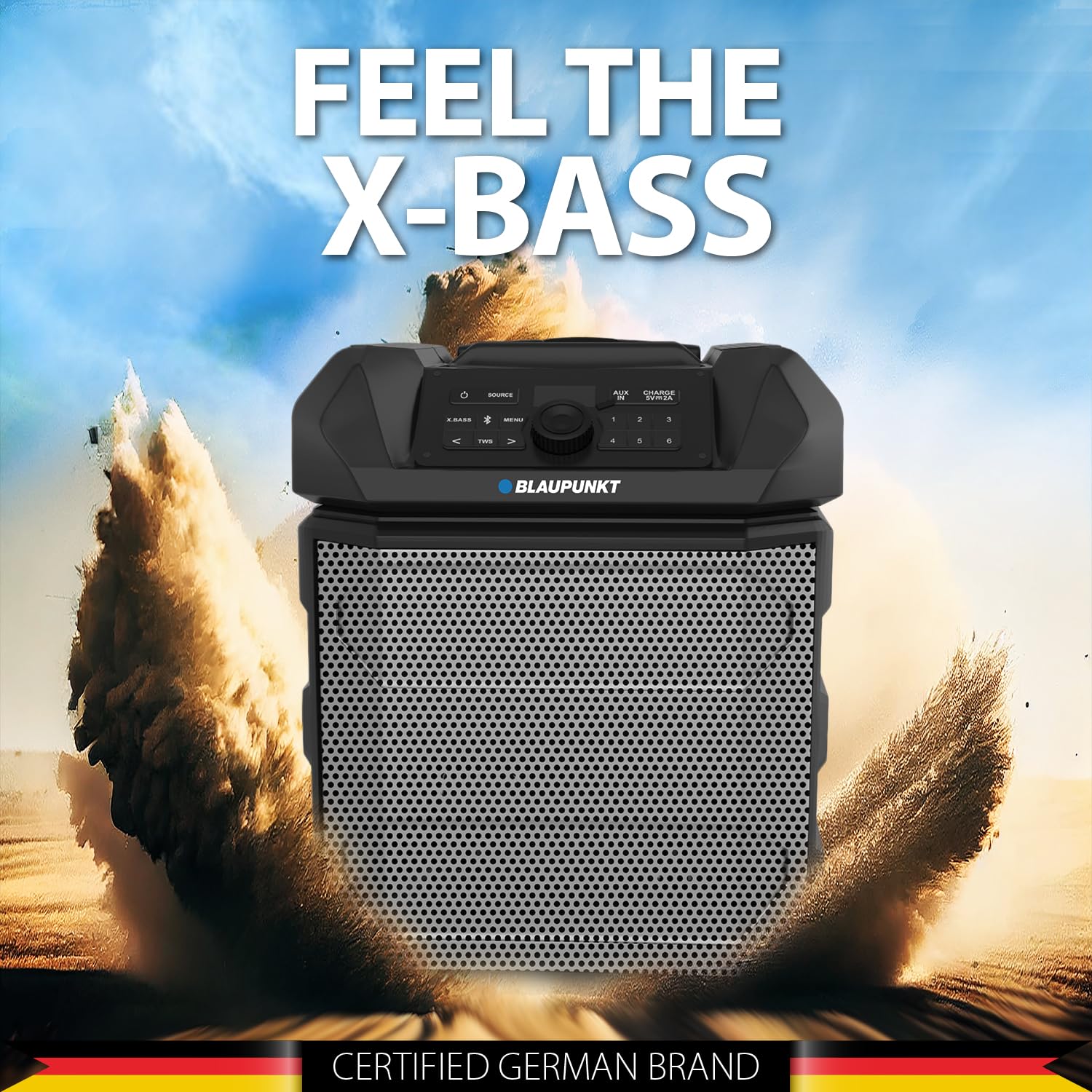
Figure 5: The PS150 speaker being transported with its wheels and handle.
9. Specifikationer
| Feature | Specifikation |
|---|---|
| Mærke | BLAUPUNKT |
| Modelnummer | PS150 BK |
| Output Wattage | 100 watt |
| Forbindelsesteknologi | Bluetooth |
| Kompatible enheder | Smartphone, tablet |
| Strømkilde | Batteridrevet |
| Batterikapacitet | 4500mAh |
| Lydindgang | Hjælpe |
| USB udgang | 5V, 2000mAh |
| Varedimensioner (L x B x H) | 43 x 31.5 x 52.5 centimeter |
| Varens vægt | 7500 gram |
| Indkapslingsmateriale | Acrylonitril Butadien Styren (ABS) |
10. Vedligeholdelse
- Rengør højttaleren med en blød, tør klud. Brug ikke slibende rengøringsmidler eller opløsningsmidler.
- Opbevar højttaleren på et køligt, tørt sted, når den ikke er i brug.
- Undgå langvarig udsættelse for direkte sollys eller ekstreme temperaturer.
11. Fejlfinding
11.1 Ingen strøm
- Sørg for, at højttaleren er fuldt opladet.
- Kontroller, om strømkablet er tilsluttet korrekt.
- Tryk og hold tænd/sluk-knappen nede i et par sekunder for at sikre, at det ikke bare er et kort tryk.
11.2 Ingen lyd
- Øg lydstyrken på både højttaleren og den tilsluttede enhed.
- Ensure the correct input source (Bluetooth, AUX, USB) is selected.
- Hvis du bruger Bluetooth, skal du sørge for, at enheden er korrekt parret.
- Hvis du bruger AUX, skal du kontrollere kabelforbindelsen.
11.3 Afbrydelse af Bluetooth-forbindelse
- Ensure the connected device is within the Bluetooth range (typically 10 meters).
- Avoid obstacles between the speaker and the device that may interfere with the signal.
- Prøv at ophæve parringen og parre enheden igen.
12. Garanti og support
The Blaupunkt Rock & Roll PS150 comes with a 1-year warranty from the date of purchase. For warranty claims, technical support, or any other inquiries, please contact:
- Fabrikant: Envent Worldwide Pvt Ltd
- Customer Care WhatsApp Support: 8860022600
- E-mail-id: wecare@blaupunktaudio.in