
Indledning
This manual provides essential information for setting up, operating, and maintaining your DOOGEE T10 Pro Android Tablet. Designed for both productivity and entertainment, the T10 Pro features a 10.1-inch FHD+ display, Unisoc T606 Octa-Core processor, 15GB RAM, 256GB ROM, and an 8580mAh battery. Please read this manual thoroughly to ensure optimal performance and longevity of your device.
Hvad er der i æsken
Når du åbner pakken, skal du kontrollere, at alle nedenstående varer er til stede:
- 1 x DOOGEE T10 Pro Tablet
- Tablet with 15GB RAM and 256GB ROM (internal memory)
- Oplader
- Ladekabel
- Card Removal Needle (SIM ejector tool)
- Brugermanual
Official unboxing video for the DOOGEE T10 Pro tablet, demonstrating the contents of the package.
Produkt overview
The DOOGEE T10 Pro is designed with a sleek profile and premium build quality, offering a comfortable grip and a modern aesthetic. Key features include a vibrant display, powerful processing capabilities, and robust connectivity options.

Forside og bagside view of the DOOGEE T10 Pro tablet, showcasing its design and key memory specifications.
Nøglefunktioner:
- Vise: 10.1" FHD+ IPS display with 1200x1920 resolution and TÜV SÜD Blue Light Certification for eye protection.
- Præstation: Unisoc T606 Octa-Core processor (up to 1.6GHz) and Android 12 operating system.
- Hukommelse og opbevaring: 15GB RAM (8GB physical + 7GB extended) and 256GB internal storage, expandable up to 1TB via TF card.
- Batteri: Large 8580mAh battery with 18W fast charging support.
- Kameraer: 13MP rear camera and 8MP front camera, both supporting 2K video recording.
- Forbindelse: Dual SIM support, 4G LTE, 2.4G/5G WiFi, and Bluetooth 5.0.
- Lyd og video: Widevine L1 support for Full HD streaming and Dolby Audio for immersive sound.

En overview of the DOOGEE T10 Pro's core features, including its operating system, processor, memory, and connectivity.
Opsætning
1. Første opladning
Before first use, fully charge your DOOGEE T10 Pro tablet using the provided charger and charging cable. The 18W fast charging allows for a quick power-up.
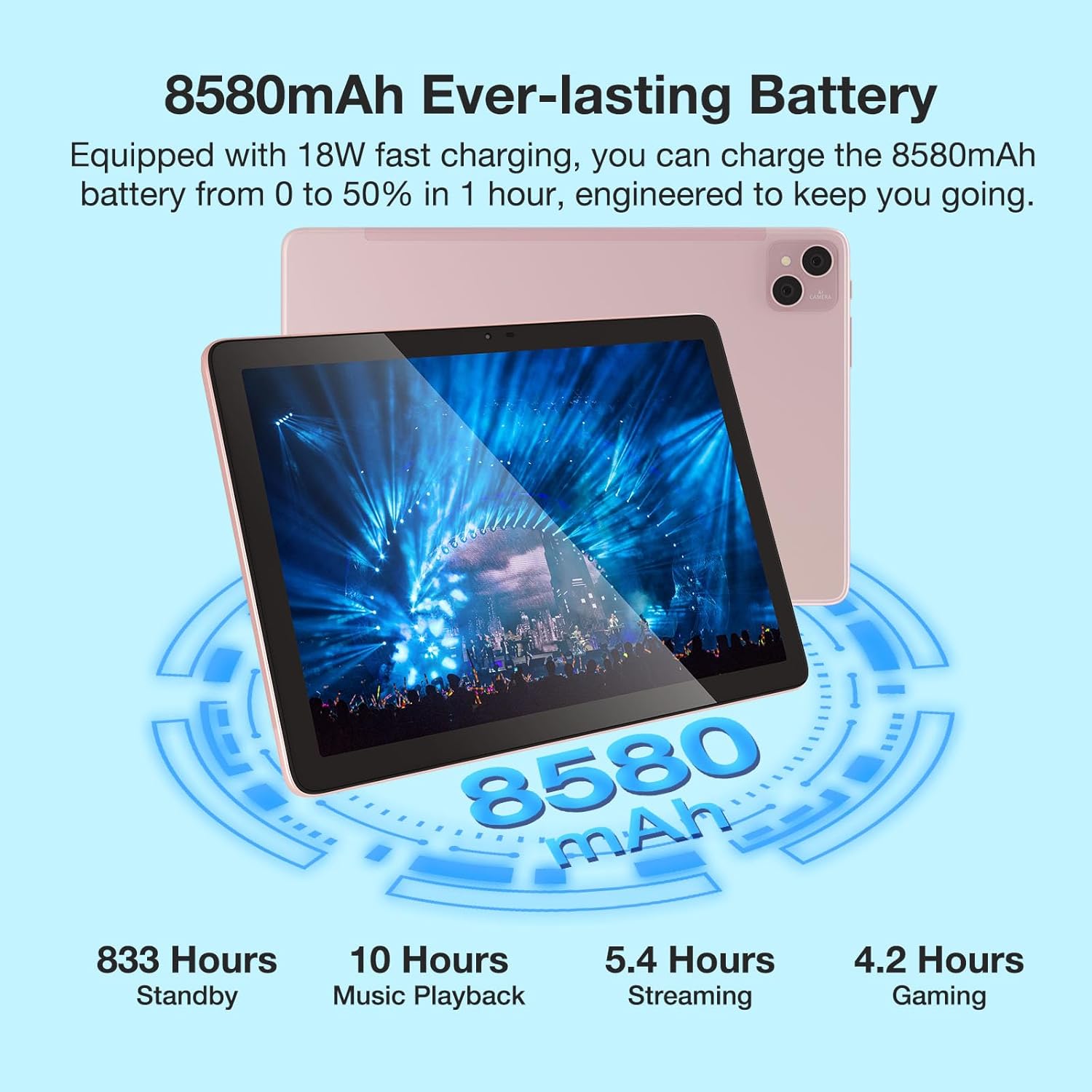
Visual representation of the 8580mAh battery and its estimated usage times for various activities.
2. Tænd/sluk
- Sådan tænder du: Tryk på tænd/sluk-knappen, og hold den nede, indtil DOOGEE-logoet vises.
- Sådan slukker du: Tryk på tænd/sluk-knappen og hold den nede, og vælg derefter "Sluk" fra indstillingerne.
- Sådan genstarter du: Tryk på tænd/sluk-knappen og hold den nede, og vælg derefter "Genstart" fra indstillingerne.
3. Isætning af SIM-/TF-kort
Locate the SIM/TF card slot on the side of the tablet. Use the provided card removal needle to gently eject the tray. Insert your Nano-SIM cards (up to two) and/or a TF (microSD) card into the designated slots, ensuring correct orientation. Gently push the tray back into the tablet until it clicks into place.

The tablet's connectivity features, including Dual SIM 4G and dual-band WiFi, enabling communication and internet access.
Betjeningsvejledning
1. Grundlæggende navigation
- Berøringsbevægelser: Tryk, swipe og knibe for at zoome er standard Android-bevægelser.
- Startskærm: Tilpas med widgets og appgenveje.
- Meddelelser: Stryg nedad fra toppen af skærmen for at få adgang til notifikationer og hurtigindstillinger.
2. Tilslutning til Wi-Fi
- Gå til Indstillinger > Netværk og internet > Wi-Fi.
- Slå Wi-Fi til/fra On.
- Vælg det ønskede netværk fra listen, og indtast adgangskoden, hvis du bliver bedt om det.
3. Brug af kameraerne
The tablet features a 13MP main camera and an 8MP front camera. Open the Camera app to capture photos and record 2K videos. Switch between front and rear cameras as needed for selfies or video calls.

Details on the tablet's camera specifications and examples of captured moments.
4. Widevine L1-understøttelse
The DOOGEE T10 Pro supports Widevine L1, enabling you to stream high-definition content (1080P and above) from popular streaming services like Netflix, Amazon Prime Video, Disney+, and Hulu. Ensure you have a stable internet connection for the best viewoplevelse.

The tablet's Widevine L1 capability for high-quality video streaming.
5. PC-tilstand
The tablet supports a PC Mode, allowing for a desktop-like experience when connected to an external keyboard and mouse (accessories sold separately). This mode enhances productivity for tasks such as document editing and multi-window multitasking.
Promotional video for the T10 Pro, showcasing its features including PC Mode and multimedia capabilities.
Opretholdelse
1. Batteripleje
- Undgå ekstreme temperaturer (varme eller kolde), da de kan forringe batteriets levetid.
- Undgå at aflade batteriet helt regelmæssigt. Oplad det, før det falder til under 20%.
- Brug kun originalt eller certificeret opladningstilbehør.
2. Rensning
Brug en blød, fnugfri klud til at rengøre skærmen og tablettens kabinet. Tør let ved genstridige pletter.ampRengør kluden med vand eller et skærmrensemiddel. Undgå at bruge skrappe kemikalier eller slibende materialer.
3. Opbevaring
When storing the tablet for extended periods, ensure it is charged to about 50-60% and powered off. Store it in a cool, dry place away from direct sunlight.
Fejlfinding
| Spørgsmål | Mulig årsag | Løsning |
|---|---|---|
| Tabletten tænder ikke | Lavt batteri; Systemnedbrud | Oplad tabletten i mindst 30 minutter. Tryk på tænd/sluk-knappen og hold den nede i 10-15 sekunder for at tvinge genstart. |
| Problemer med Wi-Fi-forbindelse | Forkert adgangskode; Routerproblem; Signalforstyrrelser | Verify Wi-Fi password. Restart your router. Move closer to the router or away from interference sources. |
| Apps går ned eller fryser | Utilstrækkelig RAM; App-fejl; Forældet app | Close background apps. Clear app cache/data (Settings > Apps). Update the app from Google Play Store. |
| Langsom ydeevne | Too many apps running; Low storage; System updates needed | Close unused apps. Free up storage space. Check for system updates (Settings > System > System update). |
| SIM-kort blev ikke fundet | Improper insertion; Damaged SIM card | Re-insert the SIM card correctly. Try another SIM card to check if the issue is with the card itself. |
Specifikationer
| Feature | Detalje |
|---|---|
| Modelnavn | DOOGEE T10 PRO |
| Operativsystem | Android 12 |
| Skærmstørrelse | 10.1 tommer |
| Skærmopløsning | 1200 x 1920 (FHD+) |
| Processor | Unisoc T606 Octa-Core (1.6GHz) |
| VÆDDER | 15 GB (8 GB fysisk + 7 GB udvidet) |
| Flashhukommelsesstørrelse (ROM) | 256 GB |
| Udvidelig opbevaring | Op til 1 TB via TF-kort |
| Batterikapacitet | 8580mAh |
| Bag Webcam opløsning | 13 MP |
| Front Webcam opløsning | 8 MP |
| Trådløs type | 802.11n (2.4G/5G WiFi) |
| Forbindelse | Dual SIM 4G, Bluetooth 5.0 |
| Varens vægt | 2.59 pund |
| Produktdimensioner | 9.5 x 6.34 x 3.3 tommer |
| Farve | Lyserød |
Garanti og support
For garantioplysninger og teknisk support henvises til den officielle DOOGEE-side. webwebstedet eller kontakt deres kundeservice direkte. Gem din købskvittering som købsbevis i tilfælde af garantikrav.
You can visit the official DOOGEE Store on Amazon for more information: DOOGEE Butik