Produkt overview
The HOSAYA MF906 is a portable 4G LTE SIM card Wi-Fi router designed to provide high-speed LTE network access. This compact and lightweight device allows you to enjoy Wi-Fi internet connectivity wherever you go. Featuring a built-in, removable battery, it supports both 3G and 4G networks and can connect up to 10 Wi-Fi users simultaneously, making it easy to use and carry for various applications.
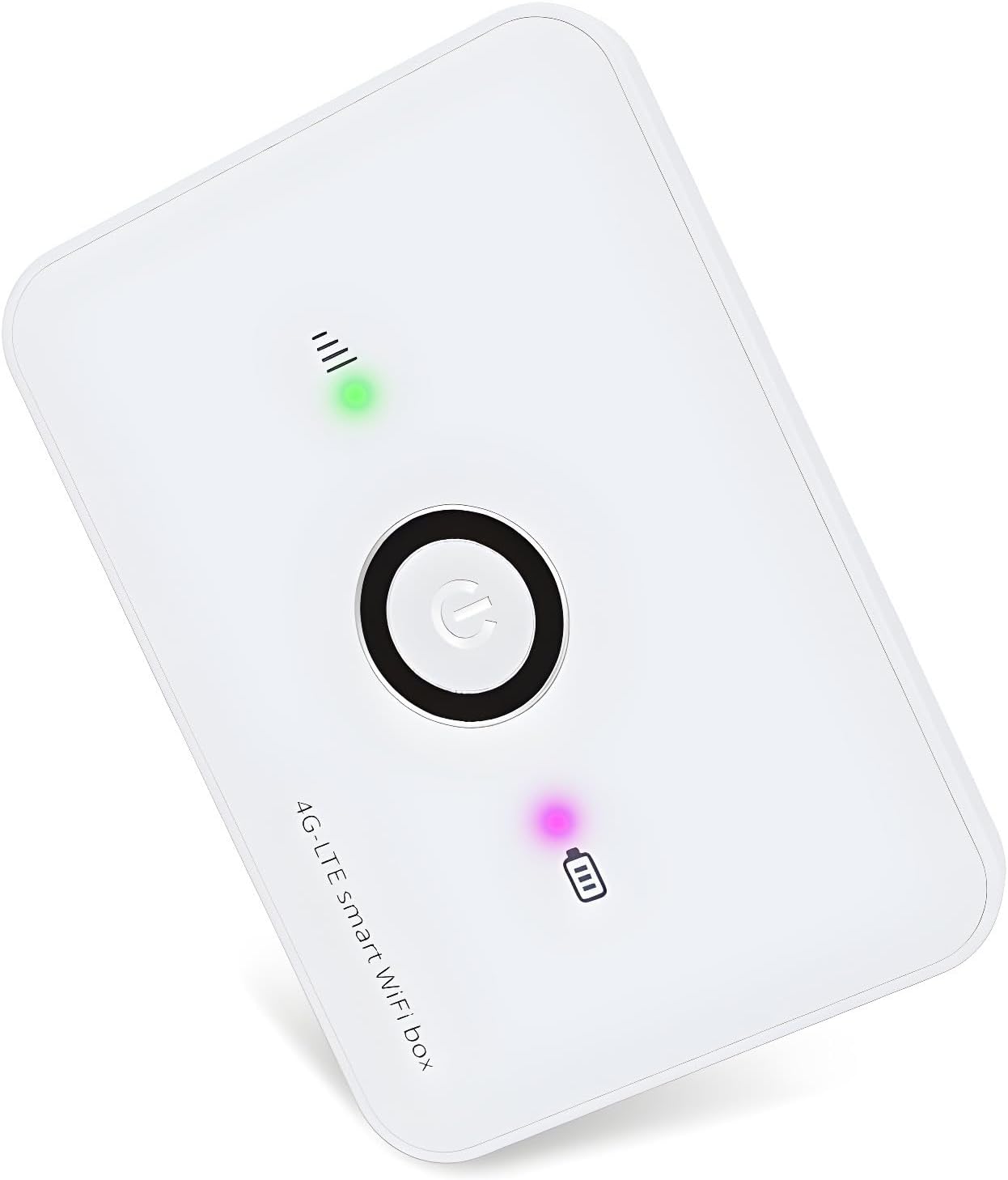
Billede: Forside view of the HOSAYA MF906 Portable 4G LTE WiFi Router, showcasing its compact design and indicator lights.
Hvad er inkluderet
Your HOSAYA MF906 package includes the following components:
- One (1) Portable 4G LTE Wi-Fi router (Model: MF906)
- One (1) Removable high-capacity Lithium Ion battery
- One (1) USB A-to-Micro-B charging cable (approx. 6 inches)
- Quick Start Guide (may be a small instruction card)
Produktfunktioner og dimensioner

Image: Diagram illustrating the dimensions of the HOSAYA MF906 router: 60mm (2.3in) width, 85mm (3.3in) length, and 12mm (0.47in) thickness.
The MF906 router is designed for portability and ease of use. Key features include:
- High-Speed 4G LTE Chipset: Supports TDD-LTE/FDD-LTE/UMTS networks for fast internet access.
- Multi-User Support: Connects up to 10 Wi-Fi users simultaneously.
- Aftageligt batteri: Provides extended usage and easy replacement.
- Plug & Play: Simple setup for immediate use.
- WPS Feature: For easy and secure Wi-Fi connection setup.
- Intern antenne: Integrated antenna for a sleek design.
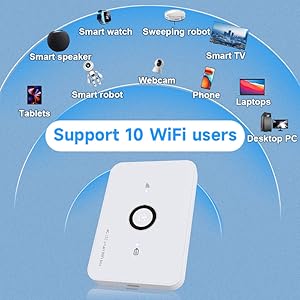
Image: Illustration showing the HOSAYA MF906 router providing Wi-Fi connectivity to various devices such as laptops, tablets, smartphones, smartwatches, smart speakers, webcams, smart TVs, and desktop PCs.
Opsætningsvejledning
Follow these steps to set up your HOSAYA MF906 router:
- Indsæt SIM-kort:
The MF906 uses a Mikro-SIM card. Ensure your SIM card is the correct size. If you have a Nano-SIM, you may need an adapter (not included). Open the back cover of the router, remove the battery, and carefully insert your activated Micro-SIM card into the designated slot. Ensure it is inserted correctly according to the diagram.
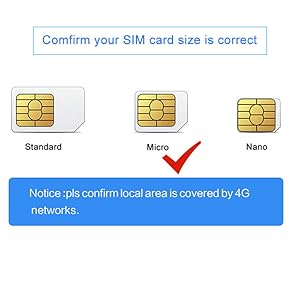
Image: Diagram showing standard, micro, and nano SIM card sizes, highlighting that the MF906 uses a Micro-SIM.
- Installer batteri:
Place the provided Lithium Ion battery into its compartment, ensuring the contacts align. Replace the back cover securely.
- Oplad enheden:
Before first use, fully charge the router using the included USB cable and a 5V1A USB power adapter (not included). The battery indicator light will show charging status.
- Tænd:
Press and hold the power button (usually located on the front or top) until the indicator lights illuminate. Wait for the signal light to become steady, indicating a stable network connection.
- Opret forbindelse til Wi-Fi:
Locate the default Wi-Fi network name (SSID) and password on a label underneath the battery or inside the battery compartment. On your device (phone, laptop, etc.), search for available Wi-Fi networks, select the router's SSID, and enter the password to connect.
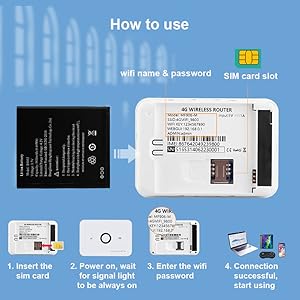
Image: Step-by-step guide showing battery and SIM card insertion, powering on, entering Wi-Fi password, and successful connection.
- Adgang Web Grænseflade (valgfri):
For advanced settings, such as changing Wi-Fi name/password or configuring APN settings, connect to the router's Wi-Fi and open a web browser. Enter the default IP address (found on the label) into the address bar. Log in using the default username and password (also on the label).
Betjeningsvejledning
Netværkskompatibilitet
The American version of the MF906 router supports the following bands:
- 4G LTE: B2/B4/B5/B12/B17
- 3G: B2/B5
This version is compatible with most American countries, including the USA, Chile, Canada, Mexico, Argentina, Bolivia, Colombia, Venezuela, Ecuador, Guatemala, Honduras, Nicaragua, Panama, Peru, Uruguay, Paraguay, and Dominica.
IMEI Change Function (Advanced Users Only)
The router includes an IMEI change function. This is an advanced feature intended for professional users for testing purposes. It is not recommended for ordinary users to change the device's IMEI to simulate other network devices for acquiring cheap internet traffic. Technical support will not be provided for issues arising from the use of this function for unauthorized purposes.
Opretholdelse
- Hold enheden ren og fri for støv. Brug en blød, tør klud til rengøring.
- Avoid exposing the router to extreme temperatures, direct sunlight, or high humidity.
- Undlad at tabe eller udsætte enheden for kraftige stød.
- If the device will not be used for an extended period, fully charge the battery and store it in a cool, dry place.
Fejlfinding
| Problem | Mulig årsag/løsning |
|---|---|
| No Internet Access / SIM Card Not Working |
|
| Kan ikke oprette forbindelse til Wi-Fi |
|
| Langsom internethastighed |
|
| Enheden tænder ikke |
|
Specifikationer
| Feature | Detalje |
|---|---|
| Modelnavn | MF906 |
| Mærke | HOSAYA |
| Forbindelsesteknologi | Wi-Fi, LTE |
| Standard for trådløs kommunikation | 802.11n |
| Frekvensbåndsklasse | Single-Band |
| Antenne type | Indre |
| Speciel funktion | WPS (Wi-Fi Protected Setup) |
| Kompatible enheder | Personal Computer, Smartphones, Tablets, Smart Devices |
| Anbefalede anvendelser | Traveling, Outdoor activities, Backup internet source |
| Varens vægt | 3.87 ounce (ca. 110 gram) |
| Pakkedimensioner | 4.57 x 3.11 x 1.46 tommer (ca. 11.6 x 7.9 x 3.7 cm) |
| Batterier | 1 lithium-ion batteri (medfølger) |