
1. Introduktion
This manual provides detailed instructions for the installation, operation, and maintenance of your IROAD FX1 Dash Camera. Please read this manual thoroughly before using the product to ensure proper functionality and safety. Keep this manual for future reference.
2. Sikkerhedsoplysninger
- Forsøg ikke at skille ad, reparere eller ændre enheden. Dette kan ugyldiggøre garantien og forårsage skade.
- Ensure the device is securely mounted to prevent obstruction of the driver's view eller interferens med køretøjets betjeningselementer.
- Undgå at udsætte enheden for ekstreme temperaturer, direkte sollys i længere perioder eller overdreven fugtighed.
- Use only the provided power cable and accessories. Using unauthorized accessories may cause damage or malfunction.
- Regularly check the memory card for errors and format it as recommended to maintain optimal recording performance.
3. Pakkens indhold
Bekræft at alle varer er til stede i pakken:
- Forreste kamera
- Wi-Fi-dongle
- MicroSD-kort
- Uafbrudt sikringskabel
- Hurtig guide
- Mount with 3M tape (1ea)

Image: Contents of the IROAD FX1 Dash Camera package, including the front camera, Wi-Fi dongle, MicroSD card, uninterrupted fuse cable, quick guide, and mount with 3M tape.
4. Produktet er slutview
4.1 Komponenter
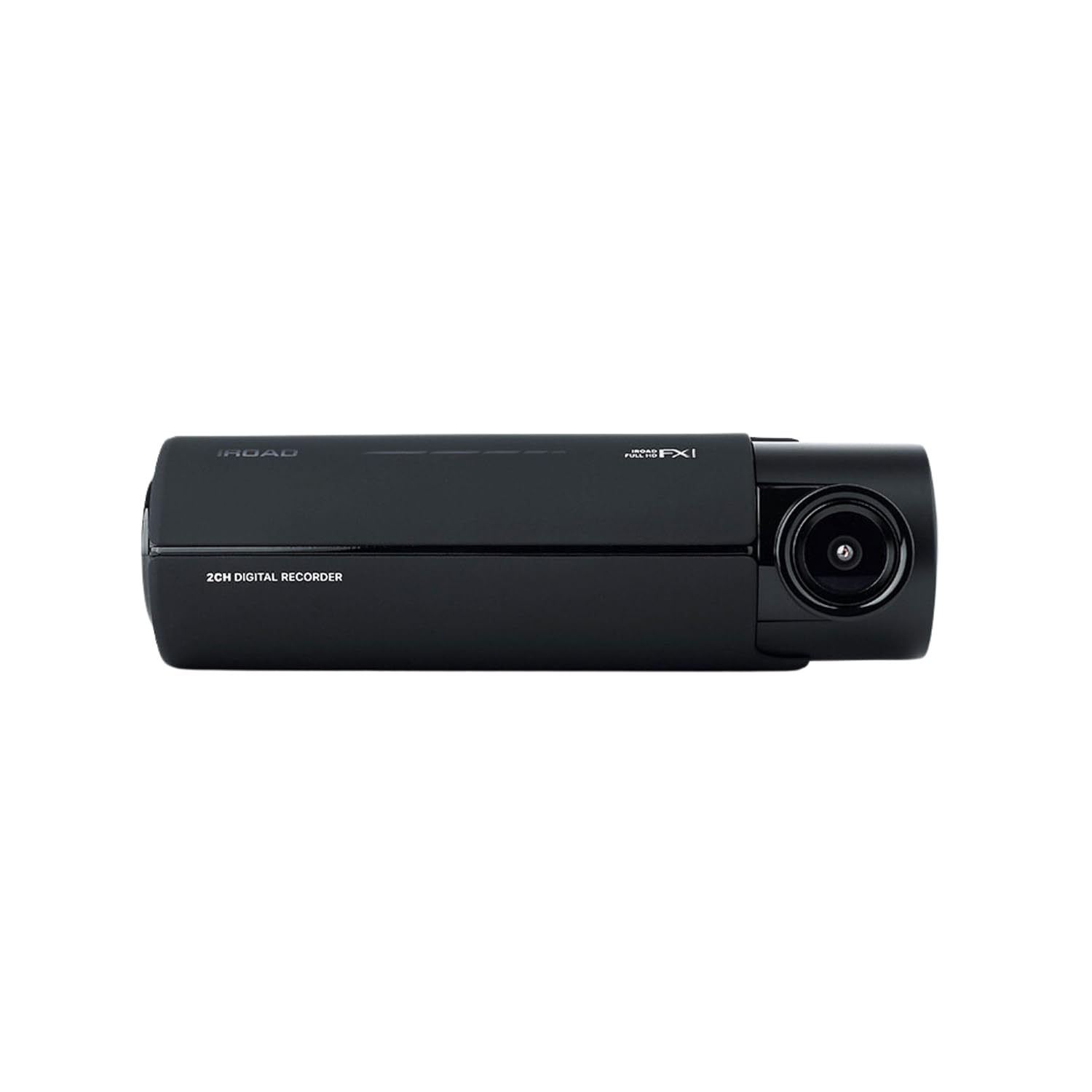
Billede: Forside view of the IROAD FX1 Dash Camera, showing the lens and main body.

Billede: Vinklet view of the IROAD FX1 Dash Camera, highlighting its compact design.
4.2 Nøglefunktioner
- 1080P Full HD-optagelse: Optager klar videotage.
- 140° vidvinkelobjektiv: Giver en bred view af vejen.
- Sony STARVIS Image Sensor: Enhances image clarity and night vision performance.
- ADAS (Advanced Driver-Assistance System): Includes features like Lane Departure Warning System (LDWS), Front Collision Warning System (FCWS), and Front Vehicle Departure Warning (FVDW).
- Wi-Fi-forbindelse: Connects to the IROAD app for viewing, downloading, and sharing footage.
- Indbygget GPS: Records speed, location, and route tracking data.
- Parkeringstilstand: Utilizes motion detection and impact sensors to record incidents when the vehicle is parked.
- High-Temperature Durability: Designet til pålidelig ydeevne under forskellige vejrforhold.

Image: The IROAD FX1 Dash Camera with icons representing its key features: 140° wide angle, Full HD 1080p, ADAS, Wi-Fi connection, and night vision.
5. Opsætning
5.1 Installation
- Vælg monteringssted: Select a location on the windshield that does not obstruct the driver's view and is close to the center of the windshield. Ensure the camera lens has a clear view af vejen forude.
- Rengør forrude: Clean the chosen area on the windshield thoroughly to ensure proper adhesion of the mount.
- Fastgør montering: Peel off the protective film from the 3M adhesive tape on the mount. Firmly press the mount onto the cleaned windshield area for at least 30 seconds.
- Attach Dash Camera: Slide the IROAD FX1 Dash Camera onto the mounted bracket until it clicks into place.
- Juster vinkel: Adjust the camera angle to ensure the road ahead is centered in the camera's view.

Image: The IROAD FX1 Dash Camera securely mounted on the interior side of a car's windshield, positioned for optimal road visibility.
5.2 Ledningsføring
- Indsæt MicroSD-kort: Insert the provided MicroSD card into the designated slot on the dash camera.
- Tilslut strømkabel: Connect the uninterrupted fuse cable to the power input port on the dash camera.
- Kabelrute: Carefully route the power cable along the edge of the windshield, down the A-pillar, and towards the vehicle's fuse box. Use the included installation tool to tuck the cable neatly under trim panels.
- Connect to Fuse Box: Connect the fuse cable to the appropriate fuse slots in your vehicle's fuse box according to the instructions in the quick guide or a professional installer. This connection enables parking mode functionality.
- Connect Wi-Fi Dongle: Insert the Wi-Fi dongle into the USB port on the dash camera.
6. Betjeningsvejledning
6.1 Tænd/sluk
- The dash camera will automatically power on and begin continuous recording when the vehicle's ignition is turned on.
- When the ignition is turned off, the dash camera will transition to parking mode (if configured) or power off after a short delay.
6.2 Optagelsestilstande
- Kontinuerlig optagelse: Records continuously while the vehicle is in operation. Footage is saved in short segments.
- Hændelsesoptagelse: Optager og gemmer automatisk madtage when an impact or sudden braking/acceleration is detected by the G-sensor.
- Optagelse i parkeringstilstand: When the vehicle is parked, the camera uses motion detection and impact sensors to record incidents, helping to protect your vehicle.
6.3 ADAS (Avanceret førerassistentsystem)
The IROAD FX1 includes ADAS features to enhance driving safety:
- LDWS (Lane Departure Warning System): Alerts the driver if the vehicle drifts out of its lane.
- FCWS (Front Collision Warning System): Warns the driver of a potential collision with a vehicle ahead.
- FVDW (Advarsel om afkørsel foran køretøj): Notifies the driver when the vehicle ahead starts moving from a stop.

Billede: En luftfoto view illustrating the Advanced Driver-Assistance System (ADAS) with vehicles and highlighted warning zones for potential hazards.
6.4 Wi-Fi Connection and IROAD App
For at få adgang til optaget footage, adjust settings, and update firmware, connect your smartphone to the dash camera via Wi-Fi:
- Download the official IROAD app from your smartphone's app store.
- Ensure the Wi-Fi dongle is inserted into the dash camera.
- On your smartphone, go to Wi-Fi settings and connect to the IROAD dash camera's Wi-Fi network (SSID and password can be found in the quick guide or on the device).
- Open the IROAD app to view live footage, afspilning af optagelser, download files, and configure device settings.

Image: An abstract illustration depicting Wi-Fi connectivity with multiple signal icons, representing the camera's wireless communication capabilities.
6.5 GPS-funktionalitet
The built-in GPS module records accurate speed, location, and route information, which can be viewed during video playback through the IROAD app or PC vieweh software.
7. Vedligeholdelse
7.1 Administration af hukommelseskort
- Formatering: It is recommended to format the MicroSD card regularly (e.g., once a month) to prevent data corruption and ensure optimal recording performance. This can be done via the IROAD app.
- Udskiftning: If the memory card shows signs of degradation or errors, replace it with a high-quality, compatible MicroSD card.
7.2 firmwareopdateringer
Periodically check for firmware updates via the IROAD app. Keeping the firmware updated ensures the best performance and access to new features.
7.3 Rengøring
- Tør forsigtigt kameralinsen af med en blød, fnugfri klud for at fjerne støv eller pletter.
- Clean the exterior of the dash camera with a slightly damp klæde. Brug ikke skrappe kemikalier eller slibende rengøringsmidler.
8. Fejlfinding
| Problem | Mulig årsag | Løsning |
|---|---|---|
| Kameraet tænder ikke. | Ingen strømforsyning; løs kabelforbindelse. | Check power cable connection to the camera and fuse box. Ensure vehicle ignition is on. |
| Optagelse stopper eller footage er korrupt. | Memory card error; full memory card; incompatible card. | Format the MicroSD card. Replace with a new, compatible card if issues persist. |
| Problemer med Wi-Fi-forbindelse. | Wi-Fi dongle not inserted; incorrect password; app issues. | Ensure Wi-Fi dongle is properly inserted. Verify Wi-Fi password. Restart the app and camera. |
| ADAS warnings are inaccurate. | Improper camera angle; environmental factors. | Adjust camera angle to ensure clear, centered view. ADAS performance can be affected by weather or road conditions. |
9. Specifikationer
| Feature | Specifikation |
|---|---|
| Modelnavn | FX1 |
| Videooptagelsesopløsning | 1080p fuld HD |
| Felt Af View | 140 grader |
| Forbindelsesteknologi | GPS, Wi-Fi |
| Speciel funktion | App kontrol |
| Monteringstype | Forrudemontering |
| Varens vægt | 350 g |
| Produktdimensioner | 3.29 x 5.7 x 10.82 cm |
| Fabrikant | IROAD |
10. Garanti og support
For warranty information and technical support, please refer to the official IROAD webwebstedet eller kontakt din lokale forhandler. Gem din købskvittering som købsbevis i tilfælde af garantikrav.
Online ressourcer: Visit the IROAD official webwebsted med ofte stillede spørgsmål, softwaredownloads og yderligere supportmaterialer.