
TEYES CC3 2K
TEYES CC3 2K Car Multimedia System User Manual
For Toyota Hilux Pick Up AN120 (2015-2020) Right Hand Drive Models
Vigtig meddelelse
This product is designed exclusively for Right Hand Drive Toyota Hilux Pick Up AN120 models manufactured between 2015 and 2020. It is not compatible with Left Hand Drive vehicles.

Image: Incompatibility warning for Left Hand Drive vehicles. The system is only for Right Hand Drive models.
Pakkens indhold
Bekræft, at alle nedenstående varer er inkluderet i din pakke:
- 1* Head unit (TEYES CC3 2K)
- 1* USB-kabel
- 1* GPS antenna
- 1* AUX cable
- 1* 4G WiFi antenna
- 1* E-book (digital manual)
- 1* Frame (OEM Panel)
- 1* Strømkabel
- 1* AHD 1080p rear camera
- Skruer & skruetrækker
- Audio & Video harness + RCA
- Renseklud
- Ledningsdiagram

Image: Visual representation of the TEYES CC3 2K package contents, including the head unit, cables, and accessories.
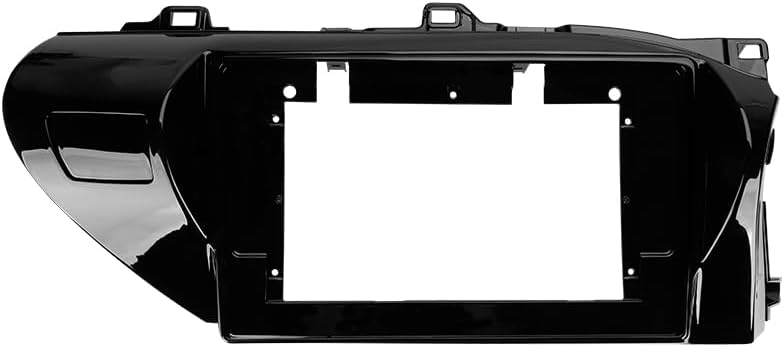
Image: The OEM panel frame, designed to integrate the head unit seamlessly into the Toyota Hilux dashboard.
Specifikationer
| Feature | Detalje |
|---|---|
| Modelnummer | CC3 2K |
| Skærmstørrelse | 10.36 tommer |
| Hukommelse (RAM) | 6 GB |
| Lager (ROM) | 128 GB |
| Operativsystem | Android |
| Processor | 8 kerner 2.0 GHz |
| Forbindelse | Bluetooth, USB, WiFi, 4G Hotspot |
| Særlige funktioner | Touchscreen, Wireless CarPlay, Android Auto, RDS, DSP (ADAU1701 + ROHM32107), Optical/Coaxial Digital Audio Output |
| Korttype | North America (pre-installed) |
| Lydudgangstilstand | Stereoanlæg |
| Type køretøjstjeneste | Car (Toyota Hilux AN120 2015-2020 RHD) |
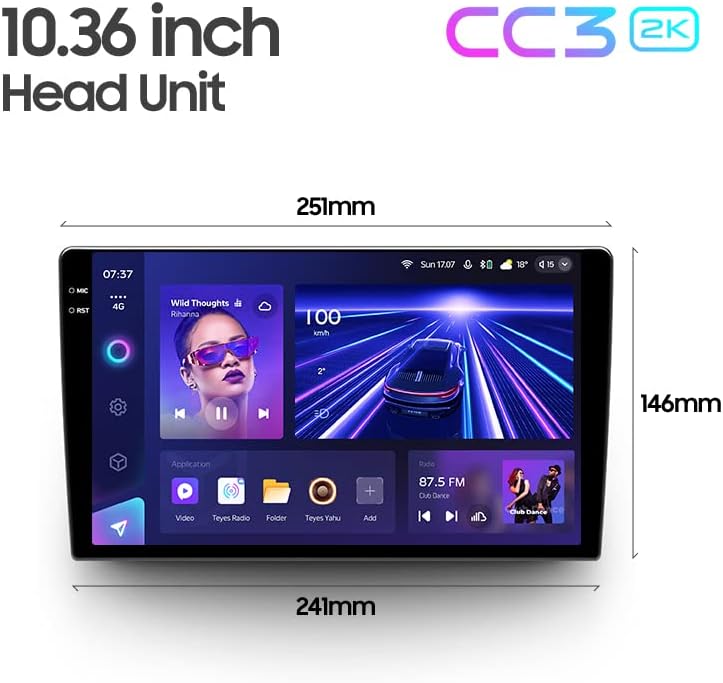
Image: Dimensions of the 10.36-inch TEYES CC3 2K head unit, providing measurements for installation planning.
Opsætning og installation
Professional installation is highly recommended for this car multimedia system. Incorrect installation can lead to damage to the unit or your vehicle's electrical system.
Kontrol før installation:
- Sørg for, at køretøjets tænding er slukket, og at batteriet er frakoblet.
- Bekræft at alt indhold i pakken er til stede.
- Review the provided wiring diagram thoroughly.
Installationstrin (generelt):
- Fjern forsigtigt den originale bilradio og instrumentbrætbeklædningen.
- Connect the power cable, GPS antenna, 4G WiFi antenna, and other necessary harnesses to the TEYES CC3 2K head unit according to the wiring diagram.
- Install the AHD 1080p rear camera (if applicable) and route its cable to the head unit.
- Mount the TEYES CC3 2K head unit into the OEM panel frame.
- Secure the assembly into the dashboard opening.
- Reconnect the vehicle battery and test the system before fully reassembling the dashboard trim.
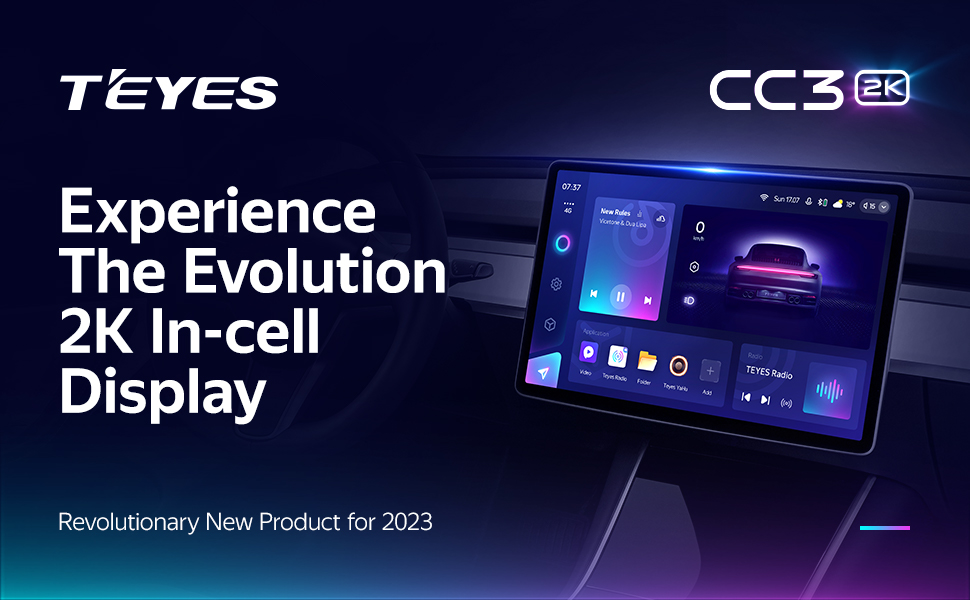
Image: Visual comparison of the car interior before and after the TEYES CC3 2K system installation, demonstrating seamless integration.
Betjeningsvejledning
Dette afsnit giver en overview of the main functions and how to operate your TEYES CC3 2K system.
Power On/Off and Basic Navigation:
Press the power button to turn the unit on or off. Use the touchscreen to navigate through the Android interface. Swipe gestures and taps are used for app selection and menu navigation.
Skærm og brugergrænseflade:
The 2K In-cell Display offers vivid colors and sharp resolution. You can customize the user interface with various color styles to match your preference.

Billede: Eksamples of various customizable color styles and themes for the system's user interface.
Connectivity (CarPlay, Android Auto, Bluetooth, 4G, WiFi):
- Trådløs CarPlay og Android Auto: Connect your compatible smartphone wirelessly for seamless integration of navigation, music, and communication apps.
- Bluetooth: Pair your phone for hands-free calling and audio streaming. The upgraded QCC3031QFN Qualcomm module ensures stable connection.
- 4G-internet: Insert a SIM card (not included) into the designated slot to enable 4G internet access directly on the head unit.
- WiFi: Connect to a local WiFi hotspot for internet access.
Lydfunktioner:
The system features dual DSP (ADAU1701 + ROHM32107) for enhanced audio processing.
- 27-segment EQ: Fine-tune your audio output with the comprehensive 27-segment equalizer.
- Optisk og koaksial digital lydudgang: For high-fidelity audio systems, connect via digital outputs.
- Lydfiltrering: Adjust sound filters for optimal audio quality.

Image: Digital Sound Processor (DSP) interface for advanced audio adjustments.
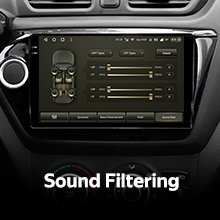
Image: The 27-segment Equalizer (EQ) for precise sound customization.

Image: Settings for optical and coaxial digital audio output, enabling connection to external high-quality audio systems.
Ratstyring:
The system supports original car steering wheel buttons. You can configure these buttons to control various functions of the multimedia system.
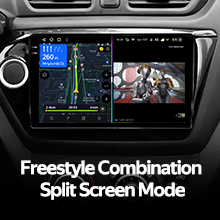
Image: Steering wheel controls, demonstrating the system's ability to integrate with existing vehicle buttons.
USB-dataoverførsel:
The unit provides multiple USB outputs for high-speed data transmission, allowing connection of USB drives for media playback or other peripherals.

Image: Multiple USB outputs for connecting external devices and high-speed data transfer.
Split Screen Mode:
Utilize the split-screen feature to run two applications simultaneously, such as navigation and media playback.
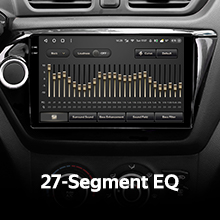
Image: Split-screen functionality, allowing two applications to be viewed concurrently on the display.
Bag View Kamera:
The included AHD 1080p rear camera provides real-time viewing of the vehicle's rear. The system also supports video recording from the camera.

Image: Real-time display of the rear view kamerafeed, hjælp til parkering og manøvrering.
Opretholdelse
Rengøring af skærmen:
Use the provided cleaning cloth or a soft, lint-free cloth to gently wipe the screen. Avoid using harsh chemicals or abrasive materials that could damage the display.
Softwareopdateringer:
Periodically check for software updates through the system settings or the official TEYES webwebstedet for at sikre optimal ydeevne og adgang til nye funktioner.
Fejlfinding
If you encounter issues with your TEYES CC3 2K system, refer to the following common solutions. For more detailed troubleshooting, consult the included e-book.
Almindelige problemer og løsninger:
- Ingen strøm: Check all power connections and fuses. Ensure the vehicle battery is properly connected.
- Ingen lyd: Verify speaker connections, volume settings, and audio output selections. Check if the mute function is active.
- GPS-signaltab: Sørg for, at GPS-antennen er korrekt installeret og har en klar view af himlen.
- Touchskærm reagerer ikke: Prøv at genstarte enheden. Hvis problemet fortsætter, kan en fabriksnulstilling være nødvendig (bemærk: dette vil slette brugerdata).
- Bluetooth/WiFi Connection Issues: Ensure the respective modules are enabled in settings. Try re-pairing devices or reconnecting to networks.
If these steps do not resolve the problem, please contact customer support.
Garantioplysninger
The TEYES CC3 2K Car Multimedia System comes with a 1 års garanti fra købsdatoen. Denne garanti dækker fabrikationsfejl og funktionsfejl ved normal brug. Den dækker ikke skader forårsaget af forkert installation, misbrug, ulykker eller uautoriserede ændringer.
Gem venligst dit købsbevis for garantikrav.
Kundesupport
For further assistance, technical support, or warranty inquiries, please contact TEYES customer service through their official webwebstedet eller de kontaktoplysninger, der er angivet med dit køb.
When contacting support, please have your product model (CC3 2K) and purchase details ready.
Ask a question about this manual
Ask about setup, troubleshooting, compatibility, parts, safety, or missing instructions. Manuals+ will review the question and use this page’s manual context to help answer it.