
TEYES CC3 2K
TEYES CC3 2K Car Radio Multimedia System User Manual
Model: CC3 2K
Indledning
This manual provides comprehensive instructions for the installation, operation, and maintenance of your TEYES CC3 2K Car Radio Multimedia Video Player Navigation Stereo GPS Headunit. Please read this manual thoroughly before using the device to ensure proper functionality and safety.
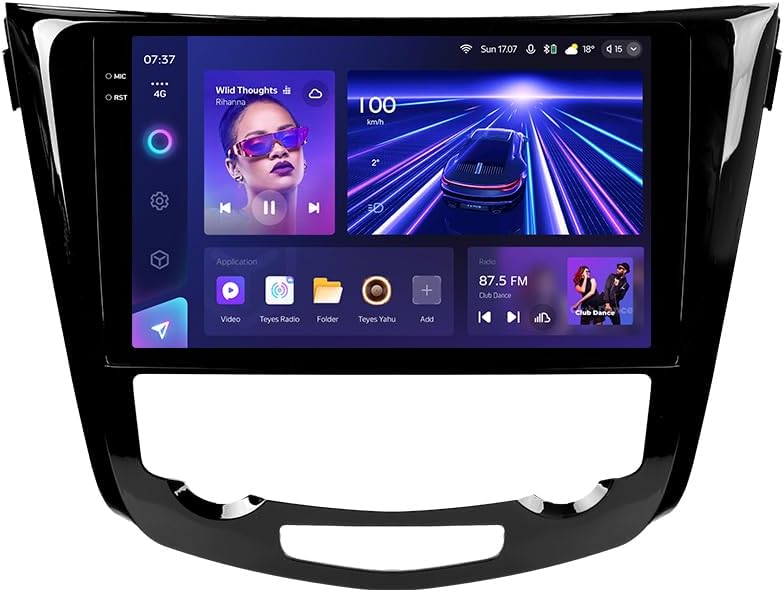
Billede: Forside view of the TEYES CC3 2K Car Radio Multimedia System, showcasing dens store skærm og elegante design.
Pakkens indhold
Bekræft, at alle nedenstående varer er inkluderet i din pakke. Hvis der mangler eller er beskadigede varer, bedes du kontakte kundesupport.
- 1x TEYES CC3 2K Head Unit
- 1x OEM Panel (Frame)
- 1x strømkabel
- 1 x USB-kabel
- 1 x GPS antenne
- 1x AUX -kabel
- 1x 4G WiFi Antenna
- 1x AHD 1080p Rear Camera
- 1x E-book (Digital Manual)
- 1x Wiring Diagram
- 1x rengøringsklud
Opsætning og installation
Professional installation is recommended for this device. Ensure the vehicle's battery is disconnected before beginning installation.
Kompatibilitet
This unit is designed for Nissan X-Trail 3 (T32) 2013-2022 and Qashqai 2 (J11) models. Please verify your vehicle's compatibility before installation.
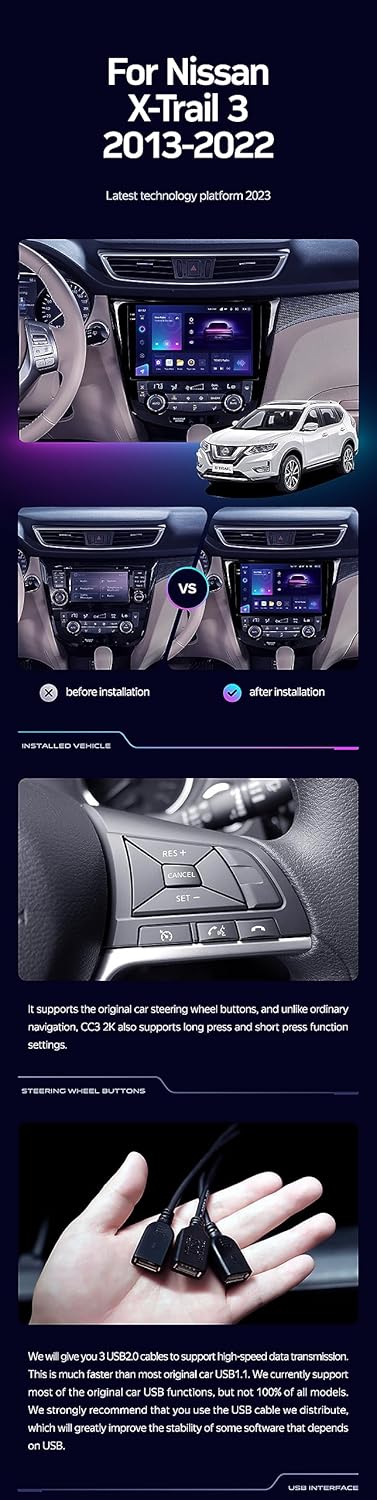
Image: A side-by-side comparison showing a car's dashboard before and after the installation of the TEYES CC3 2K unit, highlighting the integrated look.
Installationstrin (generelt)
- Afbryd batteriet: Før start skal du frakoble den negative pol på dit køretøjs batteri for at forhindre kortslutninger.
- Fjern den gamle hovedenhed: Carefully remove the existing car radio and trim panels. Refer to your vehicle's service manual for specific instructions.
- Tilslut ledningsnet: Connect the provided power cable, USB cable, GPS antenna, AUX cable, and 4G WiFi antenna to the TEYES CC3 2K head unit. Ensure all connections are secure.
- Installer bakkamera: If installing the AHD 1080p rear camera, route its cable to the desired mounting location (typically near the license plate) and connect it to the head unit.
- Monter hovedenhed: Secure the TEYES CC3 2K head unit into the dashboard using the provided OEM panel (frame) and mounting hardware.
- Gentilslut batteri: Når alle tilslutninger er foretaget, og enheden er sikkert monteret, skal køretøjets batteri tilsluttes igen.
- Test funktionalitet: Turn on the vehicle and test all functions of the new head unit, including audio, navigation, camera, and connectivity.
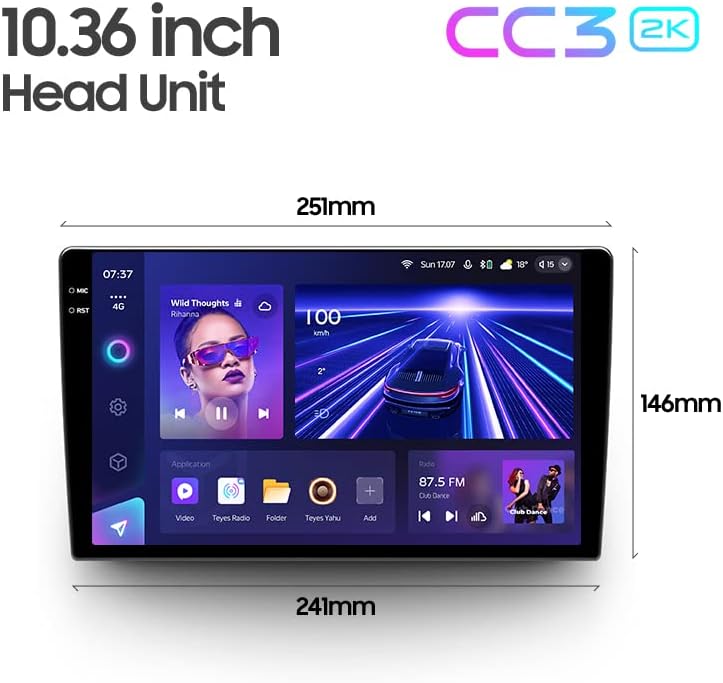
Image: The OEM panel (frame) included with the TEYES CC3 2K, designed for seamless integration into compatible vehicle dashboards.
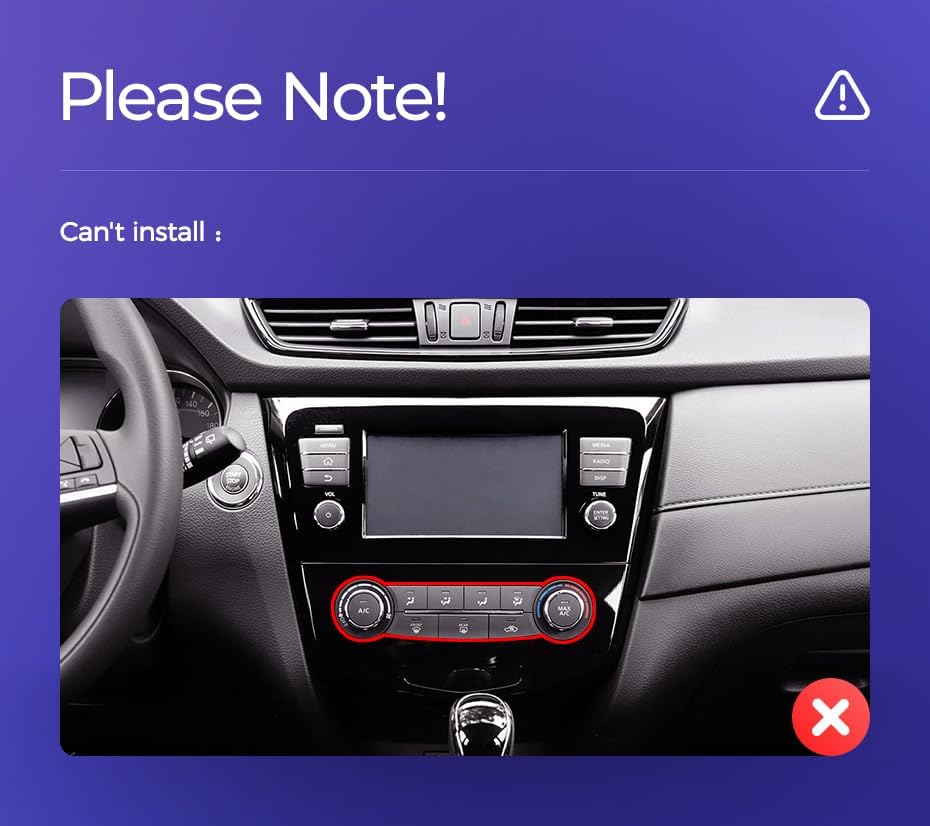
Image: Technical drawing showing the dimensions of the TEYES CC3 2K head unit, including its 10.36-inch screen size.
Vigtig monteringsbemærkning
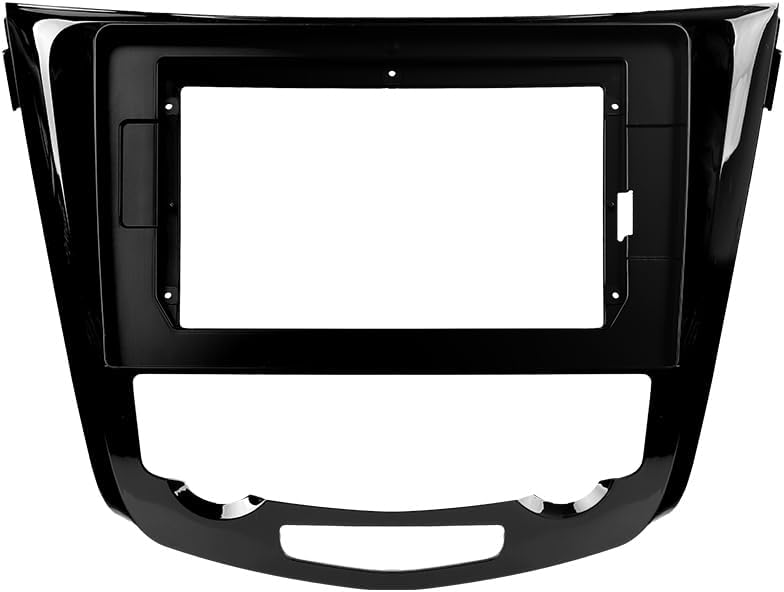
Image: Three USB output cables provided with the TEYES CC3 2K for data transfer and connectivity.
The unit provides multiple USB outputs for data transfer. While designed for broad compatibility, some original car USB functions may not be fully supported across all vehicle models. An included USB adapter cable can be used to ensure compatibility where needed.
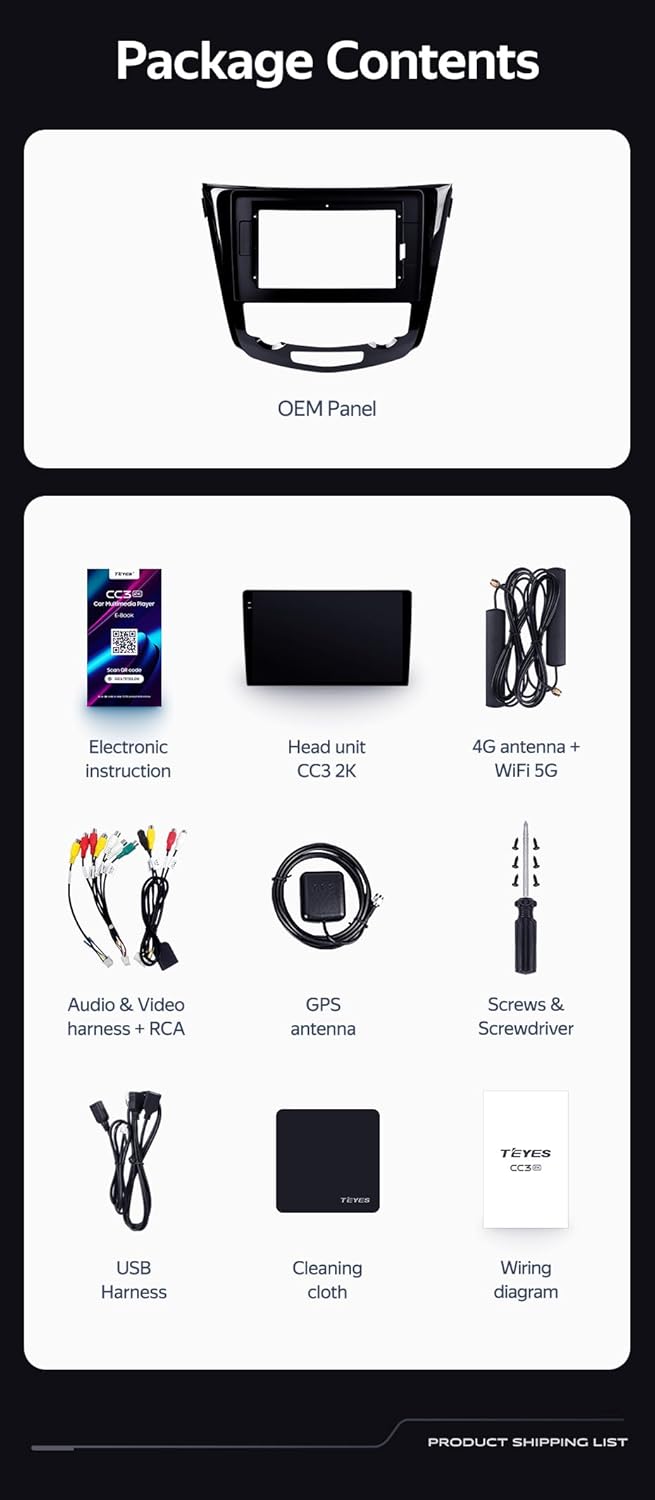
Image: A close-up of a car's steering wheel with controls, indicating support for steering wheel button integration with the TEYES CC3 2K.
The unit supports original car steering wheel buttons. Basic functions like volume and track control are supported. Advanced functions may require additional configuration or may not be fully compatible with all vehicle models.
Betjeningsvejledning
Display og interface
The TEYES CC3 2K features a 10.36-inch 2K In-cell display, offering vivid colors and accurate touch response. The Android 10 operating system provides a user-friendly interface.
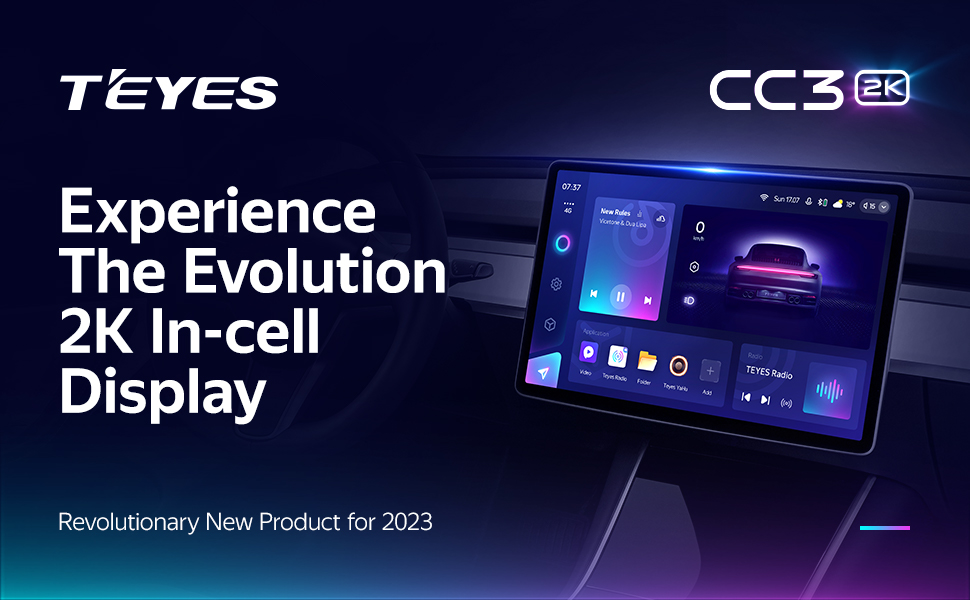
Image: A promotional image highlighting the TEYES CC3 2K's 2K In-cell display, showing a vibrant user interface.
Forbindelse
- Bluetooth: Connect your smartphone via the upgraded Qualcomm QCC3031QFN Bluetooth module for hands-free calling and audio streaming.
- Wi-Fi/4G Internet: The unit supports 4G internet connectivity (SIM card not included) and Wi-Fi for online navigation, app downloads, and streaming.
- USB: Use the USB ports for media playback, data transfer, and connecting external devices.
Navigation og multimedier
- GPS: Built-in GPS with North America map type support for accurate navigation.
- CarPlay og Android Auto: Enjoy seamless integration with your smartphone via built-in wireless Apple CarPlay and Android Auto.
- Radio: Access local radio stations with the premium local radio feature.
- Split Screen Mode: Utilize the freestyle combination split screen mode to run two applications simultaneously, such as navigation and media playback.
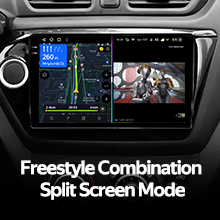
Image: The TEYES CC3 2K display showing split-screen functionality, with navigation on one side and video playback on the other.

Image: The TEYES CC3 2K display showing the premium local radio interface with various station icons.
Lydfunktioner
The unit is equipped with dual DSP (ADAU1701 + ROHM32107) for enhanced audio processing, offering optical and coaxial digital audio output.
- 27-segment EQ: Fine-tune your audio experience with the comprehensive 27-segment equalizer.
- Lydfiltrering: Advanced sound filtering options are available to optimize audio output.

Image: The TEYES CC3 2K display showing the DSP audio settings interface, indicating dual DSP processors.
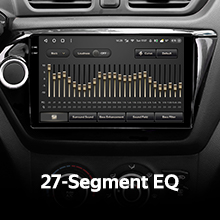
Image: The TEYES CC3 2K display showing the 27-segment equalizer interface for detailed audio customization.

Image: The TEYES CC3 2K display showing audio output settings, indicating support for optical and coaxial digital audio output.
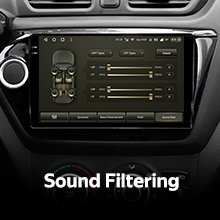
Image: The TEYES CC3 2K display showing sound filtering options, allowing users to refine audio quality.
Camera and Recording
The unit supports real-time viewing of the vehicle's rear view and video recording with the included AHD 1080p rear camera.
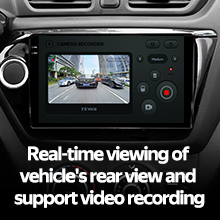
Image: The TEYES CC3 2K display showing the real-time feed from the rear view camera, with recording options.
Opretholdelse
- Rengøring af skærm: Use the provided cleaning cloth or a soft, lint-free cloth to gently wipe the screen. Avoid abrasive cleaners or solvents.
- Softwareopdateringer: Periodically check for software updates from TEYES to ensure optimal performance and access to new features.
- Miljøforhold: Undgå at udsætte enheden for ekstreme temperaturer, direkte sollys i længere perioder eller for høj fugtighed.
Fejlfinding
If you encounter issues with your TEYES CC3 2K, refer to the following common problems and solutions:
| Problem | Mulig årsag | Løsning |
|---|---|---|
| Enheden tænder ikke. | Løs strømforbindelse, sprunget sikring, problem med bilbatteri. | Kontroller strømkabelforbindelserne. Undersøg bilens sikringer. Sørg for, at bilens batteri er opladet. |
| Ingen lydudgang. | Lydstyrken er for lav, forkert lydkilde valgt, problem med højttalerledningerne. | Øg lydstyrken. Vælg den korrekte lydkilde. Kontroller højttalertilslutningerne. |
| GPS-signal mistet eller unøjagtigt. | GPS-antennen er blokeret eller forkert installeret. | Sørg for, at GPS-antennen har en fri view af himlen og er sikkert forbundet. |
| Touchscreen reagerer ikke. | Midlertidig softwarefejl, interferens med skærmbeskytter. | Restart the unit. Remove any screen protectors to test. |
| Problemer med Bluetooth-forbindelse. | Enheden er ikke i parringstilstand, interferens, forældet firmware. | Ensure device is in pairing mode. Move closer to the unit. Check for firmware updates. |

Image: An icon representing Frequently Asked Questions, indicating further support resources.
Specifikationer
| Feature | Detalje |
|---|---|
| Modelnummer | CC3 2K |
| Operativsystem | Android 10 |
| Processor | 8 kerner 2.0 GHz |
| VÆDDER | 6 GB |
| ROM | 128 GB |
| Skærmstørrelse | 10.36 tommer |
| Display Type | 2K In-cell Display |
| Forbindelse | Bluetooth (QCC3031QFN Qualcomm), USB, Wi-Fi, Hotspot, 4G Internet |
| Lydudgangstilstand | Stereoanlæg |
| DSP | 2*DSP ADAU1701 + ROHM32107 |
| Lydudgang | Optisk og koaksial digital lydudgang |
| Navigation | Built-in GPS, North America Map Type |
| Særlige funktioner | Touchscreen, Bluetooth, Wireless CarPlay, Android Auto, RDS, Real-time Rear View, Video Recording, TEYES Vision & TEYES Yahu software. |
| Type køretøjstjeneste | Bil |
Garanti og support
The TEYES CC3 2K comes with a 1 års garanti fra købsdatoen. Denne garanti dækker fabrikationsfejl og funktionsfejl under normal brug.
For technical support, troubleshooting assistance, or warranty claims, please contact TEYES customer service through the official TEYES store on Amazon or their official webwebsted.
Besøg TEYES Store on Amazon for mere information og supportressourcer.
Ask a question about this manual
Ask about setup, troubleshooting, compatibility, parts, safety, or missing instructions. Manuals+ will review the question and use this page’s manual context to help answer it.