
Indledning
The Anderic RR1004 is a universal TV remote control designed for simplicity and ease of use, particularly beneficial for seniors, individuals in assisted living, or anyone seeking a straightforward television control experience. Its large, glow-in-the-dark buttons and minimalist layout reduce complexity, focusing on essential functions for effortless TV operation.
This manual provides comprehensive instructions for setting up, operating, and maintaining your Anderic RR1004 remote control.
Nøglefunktioner
- Large, Glow-in-the-Dark Buttons: Designed for enhanced visibility and ease of use in various lighting conditions.
- Simplified Layout: Features only essential controls (Power, Volume, Channel, Mute, Closed Captioning) to prevent confusion.
- Broad IR Compatibility: Works with most standard IR (infrared) TVs, including major brands like LG, Samsung, and Sony.
- Læringsfunktion: Allows copying functions from an existing IR remote for customized control, such as input or streaming buttons.
- Pre-programmed for LG TVs: Ready to use with LG televisions right out of the box.
- Holdbart design: Built for reliability in various environments, including hospitality and healthcare settings.
- Håndledssnorfastgørelse: Provides a convenient way to keep the remote accessible and prevent loss.
Pakkens indhold
- Anderic RR1004 Big Button TV Remote Control
- Instruktionsmanual (dette dokument)
- Bemærk: 2 AAA-batterier er nødvendige og medfølger ikke.
Opsætning
1. Batteriinstallation
The Anderic RR1004 remote requires two (2) AAA batteries for operation. Ensure correct polarity when inserting the batteries.
- Find batterirummets dæksel på bagsiden af fjernbetjeningen.
- Skub dækslet nedad for at åbne rummet.
- Insert two AAA batteries, matching the positive (+) and negative (-) terminals as indicated inside the compartment.
- Skub dækslet tilbage på plads, indtil det klikker sikkert.

Billede: Bag view of the Anderic RR1004 remote control, highlighting the easy-removable battery cover and the small wrist lanyard attachment point. This design helps prevent battery loss and keeps the remote accessible.

Billede: The Anderic RR1004 remote control displayed alongside two AAA batteries, illustrating the battery type required. The image also shows the remote's dimensions: 5.75 inches in length, 2 inches in width, and 1 inch in thickness, emphasizing its compact yet easy-to-handle size.
2. Initial TV Programming
The RR1004 is pre-programmed for LG TVs and may work immediately. For other TV brands, follow the steps below to program the remote.
Automatic Code Search (3-Step Modification)
This method allows the remote to scan through its internal code database to find a compatible code for your TV.
- Tænd for tv'et du ønsker at kontrollere.
- Tryk og hold på MAGT knappen og CH+ button simultaneously for approximately three seconds. The remote's indicator light will illuminate, signifying it is in programming mode.
- While pointing the remote at the TV, press and release either the CH+ or CH- button repeatedly. Each press sends a new code. Stop when the TV turns off.
- Når tv'et slukkes, skal du trykke på SÆT knappen for at gemme koden. Indikatorlampen slukker.
Test the remote's functions (Power, Volume, Channel). If not all functions work correctly, repeat the process, stopping at a different code when the TV turns off.
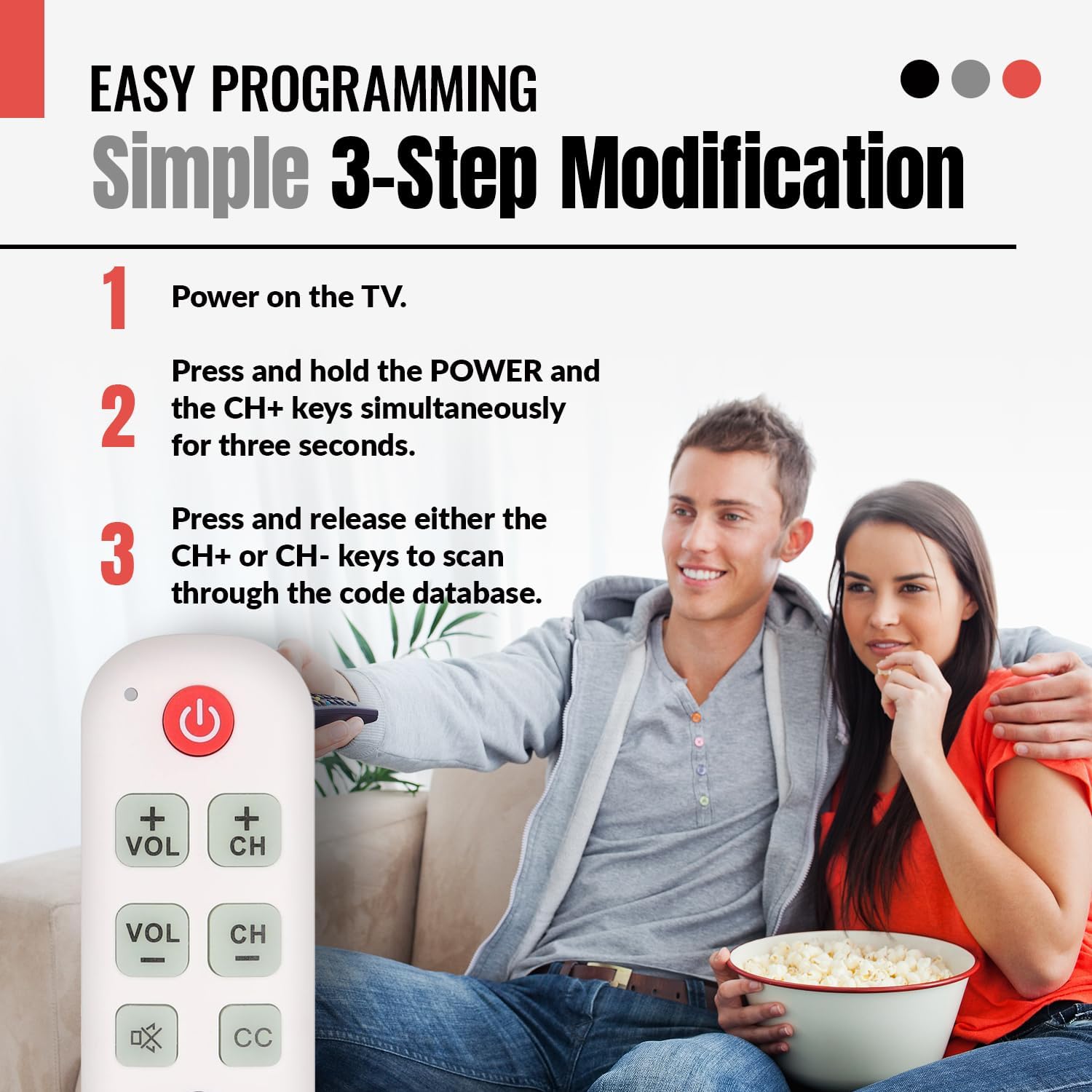
Billede: A visual guide illustrating the simple 3-step programming process for the Anderic RR1004 remote control. It shows a user pressing the POWER and CH+ buttons, then repeatedly pressing CH+ or CH- to find the correct code for their TV.

Billede: The Anderic RR1004 remote control in use with an LG HDTV, demonstrating its instant plug-and-play setup for LG models. This image highlights the convenience for users with LG televisions, requiring no programming.
3. Learning Function (Copying from Original Remote)
The learning function allows the RR1004 to copy infrared signals from your existing IR remote control. This is useful for adding functions not present on the RR1004, such as an "Input" button or specific streaming service buttons, provided your original remote is IR-based.
Vigtig: The learning function does not work with RF (Radio Frequency) or Bluetooth remotes. Ensure both remotes have fresh batteries and are pointed directly at each other during the learning process. Perform learning in a low-light environment to avoid interference.
- Place the Anderic RR1004 and your original remote control on a flat surface, facing each other, with their IR emitters aligned and approximately 1-2 inches apart.
- Tryk og hold på SÆT button on the RR1004 for approximately three seconds until the indicator light illuminates steadily.
- Press the button on the RR1004 that you wish to program (e.g., the MAGT button if you want to learn a different power code). The indicator light will flash slowly.
- Press and hold the corresponding button on your original remote control (e.g., its Power button). The indicator light on the RR1004 will flash rapidly, then turn solid, indicating successful learning.
- Gentag trin 3 og 4 for alle andre knapper, du ønsker at programmere.
- Når du har programmeret alle de ønskede knapper, skal du trykke på SÆT button on the RR1004 to exit learning mode. The indicator light will turn off.
Test the newly programmed buttons. If a button does not work, repeat the learning process for that specific button.

Billede: An illustration showing the Anderic RR1004 remote control connected via a dashed line to a cable box, which in turn is connected to a TV. This demonstrates the remote's capability to control both a TV and a cable box, especially through its learning function for cable box commands.
Betjeningsvejledning
The Anderic RR1004 remote control features a minimalist design with clearly labeled, large buttons for essential TV functions.

Billede: En klar front view of the Anderic RR1004 Big Button TV Remote Control, showcasing its large, distinct buttons for Power, Volume Up/Down, Channel Up/Down, Mute, Closed Captioning, and the SET button for programming. The remote is white with green and red buttons, and features a small wrist lanyard.

Billede: The Anderic RR1004 remote control with a red circle highlighting the glow-in-the-dark keys for Volume, Channel, Mute, and Closed Captioning. This feature enhances accessibility and ease of use in low-light conditions, making it ideal for seniors.
- MAGT Knap: Tænder eller slukker for tv'et.
- VOL + / VOL- Knapper: Øger eller sænker fjernsynets lydstyrke.
- CH+ / CH- Knapper: Ændrer tv-kanalen op eller ned.
- STUM Button (Speaker with X): Slår fjernsynets lyd fra eller til.
- CC Knap: Aktiverer eller deaktiverer undertekster.
- SÆT Knap: Used for programming the remote control. Not for daily TV operation.
Opretholdelse
- Rensning: Tør fjernbetjeningen af med en blød, tør klud. Brug ikke flydende rengøringsmidler eller slibende materialer.
- Udskiftning af batteri: Replace batteries when the remote's performance diminishes or the indicator light does not respond. Always replace both AAA batteries simultaneously with new ones.
- Opbevaring: Opbevar fjernbetjeningen et køligt, tørt sted væk fra direkte sollys og ekstreme temperaturer.
Fejlfinding
| Problem | Mulig årsag | Løsning |
|---|---|---|
| Fjernbetjeningen virker ikke. |
|
|
| Nogle knapper virker ikke efter programmering. |
|
|
| Learning function does not work. |
|
|
Specifikationer
- Model: RR1004
- Dimensioner: 5.75 x 2 x 1 inches (Length x Width x Thickness)
- Varens vægt: 1.76 ounce (uden batterier)
- Strømkilde: 2 x AAA batterier (medfølger ikke)
- Kompatibilitet: Most IR (Infrared) TVs (LG, Samsung, Sony, etc.)
- Særlige funktioner: Glow-in-the-dark buttons, Learning Function, Simplified Layout
- Fabrikant: Dan's Electronics Etc., Inc.
Garanti og support
For warranty information or technical support regarding your Anderic RR1004 remote control, please contact the manufacturer, Dan's Electronics Etc., Inc., or refer to the official Anderic webwebsted. Gem din købskvittering som købsbevis i tilfælde af garantikrav.
Fabrikant: Dan's Electronics Etc., Inc.
For yderligere hjælp, besøg Anderic Store on Amazon.