
1. Introduktion
This manual provides essential information for setting up, operating, and maintaining your FOREVER Colorum CW-300 Smartwatch. Please read this guide thoroughly before using your device to ensure proper function and longevity. Keep this manual for future reference.
2. Produktet er slutview
The FOREVER Colorum CW-300 is a versatile smartwatch designed for daily activity tracking and smart notifications. It features a round 1.20-inch touchscreen display with 240x240 px resolution and Bluetooth 5.0 connectivity for seamless integration with Android and iOS smartphones. The watch is IP68 waterproof, making it suitable for various activities, including swimming.

Image: The FOREVER Colorum CW-300 Smartwatch on a user's wrist, displaying activity metrics.
Key functionalities include a comprehensive activity tracker, heart rate monitoring, sleep analysis, and 14 distinct sport modes. It also offers convenient features such as music and camera remote control for your smartphone.
3. Kom godt i gang (opsætning)
3.1 Udpakning og komponenter
Når du åbner pakken, skal du sørge for, at alle komponenter er til stede:
- FOREVER Colorum CW-300 Smartwatch
- Magnetisk opladningskabel
- Protective Case (optional, if included in your specific package)
- Brugervejledning (dette dokument)
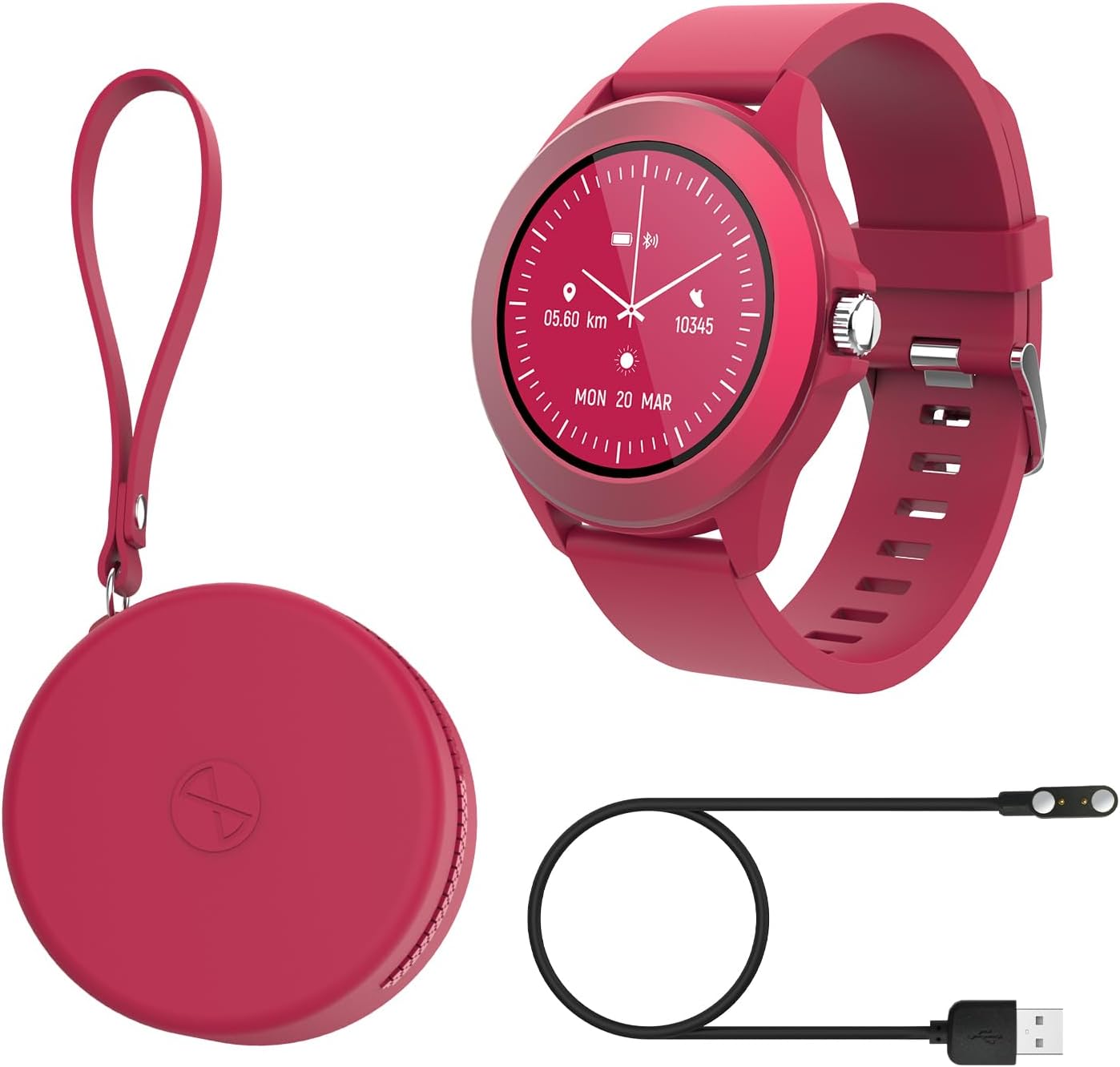
Image: Contents of the FOREVER Colorum CW-300 package, including the smartwatch, charging cable, and case.
3.2 Opladning af smartwatchet
Before first use, fully charge your smartwatch. Connect the magnetic charging cable to the charging contacts on the back of the watch and plug the USB end into a standard USB power adapter (not included) or a computer's USB port. The watch display will indicate charging status. A full charge typically takes approximately 2 hours.
3.3 Parring med din smartphone
- Download the companion app (e.g., 'Forever Smart' or similar, check packaging for exact app name) from your smartphone's app store (Google Play Store for Android, Apple App Store for iOS).
- Sørg for, at Bluetooth er aktiveret på din smartphone.
- Åbn appen og følg instruktionerne på skærmen for at oprette en konto eller logge ind.
- In the app, select 'Add Device' or 'Pair Device' and choose 'CW-300' from the list of available devices.
- Bekræft parringsanmodningen på både din smartphone og smartwatch.
4. Betjening af dit smartwatch
4.1 Grundlæggende navigation
The CW-300 features a full touchscreen display. Swipe left, right, up, or down to navigate through menus and functions. Press the physical button on the side to return to the home screen or wake the device.
4.2 Tidsvisning og urskiver
The default screen displays the time. You can customize watch faces through the companion app or by long-pressing the watch face on the device and swiping to select a new one.
4.3 Meddelelser
Once paired, the smartwatch will display notifications from your smartphone, including calls, messages, and app alerts. Manage which app notifications appear on your watch through the companion app settings.
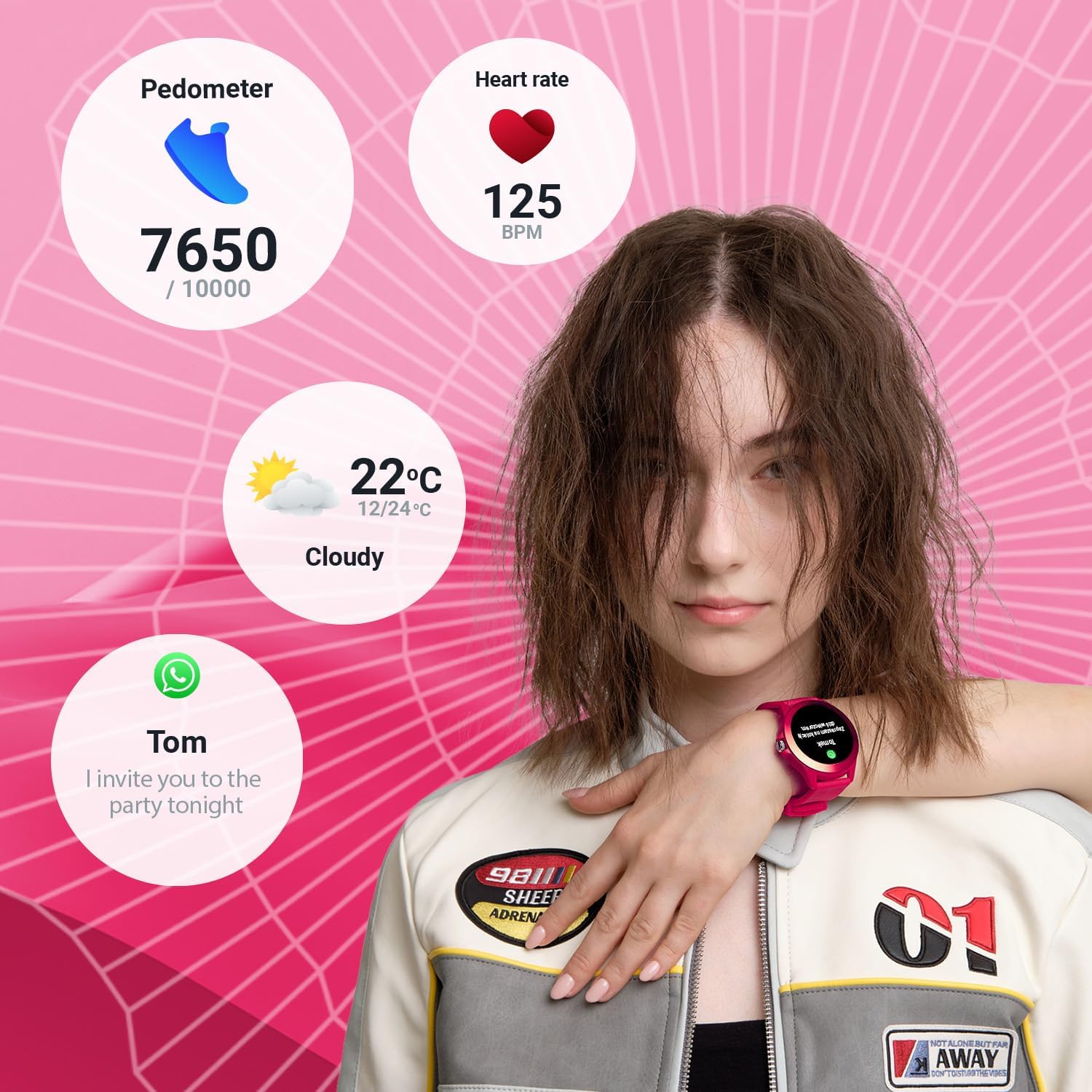
Image: The smartwatch display showing various data points including steps, heart rate, weather, and a message notification.
4.4 Musikkontrol
Access the music control feature on your watch to play, pause, skip tracks, and adjust volume for music playing on your connected smartphone.
4.5 Camera Remote
Use the camera remote function to trigger your smartphone's camera shutter from your smartwatch, making it easier to take photos.
5. Sundheds- og fitnesssporing
5.1 Aktivitetsmåler
The smartwatch continuously tracks your daily activity, including steps taken and calories burned. View your progress towards daily goals on the watch or in the companion app.
5.2 Pulsmåler
The built-in heart rate sensor monitors your heart rate throughout the day. Access real-time readings on the watch and review historiske data i appen.

Billede: Nærbillede view of two smartwatches, highlighting the heart rate monitoring feature with a graph.
5.3 Søvnmonitor
Wear your smartwatch to bed to track your sleep patterns. The device analyzes sleep quality, including deep and light sleep stages, providing insights in the companion app.
5.4 sportstilstande
The CW-300 offers 14 different sport modes to accurately track your workouts. These include:
- Løb
- Fitness
- Cykling
- Svømning
- Klatring
- marts
- Trappe
- Golf
- Yoga
- Vandring
- I kredsløb
- Badminton
- Kajaksejlads
- Løbebånd

Billede: Smartwatch-skærmen viserasing the icons for its 14 different sport modes.
5.5 Menstrual Cycle Monitor
For female users, the integrated menstrual monitor allows for easy tracking of the menstrual cycle within the companion app.
6. Vedligeholdelse
6.1 Rengøring
Rengør regelmæssigt dit smartwatch og din rem med en blød, tør klud. Brug om nødvendigt en let fugtig klud.amp en klud med en mild sæbe, og tør derefter af. Undgå skrappe kemikalier eller slibende materialer.
6.2 Vandtæthed (IP68)
The CW-300 is IP68 rated, meaning it is resistant to dust and can withstand immersion in water up to 1.5 meters for up to 30 minutes. It is suitable for showering and swimming in shallow water. However, it is not recommended for diving, high-pressure water activities, or exposure to hot water/steam, which can compromise the seal.
6.3 Pleje af batterier
To prolong battery life, avoid fully discharging the watch frequently. Charge the device regularly, and if storing for an extended period, ensure it has at least a 50% charge.
7. Fejlfinding
7.1 Uret tænder ikke
- Sørg for, at uret er fuldt opladet. Tilslut det til opladeren i mindst 30 minutter.
- Tryk og hold sideknappen nede i 10-15 sekunder for at forsøge en tvungen genstart.
7.2 Kan ikke parres med smartphone
- Sørg for, at Bluetooth er aktiveret på din smartphone, og at uret er inden for rækkevidde.
- Genstart både din smartphone og smartwatch.
- Sørg for, at den ledsagende app er opdateret til den nyeste version.
- Hvis den tidligere har været parret, kan du prøve at ophæve parringen af enheden fra din telefons Bluetooth-indstillinger og derefter parre den igen via appen.
7.3 Unøjagtige sundhedsdata
- Sørg for, at uret sidder tæt på dit håndled, men ikke for stramt.
- Rengør sensorerne på bagsiden af uret.
- Miljøfaktorer og individuel fysiologi kan påvirke sensorens nøjagtighed.
7.4 Notifikationer vises ikke
- Kontroller, om uret er korrekt forbundet til din smartphone via Bluetooth.
- Verify notification permissions for the companion app in your phone's settings.
- Ensure specific app notifications are enabled within the companion app.
8. Specifikationer
| Mærke | FOR ALTID |
| Modelnavn | CW-300 |
| Operativsystem | AsteroidOS |
| Skærmstørrelse | 1.20 Inches (1.22 Inches in some specifications) |
| Skærmopløsning | 240 x 240 px |
| Forbindelse | Bluetooth 5.0 |
| Vandmodstand | IP68 |
| Særlige funktioner | Time display, Alarm clock, Pedometer, Heart Rate Monitor, Sleep Monitor, Calorie Counter, 14 Sport Modes, Menstrual Cycle Monitor, Music Control, Camera Remote |
| Kompatible enheder | Smartphone (Android/iOS) |
| Batteritype | Lithium-ion |
| GPS | Via smartphone |
| Form | Rund |
9. Garanti og support
Information regarding specific warranty details, availability of spare parts, and guaranteed software updates for the FOREVER Colorum CW-300 Smartwatch is not available in the provided product data.
For any issues not covered in this manual or for further assistance, please refer to the official FOREVER webwebstedet eller kontakt deres kundesupport direkte. Gem dit købsbevis til eventuelle garantikrav.


