
Kædevej C72
Brugermanual til Chainway C72 trådløs Android RFID-scanner
Model: C72
Indledning
Denne manual indeholder omfattende instruktioner til opsætning, betjening, vedligeholdelse og fejlfinding af din Chainway C72 trådløse Android RFID-scanner. Læs venligst denne manual grundigt, inden du bruger enheden, for at sikre korrekt funktionalitet og forhindre skader.

Figur 1: Chainway C72 RFID-scanner med pistolgreb, holdt i hånden, viser Android 11-grænsefladen.
Produkt overview
Chainway C72 er en robust og alsidig håndholdt enhed designet til effektiv lagerstyring og datafangst. Den integrerer en Impinj E710 RFID-sensor. Tag Læser og en Zebra SE4710 2D/1D/QR stregkodelæser, der kører på Android 11. Dens funktioner inkluderer:
- Impinj E710 RFID Tag Læser: Understøtter UHF GS1 EPC GEN2-standarden, 865 MHz til 928 MHz, for hurtig og præcis RFID tag læsning.
- Zebra SE4710 stregkodelæser: Kan scanne 1D-, 2D- og QR-koder, inklusive små, dårligt trykte eller plastikdækkede stregkoder.
- Android 11-operativsystem: Giver en brugervenlig grænseflade og adgang til produktivitetsapplikationer via Google Play Store.
- Forbindelse: Indbygget Wi-Fi, Bluetooth 5.0 og GPS til problemfri datasynkronisering og positionssporing.
- Holdbarhed: IP65-klassificeret, designet til at modstå temperaturer fra -20°C til +50°C, har Corning Gorilla Glass og kan modstå fald fra 4.9 meter.
- Batteri: 8000 mAh batteri giver op til 12 timers brug med hurtigopladningsfunktion.
- Processor: Cortex A53 Octa Core 2.3 GHz for optimeret ydeevne.

Figur 2: Nøglefunktioner ved Chainway C72, der fremhæver bred tilslutningsmulighed (Bluetooth 5.0, GPS, Wi-Fi 2.4G/5G), Zebra SE4710-scanner, 13 MP-kamera, 1200+ tags/sek RFID-læsehastighed, 4dBi-understøttelse og 25 meter RFID-rækkevidde.
Opsætning
1. Udpakning og indledende inspektion
Fjern forsigtigt alle komponenter fra emballagen. Kontroller, at alle de varer, der er angivet på følgesedlen, er til stede, og undersøg enheden for synlige skader. Hvis der mangler eller er beskadigede dele, skal du straks kontakte kundesupport.
2. Batteriinstallation og opladning
- Find batterirummet på enheden.
- Isæt 8000 mAh-batteriet, og sørg for, at kontakterne er korrekt justeret.
- Luk batterirummet forsvarligt.
- Tilslut det medfølgende opladningskabel til enhedens opladningsport, og sæt adapteren i en stikkontakt.
- Lad enheden oplades helt, før den tages i brug første gang. Opladningsindikatoren viser batteriets status.

Figur 3: Chainway C72 har et 8000 mAh batteri, der giver op til 12 timers brug og understøtter hurtigopladning.
3. Første opstart og Android-opsætning
- Tryk på tænd/sluk-knappen, og hold den nede, indtil enheden vibrerer, og skærmen tændes.
- Følg vejledningen på skærmen for at fuldføre den indledende Android 11-opsætning, inklusive sprogvalg, Wi-Fi-forbindelse og login til Google-konto (valgfrit).
- Sørg for, at enheden er forbundet til et stabilt Wi-Fi-netværk for at få opdateringer og download af applikationer.
Betjeningsvejledning
1. Grundlæggende navigation
Chainway C72 fungerer som en standard Android-smartphone. Brug berøringsbevægelser (tryk, swipe, knibe) til at navigere i brugerfladen. De fysiske knapper inkluderer:
- Power knap: Tænder/slukker enheden, låser/låser skærmen op.
- Lydstyrkeknapper: Justerer lydstyrken.
- Scan-knap (orange): Aktiverer stregkode- eller RFID-scanneren.

Figur 4: Side view af Chainway C72, der fremhæver den orange scanningsknap og andre fysiske kontroller.
2. RFID-scanning (Impinj E710)
- Åbn RFID-scanningsapplikationen på enheden.
- Ret RFID-antennen (placeret øverst på pistolgrebsbeslaget) mod RFID-enheden tags.
- Tryk og hold den orange scanningsknap nede for at starte RFID tag Enheden vil udsende en lyd eller vibration, når aflæsningen er gennemført tag opdagelse.
- Slip Scan-knappen for at stoppe læsningen.
- Det scannede tag dataene vil blive vist i applikationen.
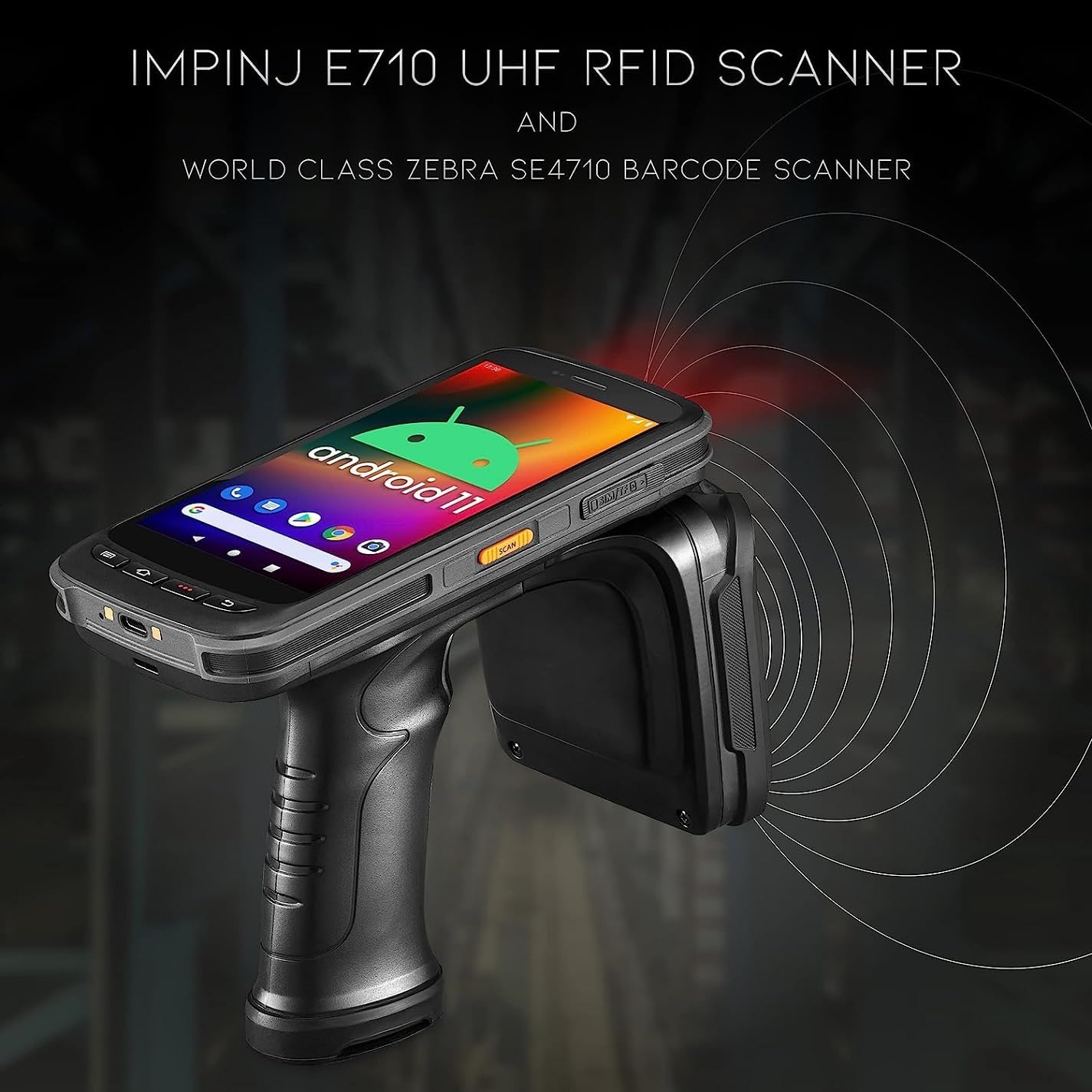
Figur 5: Chainway C72 scanner aktivt RFID tags ved hjælp af sin Impinj E710 UHF RFID-scanner, afbildet med udstrålende bølger.
3. Stregkodescanning (Zebra SE4710)
- Åbn stregkodescanningsprogrammet, eller placer markøren i et tekstfelt, hvor stregkodedataene skal indtastes.
- Ret stregkodescannervinduet (placeret nær toppen af enheden) mod stregkoden.
- Tryk på den orange scanningsknap. En rød sigtelaser vil vises.
- Sørg for, at hele stregkoden er inden for sigtemønsteret. Enheden bipper eller vibrerer, når scanningen er gennemført.
- De scannede stregkodedata indtastes eller vises automatisk.
Opretholdelse
1. Rengøring af enheden
- Sluk for enheden før rengøring.
- Brug en blød, fnugfri klud lidt damprengøres med vand eller en mild rengøringsopløsning til at tørre ydersiden af.
- Brug et skærmspecifikt rengøringsmiddel og en mikrofiberklud til skærmen og scannervinduet.
- Brug ikke slibende rengøringsmidler, opløsningsmidler, og nedsænk ikke enheden i væske.
2. Batteripleje
- Oplad batteriet regelmæssigt, og undgå fuldstændig afladning.
- Opbevar enheden et køligt og tørt sted, når den ikke er i brug i længere perioder.
- Hvis batteriets ydeevne forringes betydeligt, bør du overveje at udskifte det med et officielt Chainway-batteri.
3. Softwareopdateringer
Søg regelmæssigt efter og installer softwareopdateringer for at sikre optimal ydeevne, sikkerhed og adgang til nye funktioner. Opdateringer kan typisk findes i enhedens Indstillinger-menu under "System" eller "Om telefonen".
Fejlfinding
| Problem | Mulig årsag | Løsning |
|---|---|---|
| Enheden tænder ikke. | Lavt eller afladet batteri. | Oplad enheden i mindst 30 minutter. Sørg for, at opladeren er korrekt tilsluttet. |
| RFID/stregkodescanner virker ikke. | Programfejl; Scannermodul deaktiveret; Beskadiget modul. | Genstart scanningsprogrammet. Genstart enheden. Kontroller enhedens indstillinger for at sikre, at scanneren er aktiveret. Kontakt support, hvis problemet fortsætter. |
| Dårlig RFID-læseydelse. | Interferens; Tag orientering; afstand. | Sørg for, at ingen metalgenstande blokerer antennen. Juster vinklen og afstanden til tagsReducer miljøpåvirkning. |
| Enheden er langsom eller reagerer ikke. | For mange programmer kører; Lav hukommelse. | Luk unødvendige programmer. Ryd cachen. Genstart enheden. |
| Problemer med Wi-Fi-forbindelse. | Forkert adgangskode; Uden for rækkevidde; Routerproblem. | Bekræft Wi-Fi-adgangskoden. Gå tættere på adgangspunktet. Genstart Wi-Fi-routeren. |
Specifikationer
- Model: C72
- Operativsystem: Android 11
- RFID-læser: Impinj E710 (UHF GS1 EPC GEN2, 865MHz-928MHz)
- Stregkodescanner: Zebra SE4710 (2D/1D/QR)
- Processor: Cortex A53 Octa Core 2.3 GHz
- Batteri: 8000 mAh (op til 12 timers brug, hurtigopladning)
- Forbindelse: Wi-Fi (2.4G/5G), Bluetooth 5.0, GPS
- Holdbarhed: IP65-klassificeret, Corning Gorilla Glass, faldmodstand på 4.9 m, driftstemperatur -20°C til +50°C
- Kompatible enheder: Tablet, smartphone
- Fabrikant: Kædebane
- UPC: 611393757138
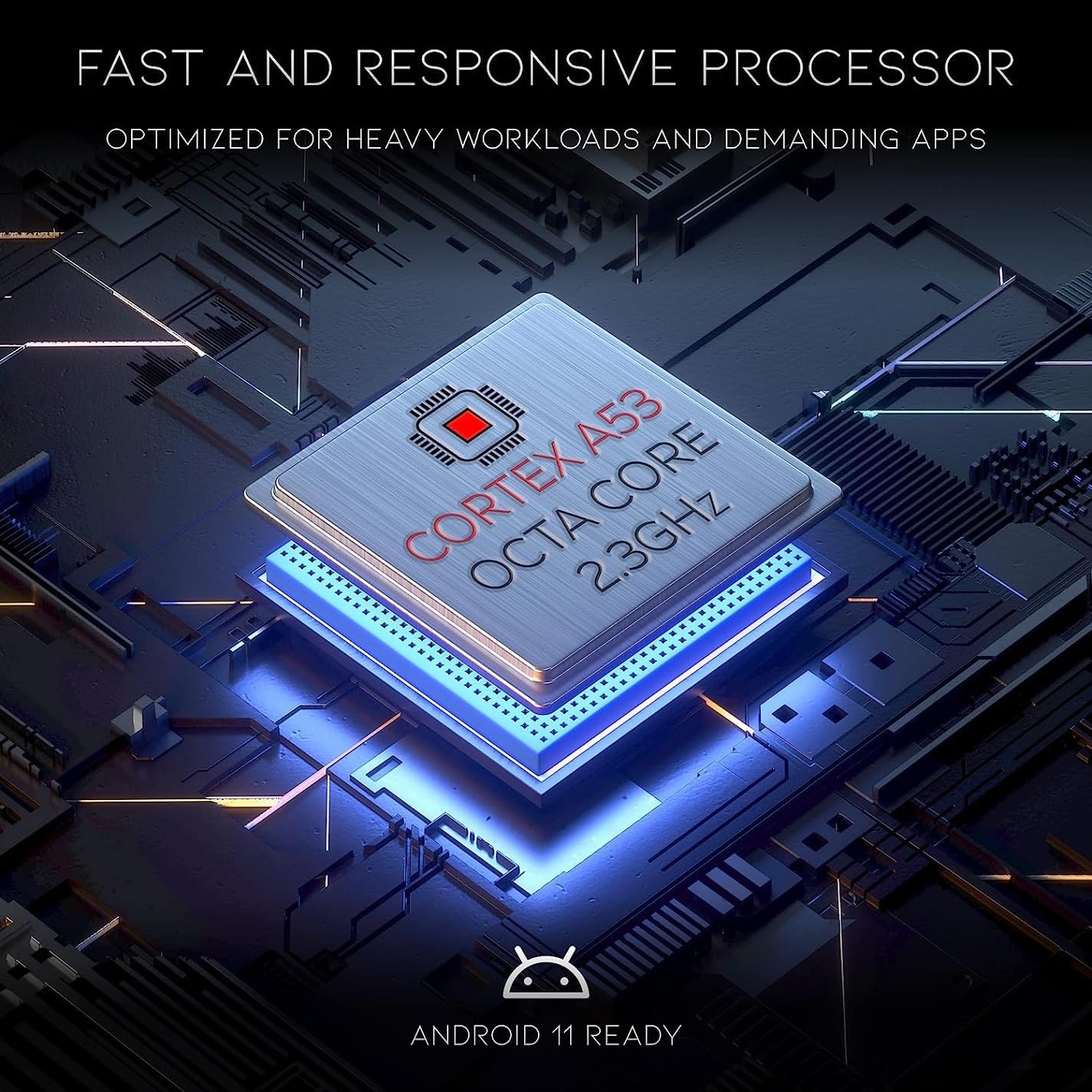
Figur 6: Chainway C72 drives af en Cortex A53 Octa Core 2.3 GHz processor, der er optimeret til tunge arbejdsbelastninger og krævende applikationer, og er Android 11-klar.

Figur 7: Chainway C72 kan prale af ultrarobust holdbarhed med IP65-klassificering, driftsområde fra -20°C til +50°C, Corning Gorilla Glass og faldmodstand fra 4.9 meter.
Garanti og support
For garantioplysninger henvises til garantikortet, der følger med dit produkt, eller besøg den officielle Chainway webwebsted. For teknisk support, softwareopdateringer eller serviceforespørgsler, kontakt venligst din leverandør eller Chainways kundeservice direkte.
Fabrikant: Kædebane
Model: C72
ASIN: B0CCPR58B3
UPC: 611393757138
Ask a question about this manual
Ask about setup, troubleshooting, compatibility, parts, safety, or missing instructions. Manuals+ will review the question and use this page’s manual context to help answer it.