
1. Introduktion
Thank you for choosing the ieGeek 5MP Solar WiFi Outdoor PTZ Security Camera. This manual provides essential information for the proper installation, operation, and maintenance of your device. Please read it thoroughly before use and retain it for future reference.
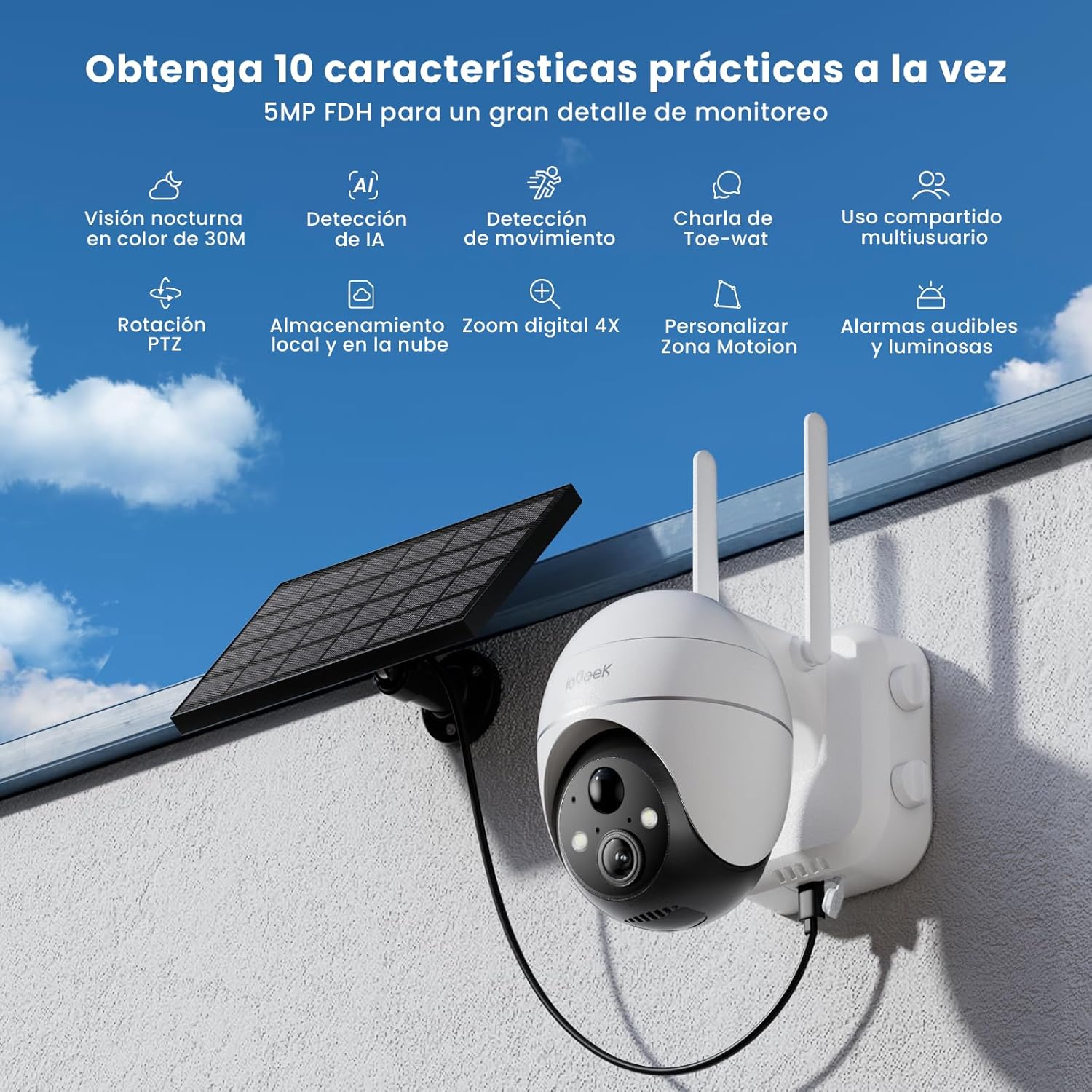
Figure 1: ieGeek 5MP Solar WiFi Outdoor PTZ Security Camera with solar panel, highlighting key features.
2. Produktet er slutview
2.1 Nøglefunktioner
- 5MP Ultra-Clear Resolution: Provides superior visual images with 4x digital zoom for detailed viewing.
- Solar Power & Long-Lasting Battery: Operates using solar panels, eliminating power cables. The rechargeable battery lasts up to 60 days on a single charge.
- 355° panorering og 120° hældning: Tilbyder et bredt felt af view, ensuring comprehensive surveillance without blind spots.
- PIR Human Detection & Instant Alarms: Detects human shapes and sends alarm notifications within 2 seconds.
- Farve Night Vision: Equipped with motion-activated spotlights for full-color details day and night.
- Tovejs lyd: Enables real-time listening and speaking through the camera via the app.
- Lokal og cloud-lagring: Supports up to 128GB Micro SD card and offers 7 days of free cloud service.
- Alexa Smart Function: Styr kameraet og view footage using Alexa Smart Voice.
- IP65 Vejrbestandig: Designed for outdoor use, resistant to rain, snow, and varying temperatures (-20°C to 50°C).
2.2 Pakkens indhold

Figur 2: Produktmål og pakkeindhold.
- ieGeek 5MP PTZ Security Camera x 1
- Solar Panel with Bracket x 1
- Brugervejledning x 1
- Solar Panel User Manual x 1
- Mounting Screws and Expansion Screws x 7 sets
3. Opsætningsvejledning
3.1 Opladning af batteriet
Before initial use, fully charge the camera's internal battery using the provided USB cable. The solar panel will maintain the charge during outdoor operation.
3.2 Download af app og oprettelse af konto
Download the 'ieGeek Cam' app from the Google Play Store or Apple App Store. Follow the in-app instructions to create an account and log in.

Figure 3: Download the 'ieGeek Cam' app.
3.3 Kameraparring
- Tænd for kameraet.
- Open the 'ieGeek Cam' app and tap 'Add Device'.
- Følg instruktionerne på skærmen for at forbinde kameraet til dit 2.4 GHz Wi-Fi-netværk.
- Scan QR-koden, der vises på din telefon, med kameralinsen.
- Once connected, name your camera and complete the setup.
3.4 Installation
Choose a location with good Wi-Fi signal and direct sunlight exposure for the solar panel. Use the provided screws and bracket to securely mount the camera and solar panel.

Figure 4: Flexible disassembly and easy installation.

Figure 5: Wireless setup with solar panel connection.
4. Betjeningsvejledning
4.1 Live View og PTZ-styring
Access the live feed through the 'ieGeek Cam' app. Use the on-screen controls to pan 355° horizontally and tilt 120° vertically, adjusting the camera's view efter behov.

Figure 6: Remote PTZ control via smartphone app.
4.2 Bevægelsesdetektion og advarsler
The camera features PIR human detection. When motion is detected, you will receive an instant alarm notification on your smartphone. Customize motion detection zones and sensitivity settings within the app to reduce false alerts.

Figure 7: Customizable motion detection zones.
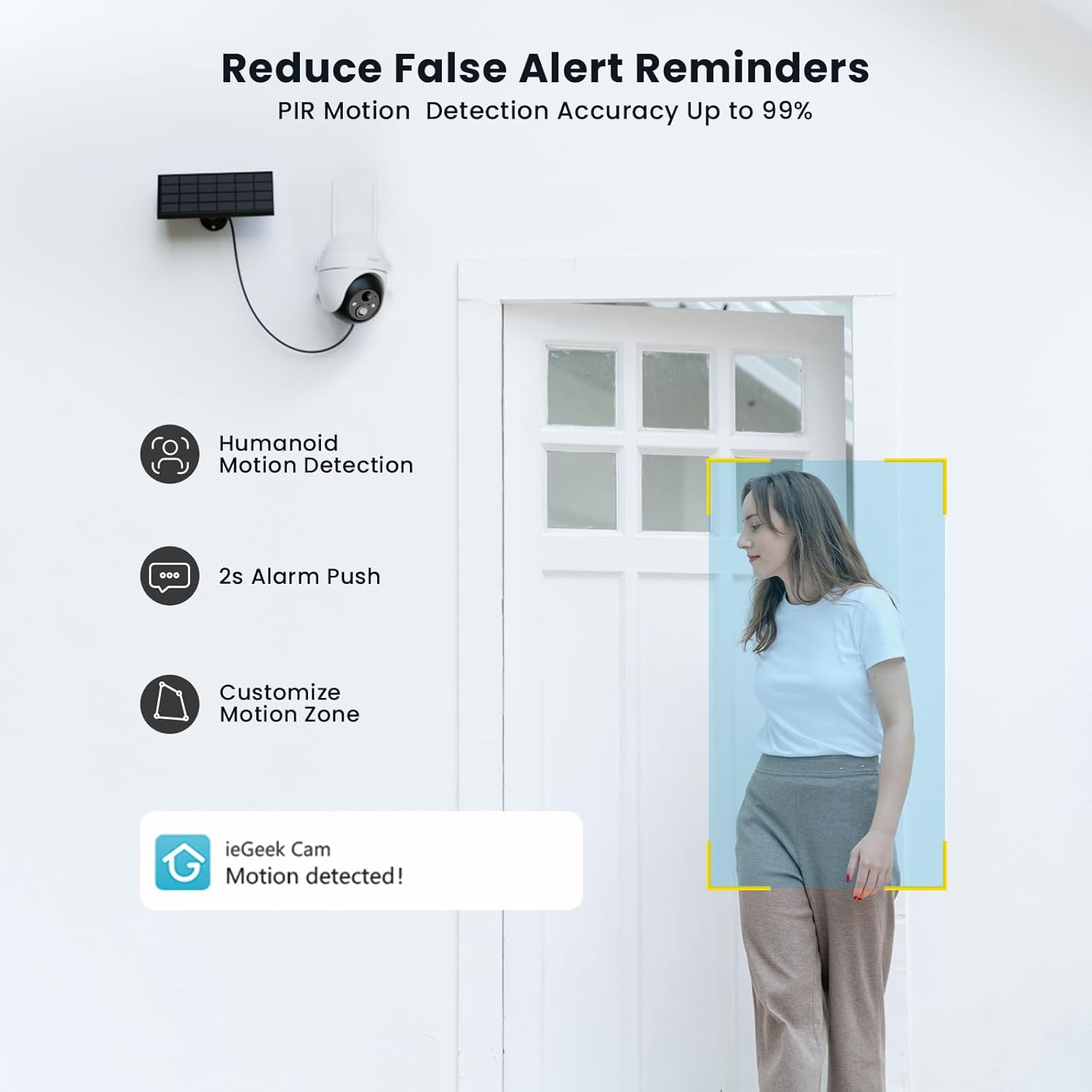
Figure 8: PIR Humanoid Motion Detection.
4.3 Tovejslyd
Utilize the two-way audio feature to communicate with visitors or deter intruders. Tap the microphone icon in the app to speak, and listen through the camera's speaker.

Figur 9: Tovejs lydkommunikation.
4.4 Lagringsmuligheder
The camera supports local storage via a Micro SD card (up to 128GB, purchased separately) and offers 7 days of free cloud storage. Recorded events can be accessed and reviewed gennem appen.

Figure 10: Micro SD card slot for local storage.

Figure 11: Cloud storage options.
5. Vedligeholdelse
- Rengør linsen: Tør regelmæssigt kameralinsen af med en blød, tør klud for at sikre en klar billedkvalitet.
- Rens solpanel: Hold solpanelet fri for støv, snavs og affald for at maksimere opladningseffektiviteten.
- Tjek batteriniveau: Monitor the battery status via the app and ensure the solar panel receives adequate sunlight.
- Firmwareopdateringer: Keep the camera firmware updated through the app for optimal performance and security.
6. Fejlfinding
| Problem | Mulig årsag | Løsning |
|---|---|---|
| Kameraet opretter ikke forbindelse til Wi-Fi | Forkert Wi-Fi-adgangskode; Kameraet er for langt fra routeren; Understøtter kun 2.4 GHz Wi-Fi. | Verify password; Move camera closer to router or use a Wi-Fi extender; Ensure your router is set to 2.4GHz. |
| Dårlig billedkvalitet | Dirty lens; Low light conditions; Network issues. | Clean the lens; Ensure adequate lighting or rely on color night vision; Check Wi-Fi signal strength. |
| Batteriet oplades ikke | Solar panel obstructed or dirty; Insufficient sunlight; Faulty cable. | Clear obstructions and clean solar panel; Relocate panel to receive more direct sunlight; Check cable connections. |
| Ingen advarsler om bevægelsesdetektering | Motion detection disabled; Incorrect sensitivity settings; App notifications blocked. | Enable motion detection in app; Adjust sensitivity; Check phone notification settings for the 'ieGeek Cam' app. |
7. Specifikationer
| Feature | Detalje |
|---|---|
| Modelnavn | ieGeek ZS-GX4S |
| Opløsning | 5 MP |
| Forbindelse | Trådløs (Wi-Fi 2.4 GHz) |
| Strømkilde | Battery, Solar Power |
| Batterikapacitet | 2000 mAh |
| Pan/tilt rækkevidde | 355° Pan, 120° Tilt |
| Digital Zoom | 4x |
| Nattesyn | Color Night Vision (Infrared) |
| Bevægelsesdetektion | PIR-detektion af mennesker |
| Lyd | To-vejs lyd |
| Opbevaring | Micro SD (op til 128 GB), Cloud-lagring |
| Vejrbestandig vurdering | IP65 |
| Driftstemperatur | -20°C til 50°C |
| Dimensioner | 18 x 17 x 12 centimeter |
| Materiale | Plast |
| Kompatibel med | Amazon Alexa |
8. Garanti og support
ieGeek is committed to providing reliable products and excellent customer service.
- 2-års garanti: Your ieGeek camera is covered by a 2-year warranty from the date of purchase.
- 30-dages pengene-tilbage-garanti: Hvis du ikke er tilfreds med dit køb, kan du returnere det inden for 30 dage for at få pengene tilbage.
- Livsvarig teknisk support: ieGeek offers lifetime technical assistance for all its products.
For support, please contact us via email. Our customer service team is available 24/7 to assist you.

Figure 12: ieGeek Customer Support.