
1. Introduktion
The Retekess TR112 is a versatile multiband radio designed for comprehensive reception across various frequency ranges, including FM, VHF, MW, SW, WB, and AIR bands. It features smart app control, MP3/TF card playback, Bluetooth connectivity, and an emergency SOS alert function, making it suitable for a wide range of uses from daily listening to outdoor activities.

Billede: Overview of Retekess TR112 features including multi-band reception, app control, SOS alarm, flashlight, Bluetooth, TF card, bass sound, built-in battery, 6 EQ modes, and sleep function.
2. Hvad er der i æsken
Kontroller venligst pakkens indhold for at sikre, at alle varer er til stede:
- 1 x Retekess TR112 Radio
- 1 x USB Type-C opladningskabel
- 1 x rem
- 1 x App Operating Manual
- 1 x lille skruetrækker

Billede: Detaljeret view of the Retekess TR112 package contents.
3. Opsætning
3.1. Batteriinstallation
The Retekess TR112 radio uses a rechargeable lithium metal battery. Ensure the battery is correctly inserted before first use.
- Åbn batteridækslet på bagsiden af radioen.
- Insert the included lithium battery, ensuring correct polarity (+/-).
- Luk batterirummets dæksel forsvarligt.
Video: This video demonstrates the battery installation process for a similar XHDATA D808 radio. The procedure for the Retekess TR112 is comparable.
3.2. Opladning af radioen
The TR112 features a convenient Type-C charging interface. A full charge typically takes 3-4 hours and provides 8-10 hours of working time.
- Connect the provided USB Type-C charging cable to the radio's Type-C port.
- Connect the other end of the cable to a compatible USB power source (e.g., computer, USB wall adapter).
- The charging indicator will illuminate. It will turn off or change color once charging is complete.

Image: Rechargeable battery features and charging time for the Retekess TR112.

Image: The Type-C port on the Retekess TR112, illustrating its charging and audio input capabilities.
4. Betjeningsvejledning
4.1. Grundlæggende kontroller
The TR112 features intuitive controls including a jog shuttle and mechanical rotary knob for easy operation.

Billede: Detaljeret view of the Retekess TR112's tuning knob and control buttons.
4.2. Band Selection and Tuning
The radio supports multiple frequency bands: FM, VHF, MW, SW, WB, and AIR. You can switch between bands and tune to stations using various methods.
- Båndskift: Use the dedicated band button to cycle through available frequency bands.
- Manuel indstilling: Rotate the tuning knob to precisely adjust the frequency.
- Automatisk scanning: The radio can automatically search for and store available stations.
- Direkte frekvensindgang: Use the digital keypad for direct frequency entry.

Image: Retekess TR112 demonstrating multi-band reception.

Image: Various station search methods available on the Retekess TR112.
Video: This video demonstrates tuning and display features on a similar D808 radio, which can be applied to the TR112's operation.
4.3. Smart app-styring
Control your TR112 radio remotely using the dedicated smart app, available for Android, Harmony OS, and iOS devices. The app allows for band switching, mode selection, frequency input, volume adjustment, and channel selection.
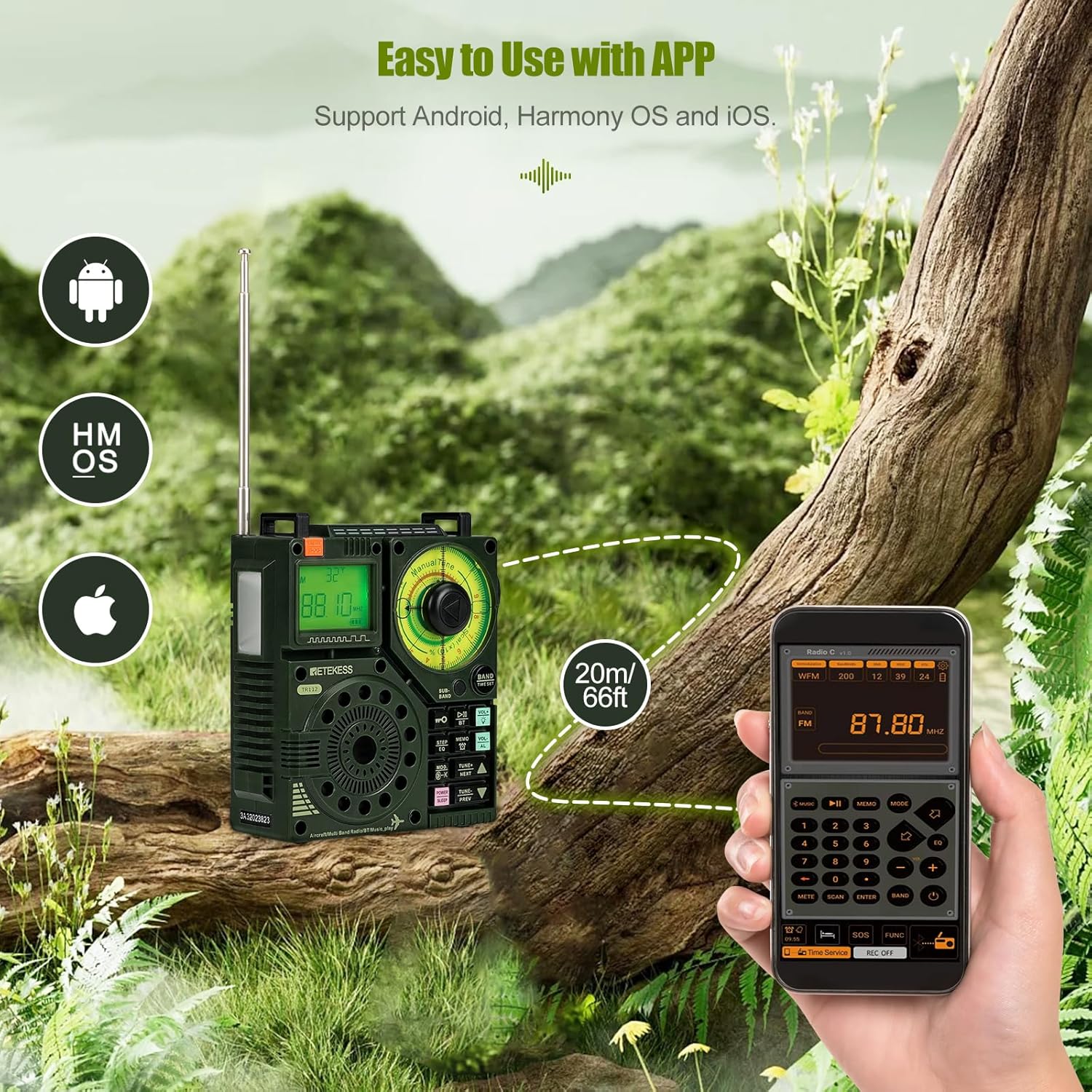
Image: The Retekess TR112 with its companion mobile application for smart control.

Image: Demonstrating app control functionality for the Retekess TR112 radio.
4.4. Media Playback (Bluetooth, TF Card, Aux)
The TR112 supports various media playback options:
- Bluetooth: Connect your smartphone or other Bluetooth-enabled devices for wireless music streaming.
- TF-kort: Insert a TF card (up to 256G) loaded with audio files (APE, FLAC, WAV, MP3, WMA) for direct playback.
- Aux input: Use the 3.5mm audio jack to connect external audio sources.
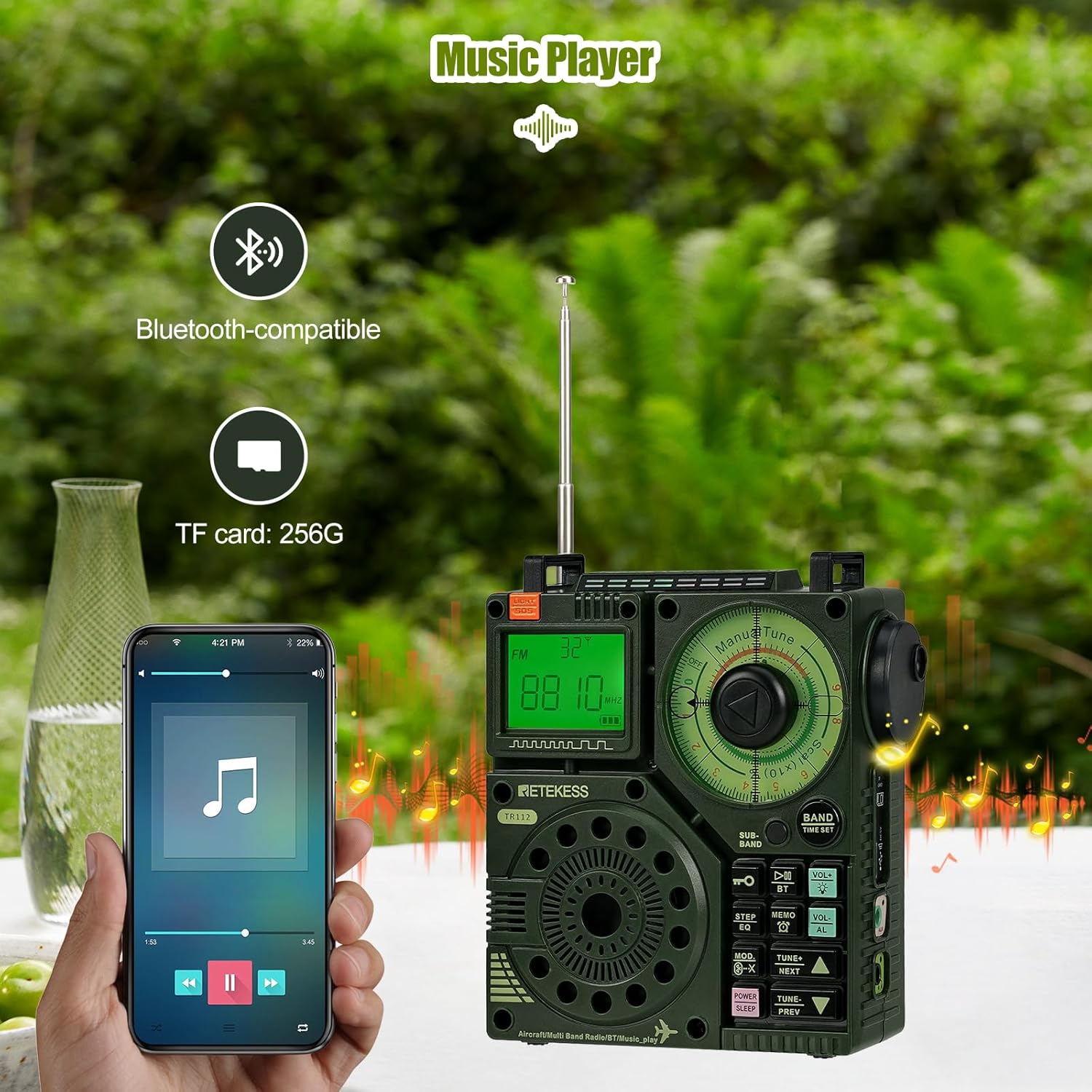
Image: Retekess TR112 showcasing its music player capabilities via Bluetooth and TF card.

Image: TF card slot and supported audio formats for the Retekess TR112.
4.5. Time and Alarm Functions
The TR112 offers various time-related settings for convenience:
- Clock Timer: Indstil den aktuelle tid.
- Power-On Timer: Schedule the radio to turn on at a specific time.
- Sleep timer: Set the radio to automatically turn off after a set duration.

Image: Retekess TR112 time settings, including clock, sleep, and power-on timers.
4.6. SOS-nødfunktion
For emergency situations, the TR112 includes an SOS alarm and a flashlight function.

Image: Retekess TR112 demonstrating its SOS alarm and flashlight features.

Image: The Retekess TR112's emergency alarm feature.
4.7. Lydindstillinger
Enhance your listening experience with adjustable audio settings:
- Baseffekt: The radio provides a bass effect for richer audio.
- EQ-tilstande: Choose from 6 equalizer modes (Normal, Pop, Rock, Jazz, Classical, Country) to suit your audio preference.

Image: Retekess TR112 providing bass effect for enhanced audio.

Image: The 6 EQ modes available on the Retekess TR112.
5. Vedligeholdelse
5.1. Rensning
To maintain the radio's appearance and functionality, regularly clean its exterior.
- Use a soft, dry cloth to wipe the surface of the radio.
- Til genstridigt snavs, let dampRengør kluden med vand eller en mild rengøringsopløsning, og tør derefter tør.
- Avoid using abrasive cleaners, solvents, or strong chemicals, as these can damage the radio's finish.
5.2. Batteripleje
Korrekt batteripleje sikrer optimal ydeevne og levetid.
- Oplad batteriet helt inden første brug.
- Undgå at aflade batteriet helt ofte.
- If storing the radio for an extended period, charge the battery to about 50% and store it in a cool, dry place.
5.3. Opbevaring
When not in use, store the radio in a safe environment.
- Opbevar radioen et tørt sted, væk fra direkte sollys, ekstreme temperaturer og høj luftfugtighed.
- Hold radioen væk fra stærke magnetfelter.
6. Fejlfinding
If you encounter issues with your Retekess TR112, refer to the following common problems and solutions:
| Problem | Mulig årsag | Løsning |
|---|---|---|
| Radioen tændes ikke | Lavt batteri; Forkert batteriinstallation | Charge the battery; Reinstall battery with correct polarity. |
| Dårlig modtagelse | Weak signal; Antenna not extended; Interference | Extend the antenna fully; Relocate the radio; Adjust antenna direction; Move away from electronic devices. |
| Bluetooth forbinder ikke | Bluetooth not enabled; Device too far; Pairing issue | Ensure Bluetooth is on on both devices; Move devices closer; Re-pair the devices. |
| TF-kort spiller ikke | Card not inserted correctly; Unsupported file format; Beskadiget kort | Sæt TF-kortet i igen; Sørg for files are APE, FLAC, WAV, MP3, or WMA; Try a different TF card. |
Hvis problemet fortsætter, bedes du kontakte kundesupport.
7. Specifikationer
| Feature | Detalje |
|---|---|
| Mærke | Retekess |
| Modelnummer | TR112 |
| Farve | Grøn |
| Produktdimensioner | 10.1L x 5.2B x 11.8H cm |
| Vægt | 256 gram |
| Materiale | Plast |
| Strømkilde | Batteridrevet (1 lithiummetalbatteri inkluderet) |
| Batterikapacitet | 1600mAh (ca.) |
| Opladningstid | 3-4 timer (ca.) |
| Arbejdstid | 8-10 timer (ca.) |
| Forbindelsesteknologi | Aux, Bluetooth |
| Hardware-interface | 3.5mm Audio, USB Type-C |
| Understøttede radiobånd | Air, FM, MW, SW, VHF, WB |
| Maks. højttaleroutput | 5 watt |
| Skærmtype | LCD |
| Vandmodstandsniveau | Ikke vandafvisende |
| Speciel funktion | Portable, Smart App Control, SOS Alert, MP3/TF Playback |
8. Garanti og support
8.1. Produktgaranti
The Retekess TR112 comes with a 1-year warranty from the date of purchase. Additionally, a 30-day no-reason return policy is provided.
8.2. Eftersalgsservice
Beyond the warranty period, maintenance services are still offered. Buyers are responsible for any associated costs. For any inquiries or support, please contact Retekess customer service on Amazon. You can expect a response within 12 hours.
For yderligere hjælp, besøg venligst den officielle Retekess-butikken på Amazon.