Indledning
This manual provides essential instructions for the proper use, setup, and maintenance of your HOCO X89 Type-C to Lightning Charging Data Cable. Please read this manual thoroughly before using the product to ensure optimal performance and safety.
Produkt overview
The HOCO X89 is a high-quality Type-C to Lightning cable designed for efficient charging and data transfer between compatible devices. It features a durable braided wire exterior and aluminum alloy joints for enhanced longevity.
Nøglefunktioner:
- Længde: 1 meter (3.2 fod)
- Vægt: 26 gram
- Ydermateriale: Braided wire for durability and tangle resistance.
- Joint Material: Aluminum alloy for robust connections.
- Opladningsstøtte: Supports Power Delivery (PD) 20W fast charging for compatible Apple devices.
- Forbindelse: Type-C to Lightning connectors.
Hvad er der i æsken:
- 1 x HOCO X89 Type-C to Lightning Charging Data Cable
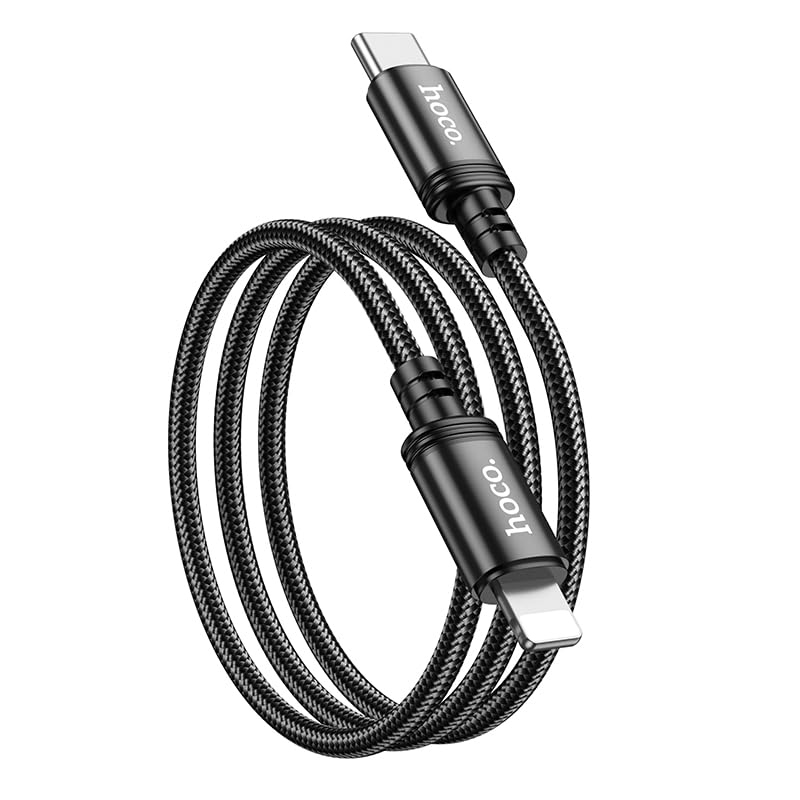
Image: The HOCO X89 cable, coiled, displaying both the Type-C connector and the Lightning connector.
Opsætning
The HOCO X89 cable is designed for plug-and-play functionality. No software installation is required.
- Identificer forbindelser: The cable has two distinct ends: a USB Type-C connector and a Lightning connector.
- Connect to Power Source/Data Port: Insert the USB Type-C end of the cable into a compatible power adapter (e.g., a PD-enabled wall charger) or a device with a Type-C port (e.g., a laptop, power bank).
- Opret forbindelse til enhed: Insert the Lightning end of the cable into the charging/data port of your compatible Apple device (e.g., iPhone, iPad).
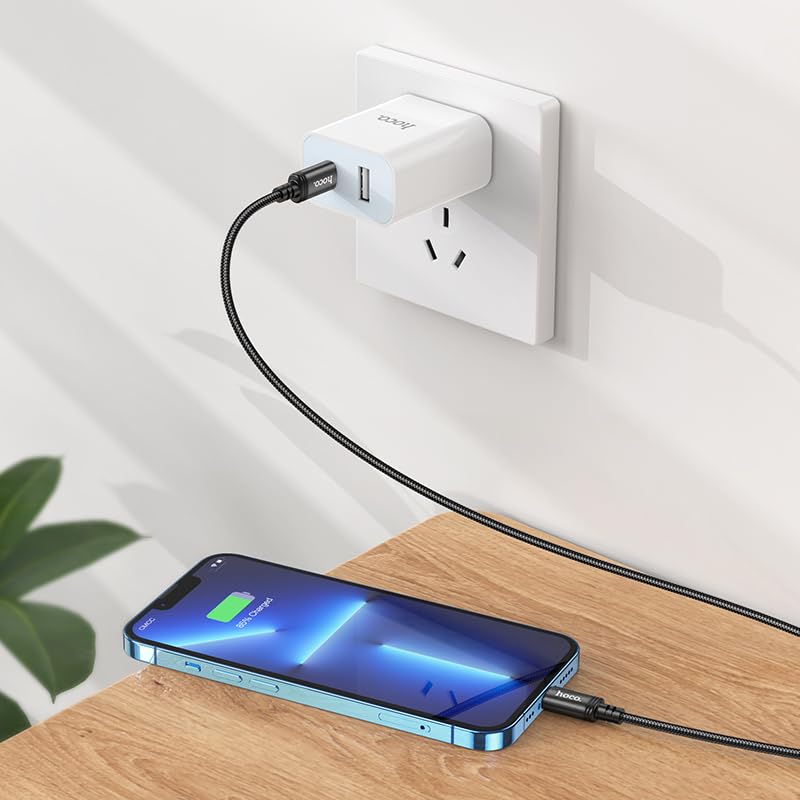
Image: The HOCO X89 cable in use, connecting an iPhone to a wall charger for charging.
Betjeningsvejledning
Opladning af din enhed:
- Ensure the Type-C end is connected to a power source (wall adapter, power bank, computer). For fast charging, use a Power Delivery (PD) compatible adapter.
- Connect the Lightning end to your Apple device.
- The device should indicate that it is charging. The HOCO X89 supports up to 20W PD charging, allowing for faster charging times on compatible devices.
Dataoverførsel:
- Connect the Type-C end to a computer or laptop.
- Connect the Lightning end to your Apple device.
- Din computer burde genkende den tilsluttede enhed, så du kan overføre files, sync data, or perform backups. Follow your device's operating system instructions for data management.
Vedligeholdelse og pleje
- Rensning: Brug en blød, tør klud til at tørre kablet og stikkene af. Undgå at bruge væsker eller slibende rengøringsmidler.
- Opbevaring: Opbevar kablet et køligt og tørt sted, væk fra direkte sollys og ekstreme temperaturer. Undgå at vikle kablet stramt op eller bøje det i skarpe vinkler for at forhindre indvendig skade.
- Håndtering: Tag altid fat i stikket, når du sætter kablet i eller fra, i stedet for at trække i selve kablet.
- Undgå skader: Do not expose the cable to water, excessive force, or sharp objects.
Fejlfinding
- Enheden oplades ikke:
- Sørg for, at begge ender af kablet er forsvarligt forbundet.
- Kontroller, at strømadapteren fungerer korrekt og er tilsluttet en stikkontakt.
- Prøv en anden strømadapter eller USB-port.
- Kontroller, om din enheds opladningsport er ren og fri for snavs.
- Langsom opladning:
- Ensure you are using a Power Delivery (PD) compatible wall adapter for fast charging.
- Luk unødvendige applikationer på din enhed.
- Undgå at bruge din enhed for meget under opladning.
- Problemer med dataoverførsel:
- Ensure the Type-C end is connected to a data-enabled USB port on your computer.
- Restart both your computer and your Apple device.
- Check your device's settings for data transfer permissions.
- Prøv en anden USB-port på din computer.
Specifikationer
| Modelnavn | X89_C To I |
| Mærke | HOCO |
| Connector Type | USB Type-C to Lightning |
| Kabeltype | Opladning og datakabel |
| Længde | 1 meter (3.2 fod) |
| Vægt | 26 g |
| Ydermateriale | Braided Wire |
| Joint Material | Aluminiumslegering |
| Opladningsprotokol | Supports Power Delivery (PD) 20W |
| Kompatible enheder | iPhones (6/6S/7/7+/8/8+/10/11/12/13), iPads, and other Apple devices with Lightning port; Laptops and power adapters with Type-C port. |
| Farve | Sort |
Sikkerhedsoplysninger
- Forsøg ikke at adskille eller ændre kablet.
- Opbevares utilgængeligt for børn.
- Avoid extreme temperatures, humidity, and corrosive environments.
- Hvis kablet ser ud til at være beskadiget, skal brugen straks ophøre.
- Use only with compatible and certified power adapters.
Garanti og support
For warranty information and customer support, please refer to the product packaging or contact your retailer. HOCO products are designed for reliability and performance.