
TEYES CC3 2K
TEYES CC3 2K Car Radio Multimedia Navigation System User Manual
Model: CC3 2K | Brand: TEYES
Indledning
This manual provides comprehensive instructions for the installation, operation, and maintenance of your TEYES CC3 2K Car Radio Multimedia Navigation System. Designed for Toyota Sienna 3 XL30 models from 2014-2020, this Android 10 head unit offers advanced multimedia, navigation, and connectivity features. Please read this manual thoroughly before using the device to ensure proper function and safety.
Pakkens indhold
Bekræft, at alle nedenstående varer er inkluderet i din pakke. Hvis der mangler eller er beskadigede varer, bedes du kontakte kundesupport.

Head Unit CC3 2K: Hovedskærmen og processorenheden.
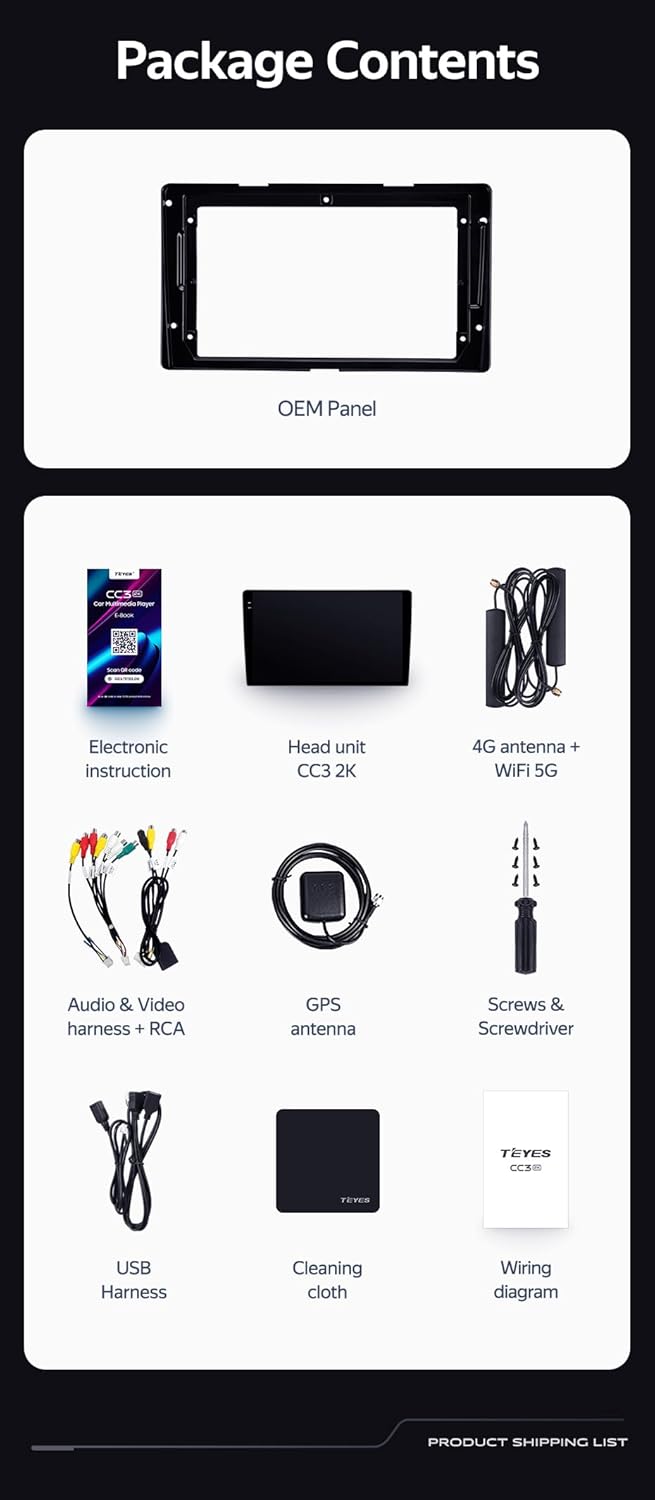
OEM Panel (Frame): Custom-fit panel for seamless integration into your vehicle's dashboard.

USB-kabel: For data transfer and connecting external devices.

GPS-antenne: For præcis navigation og positionstjenester.

AUX kabel: For auxiliary audio input.

4G WiFi Antenna: Til netværksforbindelse.

AHD 1080p Rear Camera: For enhanced reverse visibility.

Strømkabel: Til tilslutning af hovedenheden til køretøjets strømforsyning.
Ledningsdiagram: Essential for correct electrical connections.
Electronic Instruction: Digital manual for detailed guidance.

Vaskeklud: For maintaining the display's clarity.
Opsætning og installation
Installation of the TEYES CC3 2K head unit requires technical knowledge and familiarity with car audio systems. It is recommended to seek professional installation to avoid damage to your vehicle or the device. Always disconnect the vehicle's battery before beginning installation.
Installation overståetview
- Forberedelse: Ensure the vehicle's power is off. Remove the original car radio and dashboard trim.
- Mounting the OEM Panel: Secure the provided OEM panel to the head unit.
- Ledningsforbindelser: Connect the power cable, USB cables, GPS antenna, 4G WiFi antenna, AUX cable, and rear camera according to the wiring diagram. Ensure all connections are secure.
- Integration af ratbetjening: The unit supports original car steering wheel buttons. Connect the appropriate wires as per the wiring diagram. Configuration may be required in the unit's settings.
- Test: Before fully reassembling the dashboard, connect the battery and power on the unit to test basic functions.
- Afsluttende samling: Carefully reassemble the dashboard trim and secure the head unit in place.

Billedbeskrivelse: This image displays a side-by-side comparison of a Toyota Sienna dashboard before and after the installation of the TEYES CC3 2K head unit. The 'before' image shows the original car radio, while the 'after' image shows the integrated TEYES CC3 2K unit, demonstrating a seamless fit and updated aesthetic.

Billedbeskrivelse: Et nærbillede view of a car's steering wheel with integrated control buttons. The text indicates that the TEYES CC3 2K supports these original car steering wheel buttons, allowing for convenient control of the multimedia system.
Betjeningsvejledning
The TEYES CC3 2K operates on an Android 10 system, providing a user-friendly interface. The 2K in-cell touch screen offers responsive interaction.
Grundlæggende betjening
- Tænd/sluk: Press and hold the power button (if physical) or use the vehicle's ignition.
- Navigation med berøringsskærm: Swipe, tap, and pinch to navigate through menus and applications.
- Startskærm: Access frequently used apps and widgets. Customize the layout as desired.
- Lydstyrkekontrol: Juster lydstyrken ved hjælp af knapperne på skærmen eller rattets knapper.
Multimediefunktioner
- Radio: Access the built-in radio tuner. Supports RDS for enhanced information display.
- Bluetooth: Pair your smartphone for hands-free calling and audio streaming via the upgraded QCC3031QFN Qualcomm Bluetooth module.
- USB-afspilning: Connect USB drives to play audio and video files.
- Videoafspiller: Play various video formats on the 2K display.
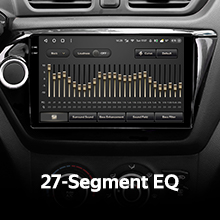
- Lydudgang: Utilize the 2*DSP ADAU1701 + ROHM32107 for high-quality audio, including optical and coaxial digital audio output.
Navigation og tilslutningsmuligheder
- GPS-navigation: Use pre-installed navigation apps or download others from the app store. Supports North America maps.
- 4G Internet & WiFi: Connect to the internet via 4G or WiFi hotspot for online services, app downloads, and real-time traffic updates.
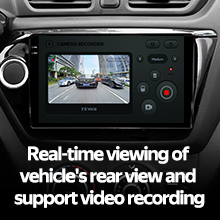
- Bagkamera: The included AHD 1080p rear camera provides real-time viewing when reversing and supports video recording.
Videobeskrivelse: This video demonstrates the TEYES CC3 2K head unit's user interface and features, including its responsive touch screen, multimedia playback, and integration into a car dashboard. It highlights the visual quality and various functionalities of the system.
Billedbeskrivelse: En detaljeret view of the TEYES CC3 2K head unit's display, showcasing its modern user interface with various application icons for video, radio, folders, and Teyes Yahu. It also displays a music player widget and a car speed indicator, illustrating the system's multimedia and informational capabilities.
Opretholdelse
Proper maintenance ensures the longevity and optimal performance of your TEYES CC3 2K head unit.
- Rengøring af skærm: Use the provided cleaning cloth or a soft, lint-free cloth with a screen-safe cleaner. Avoid abrasive materials or harsh chemicals.
- Softwareopdateringer: Regularly check for and install software updates to ensure the system has the latest features and security patches.
- Miljøforhold: Undgå at udsætte enheden for ekstreme temperaturer, direkte sollys i længere perioder eller for høj fugtighed.
- Kabelforbindelser: Kontrollér regelmæssigt alle kabelforbindelser for at sikre, at de er fastgjorte og fri for skader.
Fejlfinding
If you encounter issues with your TEYES CC3 2K, refer to the following common troubleshooting steps. For persistent problems, contact customer support.
- Enheden tænder ikke:
- Check vehicle's battery connection.
- Verify power cable connections to the head unit.
- Sørg for, at køretøjets tænding er tændt.
- Ingen lyd:
- Check volume levels on the unit and vehicle.
- Kontroller højttalerledningernes forbindelser.
- Ensure correct audio source is selected.
- GPS'en virker ikke:
- Sørg for, at GPS-antennen er korrekt tilsluttet og har en klar view af himlen.
- Check GPS settings in the unit's menu.
- Berøringsskærm reagerer ikke:
- Genstart hovedenheden.
- Sørg for, at skærmen er ren og fri for snavs.
- Problemer med Bluetooth-forbindelse:
- Sørg for, at Bluetooth er aktiveret på både hovedenheden og din enhed.
- Delete previous pairings and re-pair the device.
- Move devices closer to the head unit.
Specifikationer
| Feature | Detalje |
|---|---|
| Modelnummer | CC3 2K |
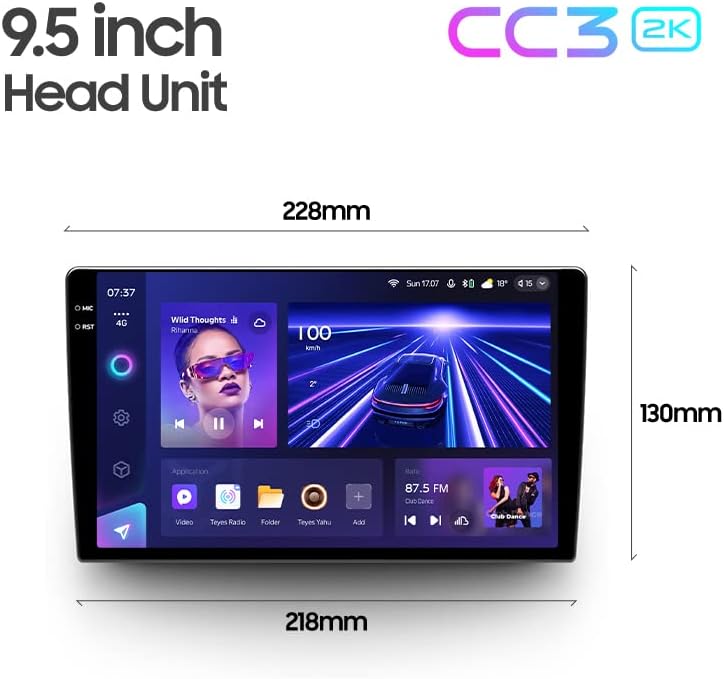
| Skærmstørrelse | 9.5 tommer |
| Operativsystem | Android 10 |
| VÆDDER | 6 GB |
| ROM | 128 GB |
| Processor | 8 kerner 2.0 GHz |
| Displayteknologi | 2K In-cell Display, Gamut Coverage 157% |
| Bluetooth modul | QCC3031QFN Qualcomm |
| Lydprocessorer | 2*DSP ADAU1701 + ROHM32107 |
| Lydudgang | Optical and Coaxial Digital Audio Output, Stereo |
| Forbindelse | Bluetooth, USB, WiFi, Hotspot, 4G Internet |
| Korttype | Nordamerika |
| Særlige funktioner | Touchscreen, RDS Support, Real-time Rear View, Video Recording Support, 3D Software (TEYES Vision & TEYES Yahu) |
| Type køretøjstjeneste | Car (Toyota Sienna 3 XL30 2014-2020) |

Billedbeskrivelse: This image provides a dimensional diagram of the TEYES CC3 2K 9.5-inch head unit, showing its width (228mm at the top, 218mm at the bottom) and height (130mm). The display also shows the user interface with music playback and car speed information.
Garantioplysninger
The TEYES CC3 2K Car Radio Multimedia Navigation System comes with a 1 års garanti from the date of purchase. This warranty covers manufacturing defects and malfunctions under normal use. It does not cover damage caused by improper installation, accidents, misuse, unauthorized repairs, or normal wear and tear. Please retain your proof of purchase for warranty claims.
Kundesupport
For technical assistance, troubleshooting, or warranty inquiries, please contact TEYES customer support. Refer to the contact information provided with your product packaging or visit the official TEYES webwebsted for supportressourcer.
Fabrikant: Shenzhen TEYES High tech Co., Ltd.
Ask a question about this manual
Ask about setup, troubleshooting, compatibility, parts, safety, or missing instructions. Manuals+ will review the question and use this page’s manual context to help answer it.