
Indledning
This manual provides comprehensive instructions for the Veho Kuzo Sports Smart Watch F1S. Please read this manual carefully before using your device to ensure proper operation and to maximize its features. Keep this manual for future reference.

Billede: Forside view of the Veho Kuzo Sports Smart Watch F1S, showcasing dens runde skærm og robuste design.
Sikkerhedsoplysninger
Always follow basic safety precautions when using this device to reduce the risk of injury, electric shock, fire, or damage to the product.
- Forsøg ikke at adskille eller modificere enheden.
- Hold enheden væk fra ekstreme temperaturer og direkte sollys.
- Undgå at udsætte enheden for kraftige stød eller fald.
- Rådfør dig med en læge, før du starter et nyt træningsprogram, især hvis du har eksisterende helbredsproblemer.
- The device is water-resistant (IP68) but not waterproof for diving or high-pressure water activities.
Pakkens indhold
Sørg for, at alle varer er til stede i kassen:
- Veho Kuzo Sports Smart Watch F1S (Black)
- Magnetic Charging Cradle (USB-A)
- Flersproget brugermanual
Opsætning
1. Opladning af smarturet
Before first use, fully charge your Veho Kuzo F1S Smart Watch.
- Connect the magnetic charging cradle to a USB-A power source (e.g., computer USB port, wall adapter).
- Align the magnetic pins of the cradle with the charging contacts on the back of the watch. The watch will snap into place and display a charging indicator.
- Charge for approximately 2 hours for a full charge. A full charge provides up to 15 days of typical use.

Image: Graphic illustrating the 15-day battery life of the Veho Kuzo F1S Smart Watch.
2. Installation af Companion-appen
To unlock all features and synchronize data, download the official companion app on your smartphone.
- The app is compatible with Apple iOS and Android devices.
- Søg efter "Kuzo" or "Veho Kuzo" in your device's app store.
- Install the app and follow the on-screen instructions to create an account.
3. Parring med din smartphone
After installing the app, pair your watch with your phone via Bluetooth.
- Sørg for, at Bluetooth er aktiveret på din smartphone.
- Open the companion app and navigate to the device pairing section.
- Turn on your Veho Kuzo F1S Smart Watch.
- Select your watch from the list of available devices in the app.
- Bekræft parringsanmodningen på både dit ur og din smartphone.

Image: A smartphone displaying the Veho Kuzo companion app, showing health and activity data.
Betjeningsvejledning
Grundlæggende navigation
The Veho Kuzo F1S features a 1.3-inch AMOLED touchscreen and physical buttons for navigation.
- Touchskærm: Stryg op, ned, til venstre eller højre for at navigere gennem menuer og widgets. Tryk for at vælge elementer.
- Sideknapper: Use the physical buttons on the side of the watch to return to the home screen, access sports modes, or other quick functions.
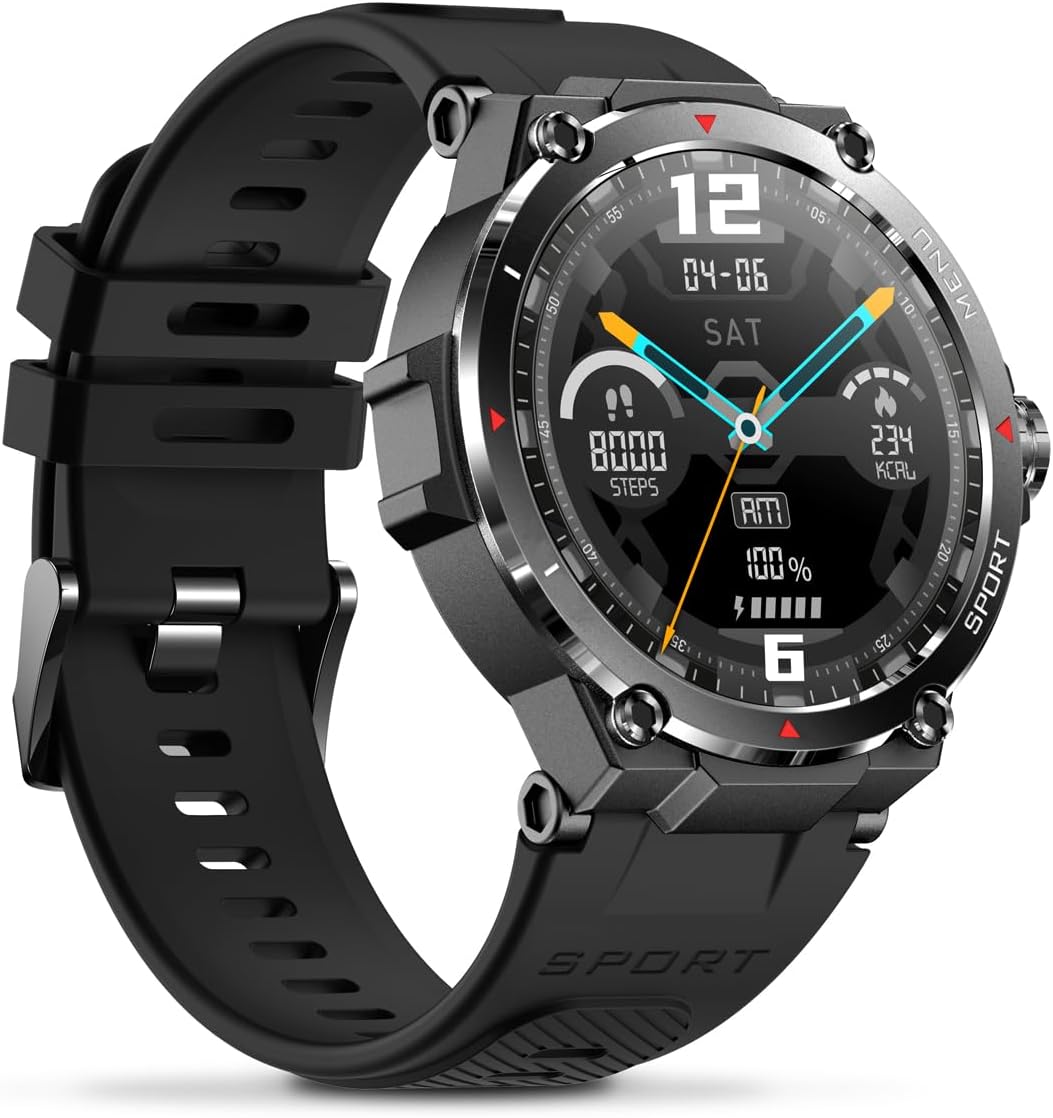
Billede: Side view of the Veho Kuzo F1S Smart Watch, highlighting the control buttons and rugged casing.
Sundheds- og fitnesssporing
The watch continuously monitors various health and fitness metrics.
- Puls: 24/7 heart rate monitoring. View realtidsdata på uret eller detaljerede trends i appen.
- Blod ilt: Mål dit iltniveau i blodet.
- Aktivitetssporing: Tracks steps, calories burned, and distance covered. Supports walking, running, and cycling.
- Søvnmonitor: Monitors daily, weekly, and monthly sleep patterns, detailing deep sleep, light sleep, and awake times.
- GPS: Built-in 3-mode GPS (GPS+Beidou+Glonass) and Assisted GPS (AGPS) for accurate outdoor performance tracking and live map positioning. Compatible with STRAVA.

Image: The Veho Kuzo F1S Smart Watch displaying heart rate monitoring data.
Smarte funktioner
- Meddelelser: Receive push notifications from apps like WhatsApp, Twitter, Facebook, LinkedIn, Skype, YouTube, Messenger, and Instagram directly on your watch.
- Musik kontrol: Control music playback (volume, skip tracks, play/pause) on your paired smartphone directly from the watch.
- Tidsfunktioner: Access alarm, timer, intermittent timer, stopwatch, and countdown functions.
- Find telefon: Brug dit ur til at finde din parrede smartphone.
- News/Weather App: Integrated news and weather application functionality.
- Tilpasbare urskiver: Choose from hundreds of different watch face designs through the companion app.
Opretholdelse
Rensning
For at bevare urets udseende og funktionalitet:
- Tør uret og remmen regelmæssigt af med en blød kludamp klæde.
- Undgå at bruge skrappe kemikalier eller slibende rengøringsmidler.
- Sørg for, at opladningskontakterne er rene og tørre, før du oplader.
Vandtæthed (IP68)
The Veho Kuzo F1S Smart Watch has an IP68 rating, meaning it is water-resistant in fresh water up to a maximum depth of 1.5 meters for up to 30 minutes, and is protected from dust.
- Do not use the watch for diving, snorkeling, or high-speed water sports.
- Avoid exposing the watch to hot water, steam, or detergents.
- Tør uret grundigt efter udsættelse for vand.
Batteripleje
- Oplad uret regelmæssigt for at opretholde batteriets sundhed.
- Undgå at aflade batteriet helt ofte.
- Opbevar uret et køligt og tørt sted, hvis det ikke bruges i længere perioder.
Fejlfinding
If you encounter issues with your Veho Kuzo F1S Smart Watch, refer to the following common solutions:
- Uret tænder ikke: Ensure the watch is fully charged. Connect it to the charging cradle and check for the charging indicator.
- Kan ikke parres med telefon:
- Sørg for, at Bluetooth er aktiveret på din telefon og uret.
- Sørg for, at uret er inden for din telefons rækkevidde.
- Genstart både uret og din telefon.
- Prøv at ophæve parringen og parre enheden igen via appen.
- Unøjagtige sundhedsdata:
- Sørg for, at uret sidder tæt på dit håndled, men ikke for stramt.
- Rengør sensoren på bagsiden af uret.
- Miljøfaktorer og hudlidelser kan påvirke nøjagtigheden.
- Notifikationer vises ikke:
- Tjek indstillingerne for app-notifikationer på din telefon og i den tilhørende app.
- Sørg for, at uret er forbundet til din telefon via Bluetooth.
For yderligere assistance, se venligst supportsektionen eller kontakt kundeservice.
Specifikationer
| Modelnavn | F1S |
| Modelnummer | VSW-001-F1S-B (164426) |
| Vise | 1.3" AMOLED-berøringsskærm |
| Opløsning | 360 x 360 pixels |
| Chipsæt | Dialogue14695, PPGHX3690 |
| Hukommelse | 128 MB ROM + 2 MB RAM |
| Bluetooth | v5.1 |
| Batterikapacitet | 300mAh litiumpolymer |
| Arbejdstid | Op til 15 dage |
| Standby tid | Op til 21 dage |
| Opladningstid | Ca. 2 timer |
| Opladningstype | USB-A to Magnetic Charging Cradle |
| Vandmodstand | IP68 (up to 1.5 meters for 30 minutes in fresh water) |
| GPS-system | 3-mode (GPS+Beidou+Glonass) |
| Dimensioner | 46 mm x 12.9 mm |
| Vægt | 51 g |
| Stroppebredde | 22 mm |
| Remlængde | 260 mm |
| OS kompatibilitet | Android, iOS |
| Understøttede sprog | All major languages (replicates paired smartphone language) |
Garanti og support
The Veho Kuzo Sports Smart Watch F1S comes with a limited warranty. Please refer to the warranty card included in your package or visit the official Veho webhjemmeside for detaljerede garantivilkår.
Kundesupport
For technical support, troubleshooting, or warranty claims, please contact Veho customer service through their official webwebstedet eller kontaktoplysningerne i din produktdokumentation.
- Online support: www.veho-world.com/support (Eksamplinket, det faktiske link kan variere)
- E-mail: support@veho-world.com (Exampe-mail, den faktiske e-mail kan variere)