
A-ZONE Tollar
A-ZONE Solar Motion Sensor Dummy Security Camera Light User Manual
Model: Tollar
Mærke: A-ZONE
1. Introduktion
Tak for købetasing the A-ZONE Solar Motion Sensor Dummy Security Camera Light. This product is designed to enhance your outdoor security by providing both deterrent lighting and the appearance of a surveillance camera, all powered by solar energy. Please read this manual carefully before installation and use to ensure proper operation and longevity of the product.
2. Sikkerhedsoplysninger
- Ensure the product is installed in a location with sufficient direct sunlight for optimal charging.
- Forsøg ikke at adskille eller ændre produktet, da dette kan ugyldiggøre garantien og forårsage skade.
- Hold produktet væk fra åben ild eller ekstreme varmekilder.
- This product is IP66 waterproof, but avoid submerging it in water.
- Handle with care during installation to prevent damage to the solar panel or light unit.
3. Produktet er slutview
The A-ZONE Solar Motion Sensor Dummy Security Camera Light combines a solar-powered LED light with the realistic appearance of a security camera to deter potential intruders. It features a PIR motion sensor for automatic lighting and a constantly lit red LED to simulate recording activity.

Figur 3.1: Overview of the A-ZONE Solar Motion Sensor Dummy Security Camera Light units.
3.1 Komponenter

Figur 3.2: Detaljeret view af produktets komponenter og dimensioner.
- Solpanel: Oplader det interne batteri ved hjælp af sollys.
- PIR Motion Sensor: Detects movement of humans or vehicles.
- LED lys: 8 high-brightness LED beads for illumination.
- Red Dummy Light: Constantly lit to simulate a recording camera.
- Justerbart beslag: Allows for 360° rotation and angle adjustment.
- Afbryderen: Aktiverer enheden.
4. Opsætning
Follow these steps for proper installation of your solar light:
- Vælg et installationssted: Select a location that receives direct sunlight for at least 5-6 hours daily to ensure optimal battery charging. The location should also be suitable for motion detection, such as an entrance, garden, or driveway.
- Aktiver enheden: Before mounting, locate the power switch on the unit and turn it ON. Perform a quick test to ensure the red light illuminates and the motion sensor triggers the main LEDs.
- Monter lyset: Use the provided screws and wall plugs to securely mount the light to a wall or desired surface. Ensure the mounting surface is stable.
- Adjust Solar Panel and Light Angle: Adjust the solar panel to face the sun for maximum exposure. Then, adjust the light unit's angle using the 360° adjustable bracket to cover the desired detection and illumination area.

Figure 4.1: Installation steps and suggested locations.

Figure 4.2: Angle adjustment capabilities of the light unit.
5. Betjeningsvejledning
The A-ZONE Solar Motion Sensor Dummy Security Camera Light operates automatically once installed and activated.
- Dagsdrift: During the day, the solar panel automatically charges the internal 2000mAh lithium-ion battery. The main LED lights will remain off.
- Nighttime Operation (Red Light): As dusk approaches, the red dummy light will automatically turn on and remain constantly lit, simulating a recording security camera. This provides a continuous deterrent effect.
- Motion Detection (Main Light): When motion (human or vehicle) is detected within the sensor's range (detection angle: 120°, detection distance: 3-6m), the main high-brightness LED lights will automatically turn on.
- Automatisk slukning: After approximately 20 seconds of no further motion detection, the main LED lights will automatically turn off, while the red dummy light will remain on.

Figure 5.1: Daytime charging and nighttime illumination.
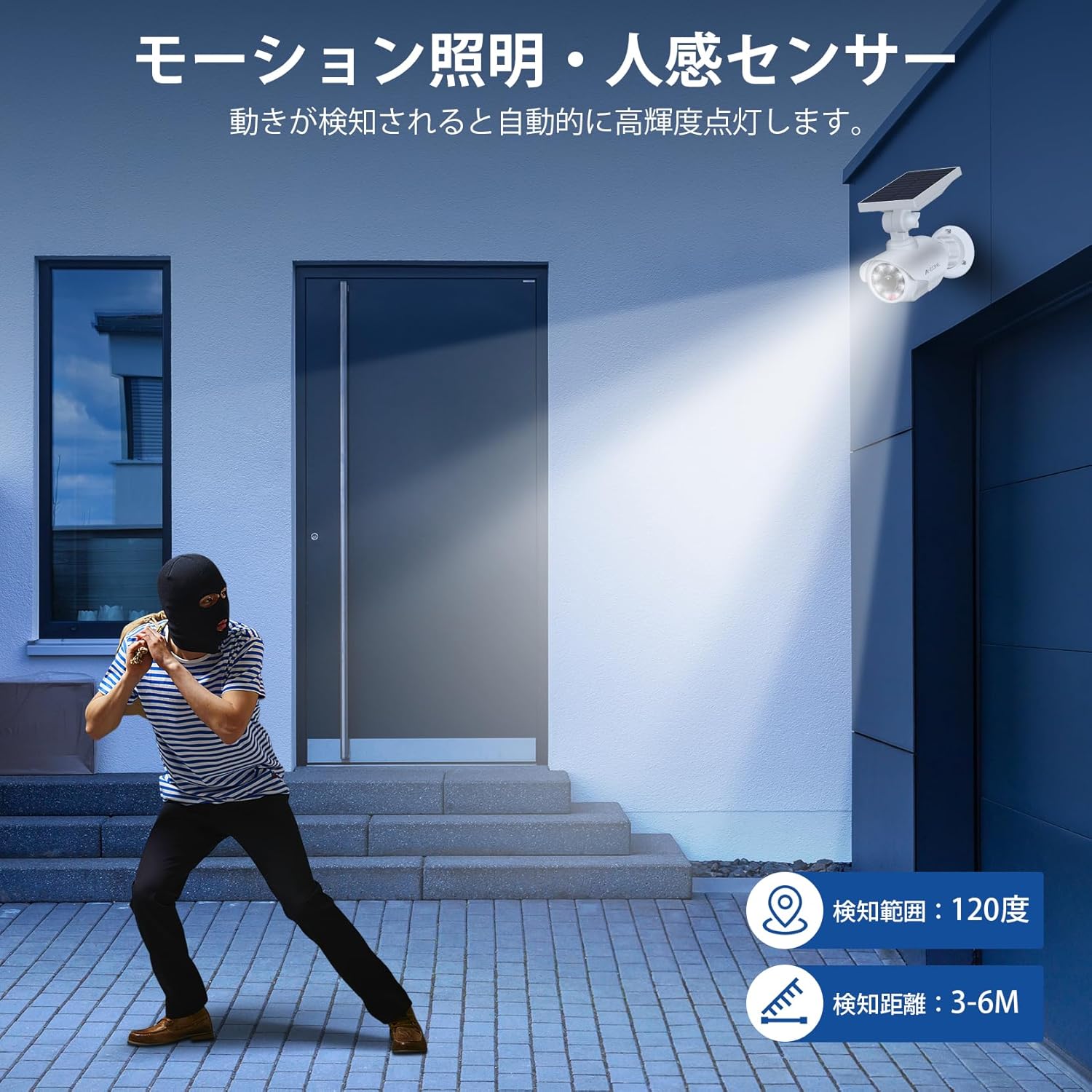
Figure 5.2: Motion sensor detection in action.
6. Vedligeholdelse
- Rensning: Regularly wipe the solar panel and LED light surface with a soft, damp cloth to remove dust, dirt, or debris. This ensures efficient solar charging and optimal light output.
- Batteri: The product uses a built-in 2000mAh lithium-ion battery. Under good sunlight conditions, it can fully charge in 5-6 hours and provide up to 12 hours of high-brightness illumination. Battery performance may vary with seasonal changes, daylight hours, and weather conditions.
- Inspektion: Periodically check the mounting screws and bracket to ensure they are secure.

Figure 6.1: High-efficiency solar panel charging and battery capacity.
7. Fejlfinding
| Problem | Mulig årsag | Løsning |
|---|---|---|
| Lyset tænder ikke om natten. | Utilstrækkelig solopladning. | Ensure the solar panel is in direct sunlight for at least 5-6 hours daily. Clean the solar panel. |
| Bevægelsessensor registrerer ikke. | Sensor blokeret eller forkert vinkel. | Clear any obstructions from the sensor. Adjust the light's angle to cover the desired detection area. |
| Light stays on constantly or flashes. | Continuous motion detected or low battery. | Ensure no constant motion is in the detection zone. Allow the unit to fully charge in sunlight. |
| Red dummy light not working. | Power switch off or internal issue. | Check if the power switch is ON. If the issue persists, contact customer support. |
8. Specifikationer
| Feature | Detalje |
|---|---|
| Model | Tollar |
| Dimensioner (LxBxH) | 21 x 12 x 9 cm |
| Vægt | 950 g |
| Batteri | 1 litium-ion-batteri (inkluderet), 2000 mAh |
| Strømkilde | Solcelledrevet |
| Voltage | 3.7 volt |
| Materiale | Acrylonitril Butadien Styren (ABS) |
| Vandtæt vurdering | IP66 |
| Bevægelsessensorvinkel | 120 grader |
| Rækkevidde for bevægelsesdetektering | 3-6 meter |
| Belysningsområde | Op til 10 meter |
| Installationstype | Semi-flush montering |
| Brugsmiljø | Udendørs |
9. Garanti og support
This A-ZONE product comes with a 1 års kvalitetsgaranti from the date of purchase. During this period, we offer support for accessory updates or main unit replacement in case of manufacturing defects or malfunctions under normal use.
For any questions, concerns, or technical support, please contact our customer service team through the platform where you purchased the product. Please have your order number and product model (Tollar) ready when contacting support.
We are committed to ensuring your satisfaction and providing a reliable product experience.
Ask a question about this manual
Ask about setup, troubleshooting, compatibility, parts, safety, or missing instructions. Manuals+ will review the question and use this page’s manual context to help answer it.