
1. Introduktion
Tak for købetasing the BlitzWolf BW-V5 LED Projector. This manual provides detailed instructions for the setup, operation, and maintenance of your projector. Please read this manual thoroughly before using the product to ensure proper operation and to extend its lifespan.
The BlitzWolf BW-V5 is a portable LED projector featuring a physical 1080P resolution, 9000 lumens brightness, and Bluetooth 5.0 connectivity, designed for home theater and entertainment use. It is compatible with various devices including TV sticks, smartphones, and supports HDMI, USB, and AV inputs.
2. Sikkerhedsoplysninger
- Se ikke direkte ind i projektorlinsen, når lamp er tændt.
- Sørg for tilstrækkelig ventilation omkring projektoren for at forhindre overophedning. Bloker ikke ventilationsåbningerne.
- Brug kun den strømadapter, der følger med projektoren.
- Udsæt ikke projektoren for regn eller fugt for at undgå elektrisk stød eller brand.
- Undgå at placere projektoren på ustabile overflader.
- Forsøg ikke selv at skille projektoren ad eller reparere den. Kontakt kvalificeret servicepersonale for at få hjælp.
- Hold projektoren væk fra direkte sollys, varmekilder og ekstreme temperaturer.
3. Pakkens indhold
Kontroller venligst, at alle følgende varer er inkluderet i din pakke:
- BlitzWolf BW-V5 LED-projektor
- Fjernbetjening
- Strømkabel
- HDMI Cable (may vary by region/package)
- AV Cable (may vary by region/package)
- Brugervejledning (dette dokument)
4. Produktet er slutview
4.1 Projektorkomponenter
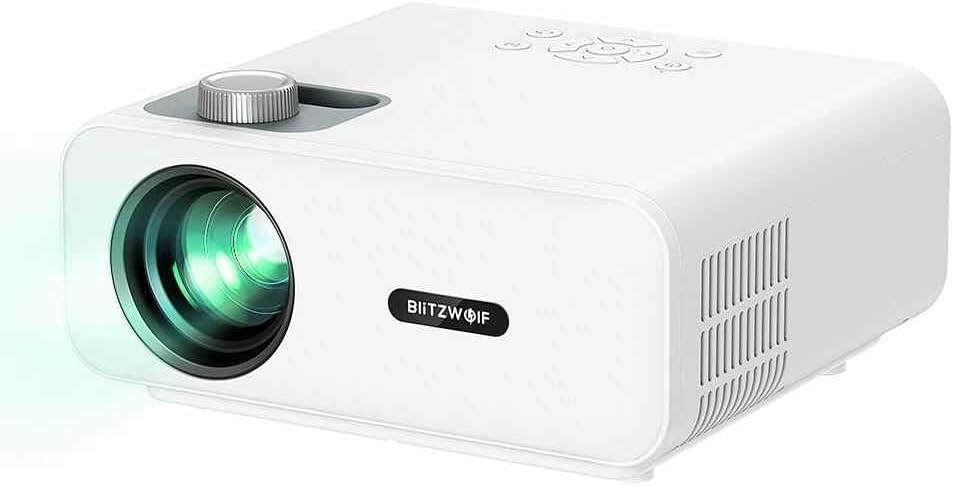
Figur 4.1: Forside view of the BlitzWolf BW-V5 LED Projector, showing the lens, focus knob, and control panel on top.
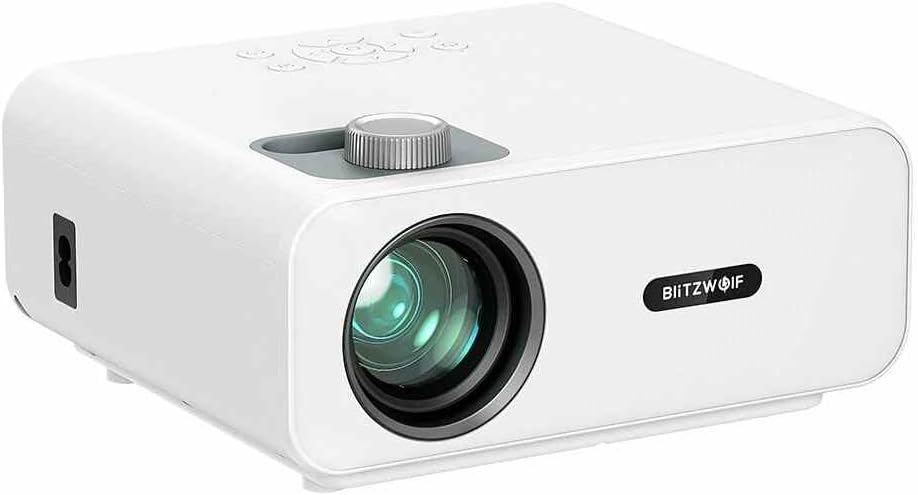
Figur 4.2: Forside view of the BlitzWolf BW-V5 LED Projector, highlighting the projection lens and the BlitzWolf logo.
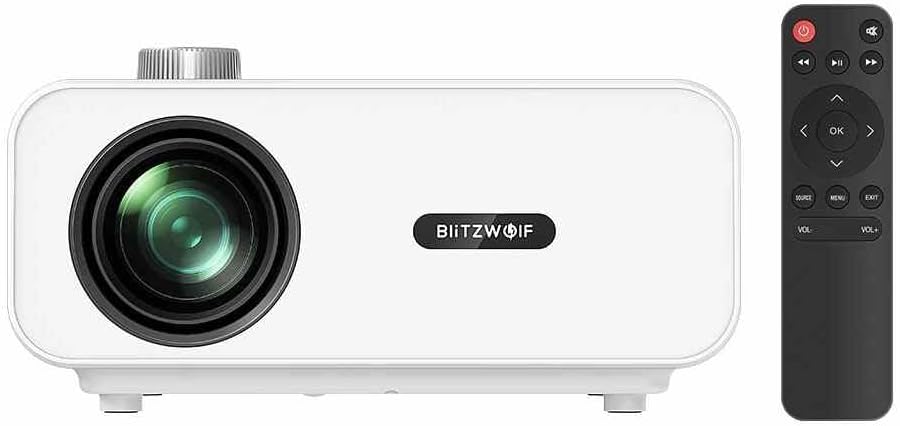
Figur 4.3: Forside view of the BlitzWolf BW-V5 LED Projector alongside its remote control, illustrating the compact design of both units.

Figur 4.4: Bagside view of the BlitzWolf BW-V5 LED Projector, showcasing the various input/output ports including HDMI, USB, AV, and headphone jack.
The projector features a manual focus knob, an intuitive control panel on the top, and multiple connectivity options on the rear panel. The included remote control allows for convenient operation from a distance.
4.2 Kontrolpanel og fjernbetjening
The control panel on top of the projector includes buttons for power, navigation (up, down, left, right, OK), source selection, menu, and volume control. The remote control mirrors these functions and provides additional shortcuts for ease of use.
5. Opsætning
5.1 Placering
Placer projektoren på en stabil, flad overflade. For optimal viewing, position the projector perpendicular to the projection screen or wall. The recommended projection distance ranges from 1.5 to 4.8 meters, yielding a screen size of 50 to 170 inches.
- 50" screen: approx. 1.5 meters (4.9 feet)
- 100" screen: approx. 3.0 meters (9.8 feet)
- 170" screen: approx. 4.8 meters (15.7 feet)
5.2 Tilslutning til strøm
- Tilslut strømkablet til projektorens strømindgang.
- Plug the other end of the power cable into a standard AC 110-240V power outlet.
- Strømindikatorlampen på projektoren vil lyse.
5.3 Tilslutning af eksterne enheder
The BW-V5 projector supports multiple input sources:
- HDMI: Connect a TV stick, laptop, game console, or Blu-ray player using an HDMI cable. The projector has multiple HDMI ports.
- USB: Indsæt et USB-flashdrev for at afspille medier files (video, audio, images).
- AV: Use the AV port for older devices like DVD players or set-top boxes.
- Headphone/Audio Out: Tilslut eksterne højttalere eller hovedtelefoner for forbedret lyd.
6. Betjeningsvejledning
6.1 Tænd/sluk
- Tænd: Tryk på tænd/sluk-knappen på projektoren eller fjernbetjeningen. Projektoren starter op og viser hovedgrænsefladen.
- Sluk: Press the power button again. A confirmation message may appear; select "Yes" to shut down.
6.2 Valg af indgangskilde
After powering on, press the "Source" button on the projector or remote control to cycle through available input sources (HDMI1, HDMI2, USB, AV). Select the desired input source corresponding to your connected device.
6.3 Fokusjustering
Rotate the focus knob located near the lens until the projected image appears clear and sharp. This adjustment is manual and may need to be fine-tuned based on projection distance.
6.4 Keystone-korrektion
If the projected image appears trapezoidal (wider at the top or bottom), use the optical keystone correction feature. The projector supports ±15° trapezoidal correction. Adjust the keystone ring or use the menu options to square the image.
6.5 Bluetooth-forbindelse
The BW-V5 supports Bluetooth 5.0 for connecting external audio devices like Bluetooth speakers or headphones. Navigate to the Bluetooth settings in the projector's menu, enable Bluetooth, and pair with your desired device.
6.6 Medieafspilning (USB)
When a USB drive is inserted, the projector's interface will typically prompt you to select the media type (Video, Music, Photo). Navigate through your files using the remote control and press "OK" to play.
- Supported Video Formats: MPEG1/MPEG2/MPEG4/H.263/H.264/AVS/VC1/MJPEG/RV30/RV40/HEVC
- Supported Audio Formats: MPEG1/MPEG2/LPCM/MP3/WMA2/AAC/WAV
- Supported Image Formats: JPEG/PNG/BMP
7. Vedligeholdelse
7.1 Rengøring af projektoren
- Linse: Brug en blød, fnugfri klud, der er specielt designet til optiske linser. Brug ikke slibende rengøringsmidler eller overdreven kraft.
- Legeme: Tør projektorens yderside af med en blød, tør klud. Ved genstridige mærker kan du bruge en let tør klud.amp en klud kan bruges, efterfulgt af en tør aftørring.
- Ventilationsporte: Periodically clean the ventilation ports with a soft brush or compressed air to prevent dust buildup, which can affect cooling performance.
7.2 Lamp Liv
The LED light source in the BW-V5 projector has a long work life of approximately 50,000 hours. This means the lamp is designed to last for many years under normal usage conditions, reducing the need for frequent replacements.
8. Fejlfinding
| Problem | Mulig årsag | Løsning |
|---|---|---|
| Intet billede projiceret | Power cable disconnected; Incorrect input source; Lens cap on. | Kontroller strømtilslutningen; Vælg den korrekte indgangskilde; Fjern linsedækslet. |
| Billedet er sløret | Ude af fokus; Forkert projektionsafstand. | Adjust the focus knob; Adjust projection distance. |
| Billedet er trapezformet | Projektoren er ikke vinkelret på skærmen. | Adjust keystone correction; Reposition projector. |
| Ingen lyd | Lydstyrken er for lav; Slået fra; Ekstern lydenhed er ikke tilsluttet eller valgt. | Increase volume; Unmute; Check audio cable connection or Bluetooth pairing. |
| Fjernbetjening virker ikke | Batteries low/dead; Obstruction between remote and projector. | Udskift batterierne; Sørg for frit udsyn til IR-modtageren. |
9. Specifikationer
| Feature | Specifikation |
|---|---|
| Mærke | BlitzWolf |
| Model | BW-V5 |
| Displayteknik | LCD |
| Indfødt opløsning | 1920x1080P (Physical 1080P) |
| Aspektforhold | 16:9 |
| Pæreluminans | 9000 LM |
| Let arbejdsliv | 50000 timer |
| FOFO Contrast | 1000:1 |
| Kasteforhold | 1.35 |
| Projektor størrelse | 50" - 170" |
| Kasteafstand | 1.5 - 4.8 mio. |
| Fokuserende måde | Manuel fokus |
| Optical Keystone Correction | ±15° trapezoidal |
| Forbindelsesteknologi | Bluetooth 5.0, HDMI, USB, AV |
| Grænseflader | AV, Headphone, HDMI (x2), USB (x2) |
| Samlet driftsforbrug | 75W ±5W |
| Standby strømforbrug | 1W |
| Working Voltage | AC 110-240V |
| Nettovægt | 1.6 KG (approx. 3.52 pounds) |
| Overordnet dimension | 220*190.5*93 mm |
10. Garanti og support
Dette produkt leveres med en standard producentgaranti. Se venligst garantikortet, der er inkluderet i din pakke, for specifikke vilkår og betingelser. For teknisk support, hjælp til fejlfinding eller garantikrav bedes du kontakte forhandleren eller producentens kundeservice. Behold din købskvittering som købsbevis.
For the latest information and support, please visit the official BlitzWolf webwebstedet eller kontakt deres kundeservicekanaler.