
1. Introduktion
Tak for købetasing the ZEBRONICS Juke BAR 9102 PRO 240W Dolby Soundbar. This manual provides essential information for the proper setup, operation, and maintenance of your soundbar system. Please read this manual thoroughly before use to ensure optimal performance and safety.
2. Sikkerhedsinstruktioner
- Strømkilde: Brug kun den angivne strømadapter. Sørg for, at lydstyrkentage er kompatibel med din lokale strømforsyning.
- Ventilation: Bloker ikke ventilationsåbninger. Sørg for tilstrækkelig plads omkring enheden for korrekt luftgennemstrømning.
- Vand og fugt: Do not expose the soundbar or subwoofer to water, rain, or moisture. Avoid placing objects filled with liquids, such as vases, on or near the unit.
- Varmekilder: Hold enheden væk fra varmekilder såsom radiatorer, varmeregistreringsapparater, komfurer eller andre varmeproducerende apparater.
- Rensning: Afbryd strømmen før rengøring. Brug en blød, tør klud. Brug ikke flydende rengøringsmidler eller sprayrengøringsmidler.
- Service: Forsøg ikke selv at servicere dette produkt. Overlad al service til kvalificeret servicepersonale.
- Placering: Place the soundbar on a stable, flat surface or mount it securely on a wall as instructed.
3. Pakkens indhold
Bekræft, at alle nedenstående varer er inkluderet i din pakke:
- Soundbar - 1 Unit
- Subwoofer - 1 Unit
- Remote Control - 1 Unit
- QR Code User Manual - 1 Unit (Digital access)
- Wall Mount Bracket and Fasteners
4. Produktet er slutview
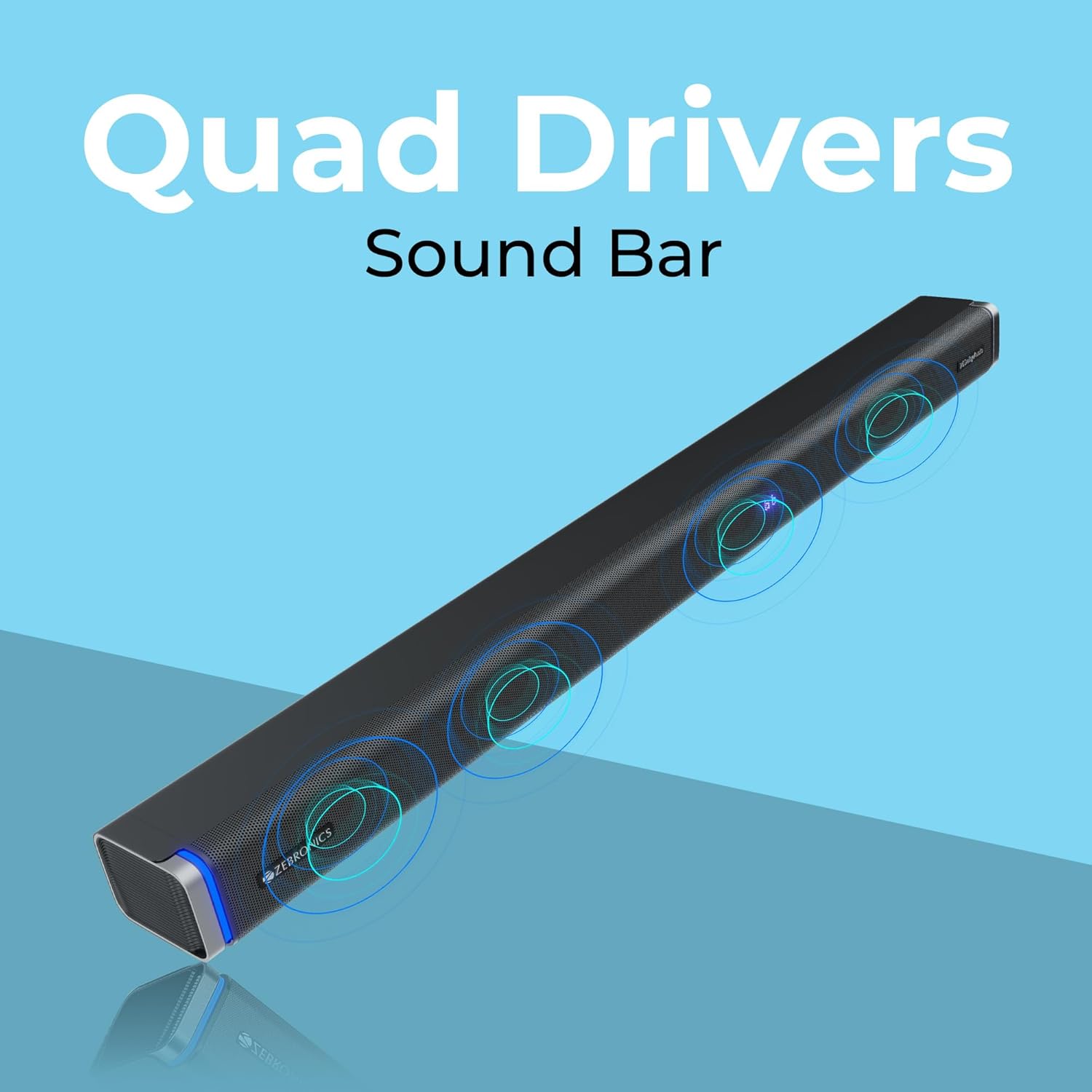
The ZEBRONICS Juke BAR 9102 PRO is a 240W output Dolby soundbar system designed to enhance your audio experience. It features a soundbar with quad drivers and a powerful 6.5-inch wired subwoofer.



5. Opsætning
5.1 Indledende placering
- Place the soundbar centrally below your television.
- Position the subwoofer on the floor near the soundbar for optimal bass response.
5.2 Strømtilslutning
- Tilslut strømkablet til soundbarens strømindgang.
- Tilslut strømkablet til subwooferens strømindgang.
- Plug both power cables into a suitable wall outlet.
5.3 Subwoofer-tilslutning
The subwoofer connects to the soundbar via a wired connection. Ensure the subwoofer cable is securely connected to both units.
6. Betjeningsvejledning
6.1 Tænd/sluk
Press the power button on the soundbar or the remote control to turn the unit on or off. The LED display will indicate the power status.
6.2 Lydstyrkekontrol
Brug knapperne for lydstyrke op (+) og lydstyrke ned (-) på soundbaren eller fjernbetjeningen til at justere lydniveauet.
6.3 Valg af tilstand
Press the 'Mode' button on the soundbar or remote control to cycle through available input modes (Bluetooth, HDMI ARC, Optical, AUX, USB). The LED display will show the current mode (e.g., 'BT' for Bluetooth, 'ARC' for HDMI ARC).
6.4 Equalizer-tilstande (EQ)
The soundbar features 3D EQ alternatives. Use the EQ button on the remote to switch between modes. The LED display will show 'E1', 'E2', 'E3' for different sound profiles, and '3D' for the virtual 5.1 effect. Common EQ modes include:
- E1: Musiktilstand
- E2: Filmtilstand
- E3: News/Voice mode
- 3D: Virtual Surround Sound mode
6.5 RGB LED-lys
The soundbar includes RGB LED lights. These can be controlled and changed using the remote control to suit your preference.
7. Tilslutningsmuligheder
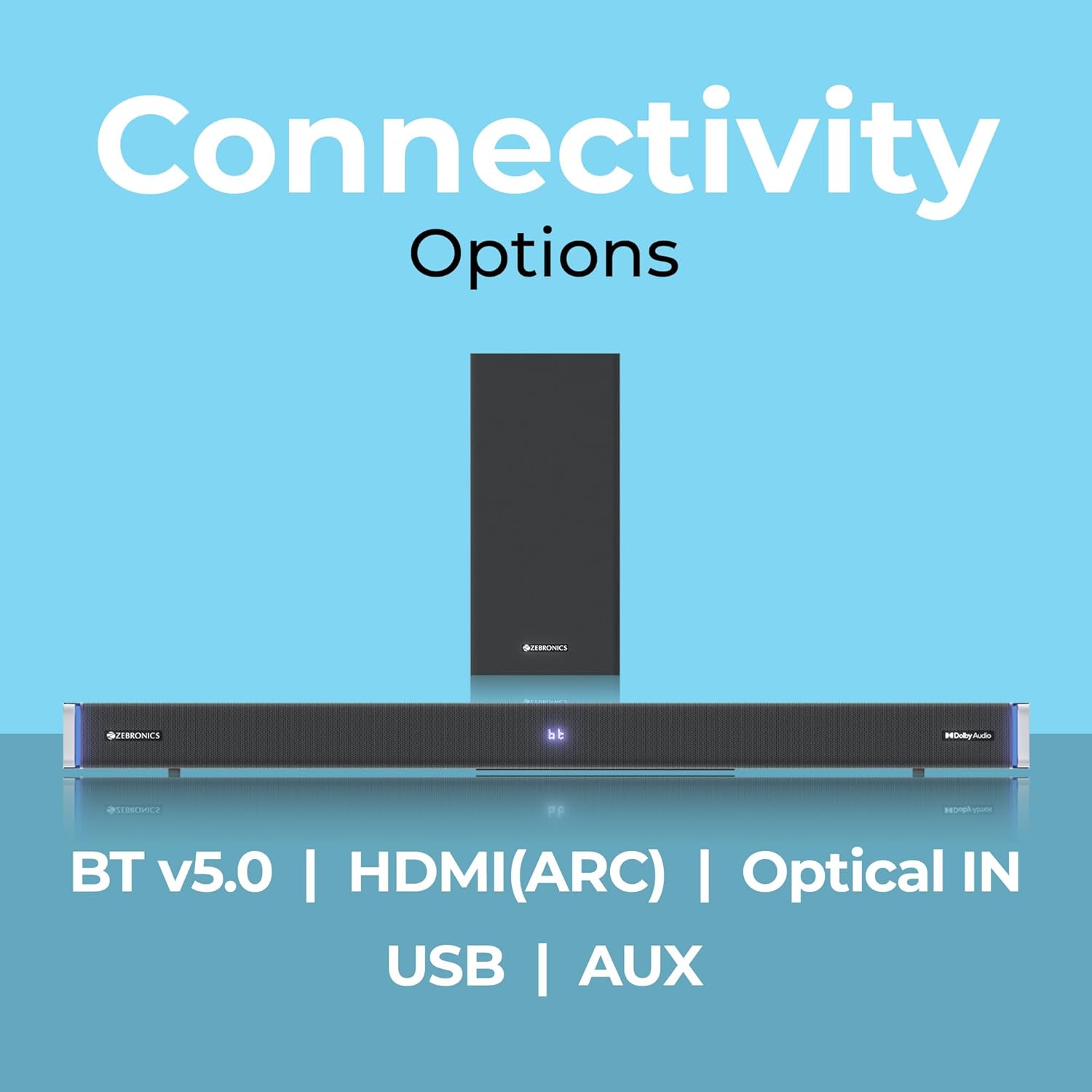
The ZEBRONICS Juke BAR 9102 PRO offers multiple connectivity options for versatile use.
7.1 Bluetooth v5.0
- Press the 'Mode' button until 'BT' appears on the LED display.
- On your mobile device or computer, search for Bluetooth devices and select 'ZEB-JUKE BAR 9102 PRO'.
- Once paired, audio will stream wirelessly to the soundbar.
7.2 HDMI (ARC)
- Connect an HDMI cable (ARC compatible) from the HDMI ARC port on your television to the HDMI ARC port on the soundbar.
- Select 'ARC' mode on the soundbar.
- Ensure your TV's audio output is set to HDMI ARC.
7.3 Optical IN
- Connect an optical cable from your audio source (e.g., TV, DVD player) to the 'Optical IN' port on the soundbar.
- Select 'OPT' mode on the soundbar.
7.4 3.5 mm AUX-kabel
- Connect a 3.5mm AUX cable from your audio source to the 'AUX' port on the soundbar.
- Select 'AUX' mode on the soundbar.
7.5 USB-afspilning
- Insert a USB pen drive (up to 32GB, supporting MP3 audio format) into the USB port on the soundbar.
- Select 'USB' mode on the soundbar. The soundbar will automatically begin playing compatible audio files.
8. Vægmontering
The soundbar can be wall-mounted to save space. A wall mount bracket and fasteners are included in the package.
- Determine the desired mounting location on the wall, ensuring it is structurally sound and can support the weight of the soundbar.
- Mark the positions for drilling holes using the wall mount bracket as a template.
- Bor forhuller, og isæt passende vægankre, hvis det er nødvendigt.
- Secure the wall mount bracket to the wall using the provided fasteners.
- Carefully attach the soundbar to the mounted bracket. Ensure it is securely fastened before releasing.
Note: Professional installation is recommended for wall mounting to prevent damage or injury.
9. Vedligeholdelse
9.1 Rengøring
Wipe the surfaces of the soundbar and subwoofer with a soft, dry, lint-free cloth. Do not use abrasive cleaners, waxes, or solvents as they may damage the finish.
9.2 Opbevaring
Hvis enheden skal opbevares i længere tid, skal den afbrydes fra strømforsyningen og opbevares et køligt, tørt sted, væk fra direkte sollys og ekstreme temperaturer.
10. Fejlfinding
| Problem | Mulig årsag | Løsning |
|---|---|---|
| Ingen strøm | Strømkabel ikke tilsluttet; Strømudtag ikke aktivt | Ensure power cables are securely connected and the outlet is functional. |
| Ingen lyd | Forkert inputtilstand; Lydstyrken er for lav; Kablerne er ikke korrekt tilsluttet | Select the correct input mode. Increase volume. Check all audio cables for secure connection. |
| Problemer med Bluetooth-parring | Soundbaren er ikke i parringstilstand; Enheden er for langt væk; Interferens | Ensure soundbar is in 'BT' mode. Move device closer. Restart both devices. |
| Fjernbetjening virker ikke | Batterierne er opbrugt; Blokering mellem fjernbetjening og soundbar | Udskift batterierne i fjernbetjeningen. Fjern eventuelle forhindringer. |
| Forvrænget lyd | Volume too high; Poor audio source quality; Incorrect EQ setting | Reduce volume. Try a different audio source. Adjust EQ settings. |
11. Specifikationer
| Feature | Detalje |
|---|---|
| Modelnavn | ZEB-JUKE BAR 9102 PRO |
| Udgangseffekt | 240 watt (RMS) |
| Subwoofer diameter | 6.5 tommer |
| Audio driver størrelse | 5.5 cm (Quad Drivers) |
| Forbindelse | Bluetooth v5.0, HDMI (ARC), Optical IN, 3.5mm AUX, USB |
| Surround Sound konfiguration | Virtuel 5.1 |
| Frekvensrespons | 20 Hz - 20 kHz |
| Signal-støjforhold | 65 dB |
| Impedans | 15 Ohm |
| Kontrolmetode | Fjernbetjening |
| Produktmål (Soundbar) | Ca. 98.5 B x 17.3 D x 40.2 H centimeter |
| Varens vægt | 5.8 kg |
| Strømkilde | Elektrisk med ledning |
| Særlige funktioner | Dolby Audio, LED Display, RGB LED Lights, Wall Mountable |
12. Garanti og support
12.1 Garantioplysninger
This ZEBRONICS product comes with a 1 års garanti from the date of purchase. The warranty covers manufacturing defects under normal use. Please retain your purchase receipt for warranty claims.
12.2 Kundesupport
For technical assistance, troubleshooting, or warranty inquiries, please contact ZEBRONICS customer support. Refer to the official ZEBRONICS website or the QR Code User Manual for contact details.