
Indledning
Thank you for choosing the ZEBRONICS Zeb-Rainbow 400 Multimedia Speaker. This manual provides essential information for the proper setup, operation, and maintenance of your speaker system. Please read it carefully before use and retain it for future reference.
Sikkerhedsinstruktioner
- Udsæt ikke enheden for regn eller fugt for at forhindre brand eller elektrisk stød.
- Do not open the speaker cabinet. Refer all servicing to qualified personnel.
- Sørg for tilstrækkelig ventilation omkring enheden. Bloker ikke ventilationsåbninger.
- Beskyt netledningen mod at blive trådt på eller klemt.
- Tag stikket ud af enheden under tordenvejr, eller når den ikke skal bruges i længere perioder.
- Hold produktet væk fra direkte sollys, varmekilder og stærke magnetfelter.
Pakkens indhold
Markér venligst feltet for følgende elementer:
- Subwoofer-enhed
- Satellithøjttalere (4 enheder)
- Fjernbetjening
- Audio Input Cable (3.5mm to RCA)
- Brugermanual
Produkt overview
The ZEBRONICS Zeb-Rainbow 400 is a 4.1 channel multimedia speaker system designed for versatile audio playback. It features multiple connectivity options including Bluetooth, AUX, USB, and FM radio. The system includes a powerful subwoofer and four satellite speakers for an immersive audio experience, complemented by integrated RGB lighting.
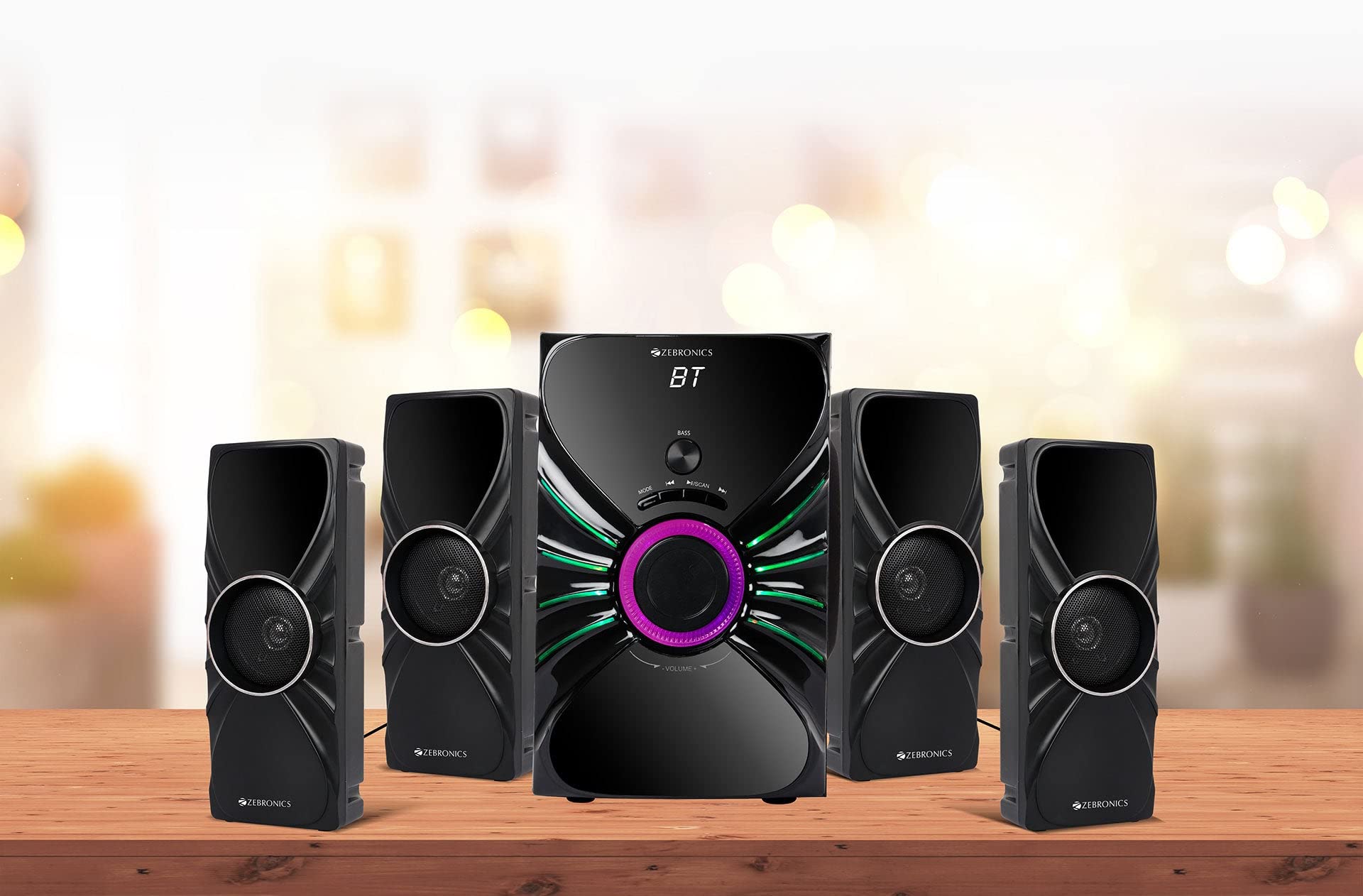
Image: The complete ZEBRONICS Zeb-Rainbow 400 multimedia speaker system, showing the subwoofer, four satellite speakers, and remote control.
Opsætning
1. Udpakning
Fjern forsigtigt alle komponenter fra emballagen. Gem emballagematerialerne til senere transport eller opbevaring.
2. Højttalerplacering
Place the subwoofer on a stable, flat surface, preferably on the floor for optimal bass response. Position the four satellite speakers around your listening area for a balanced sound field. Ensure adequate space for ventilation.

Image: A visual representation of the 4.1 speaker setup, illustrating the subwoofer and four satellite speakers.
3. Connecting Satellite Speakers
Connect each of the four satellite speakers to the corresponding output ports on the rear panel of the subwoofer unit. Ensure the connections are secure.
4. Tilslutning af lydkilder
- AUX-indgang: Use the provided 3.5mm to RCA cable to connect your audio device (e.g., smartphone, tablet, PC) to the AUX input ports on the subwoofer.
- USB-indgang: Indsæt et USB-flashdrev med MP3-lyd files ind i USB-porten på subwooferen.
5. Strømtilslutning
Tilslut strømkablet til subwooferenheden, og sæt det derefter i en almindelig stikkontakt.
Betjeningsvejledning
1. Tænd/sluk
Press the Power button on the front panel of the subwoofer or on the remote control to turn the speaker system on or off.
2. Valg af tilstand
Press the 'MODE' button on the front panel or remote control to cycle through the available input modes: Bluetooth (BT), AUX, USB, and FM Radio.

Image: Close-up of the subwoofer's front panel, showing the control buttons (Mode, Play/Pause, Next/Previous, Bass, Volume) and the integrated RGB lighting.
3. Lydstyrkekontrol
Rotate the 'VOLUME' knob on the front panel of the subwoofer or use the Volume Up/Down buttons on the remote control to adjust the overall sound level. The 'BASS' knob can be used to adjust the bass intensity.
4. Bluetooth-tilstand
- Switch the speaker to Bluetooth mode using the 'MODE' button. The display will show 'BT'.
- Aktivér Bluetooth på din mobilenhed eller computer.
- Søg efter available devices and select "Zeb-Rainbow 400" to pair.
- Once paired, you can play audio from your device through the speakers.
5. AUX-tilstand
Connect your audio source using the 3.5mm to RCA cable. Switch the speaker to AUX mode. Audio from your connected device will play automatically.
6. USB-tilstand
Sæt et USB-flashdrev i USB-porten. Højttaleren skifter automatisk til USB-tilstand og begynder at afspille MP3 files from the drive. Use the Play/Pause, Next, and Previous buttons to control playback.
7. FM-radiotilstand
- Skift højttaleren til FM-tilstand.
- Press and hold the 'SCAN' button (often combined with Play/Pause) to automatically scan and save available FM stations.
- Brug knapperne Næste/Forrige til at navigere gennem de gemte stationer.
8. Fjernbetjening
The included remote control provides full functionality for power, mode selection, volume, track control, and FM station tuning. Ensure the remote has working batteries and is pointed towards the subwoofer's sensor.

Image: The ZEBRONICS Zeb-Rainbow 400 subwoofer unit shown with its remote control, highlighting the main controls.
9. RGB-lys
The subwoofer features integrated RGB lights. These lights typically cycle through various colors and patterns automatically. Refer to the remote control for any specific buttons to change light modes, if available.
Opretholdelse
1. Rensning
Tør højttaleroverfladerne af med en blød, tør klud. Brug ikke slibende rengøringsmidler, voks eller opløsningsmidler, da de kan beskadige overfladen. Undgå at sprøjte væsker direkte på højttalerne.
2. Opbevaring
If storing the speakers for an extended period, unplug them from the power outlet and store them in a cool, dry place, away from direct sunlight and extreme temperatures.
Fejlfinding
| Problem | Mulig årsag | Løsning |
|---|---|---|
| Ingen strøm | Power cable not connected; Power outlet faulty; Unit switched off | Ensure power cable is securely connected. Check power outlet with another device. Press the Power button. |
| Ingen lyd | Volume too low; Incorrect input mode; Audio cable loose/faulty; Device volume low | Increase volume. Select correct input mode. Check audio cable connections. Increase volume on connected device. |
| Bluetooth forbinder ikke | Speaker not in BT mode; Device not in pairing mode; Interference | Switch speaker to BT mode. Ensure device Bluetooth is on and searching. Move devices closer. Restart both devices. |
| Fjernbetjening virker ikke | Batteries depleted; Obstruction; Remote not pointed at sensor | Replace batteries. Remove any obstructions. Point remote directly at the subwoofer's IR sensor. |
| Dårlig FM -modtagelse | Svagt signal; Antenneposition | Adjust the position of the FM antenna. Rescan for stations. |
Specifikationer
| Feature | Specifikation |
|---|---|
| Mærke | ZEBRONIK |
| Modelnummer | Zeb Rainbow 400 |
| Produktmål (LxBxH) | 21 x 39 x 32 centimeter |
| Varens vægt | 9 kg 350 g |
| Forbindelsesteknologi | Auxiliary, Bluetooth, USB, Wireless |
| Strømkilde | AC |
| Kompatible enheder | Smartphone, tablet |
| Subwoofer Drive Size | 16.51 cm |

Image: A visual highlighting the 16.51 cm subwoofer drive of the ZEBRONICS Zeb-Rainbow 400.
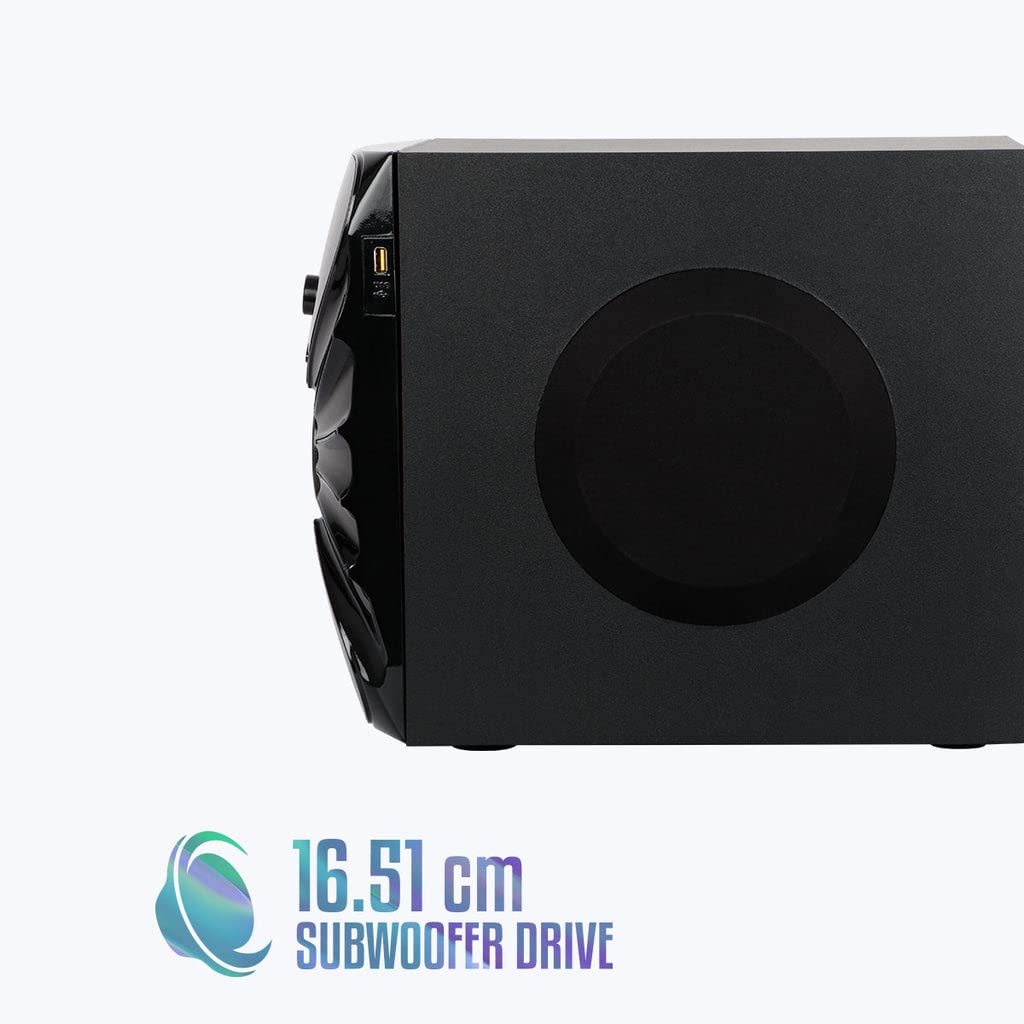
Billede: Side view of the ZEBRONICS Zeb-Rainbow 400 subwoofer, showing the USB port and overall dimensions.
Garanti og support
This product comes with a minimum six-month seller warranty. For any issues or support, please contact your seller or refer to the official ZEBRONICS support channels. Keep your purchase receipt for warranty claims.