
1. Introduktion
Thank you for choosing the ciciglow Bluetooth Clip-on Earbuds. These open-ear headphones are designed for comfort and situational awareness, allowing you to enjoy audio while remaining aware of your surroundings. Featuring Bluetooth 5.3 connectivity, an ergonomic clip-on design, and intuitive controls, these earbuds are suitable for various activities including running and cycling.
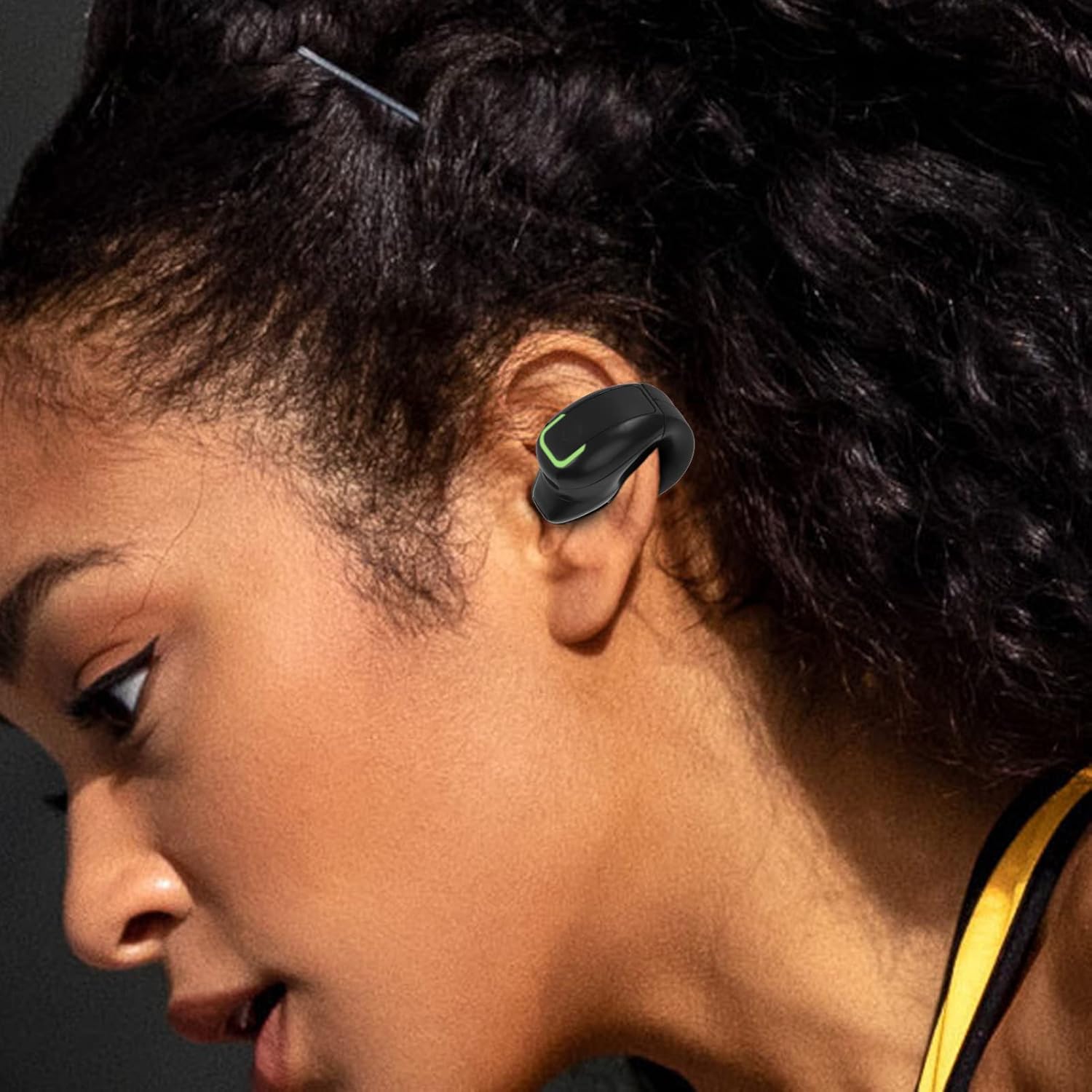
The ciciglow clip-on earbud is designed to fit comfortably on the ear, providing audio without blocking ambient sounds.
2. Hvad er der i æsken
- 1 x ciciglow Bluetooth Clip-on Earbud
- 1 x USB ladekabel
- 1 x brugermanual
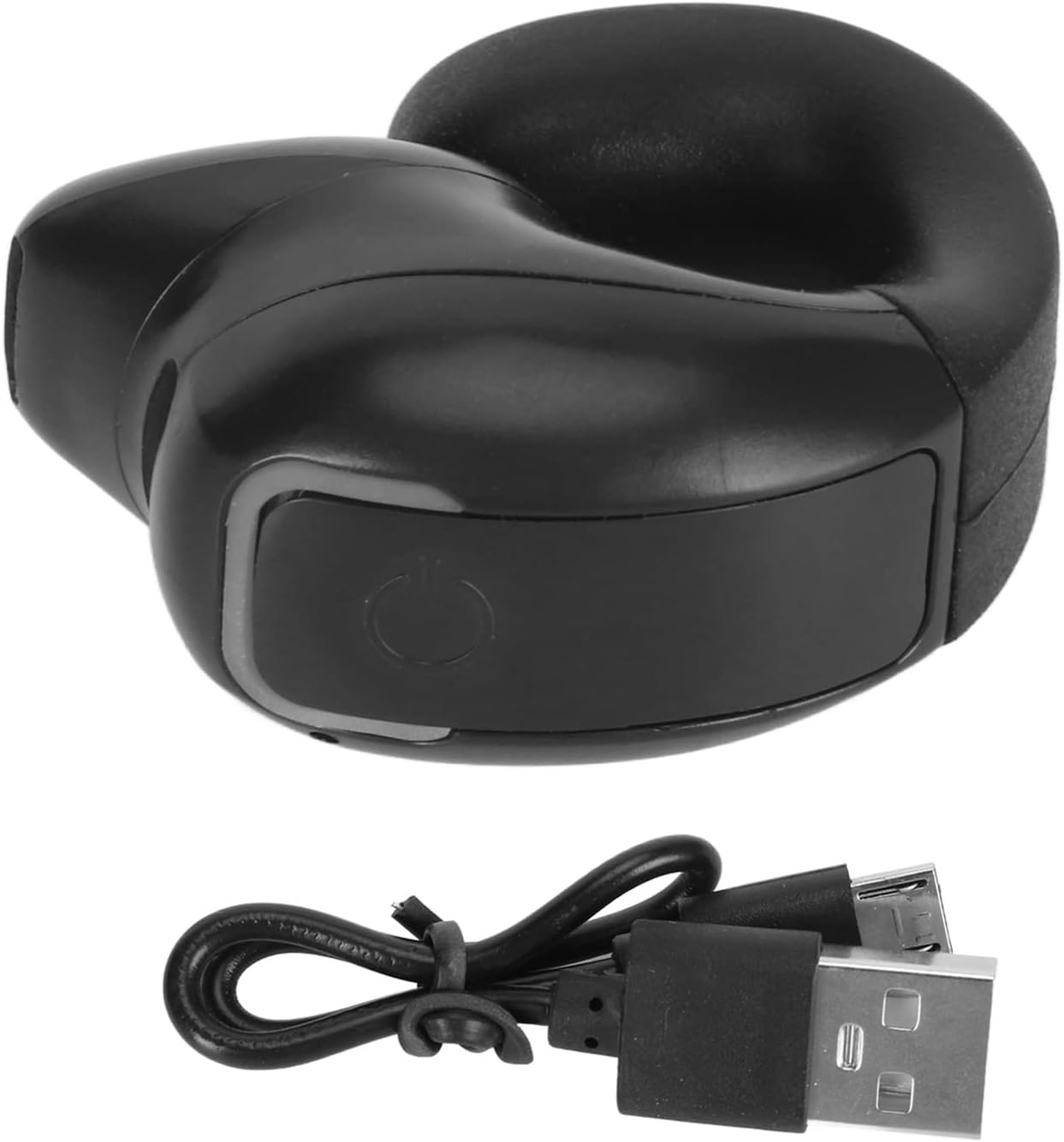
The package includes one earbud and its dedicated USB charging cable.
3. Specifikationer
| Mærke | ciciglow |
| Modelnummer | ciciglowiv79obgap3-11 |
| Bluetooth version | 5.3 |
| Øreplacering | Åbent øre (clip-on) |
| Kontroltype | Touch (Media Control, Call Control) |
| Batteriets gennemsnitlige levetid | 7 timer |
| Batteriopladningstid | 1 time |
| Vandmodstandsniveau | IPX4 (vandtæt) |
| Varens vægt | 0.02 kilo |
| Audio driver størrelse | 13 millimeter |
4. Opsætning
4.1 Charging the Earbud
Before first use, fully charge the earbud. Connect the provided USB charging cable to the charging port on the earbud and plug the other end into a compatible USB power source. The earbud will indicate charging status (e.g., an LED light). A full charge typically takes about 1 hour and provides approximately 7 hours of playback time.

The earbud offers extended battery life for prolonged use.
4.2 Bluetooth -parring
- Tænd: Press and hold the multifunction button on the earbud until the indicator light flashes, indicating it is in pairing mode.
- Aktiver Bluetooth: Aktiver Bluetooth på din enhed (smartphone, tablet osv.).
- Vælg enhed: In your device's Bluetooth settings, search for available devices and select "ciciglow Earbud" (or similar name).
- Bekræft forbindelse: Once connected, the earbud's indicator light will change (e.g., solid blue or off), and your device may confirm the connection.
5. Betjeningsvejledning
5.1 Grundlæggende kontroller
The earbud features a single multifunction touch button for easy control:
- Tænd/sluk: Tryk på knappen og hold den nede i et par sekunder.
- Afspil/sæt musik på pause: Tryk kort på knappen én gang.
- Næste sang: Dobbeltklik på knappen.
- Besvar/afslut opkald: Tryk kort på knappen én gang.
- Afvis opkald: Tryk længe på knappen.
- Genopkald sidste nummer: Tredobbeltklik på knappen.

The earbud features a single, intuitive multifunction button for all controls.
5.2 Wearing the Earbud
The ergonomic design allows the earbud to clip onto your ear without entering the ear canal, ensuring comfort even during extended wear. This open-ear design also prevents sound leakage, maintaining privacy while listening.

The ergonomic design ensures a comfortable fit over the ear.

The leakproof earhole design ensures your audio remains private.
6. Vedligeholdelse
To ensure the longevity and optimal performance of your ciciglow Bluetooth Clip-on Earbuds, follow these maintenance guidelines:
- Rensning: Gently wipe the earbud with a soft, dry cloth. Avoid using harsh chemicals or abrasive materials.
- Vandtæthed: The earbud is IPX4 water-resistant, meaning it can withstand splashes of water and sweat. Do not submerge it in water or expose it to heavy rain.
- Opbevaring: Store the earbud in a cool, dry place away from direct sunlight and extreme temperatures.
- Opladning: Brug kun det medfølgende USB-kabel til opladning.

The IPX4 rating protects the earbud from sweat and light splashes.
7. Fejlfinding
If you encounter issues with your earbud, refer to the following common solutions:
- Earbud does not power on: Ensure the earbud is fully charged. Connect it to the charger and wait for the charging indicator.
- Kan ikke parres med enhed:
- Ensure the earbud is in pairing mode (indicator light flashing).
- Slå Bluetooth fra og til på din enhed.
- Move the earbud closer to your device.
- Glem enheden i dine Bluetooth-indstillinger, og prøv at parre den igen.
- Ingen lyd eller lav lydstyrke:
- Check the volume levels on both the earbud and your connected device.
- Ensure the earbud is properly connected to your device.
- Kontroller, at lydkilden afspilles korrekt.
- Intermitterende forbindelse:
- Ensure there are no obstructions between the earbud and your device.
- Gå væk fra andre trådløse enheder, der kan forårsage interferens.
- Keep the earbud within the effective Bluetooth range (up to 15 meters).
8. Officiel produktvideo
Denne video giver en kort gennemgangview of the ciciglow Bluetooth Clip-on Earbuds, demonstrating key features and design.
9. Garanti og support
Your ciciglow Bluetooth Clip-on Earbuds are covered by a standard manufacturer's warranty. For detailed warranty information, technical support, or service inquiries, please refer to the contact information provided on the product packaging or visit the official ciciglow webwebsted. Gem venligst din købsbevis til garantikrav.