
Indledning
This manual provides instructions for the setup, operation, maintenance, and troubleshooting of your AWOW AiBook 10 detachable 2-in-1 laptop. The AiBook 10 functions as both a tablet and a laptop, featuring a 10.1-inch touchscreen display and running Windows 11. It is equipped with an Intel Celeron N4120 processor, 8GB RAM, and 256GB SSD storage.
Hvad er der i æsken
Ved udpakning skal du kontrollere, at alle dele er til stede:
- AWOW AiBook 10 Detachable 2-in-1 Laptop
- Aftageligt tastatur
- Power Adapter (AC adapter)
Produkt overview
The AWOW AiBook 10 is designed for versatility, allowing seamless transition between tablet and laptop modes. Familiarize yourself with the device's components and ports.

Image: The AWOW AiBook 10 in laptop configuration, showcasing the main unit and attached keyboard.

Billede: Detaljeret view of the AiBook 10, highlighting its dimensions and port locations.
Porte og stik:
- USB 3.0-port: For connecting USB devices such as external storage, mice, or printers.
- Micro HDMI-port: Til tilslutning til eksterne skærme eller projektorer.
- TF-kortslot: For expanding storage with a microSD card (up to 512GB).
- Hovedtelefonstik (3.5 mm): Til tilslutning af hovedtelefoner eller eksterne højttalere.
- DC 12V/3A Jack: Til tilslutning af strømadapteren for at oplade enheden.
Kameraer:
- Forreste kamera: 2.0MP, suitable for video calls.
- Bagkamera: 5.0MP, for capturing photos and videos.

Image: Illustration of the 2MP front camera and 5MP rear camera on the AiBook 10.
Opsætning
1. Første opladning
Before first use, fully charge the AiBook 10. Connect the provided power adapter to the DC 12V/3A jack on the device and plug it into a power outlet. The charging indicator will illuminate.
2. Montering af tastaturet
Align the magnetic connector of the detachable keyboard with the corresponding port at the bottom edge of the tablet. The keyboard will snap into place magnetically.

Image: The detachable keyboard being connected to the AiBook 10 tablet.
3. Tænd
Press and hold the power button located on the side of the tablet until the screen illuminates. The device will boot into Windows 11.
4. Indledende Windows-opsætning
Follow the on-screen prompts to complete the Windows 11 setup process. This includes selecting your language, region, connecting to a Wi-Fi network, and creating a user account.
Drift
Switching Between Tablet and Laptop Modes
The AiBook 10 automatically detects the presence of the detachable keyboard. When the keyboard is attached, it functions as a laptop. When detached, it operates as a tablet, and Windows 11 will adjust its interface accordingly.
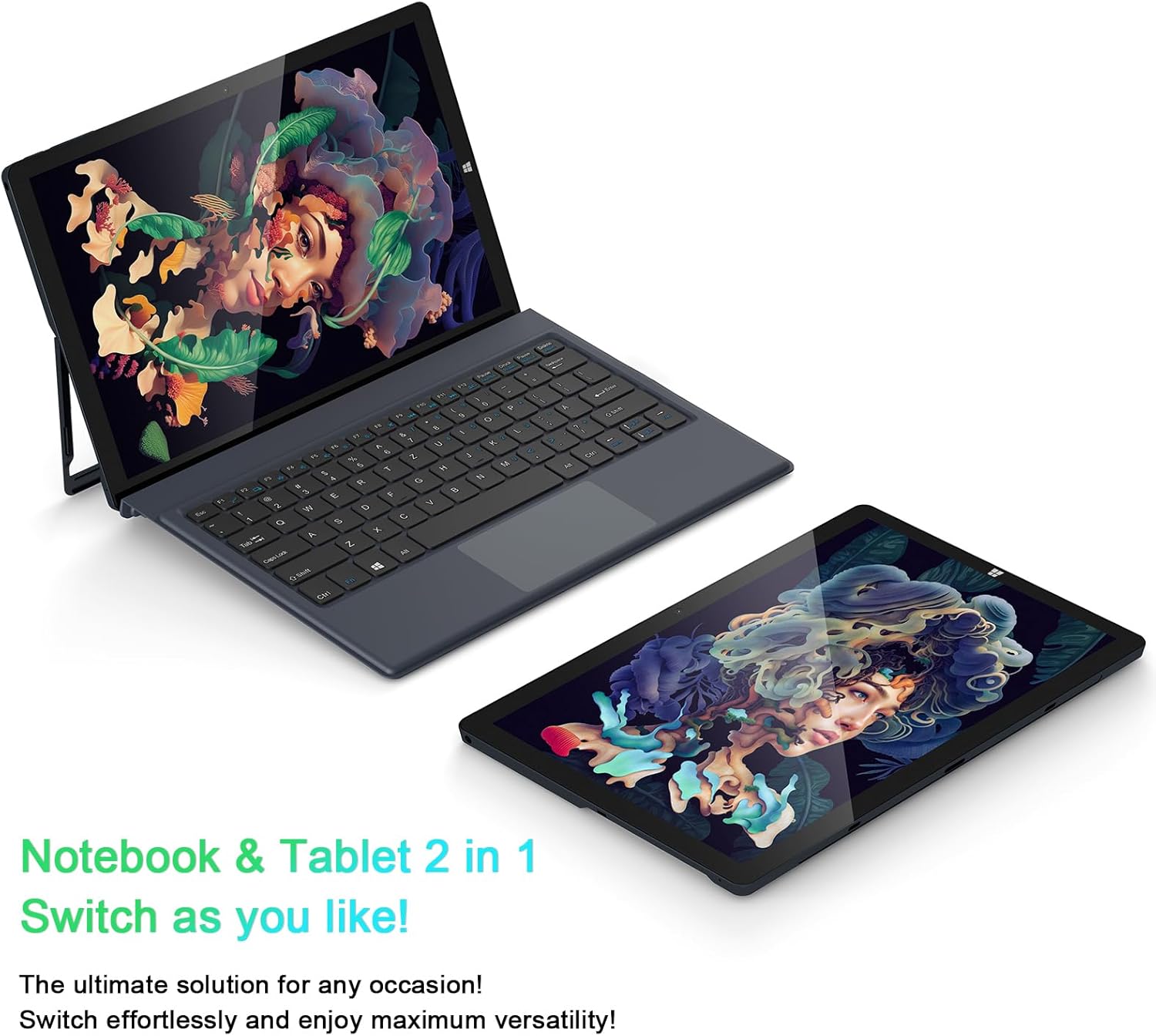
Image: The AiBook 10 displayed in both its laptop and tablet configurations.
Brug af berøringsskærmen
The 10.1-inch IPS display supports multi-touch gestures. Use your fingers to navigate, tap, swipe, and pinch-to-zoom.
Tilslutning af eksterne enheder
- Bluetooth: Enable Bluetooth in Windows settings to pair with compatible devices such as headphones, mice, or keyboards. The device supports Bluetooth 4.2.
- USB-enheder: Plug USB devices into the USB 3.0 port.
- Eksternt display: Connect an external monitor using the Micro HDMI port. An appropriate adapter or cable may be required.
Justering af stativet
The integrated stand bracket allows you to adjust the viewing angle of the tablet up to 145 degrees. Carefully extend the stand from the back of the tablet to your desired position.
Opretholdelse
Rengøring af enheden
Brug en blød, fnugfri klud til at rengøre skærmen og de udvendige overflader. Tør let ved genstridige mærker.ampRengør kluden med vand eller en skærmrengøringsopløsning. Undgå skrappe kemikalier eller slibende materialer.
Batteripleje
To prolong battery life, avoid fully discharging the battery frequently. Store the device in a cool, dry place when not in use for extended periods. The device features a 6500mAh Lithium Polymer battery.

Billede: Visuel repræsentation af batterikapaciteten på 6500 mAh.
Softwareopdateringer
Søg regelmæssigt efter og installer Windows-opdateringer for at sikre optimal ydeevne og sikkerhed. Få adgang til Windows Update via menuen Indstillinger.
Fejlfinding
This section addresses common issues you might encounter with your AiBook 10.
Enheden tændes ikke
- Sørg for, at enheden er opladet. Tilslut strømadapteren, og vent et par minutter, før du forsøger at tænde den igen.
- Tryk og hold tænd/sluk-knappen nede i 10-15 sekunder for at udføre en hård nulstilling.
Screen Flickering or Display Issues
- Genstart enheden.
- Check for updated display drivers through Windows Update or the device manufacturer's webwebsted.
- If connected to an external display, ensure the cable is securely connected.
Keyboard or Touchpad Not Responding
- Ensure the detachable keyboard is securely attached to the tablet.
- Genstart enheden.
- Check Windows settings for keyboard and touchpad functionality.
Wi-Fi or Bluetooth Connectivity Problems
- Sørg for, at Wi-Fi eller Bluetooth er aktiveret i Windows-indstillingerne.
- Genstart din router/modem ved Wi-Fi-problemer.
- For Bluetooth skal du prøve at ophæve parringen og parre enheden igen.
- Check for updated network drivers.
Langsom ydeevne
- Luk unødvendige programmer, der kører i baggrunden.
- Sørg for tilstrækkelig ledig lagerplads på SSD'en.
- Run a disk cleanup and optimize drives in Windows.
- Søg efter og installer eventuelle ventende Windows-opdateringer.
Specifikationer
| Mærke | AWOW |
| Modelnavn | AiBook 10 |
| Skærmstørrelse | 10.1 tommer |
| Skærmopløsning | 1280 x 800 pixels (Full HD IPS) |
| Operativsystem | Windows 11 |
| CPU model | Intel Celeron N4120 (op til 2.6 GHz) |
| RAM-hukommelse | 8 GB LPDDR4 |
| Harddisk størrelse | 256 GB SSD (eMMC) |
| Grafikkort | Integreret Intel UHD Graphics 600 |
| Forbindelse | 2.4G+5G WiFi, Bluetooth 4.2, USB 3.0, Micro HDMI |
| Kameraer | Foran 2.0 MP, bagsiden 5.0 MP |
| Batteri | 6500mAh Lithium Polymer |
| Varens vægt | 1.4 Pounds (tablet only) |
| Dimensioner (L x B x Tykkelse) | 10.1" x 6.8" x 0.38" (tablet only) |
Garanti og support
Garantioplysninger
The AWOW AiBook 10 comes with a 1 års begrænset garantiGem venligst din købsbevis i tilfælde af garantikrav. Garantien dækker fabrikationsfejl under normale brugsforhold.
Kundesupport
For technical assistance, troubleshooting beyond this manual, or warranty inquiries, please contact AWOW customer support. Refer to the product packaging or the official AWOW webhjemmeside for de seneste kontaktoplysninger.