
MARK ADLER Xeno 4.1
MARK ADLER Xeno 4.1 Electric Height-Adjustable Desk Frame
Model: Xeno 4.1 | Brand: MARK ADLER
Indledning
This manual provides essential instructions for the assembly, operation, and maintenance of your MARK ADLER Xeno 4.1 Electric Height-Adjustable Desk Frame. Please read this manual thoroughly before use to ensure safe and efficient operation.
The MARK ADLER Xeno 4.1 desk frame offers a flexible workspace solution, allowing you to switch between sitting and standing positions. Its robust construction and intuitive controls are designed for comfort and stability in various work environments.
Sikkerhedsoplysninger
- Sørg for, at alle komponenter er forsvarligt fastgjort før brug.
- Overskrid ikke den maksimale belastningskapacitet på 70 kg (154 lbs).
- Hold børn og kæledyr væk fra skrivebordet under højdejusteringer.
- Undgå at placere væsker direkte på kontrolpanelet eller motorkomponenterne.
- Afbryd strømmen før rengøring eller udførelse af vedligeholdelse.
- Brug kun den medfølgende strømadapter og komponenter.
- If any unusual noise or malfunction occurs, immediately stop operation and disconnect power.
Pakkens indhold
Verify that all parts are present before beginning assembly. Refer to the included assembly guide for a detailed list of components.
- Electric Height-Adjustable Desk Frame components
- Control Panel with Memory Function
- Strømadapter
- Monteringsvejledning
- Necessary Screws and Tools (Screwdriver recommended for assembly)
Opsætning og montering
Follow these general steps for assembling your MARK ADLER Xeno 4.1 desk frame. A detailed assembly guide is included with your product.
- Udpak komponenter: Tag forsigtigt alle dele ud af emballagen, og læg dem på en ren, plan overflade.
- Saml ben og fødder: Attach the desk legs to the feet using the provided screws. Ensure they are stable and level.
- Tilslut tværstang: Attach the adjustable crossbar between the two leg assemblies. Adjust the width to match your desired tabletop size (90 to 160 cm).
- Installer motor og styreboks: Secure the motor and control box to the frame according to the assembly guide.
- Tilslut kontrolpanel: Mount the LED control panel in an accessible location on the frame.
- Ledningsføring: Connect all cables from the motor, control panel, and power adapter to the control box. Ensure all connections are secure.
- Fastgør bordplade (medfølger ikke): Place your tabletop (90-160 cm width recommended) onto the assembled frame and secure it using appropriate screws (not included with frame).
- Indledende opstart: Plug the power adapter into a wall outlet. The desk is now ready for calibration.
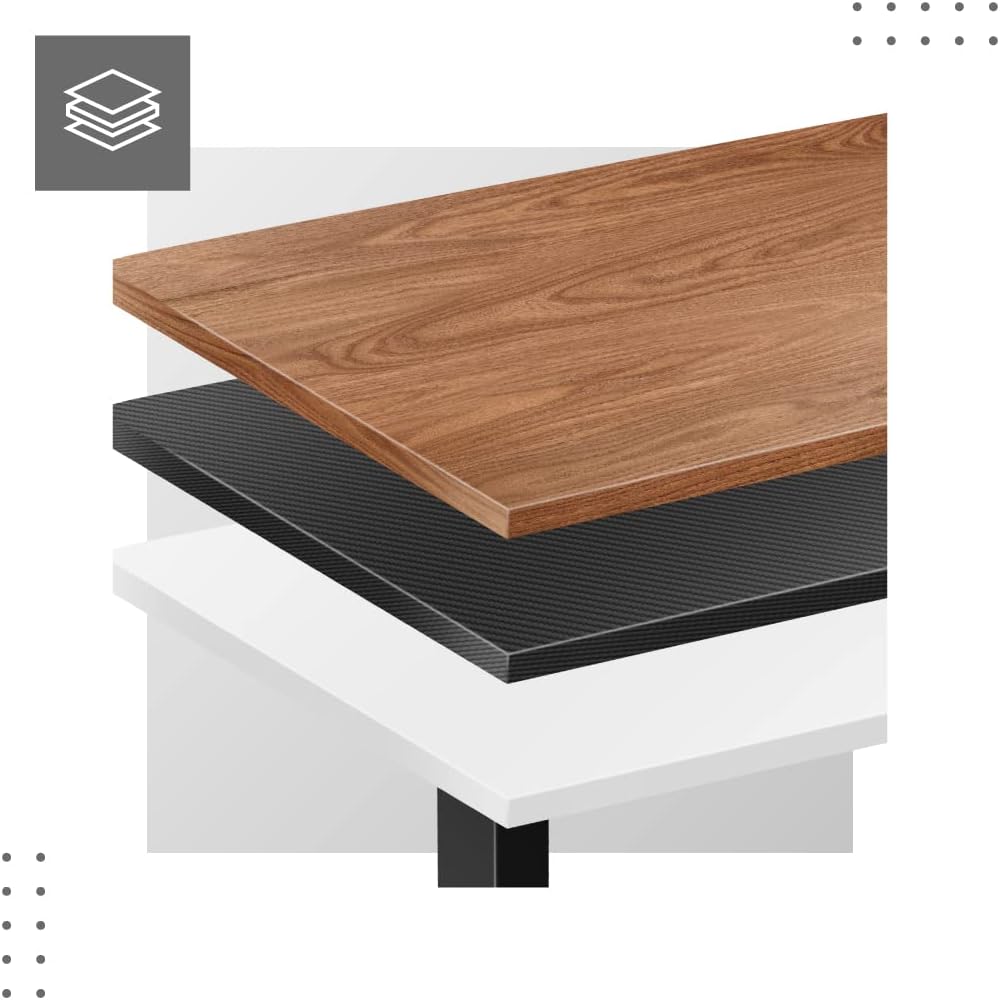
Dimensions and Compatibility:

Betjeningsvejledning
The MARK ADLER Xeno 4.1 features an intuitive LED control panel for easy height adjustment and memory functions.


Basic Height Adjustment
- Brug Op (▲) arrow button to raise the desk to your desired standing height.
- Brug Ned (▼) arrow button to lower the desk to your desired sitting height.
- The current height will be displayed on the LED screen.
Indstilling af hukommelsesforudindstillinger
The desk allows you to save up to three preferred height settings.
- Juster skrivebordet til den ønskede højde ved hjælp af Op/Ned-knapperne.
- Tryk på "S" (Save) button. The display will show "S-".
- Within 3 seconds, press one of the memory buttons ("1", "2", eller "3"). The current height is now saved to that preset.
Recalling Memory Presets
- Simply press the desired memory button ("1", "2", eller "3"Skrivebordet flytter sig automatisk til den gemte højde.
Initial Calibration / Reset
If the desk does not operate correctly or displays an error code, a reset may be required.
- Tryk og hold på Ned (▼) button until the desk reaches its lowest position and then slightly rises. Release the button.
- If the issue persists, disconnect the power for 10 seconds, then reconnect and attempt the reset procedure again.
Opretholdelse
- Rensning: Tør skrivebordsstellet af med en blød, tør kludamp cloth. Avoid abrasive cleaners or solvents. Ensure the control panel and electrical components remain dry.
- Kabelstyring: Regularly check and organize cables to prevent tangles or damage, especially during height adjustments.
- Fastgørelseskontrol: Kontrollér regelmæssigt alle skruer og bolte for at sikre, at de er stramme. Efterspænd om nødvendigt.
- Smøring: The electric lifting mechanism is generally maintenance-free. Do not attempt to lubricate internal components unless specifically instructed by the manufacturer.
Fejlfinding
| Problem | Mulig årsag | Løsning |
|---|---|---|
| Skrivebordet bevæger sig ikke. | Power cable disconnected; Overload; Motor overheating; Control panel issue. | Check power connection. Reduce load. Allow motor to cool down. Perform a reset (see Operating Instructions). |
| Uneven movement or desk tilting. | Uneven load distribution; Loose fasteners. | Distribute weight evenly on the tabletop. Check and tighten all assembly screws. |
| Fejlkode vist på kontrolpanelet. | System malfunction; Overload; Sensor issue. | Perform a reset (see Operating Instructions). If the error persists, contact customer support. |
| Hukommelsesforudindstillinger virker ikke. | Forudindstillingerne er ikke gemt korrekt. | Re-save your desired height presets (see Operating Instructions). |
Specifikationer
| Feature | Detalje |
|---|---|
| Modelnavn | Xeno 4.1 Black |
| Mærke | MARK ADLER |
| Højdejusteringsområde | 72 cm - 118 cm (28.3 tommer - 46.5 tommer) |
| Breddejusteringsområde | 84 cm - 129 cm (33.1 tommer - 50.8 tommer) |
| Anbefalet bordpladebredde | 90 cm - 160 cm (35.4 tommer - 63 tommer) |
| Maksimal belastningskapacitet | 70 kg (154 lbs) |
| Rammemateriale | Metal |
| Farve | Sort |
| Kontrolpanel | LED with 3 Memory Presets |
| Motortype | Electric, Smooth Operation |
| Montering påkrævet | Ja |
| Anbefalede værktøjer | Skruetrækker |
| Varens vægt | 17 kg (37.5 lbs) |
| Fabrikant | Meester Group sp. z o.o. |
Garanti og support
For warranty information and customer support, please refer to the official MARK ADLER webwebstedet eller kontakt din forhandler. Gem din købskvittering som købsbevis i tilfælde af garantikrav.
Fabrikant: Meester Group sp. z o.o.
ASIN: B0C66DP9NT
For yderligere hjælp, besøg venligst produktside på Amazon or contact MARK ADLER customer service.
Ask a question about this manual
Ask about setup, troubleshooting, compatibility, parts, safety, or missing instructions. Manuals+ will review the question and use this page’s manual context to help answer it.