
1. Sikkerhedsretningslinjer
Before operating the GoolRC V28 GPS Drone, please read and understand all safety instructions. Failure to follow these guidelines may result in injury, damage to the drone, or property damage.
- Flyvemiljø: Fly in open areas, away from people, buildings, and obstacles. Avoid flying near airports or restricted airspace.
- Vejrforhold: Flyv ikke i stærk vind, regn, sne eller tåge. Optimale flyveforhold er rolige og klare.
- Batterisikkerhed: Use only the provided charger and batteries. Do not overcharge or puncture batteries. Discontinue use if batteries are damaged or swollen.
- Operatøransvar: Maintain visual line of sight with the drone at all times. Do not operate under the influence of drugs or alcohol.
- Aldersanbefaling: This drone is recommended for adults.
2. Pakkens indhold
Bekræft at alle varer er til stede i pakken:
- 1x GoolRC V28 RC Drone
- 1x fjernbetjening
- 2x Drone Battery
- 1x ladekabel
- 4x reservepropeller
- 1 x skruetrækker
- 1x opbevaringspose
- 1x brugermanual

Image: Contents of the GoolRC V28 drone package.
3. Opsætning
3.1 Udfoldning af dronen
Gently unfold the drone arms until they lock into position. Ensure all arms are fully extended before flight.

Image: The GoolRC V28 drone with its arms unfolded.
3.2 Batteriinstallation og opladning
- Insert the charged modular battery into the drone's battery compartment until it clicks securely.
- To charge, remove the battery from the drone. Connect the charging cable to the battery and a suitable USB power source. The indicator light on the battery will show charging status.

Image: Modular battery for the GoolRC V28 drone.
3.3 Propelinstallation
Ensure propellers are correctly installed according to the markings (A and B) on the propellers and motor arms. Incorrect installation will prevent proper flight.
3.4 Kamerainstallation
The drone features a dual camera system. The main camera is integrated, and an additional top camera can be inserted into the designated slot on the drone's body.

Image: GoolRC V28 drone with its dual camera setup.
3.5 Opsætning af fjernbetjening
Install batteries into the remote controller. Extend the phone holder and securely place your smartphone. Download the official GoolRC drone application from your device's app store to enable FPV and advanced features.

Image: Remote controller with a smartphone for FPV viewing.
4. Betjeningsvejledning
4.1 Tænd/sluk
- Tænd: Press and hold the power button on the drone and then on the remote controller until indicator lights illuminate.
- Sluk: Press and hold the power button on both devices until lights turn off.
4.2 Kalibrering
Perform a compass calibration before each flight, especially when flying in a new location. Follow the instructions in the app for precise calibration.
4.3 Start og landing
- Start med én knap: After calibration and GPS lock (if applicable), press the one-key take-off button on the remote controller. The drone will automatically ascend to a safe altitude.
- One-key landing: Tryk på landingsknappen med én knap. Dronen vil automatisk stige ned og lande.
4.4 Flytilstande og funktioner
- GPS-placering: Provides stable hovering and precise outdoor positioning.
- Optisk flowlokalisering: Enables stable hovering indoors and outdoors by accurately locking flight altitude.
- 360° forhindringsundgåelse: The drone can detect and avoid obstacles in all directions, enhancing flight safety.
- Hovedløs tilstand: Eliminates the need to distinguish the drone's front direction, making it easier for beginners to control.
- Følg mig tilstand: The drone automatically follows the remote controller or a designated subject, capturing footage as it moves.
- Track Flight (Waypoint Flight): Draw a flight path on the app screen, and the drone will automatically follow the designated trajectory.
- Circle Flight (Fixed Point Surround Shooting): The drone will automatically circle a designated target, capturing footage fra alle vinkler.
- Bevægelsesfoto/video: Use specific hand gestures to trigger photo or video recording. Refer to the app for gesture recognition details.
- Automatisk returnering: The drone can automatically return to its take-off point in cases of low battery, loss of signal, or by pressing the one-key return button.

Image: Optical Flow Localization for stable flight.
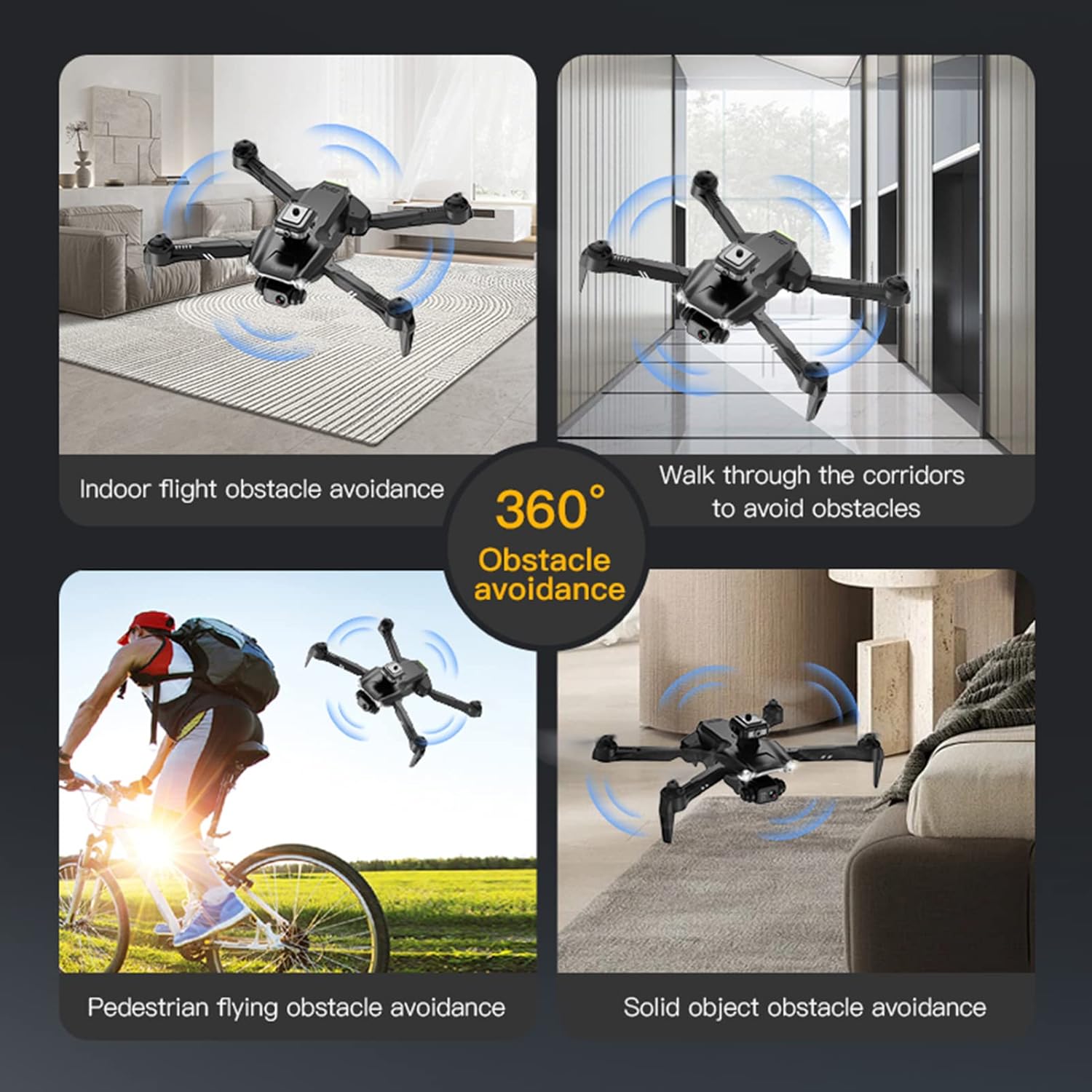
Image: 360° Obstacle Avoidance in action.

Image: Drone utilizing Follow Me mode.

Image: Trajectory Flight path on the app.

Image: Drone performing Circle Flight around a point of interest.

Image: Automatic Return function indicators.
5. Vedligeholdelse
5.1 Pleje af batterier
- Opbevar batterier på et køligt, tørt sted.
- Do not fully discharge batteries. Charge them to about 50-60% for long-term storage.
- Inspect batteries regularly for any signs of damage or swelling.
5.2 Udskiftning af propel
If propellers are damaged, replace them immediately using the provided screwdriver and spare propellers. Ensure correct A/B propeller placement.
5.3 Rengøring
Brug en blød, tør klud til at rengøre dronens hus og kameralinserne. Undgå at bruge skrappe kemikalier eller væsker.
6. Fejlfinding
- Dronen svarer ikke: Ensure both drone and remote are powered on and paired. Check battery levels.
- Ustabil flyvning: Perform compass calibration. Check for damaged propellers. Ensure optical flow sensors are clean.
- Poor camera feed/connection: Ensure your smartphone is connected to the drone's 5G WiFi network. Reduce interference by flying in open areas.
- Dronedrift: Recalibrate the gyroscope. Adjust trim settings on the remote controller if necessary.
7. Specifikationer
| Feature | Detalje |
|---|---|
| Mærke | GoolRC |
| Modelnavn | V28 |
| Aldersinterval | Voksen |
| Farve | Sort |
| Videooptagelsesopløsning | 8K |
| Forbindelsesteknologi | Wi-Fi |
| Batterikapacitet | 1000 mioamp Timer |
| Flyvetid | 15 minutter |
| Maksimal rækkevidde | 2000 meter |
| Færdighedsniveau | Nybegynder |
| Materiale | Plast |
| Varedimensioner (L x B x H) | 8.66 cm L x 5.12 cm B x 3.15 cm H |
8. Garanti og support
8.1 Garantioplysninger
The GoolRC V28 GPS Drone comes with a manufacturer's warranty. Please refer to the warranty card included in your package for specific terms, conditions, and duration. Keep your proof of purchase for warranty claims.
8.2 Kundesupport
For technical assistance, troubleshooting, or parts replacement, please contact GoolRC customer support. Contact details can typically be found on the official GoolRC webwebstedet eller på produktemballagen.