
1. Introduktion
Thank you for choosing the Edifier WH950NB Wireless Headphones. These headphones are designed to provide a high-quality audio experience with advanced features such as Active Noise Cancellation, Hi-Res Audio support, and Google Fast Pairing. This manual provides detailed instructions for setup, operation, and maintenance to ensure optimal performance and longevity of your device.
2. Pakkens indhold
Sørg venligst for, at alle varer er til stede i pakken:
- Edifier WH950NB Wireless Headphones
- Audio kabel
- USB opladningskabel
- Carrying Case (if included with your specific model)
- Brugervejledning (dette dokument)
3. Produktet er slutview
Familiarize yourself with the main components and controls of your Edifier WH950NB headphones.

Figur 1: A pair of black Edifier WH950NB over-ear wireless headphones, showcasing deres elegante design.
Nøglefunktioner:
- Trådløs lyd i høj opløsning: Supports LDAC certification for detailed and clear sound.
- Aktiv støjreduktion (ANC): Two modes for ambient sound or wind reduction.
- Krystalklare opkald: Integrated 4-microphone system for enhanced voice clarity.
- 40 mm dynamisk driver: Delivers natural and balanced audio.
- Google hurtig parring: Quick and effortless Bluetooth pairing with Android devices.
- Lang spilletid: Up to 55 hours of playback.
- Dobbelt-enhedsforbindelse: Opret forbindelse til to enheder samtidigt.
4. Opsætning
4.1 Opladning af hovedtelefonerne
- Tilslut USB-opladerkablet til opladningsporten på hovedtelefonerne.
- Tilslut den anden ende af kablet til en USB-strømadapter (medfølger ikke) eller en computers USB-port.
- Indikatorlampen viser opladningsstatus. En fuld opladning tager typisk cirka 2 timer.
- En 10 minutters opladning kan give op til 7 timers spilletid.

Figur 2: This image emphasizes the headphones' extended playtime and fast charging capability, providing 7 hours of listening from just 10 minutes of charging.
4.2 Bluetooth -parring
- Sørg for, at hovedtelefonerne er slukket.
- Tryk på tænd/sluk-knappen, og hold den nede, indtil indikatorlampen blinker hurtigt, hvilket angiver parringstilstand.
- Aktiver Bluetooth på din enhed (smartphone, tablet, computer) og søg efter tilgængelige enheder.
- Select "Edifier WH950NB" from the list of devices.
- Once connected, the indicator light will stop flashing and remain solid blue.
Google hurtig parring:
For Android devices, the WH950NB supports Google Fast Pairing. Simply turn on the headphones near your Android device, and a pairing notification will appear on your screen for quick connection.

Figur 3: The headphones are shown alongside a smartphone, indicating the Google Fast Pairing feature for quick and effortless Bluetooth connection with Android devices.
5. Betjeningsvejledning
5.1 Aktiv støjreduktion (ANC) og omgivende lyd
The WH950NB offers two active noise cancellation modes and an ambient sound mode to adapt to your environment.
- Press the ANC button to cycle through modes: ANC On, Ambient Sound, and Standard (ANC Off).
- ANC til: Reducerer ekstern støj for en fordybende lytteoplevelse.
- Omgivende lyd: Giver dig mulighed for at høre dine omgivelser, mens du lytter til lyd.
- Standard: Disables noise cancellation and ambient sound.

Figur 4: This image demonstrates the active noise cancellation feature and the 4-microphone system designed for clear voice calls, effectively reducing environmental noise for both listening and speaking.
5.2 Opkaldsfunktioner
The integrated 4-microphone system ensures clear voice calls.
- Besvar/afslut opkald: Tryk én gang på multifunktionsknappen.
- Afvis opkald: Tryk og hold multifunktionsknappen nede i 2 sekunder.
5.3 Tilslutning af to enheder
The headphones can be connected to two Bluetooth devices simultaneously.
- Connect the headphones to the first device as described in section 4.2.
- Disconnect the headphones from the first device (or put them back into pairing mode).
- Tilslut hovedtelefonerne til den anden enhed.
- Reconnect the headphones to the first device. The headphones will now be connected to both devices.
- Audio playback will switch automatically between devices.
5.4 Edifier Connect App
Download the Edifier Connect app from your device's app store to unlock additional features and customization options, including:
- Justering af equalizer (EQ).
- ANC mode customization.
- Firmwareopdateringer.

Figur 5: This image illustrates the headphones' support for Hi-Res Audio Wireless with LDAC certification, allowing for detailed and clear sound. Users can customize their audio experience via the Edifier app.
6. Vedligeholdelse og pleje
Korrekt vedligeholdelse sikrer dine hovedtelefoners levetid og ydeevne.
- Clean the headphones regularly with a soft, dry cloth. Do not use liquid cleaners.
- Undgå at udsætte hovedtelefonerne for ekstreme temperaturer, fugtighed eller støv.
- Store the headphones in their carrying case when not in use to protect them from damage.
- Forsøg ikke at skille hovedtelefonerne ad eller ændre dem, da dette vil ugyldiggøre garantien.
- Hold opladningsporten fri for snavs.
7. Fejlfinding
Hvis du støder på problemer, kan du se følgende almindelige problemer og løsninger.
| Problem | Løsning |
|---|---|
| Ingen lyd | Ensure headphones are charged and connected. Check volume levels on both headphones and device. |
| Kan ikke parres via Bluetooth | Ensure headphones are in pairing mode. Turn off and on Bluetooth on your device. Clear previous Bluetooth connections. |
| Støjreduktion er ikke effektiv | Ensure ANC mode is activated. Adjust headphone fit for a proper seal. |
| Dårlig opkaldskvalitet | Ensure microphone is not obstructed. Move to a quieter environment. |
| Hovedtelefoner oplader ikke | Check charging cable and power source. Ensure charging port is clean. |
8. Specifikationer
Technical specifications for the Edifier WH950NB Wireless Headphones.
- Model: WH950NB
- Bluetooth version: 5.3
- Lyddriver: 40 mm dynamisk driver
- Frekvensrespons: 20Hz - 20kHz
- Opladningstid: Cirka 2 timer
- Spilletid: Up to 55 hours (ANC off), up to 34 hours (ANC on)
- Forbindelse: Bluetooth 5.3, 3.5 mm lydstik
- Støjkontrol: Aktiv støjreduktion
- Vægt: 1.54 pund (ca.)
- Materiale: Plast
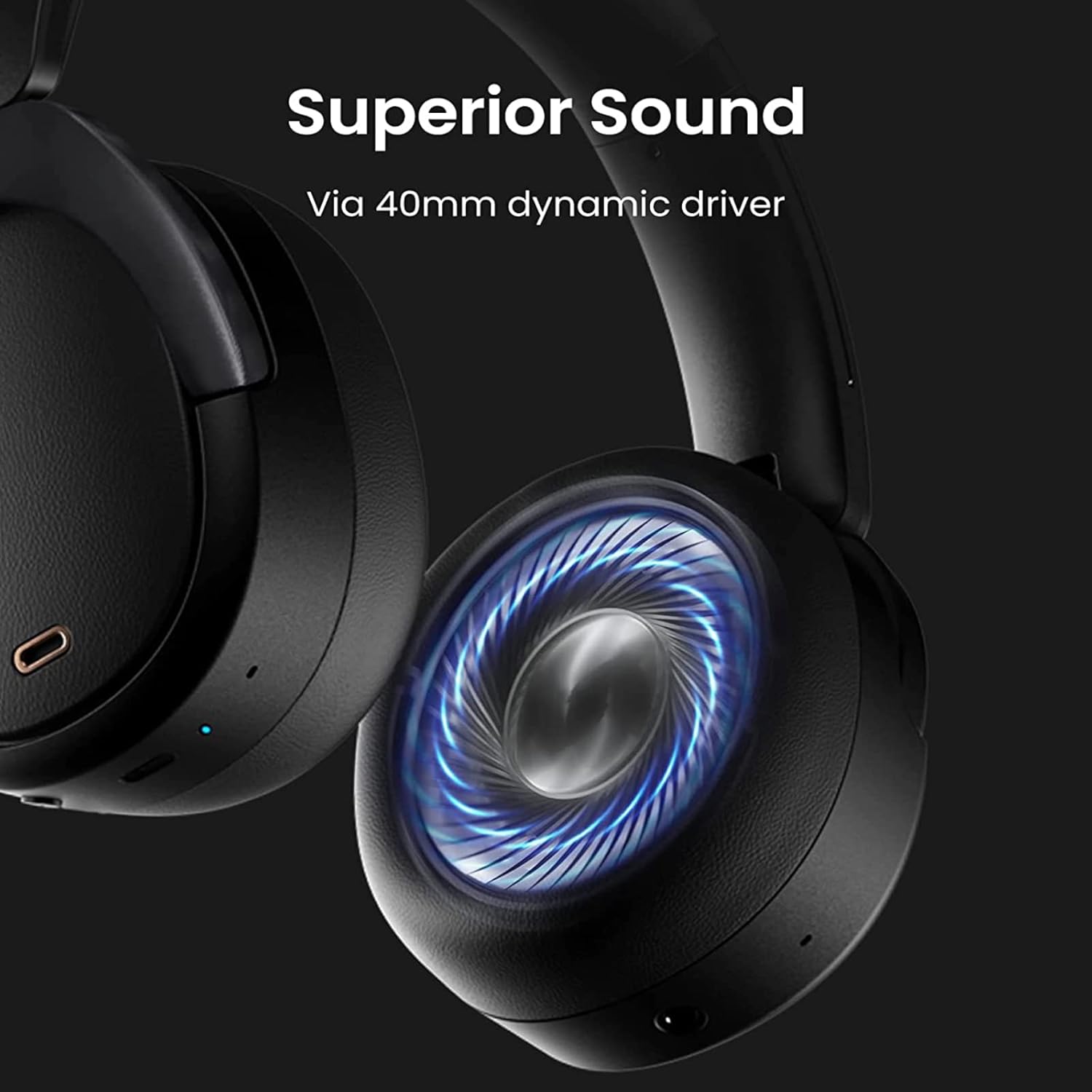
Figur 6: Et nærbillede view of the headphone's ear cup, highlighting the 40mm composite titanium film dynamic driver responsible for delivering exceptional and balanced audio across all music genres.
9. Sikkerhedsoplysninger
Læs og følg venligst disse sikkerhedsretningslinjer:
- Brug ikke hovedtelefoner ved høj lydstyrke i længere tid ad gangen for at undgå høreskader.
- Do not use headphones in situations where inability to hear ambient sounds could be dangerous (e.g., driving, cycling, walking in traffic).
- Hold produktet væk fra vand og fugt.
- Bortskaf produktet og dets batteri på en ansvarlig måde i henhold til lokale regler.
10. Garanti og support
For garantioplysninger, teknisk support eller serviceforespørgsler henvises til den officielle Edifier webwebstedet eller kontakt deres kundeservice direkte. Gem din købsbevis til garantikrav.