
1. Introduktion
Thank you for choosing the Rettru Q18 4K Wireless WiFi IP Camera. This manual provides detailed instructions for setting up, operating, and maintaining your camera to ensure optimal performance and security. Please read this manual thoroughly before use and retain it for future reference.
Pakkens indhold
Bekræft, at alle nedenstående varer er inkluderet i din pakke:
- 1 x kamera
- 1 x brugermanual
- 1 x Micro SD kortlæser
- 1 x magnetisk base
2. Sikkerhedsoplysninger
For at forhindre skader på produktet eller personskade på dig selv eller andre, bedes du overholde følgende sikkerhedsforanstaltninger:
- Udsæt ikke kameraet for ekstreme temperaturer, direkte sollys eller fugt.
- Undgå at tabe kameraet eller udsætte det for kraftige stød.
- Brug kun det angivne opladningstilbehør.
- Hold kameraet utilgængeligt for børn og kæledyr.
- Forsøg ikke at skille kameraet ad eller ændre det. Dette vil ugyldiggøre garantien.
- Ensure proper ventilation when operating or charging the device.
3. Produktet er slutview
The Rettru Q18 is a compact 4K wireless IP camera designed for indoor and outdoor surveillance. It features a high-resolution sensor, long-lasting battery, and advanced detection capabilities.

Figure 3.1: Rettru Q18 Camera and Live View Interface. This image illustrates the compact size of the camera, held between two fingers, alongside a smartphone displaying the camera's live 4K Ultra HD feed.
Nøglefunktioner
- 4K Ultra HD-video: Records video at 2560x1440 (2K) resolution for clear imaging.
- 1800mAh batteri: Provides up to 6 hours of continuous recording and over 100 days of standby time.
- AI menneskelig detektion: Advanced motion detection specifically identifies human shapes to reduce false alarms.
- Automatisk nattesyn: Equipped with 8 straw hat 940nm infrared lights for clear night vision without a visible red glow, effective up to 28 feet.
- Tovejs lyd: Built-in speaker and microphone for real-time voice communication.
- 160-graders vidvinkelobjektiv: Tilbyder et bredt felt af view for omfattende dækning.
- Lokal opbevaring: Supports Micro SD cards up to 128GB (card not included).
- Trådløs forbindelse: Connects via 2.4G Wi-Fi.
4. Opsætningsvejledning
4.1 Indledende opladning
Before first use, fully charge the camera using a standard 5V USB power adapter and the provided charging cable. The charging indicator light will typically change color or turn off once fully charged.

Figure 4.1: Battery Capacity and Endurance. This image highlights the camera's 1800mAh battery, offering 6 hours of continuous recording and 100 days of standby time.
4.2 Appinstallation
The Rettru Q18 camera operates with the V380 Pro application. Download the app from your smartphone's app store (iOS App Store or Google Play Store).
- Søg efter "V380 Pro" in your app store.
- Download og installer applikationen.
- Opret en konto, eller log ind, hvis du allerede har en.
4.3 Wi-Fi-forbindelse
Follow these steps to connect your camera to your home Wi-Fi network. Ensure your Wi-Fi network is 2.4GHz, as 5GHz networks are not supported.
- Tænd for kameraet.
- Open the V380 Pro app and tap the "+" icon to add a new device.
- Select the appropriate camera type or scan the QR code on the camera (if available).
- Follow the on-screen instructions to connect the camera to your 2.4GHz Wi-Fi network. This typically involves entering your Wi-Fi password.
- Når du har oprettet forbindelse, kan du navngive dit kamera og begynde live viewing.
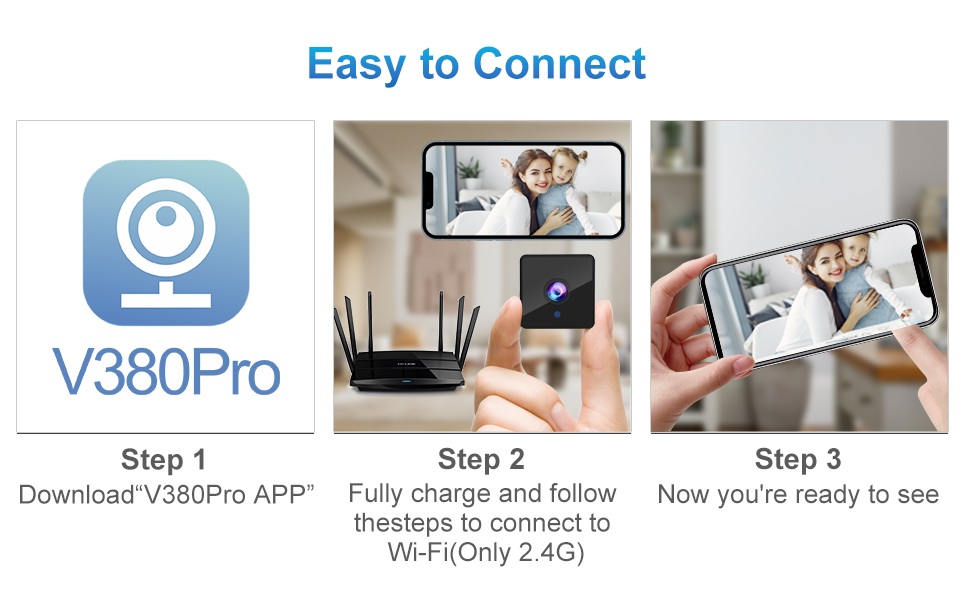
Figure 4.2: Easy Connection Steps. This graphic illustrates the three-step process for connecting the Rettru Q18 camera: downloading the V380 Pro app, charging and connecting to 2.4G Wi-Fi, and then accessing the live view.
5. Betjening
5.1 Live View og optagelse
Once connected, open the V380 Pro app to access the live video feed. You can manually initiate recording or configure continuous recording if a Micro SD card is inserted.
- Tap on the camera feed in the app to enter live view.
- Use the on-screen controls to take snapshots, record video, or access settings.
- Ensure a Micro SD card (up to 128GB) is inserted for local video storage.
5.2 Bevægelsesdetektion og advarsler
The camera features AI human detection to minimize false alarms. When motion is detected, the camera can send alerts to your smartphone and record video.
- Navigate to the camera settings in the V380 Pro app.
- Enable "Motion Detection" and "AI Human Detection."
- Configure alert sensitivity and notification preferences.
- You can also activate the built-in siren (105dB) through the app to deter intruders.
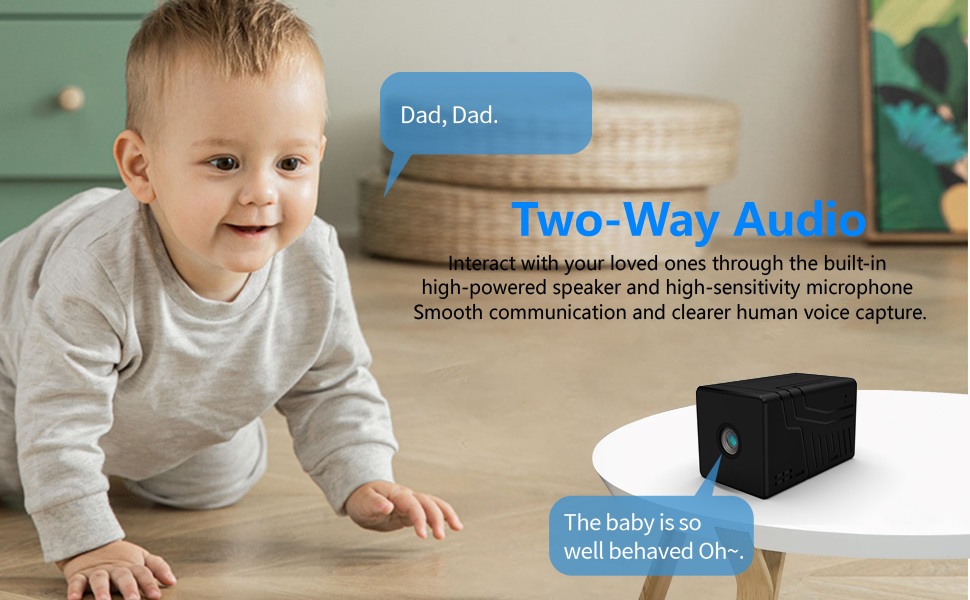
Figure 5.1: AI Motion Detection and Alerts. This image demonstrates the camera's AI motion detection capability, showing a person triggering an alert on a smartphone, with options for notification and video playback.
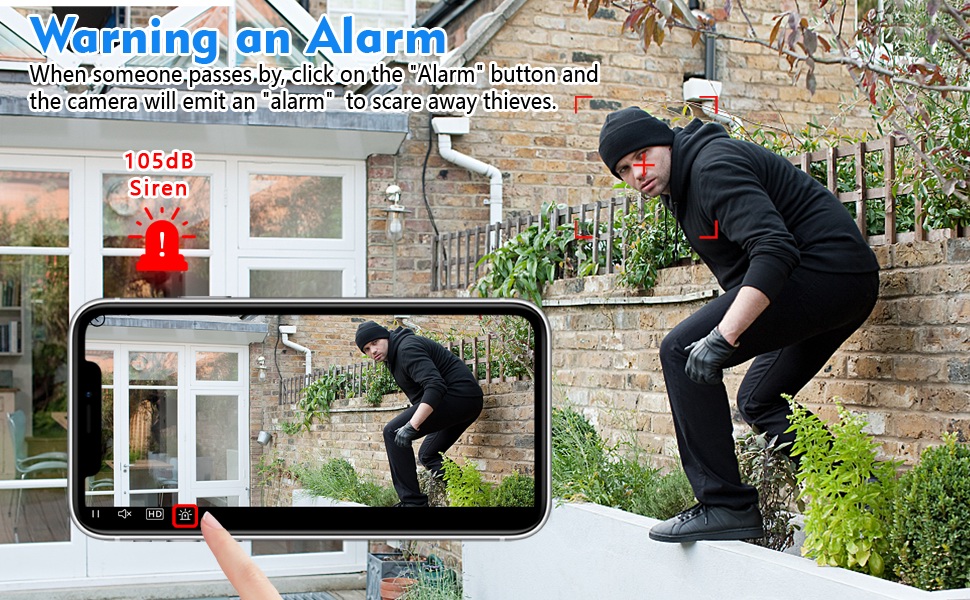
Figure 5.2: Activating the Alarm. This image illustrates the "Warning an Alarm" feature, where a user can click an "Alarm" button on their phone to activate the camera's siren when motion is detected, such as a person climbing a fence.
5.3 Nattesyn
The camera automatically switches to night vision mode in low-light conditions, providing clear black-and-white video without a visible red glow from infrared LEDs.
- Night vision range is approximately 28 feet.
- Ensure no obstructions block the camera's view for optimal night vision performance.
5.4 Tovejslyd
Utilize the built-in speaker and microphone for two-way communication through the V380 Pro app.
- I live view, tryk på mikrofonikonet for at tale gennem kameraet.
- Ensure your phone's volume is adjusted to hear audio from the camera.
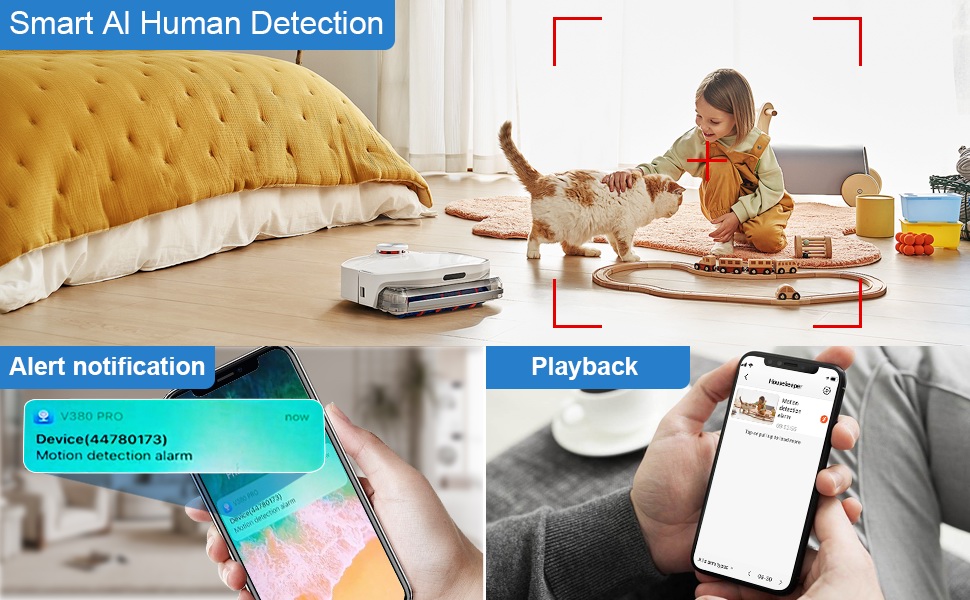
Figure 5.3: Two-Way Audio Communication. This image illustrates the two-way audio functionality, allowing users to interact with individuals near the camera, such as speaking to a baby.
6. Vedligeholdelse
6.1 Rengøring
To maintain optimal image quality, regularly clean the camera lens. Use a soft, dry, lint-free cloth. Avoid abrasive cleaners or solvents that could damage the lens or camera body.
6.2 Opbevaring
When not in use for extended periods, store the camera in a cool, dry place away from direct sunlight and extreme temperatures. Ensure the battery is partially charged (around 50%) before storage to prolong its lifespan.
7. Fejlfinding
If you encounter issues with your Rettru Q18 camera, refer to the following common problems and solutions:
| Problem | Løsning |
|---|---|
| Kameraet kan ikke oprette forbindelse til Wi-Fi. |
|
| Ingen videofeed i appen. |
|
| Bevægelsesdetektionsadvarsler modtages ikke. |
|
| Poor audio quality during two-way communication. |
|
| Camera battery drains quickly. |
|
8. Specifikationer
| Feature | Detalje |
|---|---|
| Modelnavn | Q18 |
| Videooptagelsesopløsning | HD 4K Resolution (2560x1440) |
| Effektiv stillopløsning | 5 MP |
| Forbindelsesteknologi | Trådløs (Wi-Fi 2.4 GHz) |
| Strømkilde | Batteridrevet (1800mAh litium-ion) |
| Batterilevetid | Op til 6 timers kontinuerlig optagelse, 100 dages standby |
| Viewi vinkel | 160 grader |
| Night Vision Range | 28 fod |
| Support til opbevaring | Micro SD-kort op til 128 GB (medfølger ikke) |
| Controller type | V380 Pro App |
| Særlige funktioner | 2-Way Audio, HD 4K Resolution, Motion Sensor, Night Vision, Portable, AI Human Detection, Built-in Siren |
| Indendørs/Udendørs brug | Indoor, Outdoor (IP65 rating) |
| Monteringstype | Wall-Mounted & Surface-Mounted (with magnetic base) |
| Produktdimensioner | 21.6 x 13.3 x 13.3 inches (Note: These are likely packaging dimensions; the camera itself is compact.) |
| Varens vægt | 75 gram |
9. Garanti og support
Rettru products are manufactured with quality and reliability in mind. For warranty information or technical support, please contact the manufacturer directly through their official website or the contact information provided with your purchase. Please have your model number (Q18) and purchase details ready when contacting support.