
Cuifati CUIFATIm8zosxag3e-12
Cuifati Unlocked Flip Phone User Manual
Model: CUIFATIm8zosxag3e-12
Produkt overview
The Cuifati Unlocked Flip Phone is a compact and easy-to-use mobile device designed for simplicity and essential communication. It features a 0.66-inch OLED screen, 32MB/64MB memory, and supports 2G GSM networks. Its mini design and clear sound make it a practical choice for basic phone functions.

Image: The Cuifati Unlocked Flip Phone shown in both its open, flip-up position revealing the screen and keypad, and its closed, compact form. The phone is white with a black screen and keypad.
Pakkens indhold
Når du åbner pakken, skal du sørge for, at alle følgende varer er til stede:
- 1 x Cuifati Flip Phone
- 1 x Data Cable (Micro USB)
- 1 x brugsanvisning
Opsætningsvejledning
1. Isætning af SIM-kortet
This phone uses a Micro SIM card. Ensure your SIM card is GSM enabled and supports 2G GSM frequencies (850/900/1800/1900MHz). Compatible carriers include T-Mobile (in some states), LYCAMOBILE, SPEEDTALK, TING GSM, and SIMPLE MOBILE.
- Locate the SIM card slot on the device. This is typically found under the battery cover or on the side.
- Sæt forsigtigt Micro SIM-kortet i den dertil beregnede plads med de gyldne kontakter nedad, og sørg for, at det klikker på plads.
2. Opladning af batteriet
The phone comes with a built-in 300mAh Lithium Battery. It is recommended to fully charge the phone before first use.
- Connect the provided Micro USB data cable to the charging port on the phone.
- Tilslut den anden ende af USB-kablet til en kompatibel USB-strømadapter (medfølger ikke) eller en computers USB-port.
- The charging indicator on the screen will show the charging status. Disconnect the charger once the battery is full.

Billede: Et nærbillede view of the Cuifati Flip Phone showing the Micro USB charging port located at the bottom of the device when flipped open.
Betjeningsvejledning
Tænd/sluk
- Sådan tænder du: Tryk på tænd/sluk-knappen og hold den nede, indtil skærmen lyser.
- To power off: Press and hold the Power/End Call button until the power off options appear, then select 'Power off'.
Foretage opkald
- Indtast det ønskede telefonnummer ved hjælp af tastaturet.
- Press the Call button (green phone icon) to initiate the call.
- To end a call, press the End Call button (red phone icon).
Modtagelse af opkald
- When an incoming call rings, press the Call button (green phone icon) to answer.
- To reject a call, press the End Call button (red phone icon).
Beskeder
The phone supports basic SMS messaging. Navigate to the 'Messages' menu to compose, read, and manage your text messages.
Adressebog
Store up to 500 contacts in the phone's address book. You can add, edit, and delete contacts, and assign them to a whitelist for call filtering.
Bluetooth-forbindelse
The phone supports Bluetooth 3.0 for wireless connection. This allows for Bluetooth dialing, call synchronization, phonebook synchronization, and intelligent anti-loss functions when connected to another smartphone.

Image: An illustration showing the Cuifati Flip Phone wirelessly connecting via Bluetooth to a larger smartphone, demonstrating its Bluetooth dialing and synchronization capabilities.
Opretholdelse
Rensning
- Brug en blød, tør klud til at rengøre telefonens yderside.
- Undgå at bruge flydende rengøringsmidler eller aerosoler, da de kan beskadige enheden.
Batteripleje
- For at forlænge batteriets levetid bør du undgå at udsætte telefonen for ekstreme temperaturer.
- Oplad telefonen regelmæssigt, men undgå overopladning i længere perioder.
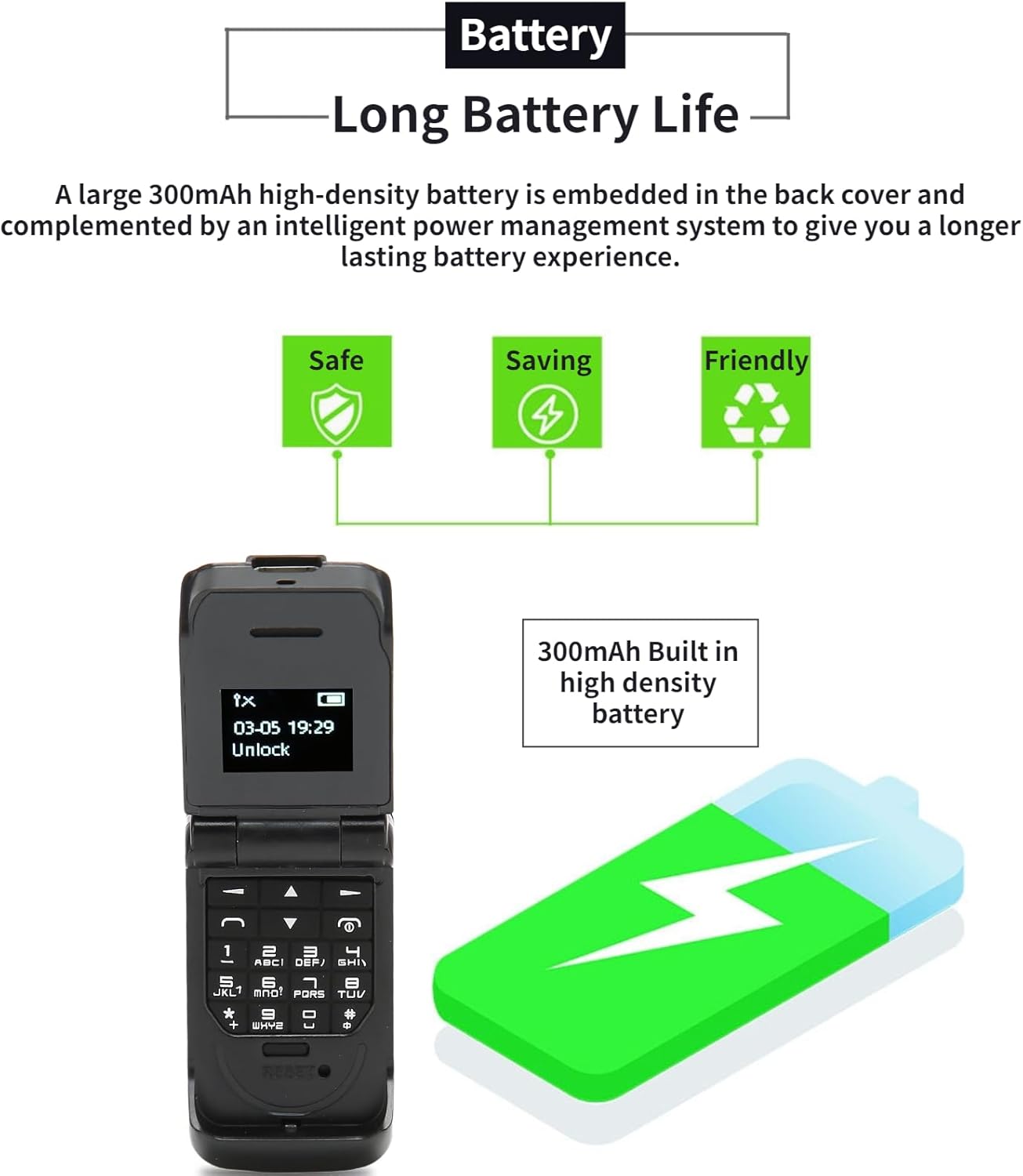
Image: The Cuifati Flip Phone displayed alongside icons representing safe, saving, and friendly battery usage, emphasizing its long battery life and efficient power management.
Fejlfinding
| Problem | Mulig årsag | Løsning |
|---|---|---|
| Telefonen tænder ikke. | Batteriet er afladet. | Charge the phone for at least 30 minutes. |
| Kan ikke foretage eller modtage opkald. | No SIM card inserted or SIM card not active/compatible. | Ensure a compatible 2G GSM Micro SIM card is correctly inserted and activated. Check network signal strength. |
| Poor call quality (HiFi Sound). | Svagt netværkssignal eller interferens. | Move to an area with better network coverage. Avoid obstacles. |
| Problemer med Bluetooth-forbindelse. | Bluetooth is off or device is out of range. | Ensure Bluetooth is enabled on both devices and they are within 10m (10.9yd) without obstacles. |
Specifikationer
- Varetype: Flip telefon
- Materiale: ABS
- Skærmstørrelse: 0.66 tommer OLED
- Opløsning: 64x48 pixels
- Body Memory: 32MB and 64MB ROM
- Indbygget batterikapacitet: 300mAh lithium batteri
- Opladningsport: Micro USB
- Netværkssystem: GSM 2G Single Card Single Standby (Micro Sim)
- Network Frequency Band: GSM 850 900 1800 1900MHz
- Phone Storage: 500 kontakter
- Phone Card: Micro SIM-kort
- Sprogsupport: 13 National Languages
- Bluetooth afstand: Within 10m/10.9yd Without Obstacles
- Andre funktioner: Messages, Address Book, Blacklist, Alarm Clock, Bluetooth Dialer, Whitelist Address Book, Intelligent Anti-loss Function.
- Vægt: Approximately 18g (0.63oz) - 2.68 ounces (product spec)

Image: A graphic illustrating the 0.66-inch OLED HD display of the Cuifati Flip Phone, highlighting its 64x48 pixel resolution and compact screen size.

Image: An illustration depicting the wide compatibility of the Cuifati Flip Phone with various operating systems (Windows, iOS, Android) and devices like mobile phones, tablets, and laptops.

Image: A visual representation of the Cuifati Flip Phone's support for 13 languages, shown with various national flags.
Garanti og support
Cuifati offers a 90-day warranty for this product. For any issues or support inquiries, please refer to the contact information provided in your purchase documentation or visit the official Cuifati store on Amazon.

Image: The Cuifati brand logo, indicating the manufacturer.
Ask a question about this manual
Ask about setup, troubleshooting, compatibility, parts, safety, or missing instructions. Manuals+ will review the question and use this page’s manual context to help answer it.