
SAFFUN Wireless for Switch/PC Gray
SAFFUN 2.4 GHz Wireless N64 Style USB Controller Instruction Manual
Model: Wireless for Switch/PC Gray
Produkt overview
The SAFFUN 2.4 GHz Wireless USB Controller is designed to provide a classic N64-style gaming experience across multiple platforms. This rechargeable controller offers plug-and-play compatibility with Nintendo Switch, Windows PC, Mac, Linux, Raspberry Pi, and Retropie systems. It features a familiar button layout, a 3D analog stick, and built-in rumble functionality for immersive gameplay.

Figure 1: SAFFUN Wireless N64 Style Controller and USB Receiver.
Pakkens indhold
- 1 x SAFFUN 2.4 GHz Wireless N64 Style Controller (Gray)
- 1 x 2.4 GHz USB-modtager
- 1 x USB ladekabel
- 1 x Replacement Joystick
- 1 x Brugsanvisning (dette dokument)
Kompatibilitet
This controller is compatible with a wide range of devices and operating systems, including:
- Nintendo Switch / Switch Online
- Windows PC
- Apple Mac
- Linux
- Raspberry Pi
- Retropie
- Android Tablet (OTG required)
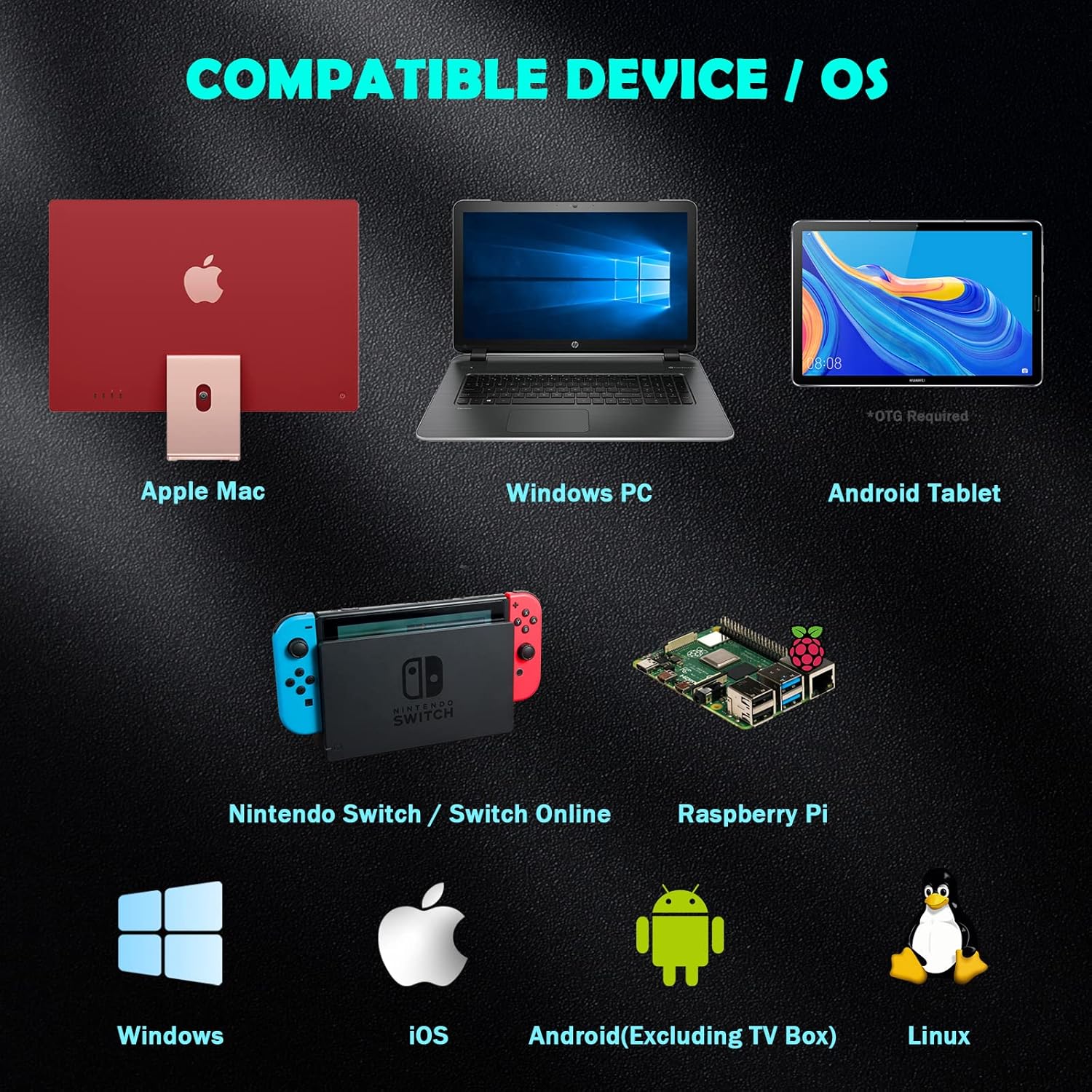
Figure 2: Compatible Devices and Operating Systems.
Controller layout

Figure 3: Controller Button and Port Layout.
The controller features a classic N64 layout with modern additions:
- 3D Analog Stick: For præcis bevægelseskontrol.
- A, B, C-knapper: Standard N64 face buttons.
- Start knap: Red button in the center.
- D-Pad: Retningsbestemt pude.
- L, R, Z/ZL Buttons: Skulder- og aftrækkerknapper.
- Hjemknappen: For system menu access (e.g., Nintendo Switch).
- Vælg knap: Knap til ekstra funktion.
- LED-indikator: Shows connection status and charging.
- Type C Port: Til opladning af controlleren.
- Nulstil knap: Small button on the top for re-syncing.
- USB-modtager: Plugs into your device for wireless connection.
Opsætning og parring
Parring med Nintendo Switch
Follow these steps to pair your SAFFUN wireless controller with your Nintendo Switch console:
- Enable Pro Controller Wired Communication:
Using your original Switch controller, navigate to System Settings > Controllers and Sensors > Pro Controller Wired Communication. Ensure this option is set to "ON". This allows the Switch to communicate with the USB receiver.
- Tilslut USB-modtageren:
Insert the 2.4 GHz USB receiver into an available USB port on your Nintendo Switch dock. The LED on the receiver will begin flashing.
- Activate Receiver Sync Mode:
Press and hold the "SYNC" button on the USB receiver until its LED begins fast-blinking. This indicates it's ready to pair.
- Nulstil controlleren:
Locate the small "Reset" button on the top of the controller (near the Type C port) and press it. The LED indicator on the controller will start flashing.
- Tilslut controlleren:
Press the "Start" button on the controller. Wait for the LED on the controller to stay lit, indicating a successful connection. The controller is now connected and ready for use.
Video 1: Simple steps to pair and use the controller on a Switch. This video demonstrates the pairing process for the SAFFUN N64 style controller with a Nintendo Switch console, including enabling wired communication, plugging in the receiver, and syncing the controller.
Pairing with PC/Mac/Linux/Raspberry Pi
For other compatible devices, the pairing process is generally simpler:
- Tilslut USB-modtageren:
Insert the 2.4 GHz USB receiver into an available USB port on your computer or device. The LED on the receiver will begin flashing.
- Nulstil controlleren:
Press the "Reset" button on the top of the controller. The controller's LED will flash.
- Tilslut controlleren:
Press the "Start" button on the controller. The LED on the controller should become solid, indicating a successful connection. Your device should recognize the controller as a standard USB gamepad.
Betjeningsvejledning
Grundlæggende kontrol
The controller functions as a standard gamepad. Refer to your game's control settings for specific button mappings. The 3D analog stick provides proportional control, while the D-pad offers digital input.
Special Modes (Nintendo Switch NSO)
For optimal experience with Nintendo Switch Online N64 games, the controller supports an "All Star Mode" which maps the C-buttons to their original N64 functionalities, including rumble pak support.
- Activating "All Star Mode": Press and hold the "Start" and "A" buttons simultaneously for 3 to 5 seconds. LED 2 and LED 4 on the controller will light up to confirm activation. This mode persists even after turning off the controller or console.

Figure 4: Controller in use with Nintendo Switch Online.
Rumble Functionality
The controller includes a built-in immersive rumble motor. Rumble support is available in compatible games, eliminating the need for a separate Rumble Pak.

Figure 5: Built-in Rumble Motor for immersive feedback.
Opladning og batterilevetid
The controller is equipped with a rechargeable Li-Polymer battery (Model/Type reference: 602535, Ratings: 3.7VDC, 1.85Wh (500mAh)).
- Opladningstid: Cirka 2.5 timer.
- Spilletid: Op til 10 timer på fuld opladning.
- Standby tid: Op til 1000 timer.
- Opladningsindikator: LED-indikatoren viser opladningsstatus.
Automatisk slukfunktion
To conserve battery, the controller will automatically turn off after approximately 2-5 minutes of inactivity. To wake up and reconnect, press the "Start" button twice.

Figure 6: Battery Capacity and Charging Details.
Opretholdelse
- Keep the controller and receiver dry. Avoid exposure to moisture or extreme temperatures.
- Rengør controlleren med en blød, tør klud. Brug ikke skrappe kemikalier eller slibende materialer.
- Opbevar controlleren et sikkert sted for at forhindre fysisk skade.
- Når controlleren ikke er i brug i længere perioder, skal den sørges for at være fuldt opladet inden opbevaring for at bevare batteriets tilstand.
Fejlfinding
| Problem | Mulig årsag | Løsning |
|---|---|---|
| Controller does not connect/LED not solid. | Low battery, receiver not properly inserted, not in sync mode, "Pro Controller Wired Communication" off (for Switch). | Charge the controller. Ensure receiver is fully inserted. Press SYNC button on receiver until fast-blinking. Press Reset button on controller, then Start. For Switch, verify "Pro Controller Wired Communication" is ON in system settings. |
| Buttons/joystick not responding correctly. | Interference, software glitch, incorrect mode (for Switch NSO). | Move closer to the receiver. Try resetting the controller and receiver. For Switch NSO, ensure "All Star Mode" is activated (hold Start + A for 3-5 seconds). If issues persist, try on another device to isolate the problem. |
| Controlleren afbryder ofte forbindelsen. | Low battery, excessive distance from receiver, interference. | Recharge the controller. Reduce distance between controller and receiver. Minimize other 2.4 GHz wireless devices nearby. |
| Rumble not working. | Game does not support rumble, rumble disabled in game/system settings, controller not in correct mode. | Verify the game supports rumble. Check in-game or system settings for rumble options. For Switch NSO, ensure "All Star Mode" is active. |
Specifikationer
- Model: Wireless for Switch/PC Gray
- Forbindelse: 2.4 GHz Wireless USB
- Batteri: Rechargeable Li-Polymer (3.7VDC, 1.85Wh, 500mAh)
- Opladningstid: Ca. 2.5 timer
- Spilletid: Op til 10 timer
- Standby tid: Op til 1000 timer
- Vægt: 10.9 ounce (ca. 309 gram)
- Pakkedimensioner: 6.38 x 6.18 x 3.23 tommer
- Fabrikant: SAFFUN
Garanti og support
For warranty information and technical support, please refer to the contact details provided with your purchase or visit the official SAFFUN webwebsted. Gem din købsbevis i tilfælde af garantikrav.
Ask a question about this manual
Ask about setup, troubleshooting, compatibility, parts, safety, or missing instructions. Manuals+ will review the question and use this page’s manual context to help answer it.