
DOOGEE T30PRO
DOOGEE T30 PRO 11 Inch Tablet
Brugermanual
1. Produktet er slutview
The DOOGEE T30 PRO is an 11-inch Android tablet designed for high performance and an immersive visual experience. It features a 2.5K display, a powerful MediaTek Helio G99 octa-core processor, and ample memory for multitasking and storage. This manual provides essential information to help you get the most out of your device.

Figur 1.1: Foran og bagpå view of the DOOGEE T30 PRO tablet, showcasing its key specifications.
2. Opsætningsvejledning
2.1 Indledende opladning
Before first use, fully charge the tablet using the provided 33W fast charger. The tablet is equipped with an 8580mAh battery for extended usage.
2.2 Tænd/sluk
- For at tænde: Tryk på tænd/sluk-knappen, og hold den nede, indtil DOOGEE-logoet vises.
- For at slukke: Tryk og hold tænd/sluk-knappen nede, og vælg derefter 'Sluk' fra valgmulighederne.
2.3 Installation af SIM- og TF-kort
The DOOGEE T30 PRO supports dual 4G LTE and TF card expansion up to 2TB. Locate the SIM/TF card tray on the side of the tablet. Use the provided ejector tool to open the tray. Insert your Nano-SIM cards and/or TF card into the designated slots, ensuring correct orientation. Close the tray securely.
2.4 Førstegangsopsætning
Upon first power-on, follow the on-screen prompts to complete the initial setup. This includes selecting your language, connecting to a Wi-Fi network, and signing in with your Google account. The tablet is GMS certified, ensuring full access to the Google Play Store and Google services.
Video 2.1: An unboxing video of the DOOGEE T30 PRO tablet, demonstrating the initial setup and contents.
3. Betjening af din tablet
3.1 Display og visuelle elementer
Experience stunning visuals on the 11-inch 2.5K (2560x1600) display. The tablet features TÜV SÜD Eye Safety Certification for low blue light, reducing eye strain during prolonged use.

Figure 3.1: The tablet's display capabilities, emphasizing its high resolution and immersive viewoplevelse.
3.2 Ydeevne og lagring
Powered by the MediaTek Helio G99 octa-core processor, the T30 PRO delivers smooth performance for gaming, multitasking, and demanding applications. It comes with 15GB RAM (8GB physical + 7GB virtual) and 256GB of internal storage, expandable up to 2TB via TF card.
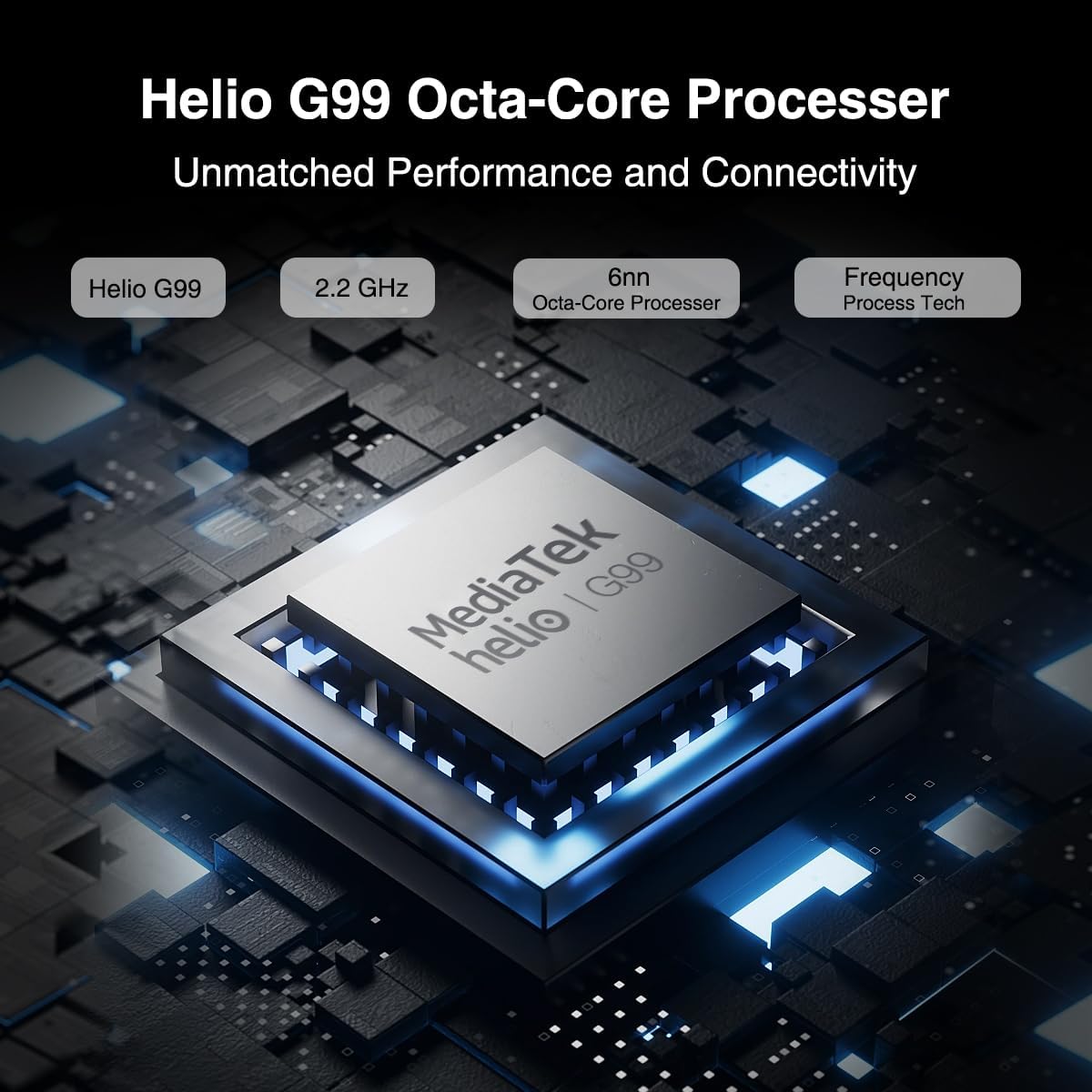
Figure 3.2: Illustration of the MediaTek Helio G99 processor, highlighting its core specifications.
3.3 Kamerafunktioner
The tablet features a 20MP main camera, an 8MP front camera, and a 2MP macro camera. These cameras are suitable for capturing photos, video conferencing, and e-learning.

Figure 3.3: The tablet's camera capabilities, ideal for video calls and capturing moments.
3.4 Lydsystem
Enjoy rich audio with the tablet's four Hi-res Stereo Speakers, providing an enhanced sound experience for media consumption.
3.5 Forbindelse
Stay connected with dual 4G LTE support, dual-band Wi-Fi (2.4G/5G), and Bluetooth 5.0. The tablet also supports Widevine L1 for high-quality streaming from services like Prime Video, Disney+, and Hulu.

Figure 3.4: The tablet's robust connectivity options for seamless work and entertainment.
3.6 Multitasking og produktivitet
The Android 13 operating system allows for efficient multitasking, including split-screen functionality, enabling you to run multiple applications simultaneously.

Figure 3.5: The tablet's split-screen feature for enhanced productivity.
4. Vedligeholdelse og pleje
4.1 Pleje af batterier
- Undgå ekstreme temperaturer, da de kan forringe batteriets levetid.
- For optimal batterilevetid bør du undgå at aflade batteriet helt ofte.
- Brug kun den originale oplader eller en certificeret kompatibel oplader.
4.2 Rengøring af din tablet
- Brug en blød, fnugfri klud til at rengøre skærmen og kabinettet.
- Til genstridige pletter, let dampRengør kluden med vand eller en skærmrens.
- Undgå at bruge skrappe kemikalier, slibende materialer eller aerosolspray direkte på tabletten.
5. Fejlfinding
This section addresses common issues you might encounter with your DOOGEE T30 PRO tablet.
| Problem | Mulig årsag | Løsning |
|---|---|---|
| Tabletten tænder ikke | Lavt batteri; Systemnedbrud | Oplad tabletten i mindst 30 minutter. Hvis den stadig ikke reagerer, skal du trykke på tænd/sluk-knappen og holde den nede i 10-15 sekunder for at gennemtvinge genstart. |
| Langsom ydeevne | Too many apps running in background; Low storage space | Close unnecessary applications. Clear cache and data for frequently used apps. Free up storage by deleting unused files eller apps. |
| Problemer med Wi-Fi-forbindelse | Forkert adgangskode; Routerproblemer; Uden for rækkevidde | Ensure correct Wi-Fi password. Restart your Wi-Fi router. Move closer to the Wi-Fi router. |
| Batteriet aflades hurtigt | High screen brightness; Background apps; Frequent network usage | Reduce screen brightness. Disable Wi-Fi/Bluetooth when not in use. Close background apps. Check battery usage in settings to identify power-hungry apps. |
6. Specifikationer
| Feature | Detalje |
|---|---|
| Modelnavn | T30PRO |
| Operativsystem | Android 13 |
| Processor | MediaTek Helio G99 Octa-core (2.2 GHz) |
| VÆDDER | 15 GB (8 GB + 7 GB virtuel) |
| Intern opbevaring | 256 GB |
| Udvidelig opbevaring | Op til 2 TB (TF-kort) |
| Skærmstørrelse | 11 tommer |
| Skærmopløsning | 2.5K (2560x1600) |
| Bagkamera | 20 MP |
| Forreste kamera | 8 MP |
| Batterikapacitet | 8580mAh |
| Opladning | 33W hurtig opladning |
| Trådløs forbindelse | 802.11a/b/g/n/ac (2.4G/5G Wi-Fi), Bluetooth 5.0 |
| Mobilforbindelse | Dual 4G LTE (TD-LTE, FDD-LTE) |
| Dimensioner (LxBxH) | 10.11 x 0.3 x 6.64 tommer |
| Varens vægt | 11.1 ounce |
7. Garanti og support
The DOOGEE T30 PRO comes with a 2-year warranty. DOOGEE provides lifetime technical support and full 24/7 customer service to assist you with any inquiries or issues you may encounter. For support, please refer to the contact information provided on the official DOOGEE webwebstedet eller din købsdokumentation.
Ask a question about this manual
Ask about setup, troubleshooting, compatibility, parts, safety, or missing instructions. Manuals+ will review the question and use this page’s manual context to help answer it.