
PTHTECHUS S80K
PTHTECHUS Smart Watch for Kids User Manual
Model: S80K | Brand: PTHTECHUS
1. Introduktion
This manual provides detailed instructions for the setup, operation, and maintenance of your PTHTECHUS Smart Watch for Kids. This smartwatch is designed to offer a range of features including communication, fitness tracking, and health monitoring, making it a versatile companion for daily activities.

Image: The PTHTECHUS Smart Watch, showcasing its main display with various health and activity metrics.
2. Hvad er der i æsken
Kontroller venligst, at alle varer er til stede i pakken:
- 1 x PTHTECHUS Smart Watch
- 1 x ladekabel
- 1 x Brugermanual
3. Opsætningsvejledning
3.1 Opladning af enheden
Oplad dit smartwatch helt før første brug. Tilslut det magnetiske opladningskabel til opladningspunkterne på bagsiden af uret, og sæt USB-enden i en kompatibel strømadapter (medfølger ikke) eller en computers USB-port.

Image: The smartwatch's charging interface and the magnetic charging cable.
3.2 Appinstallation og parring
To unlock the full functionality of your smartwatch, download and install the 'CO-FIT' app on your smartphone. The app is compatible with Android 4.4 and above, and iOS 8.0 and above. Once installed, open the app and follow the on-screen instructions to pair your smartwatch via Bluetooth. Ensure Bluetooth is enabled on your phone.
3.3 Tilpasning af urskiver
Your smartwatch offers over 120 pre-designed watch face styles. You can also personalize your watch by uploading your own photos of family, friends, or pets through the CO-FIT app to create custom dials.
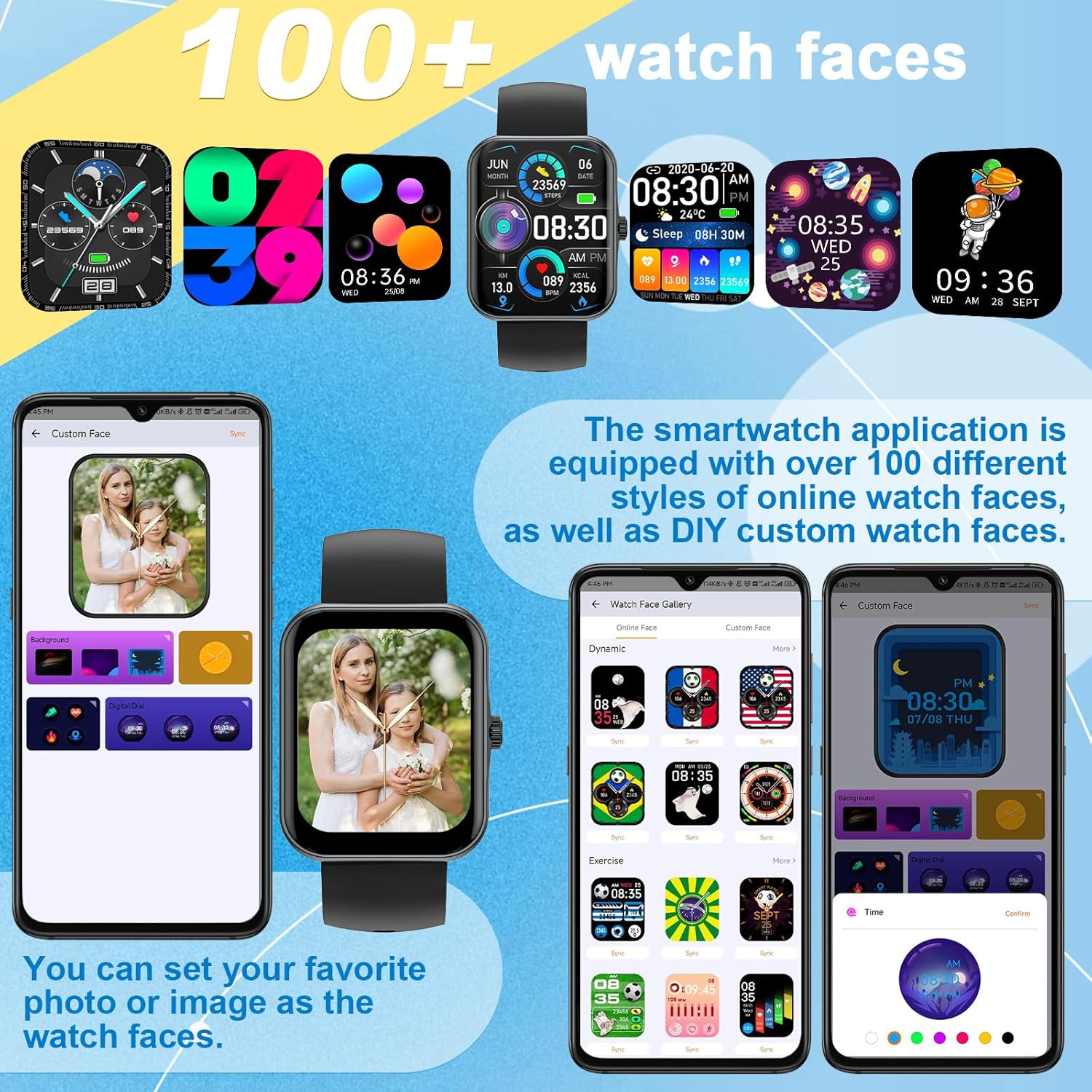
Billede: Eksamples of the diverse watch faces and custom dial options.
4. Betjeningsvejledning
4.1 Phone Calls and Notifications
Once connected to your phone via Bluetooth, you can make and answer calls directly from your smartwatch. The built-in microphone and speaker allow for hands-free communication. You can also view call history and synchronize contacts. The watch receives SMS and APP notifications (e.g., WhatsApp, Facebook, Instagram), but replying to messages is not supported.

Image: Demonstrating the smartwatch's call answering feature.
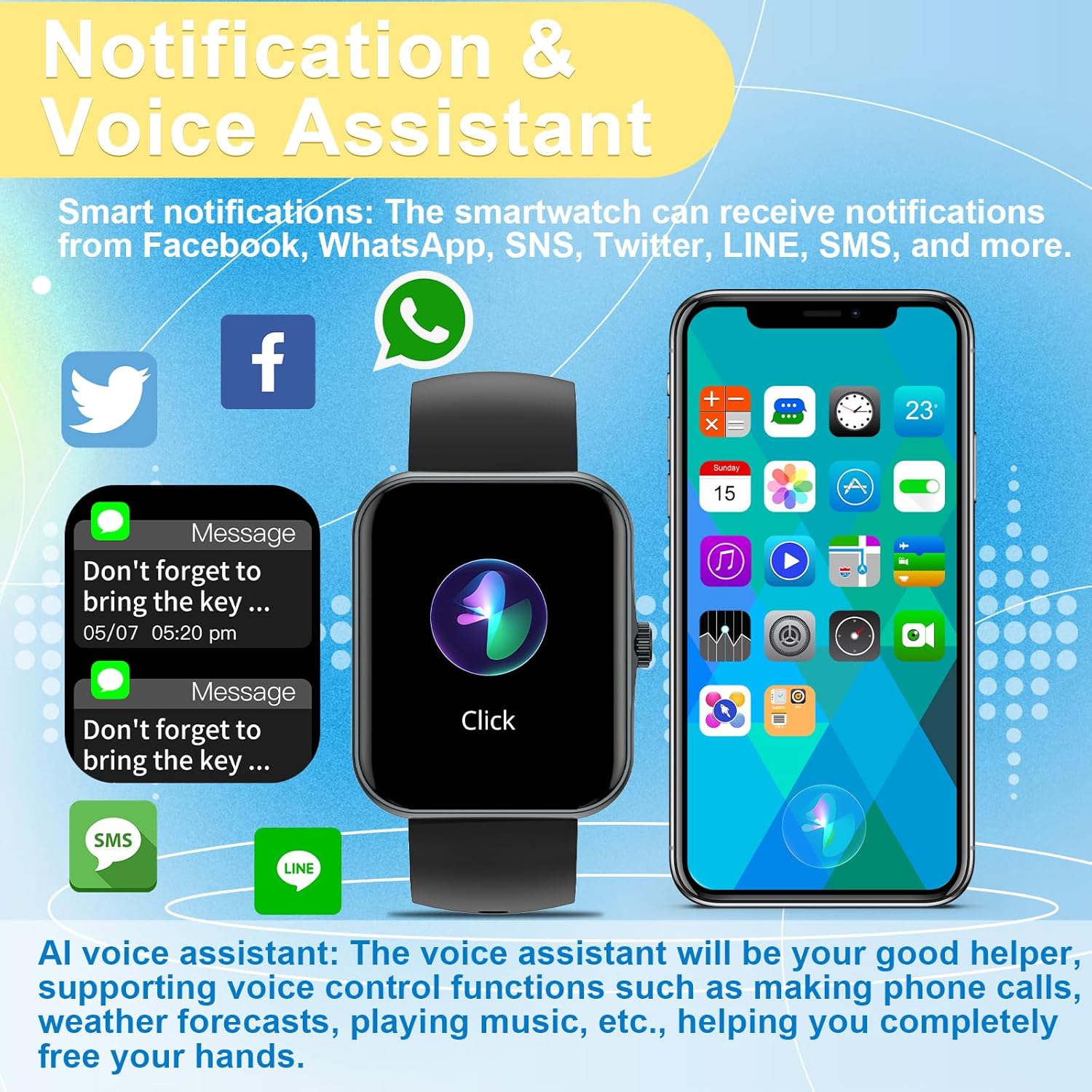
Image: Smart notifications and AI voice assistant interface on the watch.
4.2 Stemmeassistent (Siri)
The integrated AI voice assistant allows for voice control functions such as making calls, checking weather forecasts, and playing music, providing a hands-free experience.
4.3 Musik- og kamerastyring
Control your phone's music playback directly from your smartwatch. You can also use the watch as a remote control for your phone's camera, making it easier to capture photos.

Image: Music control functionality on the smartwatch.
4.4 Sportstilstande og aktivitetsmåling
The watch supports 37 different sports modes, including mountaineering, running, cycling, and yoga. It accurately records daily activities such as steps, distance, and calorie consumption, helping you track your fitness progress.

Billede: Overview of the 37 available sport modes.
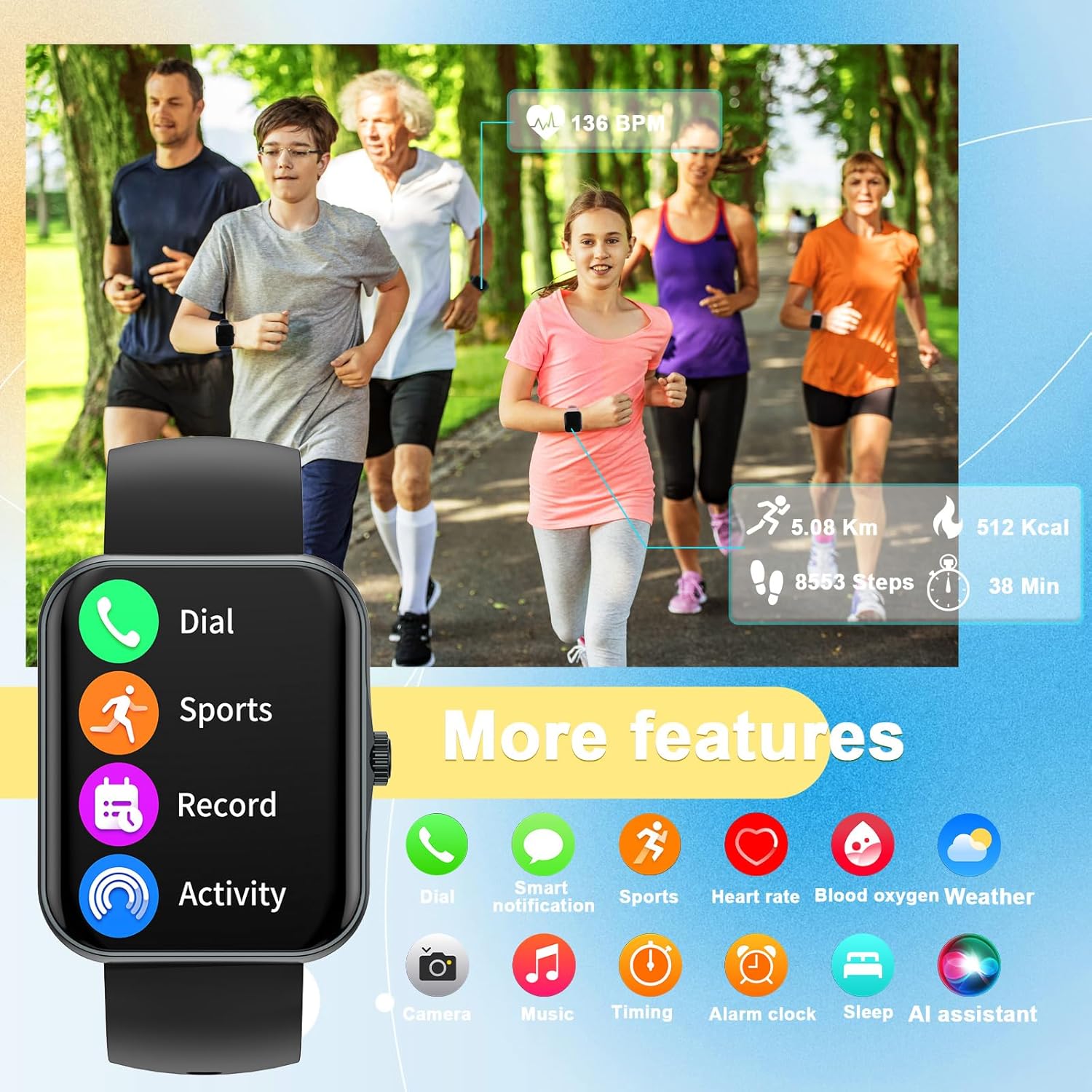
Image: The smartwatch's interface showing various features including dial, sports, record, activity, heart rate, blood oxygen, weather, camera, music, timing, alarm, sleep, and AI assistant.
4.5 Sundhedsovervågning
The smartwatch provides 24-hour health monitoring, including heart rate, blood oxygen saturation (SpO2), and sleep tracking. It offers comprehensive sleep quality analysis to help develop healthier sleep habits. Note: This data is for reference only and cannot be used for medical diagnosis or treatment.
4.6 Vejrvisning
View real-time weather information directly on your smartwatch when connected to your phone.
5. Vedligeholdelse
5.1 Rengøring
Rengør regelmæssigt dit smartwatch og din rem med en blød, tør klud. Brug om nødvendigt en let fugtig klud.amp kluden og tør den derefter grundigt. Undgå barske kemikalier eller slibende materialer.
5.2 Pleje af batterier
For at forlænge batteriets levetid bør du undgå at aflade uret helt ofte. Oplad det, når batteriniveauet er lavt. Opbevar uret et køligt og tørt sted, når det ikke er i brug i længere perioder.
5.3 Vandtæthed
Important: This smartwatch is NOT waterproof. Avoid exposing it to water, including showering, swimming, or heavy rain, as this can cause irreparable damage.
6. Fejlfinding
- Uret tænder ikke: Sørg for, at uret er fuldt opladet. Tilslut det til opladeren, og vent et par minutter, før du forsøger at tænde det.
- Kan ikke parres med telefonen:
- Sørg for, at Bluetooth er aktiveret på din telefon.
- Sørg for, at uret er inden for din telefons Bluetooth-rækkevidde.
- Genstart både uret og din telefon.
- Check the CO-FIT app for pairing instructions and ensure the app has necessary permissions.
- Unøjagtige sundhedsdata: Ensure the watch is worn snugly on your wrist, not too tight or too loose. Clean the sensor on the back of the watch. Remember that health data is for reference and not medical use.
- Ikke modtaget meddelelse:
- Bekræft, at uret er forbundet til din telefon via Bluetooth.
- Check notification settings within the CO-FIT app and your phone's system settings to ensure app notifications are enabled for the smartwatch.
- Kort batterilevetid: Reduce screen brightness, limit frequent screen wake-ups, and disable unnecessary features if not in use.
7. Specifikationer
| Feature | Detalje |
|---|---|
| Modelnavn | S80K |
| Mærke | PTHTECHUS |
| Skærmstørrelse | 1.83 tommer |
| Produktdimensioner | 8.66 x 1.57 x 0.79 tommer |
| Varens vægt | 1.76 ounces (50 gram) |
| Operativsystem | AsteroidOS |
| Forbindelsesteknologi | Bluetooth |
| Batteri | 1 Lithium Polymer (inkluderet) |
| Særlige funktioner | Activity Tracker, Phone Call, Oxymeter (SpO2), Notifications, Heart Rate Monitor |
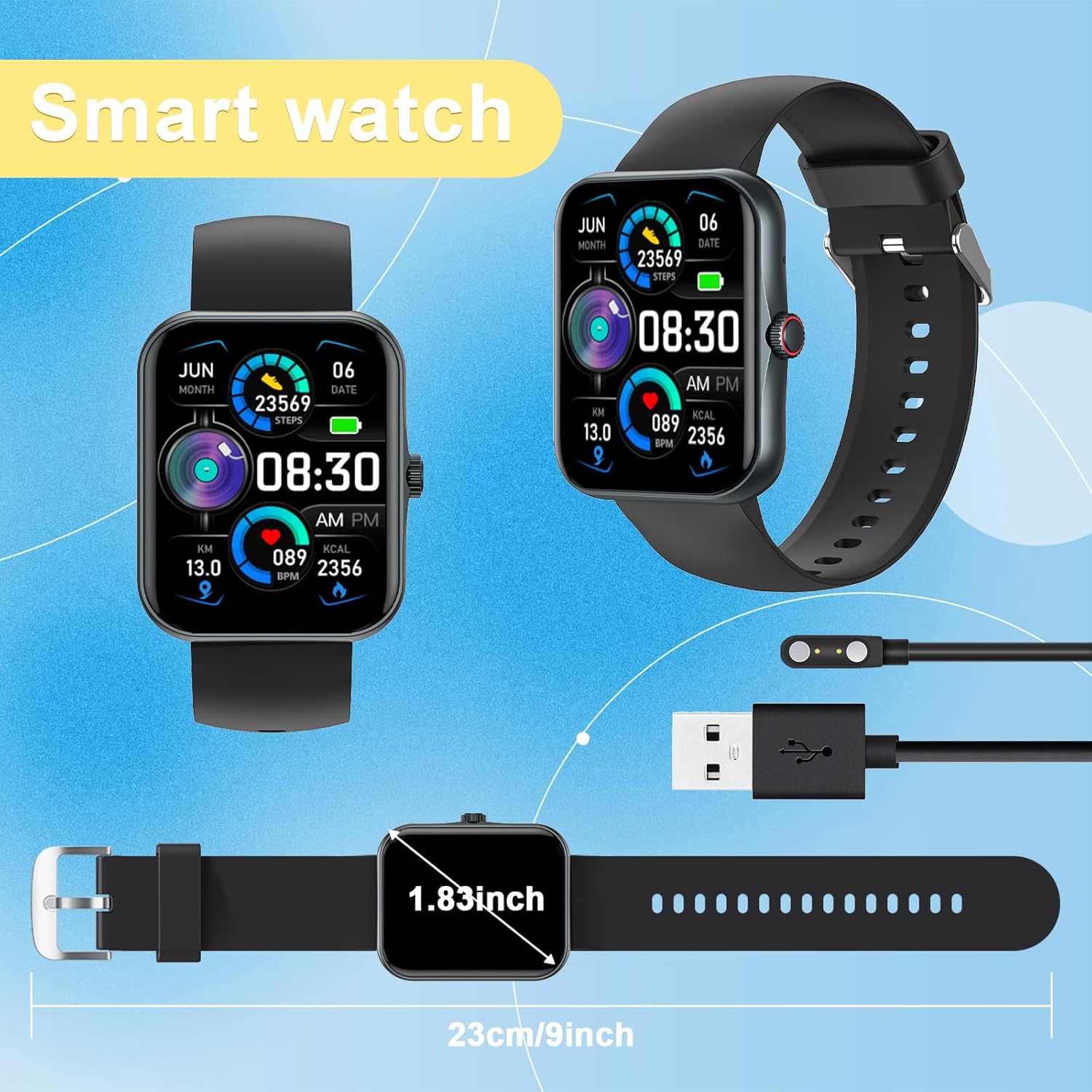
Image: Physical dimensions of the smartwatch.
8. Garanti og support
Your PTHTECHUS Smart Watch is covered by a manufacturer's warranty. For detailed warranty information, technical support, or service inquiries, please refer to the contact information provided in your product packaging or visit the official PTHTECHUS webwebsted. Gem venligst din købsbevis til garantikrav.
Ask a question about this manual
Ask about setup, troubleshooting, compatibility, parts, safety, or missing instructions. Manuals+ will review the question and use this page’s manual context to help answer it.