
Indledning
The SENCKIT S1 Bluetooth Tracker is designed to help you locate your valuable items quickly and efficiently. Utilizing Apple's Find My network, this smart tracker allows you to pinpoint the location of your keys, bags, wallets, pets, and other belongings directly from your iOS device. This manual provides detailed instructions for setting up, operating, and maintaining your SENCKIT S1 tracker.

Image: SENCKIT S1 Bluetooth Tracker, a white square device with a keychain, next to an iPhone displaying its location on a map.
Sikkerhedsoplysninger
Advarsel: Ikke egnet til børn under 36 måneder.
Please keep the device and its small parts, especially the battery, out of reach of young children to prevent choking hazards.
Pakkens indhold
Bekræft at alle varer er til stede i din pakke:
- 1 x SENCKIT S1 Bluetooth Tracker
- 1 x Brugsanvisning (dette dokument)
Opsætning
1. Batteriinstallation
The SENCKIT S1 tracker uses a replaceable CR2032 button cell battery. The battery is pre-installed, but you may need to remove a protective strip before first use.
- Locate the small groove on the side of the tracker.
- Carefully pry open the tracker casing using a thin, non-metallic tool or your fingernail.
- If present, remove the plastic protective strip from the battery compartment.
- Sørg for, at CR2032-batteriet er korrekt isat med den positive (+) side opad.
- Luk trackeren casing firmly until it clicks into place.

Image: The SENCKIT S1 tracker with its back cover removed, revealing the internal circuit board and a CR2032 battery. This illustrates the battery installation process.
2. Parring med Apple Find min app
The SENCKIT S1 tracker is designed to work exclusively with Apple's Find My network. Ensure your iOS device is running the latest version of iOS.
- Åbn den forudinstallerede Find min app on your iPhone or iPad.
- Tryk på genstande fanen nederst på skærmen.
- Tryk på + Tilføj element, og vælg derefter Andet understøttet element.
- Place your SENCKIT S1 tracker near your iOS device. The app will detect the tracker.
- Tryk på Forbinde når du bliver bedt om det.
- Follow the on-screen instructions to name your item and link it to your Apple ID.
- Tryk på Enig to the privacy statement and then Slutte. Your tracker is now paired.

Image: A sequence of three iPhone screens demonstrating the initial steps to pair the SENCKIT S1 tracker with the Apple Find My app, from opening the app to selecting "Other Supported Item."

Image: A sequence of three iPhone screens illustrating the completion of the pairing process, including tapping "Connect," linking to an Apple ID, and finalizing the setup.
Betjeningsvejledning
1. Locating Nearby Items
When your SENCKIT S1 tracker is within Bluetooth range of your iOS device, you can make it play a sound to help you find it.
- Åbn Find min app.
- Gå til genstande tab and select your SENCKIT S1 tracker.
- Tryk på Afspil lyd. The tracker will emit a loud ring (up to 90dB) to guide you to its location.
- Tryk på Stop Sound once you have found your item.

Image: An iPhone screen displaying the "Play Sound" function within the Find My app, indicating the tracker's proximity and the ability to trigger an audible alert. A SENCKIT tracker with keys is shown next to the phone.
2. Locating Far Away Items
If your item is out of Bluetooth range, the Apple Find My network can help you locate it. Hundreds of millions of Apple devices anonymously and securely relay the location of your tracker to you.
- Åbn Find min app.
- Gå til genstande tab and select your SENCKIT S1 tracker.
- Appen viser trackerens sidst kendte placering på et kort.
- Tryk på Vejbeskrivelse to get navigation to the tracker's location.

Image: An iPhone screen displaying the Find My app with a map showing the current location of the SENCKIT S1 tracker, indicating its use for remote tracking.
3. Left-Behind Alerts
Receive notifications if you leave your item behind and it goes out of range of your iOS device.
- I den Find min app, select your SENCKIT S1 tracker.
- Rul ned og aktiver Giv besked, når der er efterladt skifte.
- You can also set specific locations where you do not want to be notified (e.g., your home).
4. Tabt tilstand
If your SENCKIT S1 tracker is truly lost, you can enable Lost Mode to help others return it to you.
- I den Find min app, select your SENCKIT S1 tracker.
- Rul ned og tryk Aktiver under Tabt tilstand.
- Follow the prompts to enter a contact phone number or email address.
- If someone finds your tracker and scans it with an NFC-enabled smartphone, they will see your contact information.

Image: An iPhone screen displaying the "Lost Mode" feature within the Find My app, showing how a contact number can be displayed to someone who finds the tracker.
Opretholdelse
1. Udskiftning af batteri
The SENCKIT S1 tracker has a battery life of up to 1 year. The Find My app will notify you when the battery is low. Replace the CR2032 battery following these steps:
- Locate the small groove on the side of the tracker.
- Carefully pry open the tracker casing.
- Fjern det gamle CR2032-batteri.
- Indsæt et nyt CR2032-batteri med den positive (+) side opad.
- Luk trackeren casing firmly until it clicks into place.

Image: A graphic illustrating the SENCKIT S1 tracker's replaceable battery feature, highlighting its long-term use with a 365-day battery life.
2. Rensning
To clean your SENCKIT S1 tracker, wipe it with a soft, dry, or slightly damp klud. Undgå at bruge skrappe kemikalier eller slibende materialer, da disse kan beskadige enheden.
Fejlfinding
- Tracker not pairing:
- Sørg for, at batteriet er korrekt installeret og har tilstrækkelig opladning.
- Make sure your iOS device's Bluetooth is enabled.
- Bring the tracker very close to your iOS device during pairing.
- Genstart din iOS-enhed, og prøv at parre igen.
- Tracker not playing sound:
- Check the battery level in the Find My app. Replace the battery if low.
- Sørg for, at trackeren er inden for Bluetooth-rækkevidde af din iOS-enhed.
- Unøjagtig placering:
- Location accuracy depends on the density of Apple devices in the Find My network. In remote areas, updates may be less frequent.
- Sørg for, at din iOS-enhed har en stabil internetforbindelse for at få kortopdateringer.
Specifikationer
| Model | S1 |
| Dimensioner | 38 mm x 38 mm x 7 mm (1.5" L x 1.5" B x 0.28" T) |
| Vægt | 0.88 ounce (8.7 g) |
| Batteritype | CR2032 (udskiftelig) |
| Batterilevetid | Op til 1 år |
| Forbindelse | Bluetooth |
| Wireless Range | 10-20M (Indoor), 20-30M (Outdoor) |
| Lydstyrke for summer | Op til 90dB |
| Vandmodstand | IP65 |
| Kompatibilitet | Apple Find My (iOS Compatible) |
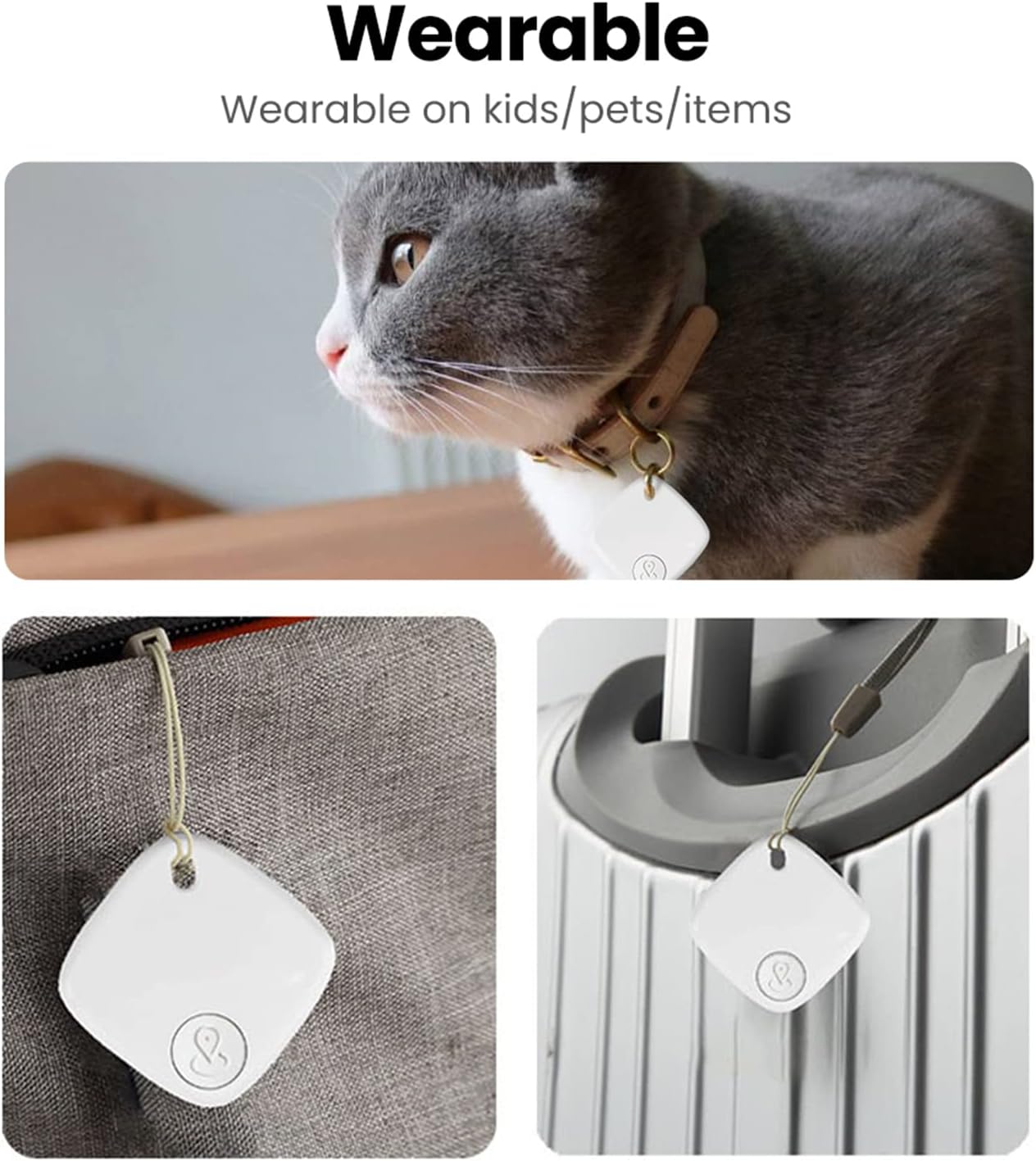
Image: A detailed diagram illustrating the physical dimensions and key specifications of the SENCKIT S1 Bluetooth Tracker.
Brugsscenarier
The SENCKIT S1 Bluetooth Tracker is versatile and can be attached to various items:
- Nøgler: Attach to your keyring to easily find misplaced keys.
- Bags & Backpacks: Secure to your luggage, handbag, or backpack for travel or daily use.
- Tegnebøger: Slip into your wallet to prevent loss.
- Kæledyr: Attach to your pet's collar to help locate them if they wander off.

Image: A collage demonstrating various applications of the SENCKIT S1 tracker, including attachment to a pet's collar, a bag, and luggage.