
1. Introduktion
This document provides essential instructions for the proper installation, handling, and care of your new Generic LCD Display Touch Screen Assembly for TCL L5 5033E and TCL L5 Go 5133A mobile phones. Please read this manual thoroughly before attempting any installation to ensure correct procedure and prevent damage to the product or your device.
2. Pakkens indhold
Bekræft, at alle nedenstående varer er til stede i din pakke:
- 1x LCD Screen Replacement (for TCL L5 5033E / L5 Go 5133A)
- 1x Precision Screwdriver
- 1x Plastic Triangle Pry Tool
- 1x sugekop
- 1x Double-Sided Adhesive
The received product will be identical to the images provided.
3. Vigtige bemærkninger før installation
- Professionel installation anbefales: Replacing a phone screen requires technical skills and specialized tools. Professional installation is strongly recommended to avoid damage to your device.
- Bekræft model: Ensure you have purchased the correct LCD assembly for your specific phone model (TCL L5 5033E or TCL L5 Go 5133A). Incorrect parts may not fit or function properly.
- Pre-Shipment Check: Every item is strictly checked before shipment to ensure it is in good working condition.
- Damage Responsibility: We are not responsible for any damage caused to your phone or the replacement screen during the installation process if performed incorrectly.
4. Setup and Pre-Installation Procedures
4.1. LCD with Frame vs. No Frame
This product is available in two configurations: with frame and without frame.
- LCD With Frame: The touch screen, display, and frame are pre-glued together. This option is generally easier to install as it involves replacing the entire display part.
- LCD No Frame: The touch screen and display are glued together, but the frame is not included. You will need to transfer your old phone's frame to the new assembly. This process is more complex and not recommended for inexperienced users.
4.2. Test Before Installation
Before fully installing the screen, it is crucial to perform a test. Do not remove any protective films or tags during this testing phase.
- Carefully disassemble your mobile phone.
- Connect the new replacement LCD assembly to the motherboard of your phone. Ensure the audio cable (if applicable) is also connected.
- Tænd telefonen.
- Test the display functionality (check for dead pixels, color accuracy) and touch screen responsiveness across the entire surface.
- If the test is successful, proceed with the full installation. If any issues arise, contact customer support immediately and do not force installation.
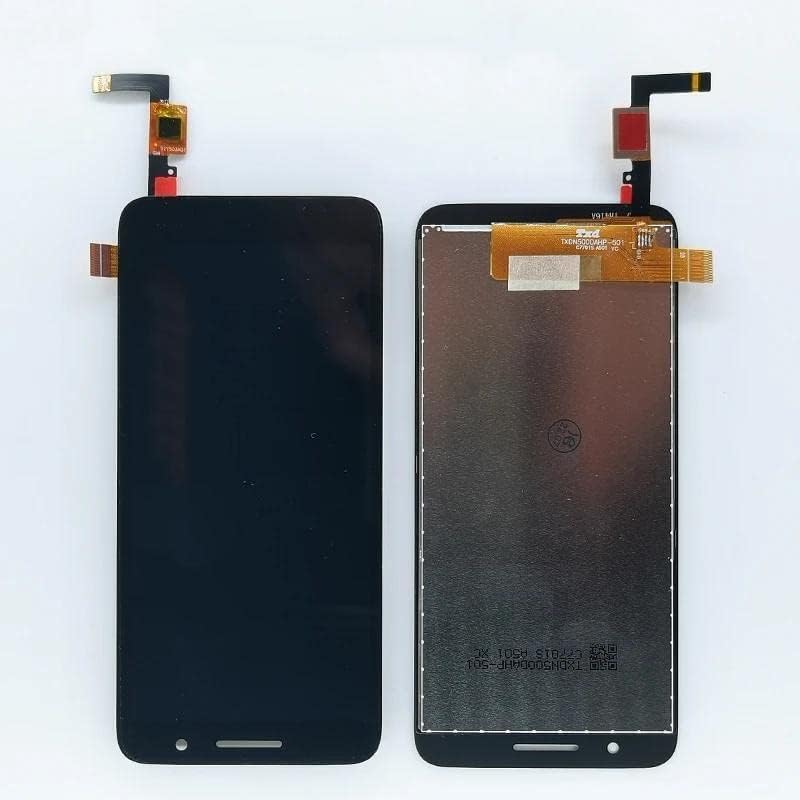
Billede 1: Forside view of the LCD Display Touch Screen Assembly. This shows the display surface and the overall shape of the component.
4.3. Forholdsregler mod statisk elektricitet
Static electricity can damage electronic components. Before attempting any installation, ensure you ground yourself using an ESD (electrostatic discharge) strap. This will prevent static electricity from harming the sensitive electronics within your phone and the new display assembly.
4.4. Cable Handling
The LCD cable is delicate. Ensure it is not over-bent, especially beyond 90 degrees. Excessive bending can cause damage, leading to a black display or other malfunctions.
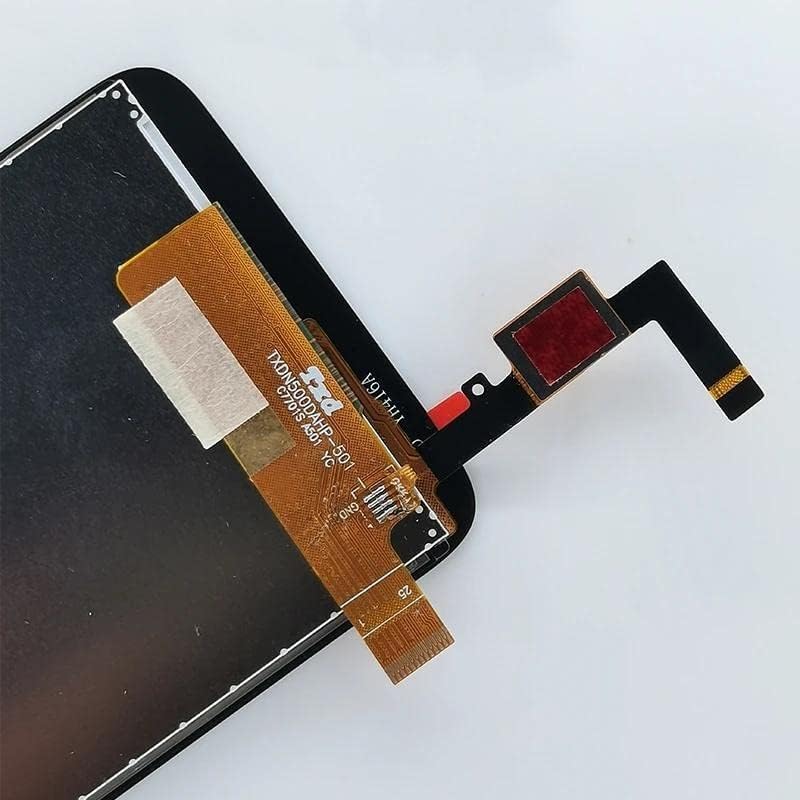
Image 2: Close-up of the flex cable connection on the LCD assembly. Handle this component with extreme care to avoid damage.
5. Drift (efterinstallationskontrol)
After successful installation and reassembly of your device, perform a final check:
- Tænd din telefon.
- Verify that the display functions correctly, showing clear images and proper colors.
- Test the touch screen responsiveness across all areas of the screen.
- Check for any light leakage or uneven backlighting.
- Ensure all phone functions (e.g., calls, apps) are working as expected.
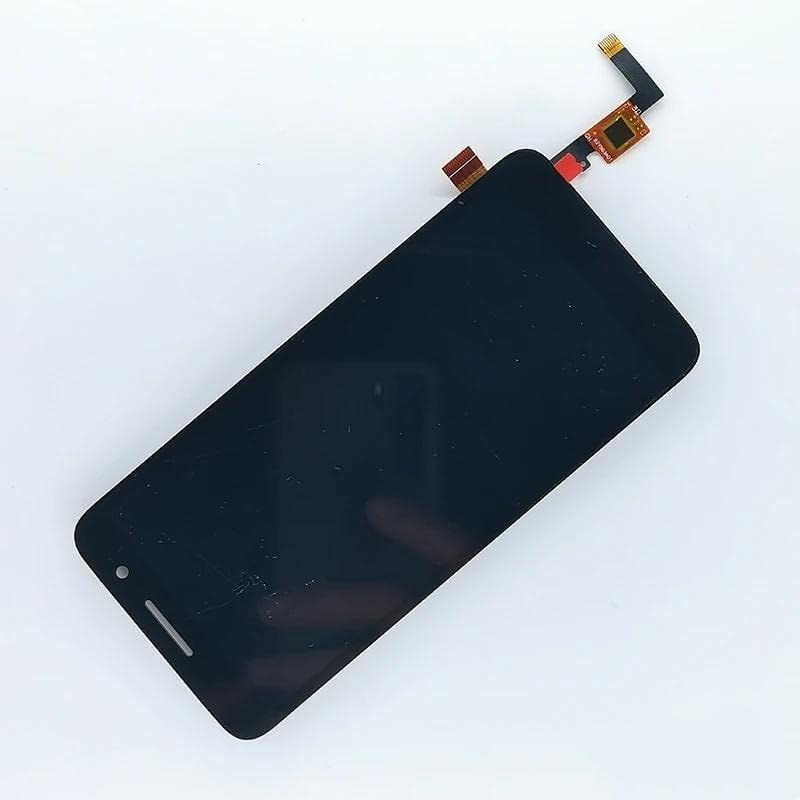
Billede 3: Vinklet view of the LCD assembly, showing the front display and side profile.
6. Vedligeholdelse
For at sikre din nye LCD-skærms levetid og optimale ydeevne:
- Rensning: Brug en blød, fnugfri klud, let drænetamprengøres med vand eller en skærmrens, for forsigtigt at tørre skærmen af. Undgå skrappe kemikalier eller slibende materialer.
- Beskyttelse: Overvej at bruge en skærmbeskytter og et beskyttende cover til din telefon for at beskytte mod ridser og stød.
- Undgå påvirkninger: Beskyt din telefon mod fald og stød, som kan beskadige skærmen.
- Temperatur: Avoid exposing your phone to extreme temperatures, as this can affect display performance.

Image 4: Another angled perspective of the LCD assembly, highlighting its slim profile.
7. Fejlfinding
Hvis du støder på problemer efter installationen, kan du overveje følgende almindelige problemer og løsninger:
- Sort skærm: If the screen remains black after powering on, ensure the LCD cable is securely connected and has not been over-bent (see Section 4.4). Recheck all connections.
- Berøringsskærm, der ikke reagerer: Verify that the touch screen flex cable is properly seated. A loose connection can cause unresponsiveness.
- Display Anomalies (e.g., lines, spots): This could indicate a damaged display or an issue with the connection. Recheck the flex cable and ensure no debris is present in the connector.
- Telefonen tænder ikke: Ensure the battery is properly connected and charged. If the phone still doesn't power on, the issue might be unrelated to the screen replacement.
Hvis fejlfindingstrinene ikke løser problemet, bedes du kontakte kundesupport.
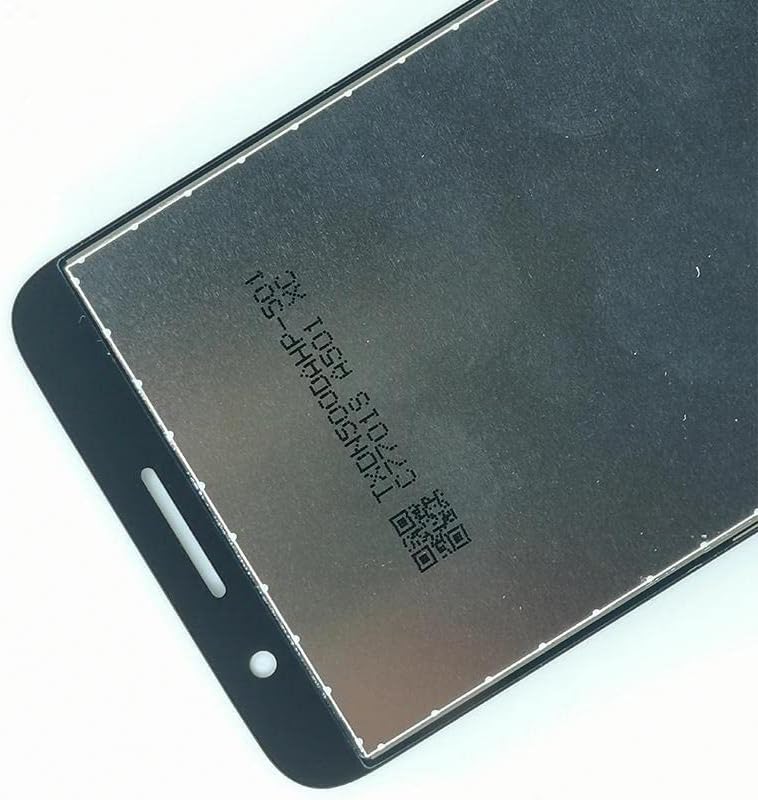
Image 5: Close-up of the back of the LCD assembly, showing manufacturing details and a QR code. This area should be handled carefully.
8. Specifikationer
| Mærke | Generisk |
| Fabrikant | Generisk |
| Kompatible modeller | TCL L5 5033E, TCL L5 Go 5133A |
| Varenummer | 2828 |
| ASIN | B0C2H2HRC1 |
| Første ledige dato | 14. april 2023 |
9. Garanti og support
If you have any questions or encounter issues with your product, please contact the seller, SHOWGOOD Digital, directly. They are committed to providing support and will respond to inquiries within 24 hours.
For returns or replacements, please refer to the seller's return policy, which typically allows for returns within 30 days.