
Indledning
This manual provides essential information for the safe and effective use of your Paladone Green Xbox Icons Light. Please read these instructions carefully before use and retain them for future reference.

The Paladone Green Xbox Icons Light, featuring the iconic Xbox logo and sphere, illuminated in a vibrant green hue.
Sikkerhedsoplysninger
- Holde utilgængeligt for børn: Dette produkt er ikke et legetøj.
- Kun indendørs brug: Må ikke udsættes for regn eller fugt.
- Strømkilde: Use only the provided USB cable or 3x AAA batteries. Do not mix old and new batteries, or different types of batteries.
- Undgå ekstreme temperaturer: Do not operate in excessively hot or cold environments.
- Rensning: Afbryd strømmen før rengøring. Brug en blød, tør klud. Brug ikke flydende rengøringsmidler.
- Bortskaffelse: Bortskaf batterier og produkt på en ansvarlig måde i henhold til lokale regler.
Pakkens indhold
Pak forsigtigt kassen ud, og sørg for, at alle dele er til stede:
- 1 x Paladone Green Xbox Icons Light Unit
- 1 x USB-strømkabel

The product packaging, indicating the Xbox Icons Light and its features.
Opsætning
Your Xbox Icons Light can be powered by either the included USB cable or 3x AAA batteries (not included).
Powering via USB:
- Insert the small end of the USB cable into the USB port on the back of the light unit.
- Insert the large end of the USB cable into a powered USB port (e.g., computer, USB wall adapter, game console).
Powering via Batteries:
- Locate the battery compartment on the underside of the light unit.
- Åbn batterirummets dæksel.
- Isæt 3x AAA-batterier, og sørg for korrekt polaritet (+/-).
- Luk batterirummets dæksel forsvarligt.

The Xbox Icons Light can be powered using the included USB cable or 3x AAA batteries (not included).
Betjeningsvejledning
The Xbox Icons Light features a power button, typically located on the base or side of the unit. Press this button to cycle through the available lighting modes.
Sådan tænder/slukker du:
- Tryk én gang på tænd/sluk-knappen for at tænde lyset.
- Continue pressing the power button to cycle through the lighting modes.
- Press the power button after the last lighting mode to turn the light off.

The Xbox Icons Light offers dynamic phasing and pulsing light modes for varied visual effects.
Belysningstilstande
The Paladone Green Xbox Icons Light offers three distinct lighting modes:
- Standardtilstand: The light remains steadily illuminated.
- Shifting Mode: The light transitions between different brightness levels or sections.
- Pulserende tilstand: The light gently pulses, creating a dynamic effect.
Press the power button repeatedly to switch between these modes.
Opretholdelse
Rensning:
- Ensure the light is turned off and disconnected from any power source before cleaning.
- Tør overfladen af med en blød, tør og fnugfri klud.
- Brug ikke slibende rengøringsmidler, opløsningsmidler eller stærke kemikalier, da disse kan beskadige overfladen.
Udskiftning af batteri:
- If using batteries, replace all three AAA batteries when the light dims or stops functioning.
- Follow the instructions in the 'Powering via Batteries' section under 'Setup' for safe battery replacement.
- Always dispose of used batteries according to local environmental guidelines.
Fejlfinding
| Problem | Mulig årsag | Løsning |
|---|---|---|
| Lyset tændes ikke. | No power supply or depleted batteries. | Check USB cable connection or replace AAA batteries. |
| Lyset er svagt eller flimrer. | Lav batteristrøm. | Replace AAA batteries or use USB power. |
| Kan ikke ændre lystilstande. | Power issue or button malfunction. | Ensure stable power. If problem persists, contact support. |
Specifikationer
| Feature | Detalje |
|---|---|
| Modelnummer | PP8961XB |
| Dimensioner (L x B x H) | 12.45 x 4.92 x 2.91 tommer (31.8 cm x 12.5 cm x 7.4 cm) |
| Varens vægt | 16 ounce (ca. 453 gram) |
| Materiale | Plast |
| Strømkilde | USB Cable (included) or 3x AAA Batteries (not included) |
| Type pære | LED |
| Antal lys | 1 |
| Voltage | Kører på lav lydstyrketage DC (5V via USB, 4.5V via AAA batteries). Listed specification: 230 Volts (AC) for power adapter compatibility (adapter not included). |
| Særlige funktioner | Dynamic Phasing and Pulsing Light Modes |
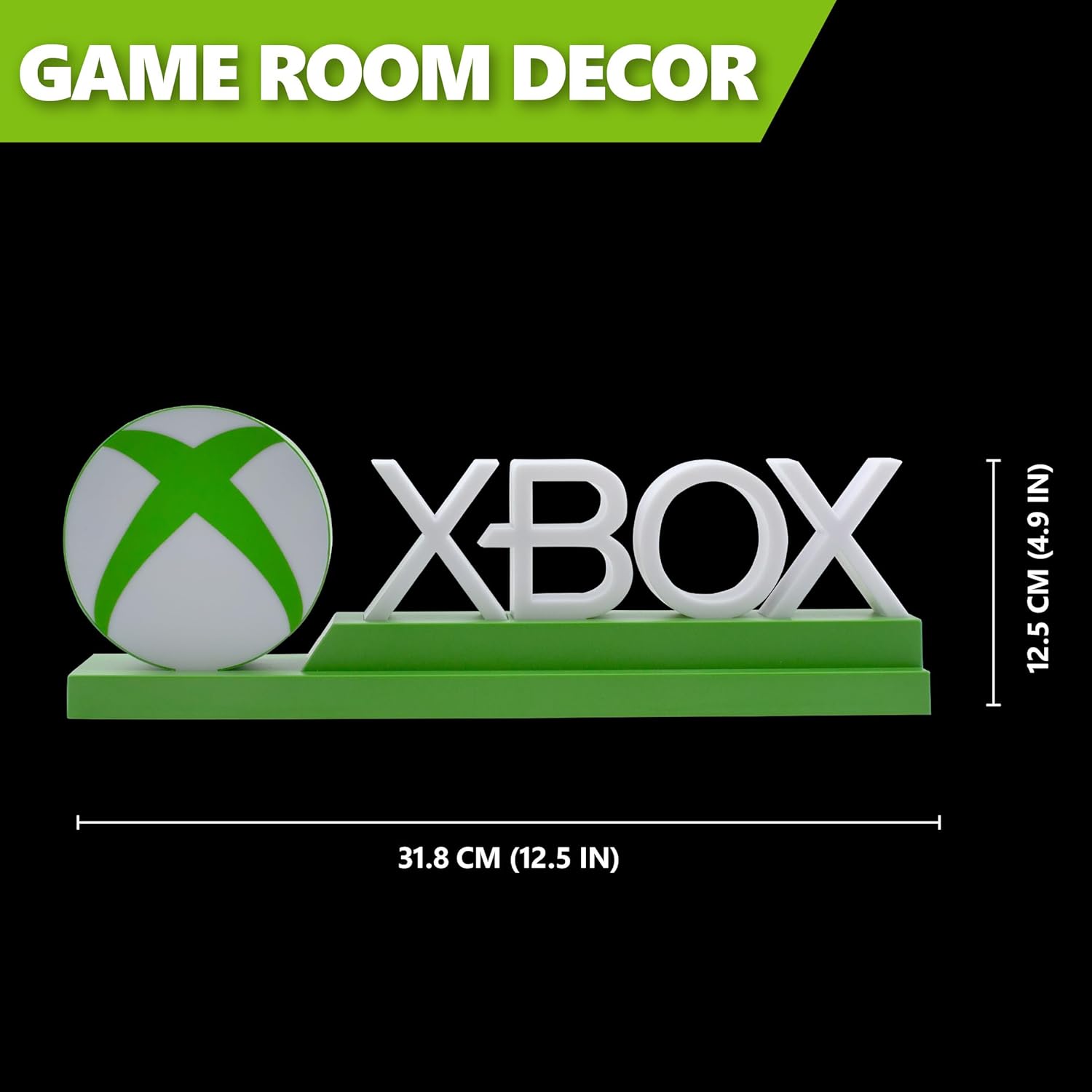
Detailed dimensions of the Xbox Icons Light, measuring 31.8 cm (12.5 inches) in width and 12.5 cm (4.9 inches) in height.
Garanti og support
For warranty information, product support, or to inquire about replacement parts, please refer to the retailer where the product was purchased or visit the official Paladone webwebsted. Gem din købsbevis til garantikrav.
Paladone Official Webwebsted: www.paladone.com