
1. Produktet er slutview
The Moman Wireless Lavalier Microphone CP1 Series offers a seamless audio recording experience for various applications. Designed for ease of use, it features automatic connection, omnidirectional sound reception with advanced noise reduction, and broad compatibility with Type-C Android and iPhone 15 devices. Its compact design and long battery life make it ideal for on-the-go content creation.
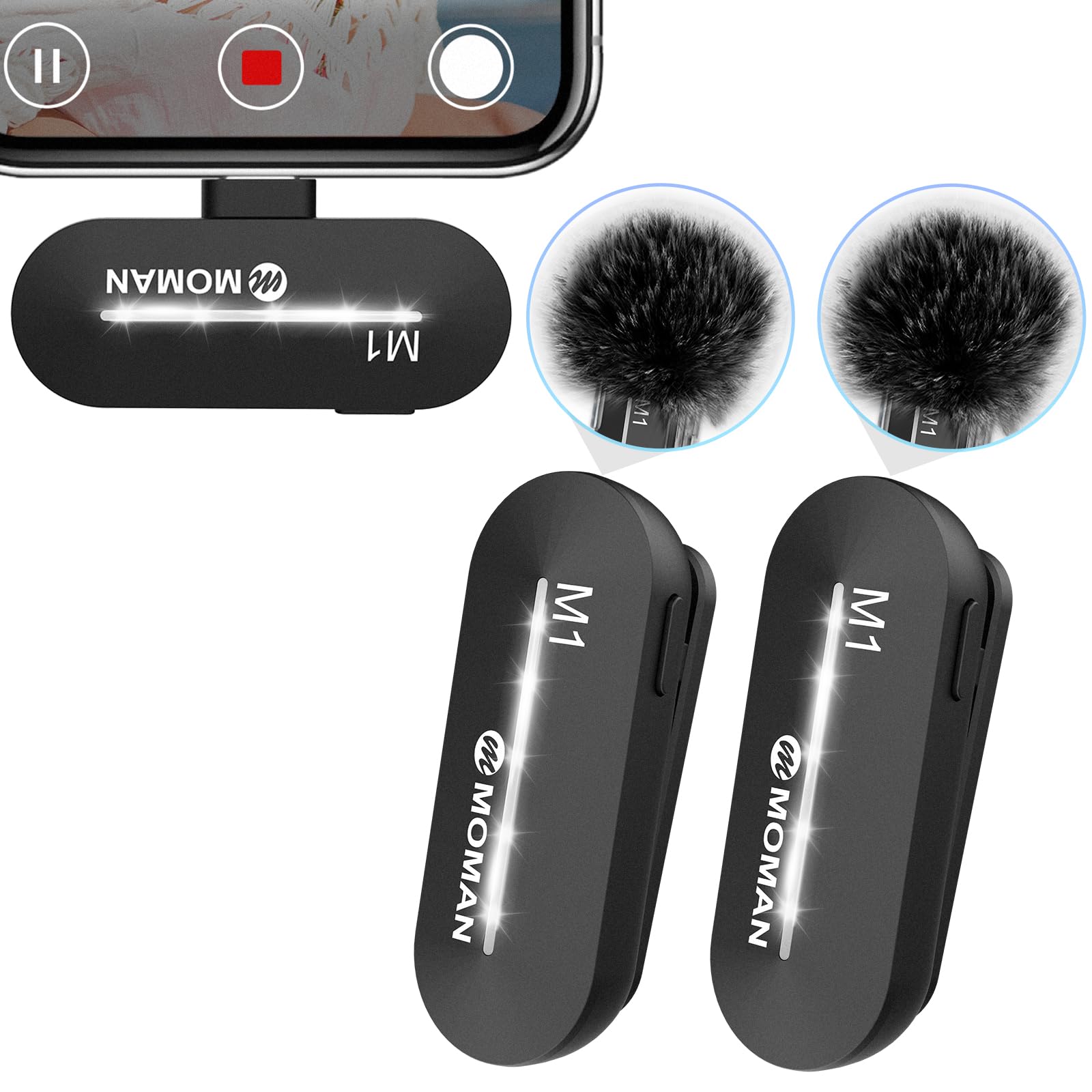
Figure 1: The Moman Wireless Lavalier Microphone delivers 48kHz 16-bit HiFi sound quality for clear recordings.

Figure 2: A user demonstrates the discreet placement of the Moman wireless lavalier microphone on their clothing.
2. Hvad er der i æsken
- Moman Wireless Lavalier Microphone (Transmitter)
- Receiver (Type-C or Lightning, depending on model)
- USB Charging Cable (USB-A to dual Type-C/Lightning)
- Windproof Foam Cover
- Clip for microphone attachment
- Opbevaringspose
- Brugermanual

Figure 3: The package includes the wireless microphone units, receiver, and accessories for a complete recording solution.
3. Opsætningsvejledning
- Oplad mikrofonen: Before first use, ensure the microphone transmitter is fully charged using the provided USB charging cable. Connect the cable to a USB power source and the microphone's charging port. The indicator light will show charging status.
- Tilslut modtageren: Plug the receiver directly into your smartphone's (Type-C or Lightning) port. No additional apps or Bluetooth pairing are required.
- Tænd mikrofonen: Press and hold the power button on the microphone transmitter for a few seconds until the indicator light turns green.
- Automatisk parring: The microphone and receiver will automatically pair. A solid green light on the microphone indicates a successful connection.
- Tilslut mikrofon: Clip the microphone securely to your clothing, ensuring it is close to your mouth for optimal sound capture. You may attach the windproof foam cover to reduce environmental noise.

Figure 4: The receiver unit is designed for direct plug-and-play connection to your smartphone.
Video 1: This video demonstrates the quick and easy setup process for the Moman wireless microphone with an iPhone, including plugging in the receiver and powering on the microphone.
4. Betjeningsvejledning
- Tænd/sluk: Press and hold the power button on the microphone for 3 seconds to turn it on or off. A green indicator light signifies it is on.
- Støjreduktion: Double-tap the power button to activate or deactivate the intelligent noise reduction feature. This helps filter out ambient sounds for clearer audio.
- Slå lyden fra/til: Single-tap the power button to mute or unmute the microphone during recording.
- Indspilning: Once paired, open your device's camera or recording app and begin recording. The microphone will automatically capture audio.

Figure 5: The Moman wireless microphones facilitate clear audio capture for interviews og indholdsskabelse.
Video 2: This video highlights the ease of use and key features of the Moman wireless microphone for iPhone, including its plug-and-play functionality and noise reduction.
5. Nøglefunktioner
- Nem automatisk forbindelse: No extra equipment, Bluetooth, or application is needed. Simply plug the receiver into your device and turn on the portable mic for automatic pairing.
- Omnidirektionel lydmodtagelse: Equipped with a high-density spray-proof sponge and high-sensitivity microphones to record every detail of sound.
- Intelligent støjreduktion: Advanced technology eliminates noise interference, ensuring clear sound quality. Features a one-key noise cancellation function.
- Fuld kompatibilitet: Comes with a connector and charging cable, compatible with Android smartphones and iPhone 15 series. Ideal for interviewing, online conferencing, podcasting, vlogging, and live streaming.
- Universelt trådløst system: Wire-free design allows for holding or clipping onto clothing. The signal covers up to 65ft, offering freedom of movement for recording indoors or outdoors.
- Genopladeligt batteri: Built-in 65MAH rechargeable batteries provide up to 8 hours of operation time with only 80 minutes of charging. Devices can be charged simultaneously while using the mic.

Figure 6: The microphones are designed to be light (0.35oz) and thin (49x19x19mm) for comfortable wear.

Figure 7: The microphone features one-click active noise cancellation, reducing ambient noise by up to 98%.

Figure 8: Enjoy freedom of movement with stable wireless transmission up to 65 feet (20 meters).
6. Specifikationer
| Mærke | Moman |
| Modelnavn | CP1 |
| Forbindelsesteknologi | Trådløs |
| Connector Type | Wireless Plug Play (Type-C / Lightning) |
| Speciel funktion | Klip |
| Kompatible enheder | Smartphone (Android, iPhone 15) |
| Farve | Sort |
| Inkluderede komponenter | Battery (built-in), Charging Cable, Windproof Cover |
| Polar mønster | Omnidirektionel |
| Audio Følsomhed | 30 decibel |
| Mikrofon formfaktor | Lavalier |
| Strømkilde | Batteridrevet |
| Antal batterier | 1 Lithium Ion batterier påkrævet (medfølger) |
| Signal-støjforhold | 80 dB |
| Hardware platform | Smartphone |
| Antal kanaler | 1 |
| Frekvensrespons | 20 Hz |
| Hørbar støj | 80 decibel |
| Varens vægt | 0.1 kilo |
7. Vedligeholdelse
- Rensning: Brug en blød, tør klud til at rengøre mikrofonen og modtageren. Undgå at bruge væsker eller slibende rengøringsmidler.
- Opbevaring: Store the microphone and accessories in the provided pouch in a cool, dry place away from direct sunlight and extreme temperatures.
- Batteripleje: For at forlænge batteriets levetid bør du undgå at aflade enheden helt ofte. Oplad den regelmæssigt, selvom den ikke er i brug i længere perioder.
8. Fejlfinding
- Mikrofonen parres ikke: Ensure both the microphone and receiver are powered on. Check that the receiver is securely plugged into your device. Try restarting both units.
- Dårlig lydkvalitet: Ensure the microphone is clipped close to the sound source. Activate the noise reduction feature if in a noisy environment. Check for obstructions between the microphone and receiver.
- Ingen lydoutput: Verify your device's volume settings. Ensure the microphone is not muted (single-tap power button). Confirm successful pairing (solid green light on mic).
- Kort batterilevetid: Ensure the microphone is fully charged before use. Avoid using the device in extremely cold temperatures, which can affect battery performance.
9. Garanti og support
This Moman Wireless Lavalier Microphone CP1 Series product is covered by a 30-day return policy for refund or replacement. For further assistance, please refer to the official Moman store or contact customer support.
Visit the official Moman Store: Moman-butik