
1. Introduktion
Thank you for choosing the ESSAGER 5-in-1 USB C Hub. This compact and portable multiport adapter is designed to expand the connectivity of your USB-C enabled devices, including laptops, tablets, and mobile phones. It features an HDMI port for video output, multiple USB ports for data transfer and peripheral connections, and integrated SD/TF card readers.
2. Produktfunktioner
- 5-i-1-tilslutning: Integrates HDMI, USB 3.0, USB 2.0, SD card reader, and TF (Micro SD) card reader.
- 4K HDMI udgang: Supports 4K (3840 x 2160) resolution at 30Hz, compatible with HDCP 1.4 protocol for high-definition video.
- Højhastighedsdataoverførsel: One USB-A 3.2 GEN1 port offers data transfer speeds up to 5Gbps.
- Perifer tilslutning: One USB 2.0 port provides 480Mbps for connecting devices like keyboards, mice, or Bluetooth adapters.
- Universel kortlæser: SD/TF 2.0 card readers support HDSC cards up to 32GB with speeds up to 480Mbps.
- Kompakt og bærbart design: Measuring approximately 3.89 x 1.22 x 0.45 inches, it is designed for easy transport.
- Bred kompatibilitet: Plug & Play functionality with no additional drivers required for most Type-C (USB-C) devices, including MacBook Pro, MacBook Air, iPad Pro, Chromebook, and Steam Deck.
- Operativsystem support: Compatible with Windows, Mac, Unix, and Chromebook OS.
3. Pakkens indhold
- 1 x ESSAGER 5-in-1 USB C Hub
- 1 x brugsanvisning
4. Opsætning og installation
The ESSAGER 5-in-1 USB C Hub is designed for plug-and-play operation, requiring no driver installation for most compatible operating systems.
- Locate an available USB-C port on your host device (laptop, tablet, or smartphone).
- Connect the USB-C connector of the ESSAGER hub directly into your device's USB-C port.
- The hub should be automatically recognized by your operating system. You can now connect your peripherals and storage devices to the available ports on the hub.
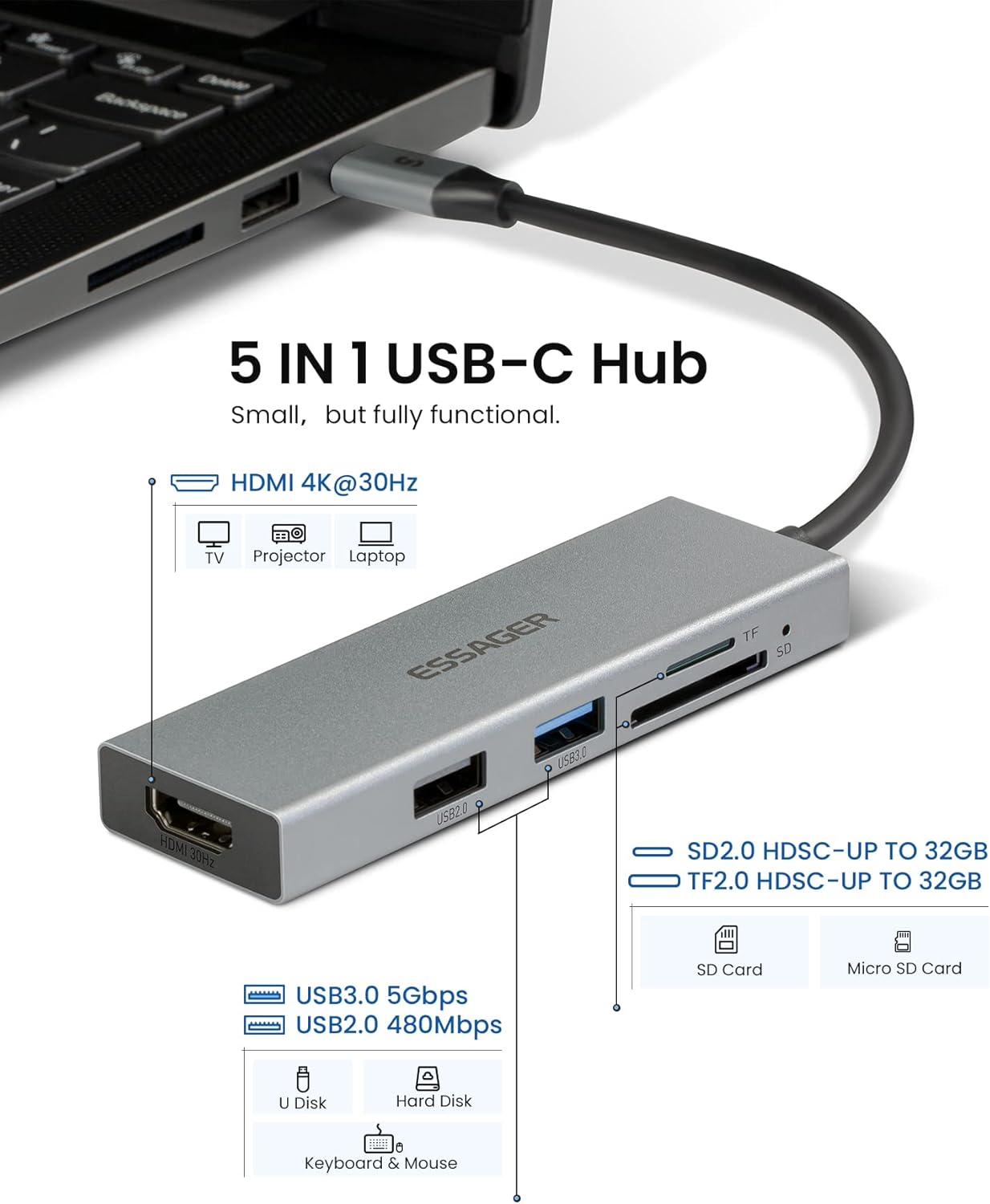
Figur 1: Overview of the ESSAGER 5-in-1 USB C Hub with connected laptop, illustrating its various ports including HDMI, USB 3.0, USB 2.0, SD, and TF card slots.
5. Betjeningsvejledning
5.1. HDMI-videoudgang
Connect an HDMI cable from the hub's HDMI port to an external display (monitor, TV, or projector). Ensure your host device supports video output via USB-C (DisplayPort Alternate Mode). The hub supports resolutions up to 4K (3840 x 2160) at 30Hz and is compatible with HDCP 1.4.
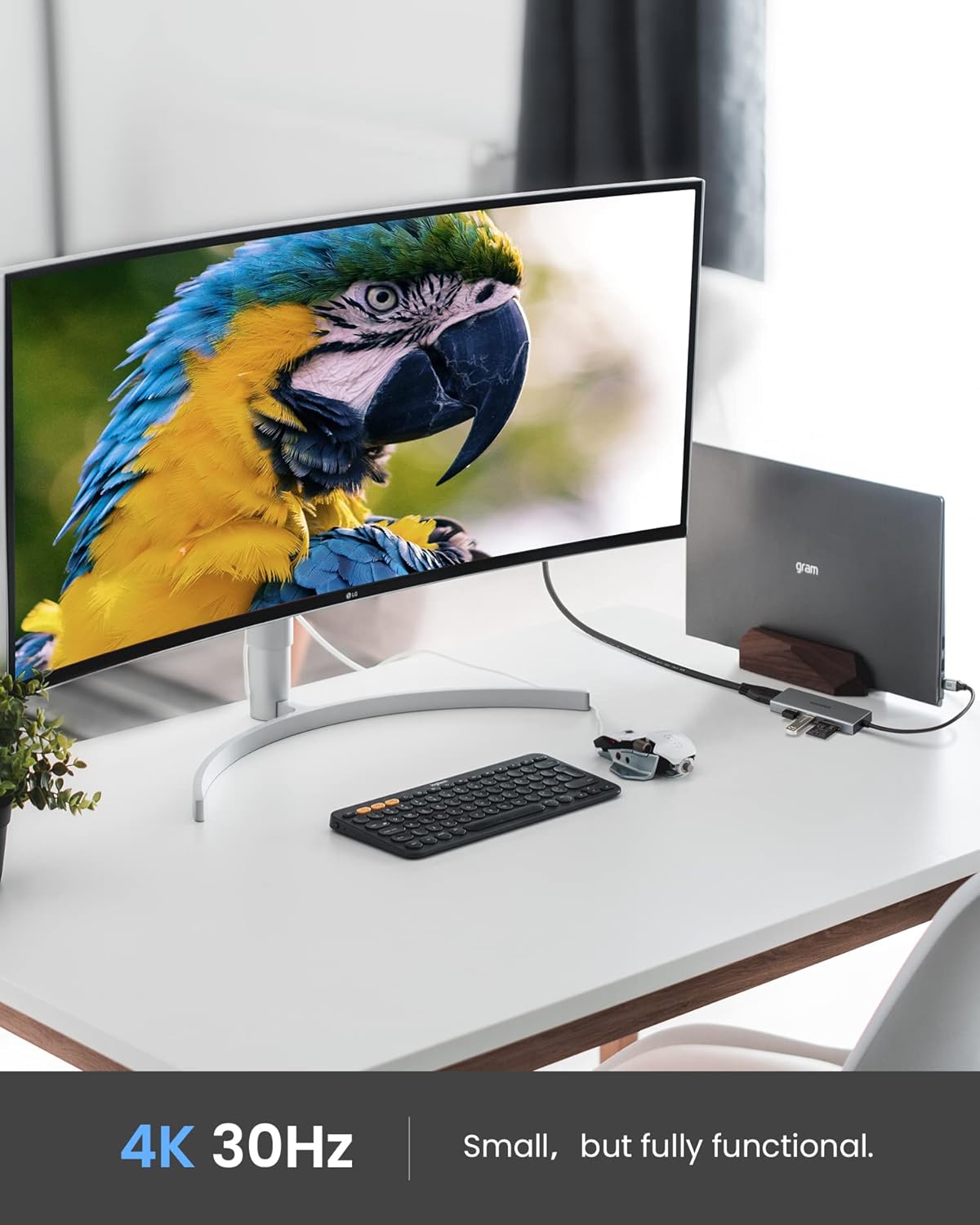
Figure 2: A laptop connected to an external 4K monitor through the ESSAGER USB C Hub, demonstrating its video output capability.
5.2. USB-dataoverførsel
The hub includes one USB 3.0 port and one USB 2.0 port. Use the USB 3.0 port for high-speed data transfer with devices like external hard drives or flash drives, achieving speeds up to 5Gbps. The USB 2.0 port is suitable for connecting standard peripherals such as keyboards, mice, or Bluetooth dongles, with speeds up to 480Mbps.

Figure 3: The ESSAGER USB C Hub with a USB 3.0 device connected, illustrating its capability for ultra-fast data transmission.

Figur 4: Detaljeret view of the USB 2.0 and USB 3.0 ports on the ESSAGER 5-in-1 USB C Hub, showing their distinct blue and black internal colors.
5.3. SD/TF-kortlæser
Insert your SD or TF (Micro SD) card into the corresponding slot on the hub. The card reader supports SD/TF 2.0 standards and HDSC cards up to 32GB, with data transfer speeds up to 480Mbps. This allows for quick access to photos and filefra kameraer eller andre enheder.

Figure 5: The ESSAGER USB C Hub with SD and Micro SD cards inserted, demonstrating its ability to transfer data from memory cards quickly.

Figur 6: En detaljeret view of the SD and TF (Micro SD) card slots on the ESSAGER 5-in-1 USB C Hub, showing cards being inserted.
6. Kompatibilitet
The ESSAGER 5-in-1 USB C Hub is broadly compatible with devices featuring a USB-C port that supports data transfer and DisplayPort Alternate Mode (for HDMI output). This includes, but is not limited to:
- MacBook Pro (various models)
- MacBook Air (various models)
- iPad Pro (USB-C models)
- Chromebooks
- Steam dæk
- Other laptops, tablets, and smartphones with a full-featured USB-C port.
Supported Operating Systems: Windows, Mac, Unix, Chromebook OS.
7. Specifikationer
| Feature | Specifikation |
|---|---|
| Produktdimensioner | 3.89 x 1.22 x 0.45 tommer (98 x 31 x 11 mm) |
| Varens vægt | 1.44 ounce (40.8 gram) |
| Hardware-interface | HDMI, USB 2.0, USB 3.0, USB Type C |
| HDMI udgang | 4K (3840 x 2160) @ 30Hz, HDCP 1.4 |
| USB 3.0 port | 1 x USB-A 3.2 GEN1, up to 5Gbps |
| USB 2.0 port | 1 x USB-A 2.0, up to 480Mbps |
| Kortlæser | SD/TF 2.0 (Micro SD), HDSC up to 32GB, up to 480Mbps |
| Speciel funktion | Plug and Play |
| Kompatible enheder | Laptops, Tablets, Smartphones with USB-C |
| Samlet USB-porte | 2 (1x USB 3.0, 1x USB 2.0) |

Figure 7: The ESSAGER 5-in-1 USB C Hub displayed next to a smartphone, illustrating its compact and portable size.

Figure 8: The ESSAGER 5-in-1 USB C Hub easily fits into a backpack pocket, emphasizing its ultra-compact and portable design for mobile use.
8. Fejlfinding
- Ingen skærmoutput:
- Sørg for, at din værtsenheds USB-C-port understøtter DisplayPort Alternative Mode.
- Check that the HDMI cable is securely connected to both the hub and the external display.
- Kontroller, at den eksterne skærm er indstillet til den korrekte HDMI-indgangskilde.
- Prøv at genstarte din værtsenhed.
- USB-enheder genkendes ikke:
- Sørg for, at hubben er sikkert forbundet til din værtsenhed.
- Prøv at tilslutte USB-enheden direkte til din værtsenhed for at bekræfte, at den fungerer uafhængigt.
- Frakobl USB-enheden til hubben, og tilslut den igen.
- Langsom dataoverførsel:
- Ensure you are using the USB 3.0 port for high-speed devices.
- Verify that your connected device (e.g., flash drive) supports USB 3.0 speeds.
- Kortlæser virker ikke:
- Ensure the SD or TF card is fully and correctly inserted into the corresponding slot.
- Check if the card is damaged or corrupted by testing it on another device.
- Hub føles varm:
It is normal for the hub to become warm during operation, especially when multiple ports are in use or when transferring large files. This is due to power consumption and heat dissipation. If it becomes excessively hot, disconnect it and allow it to cool down.
9. Vedligeholdelse
- Hold hubben ren ved at tørre den af med en blød, tør klud. Undgå at bruge flydende rengøringsmidler eller opløsningsmidler.
- Opbevar hubben et køligt, tørt sted væk fra direkte sollys og ekstreme temperaturer.
- Undgå at tabe enheden eller udsætte den for kraftige stød.
- Do not attempt to disassemble or repair the hub yourself, as this will void the warranty.
10. Garanti og support
ESSAGER is committed to providing high-quality products and excellent customer service. Your ESSAGER 5-in-1 USB C Hub comes with a one-year after-sales service period.
- Gratis erstatning: In case of any malfunction, please contact ESSAGER customer service for a free replacement.
- Teknisk support: Professional technical support is available to assist you with any product-related inquiries or issues.
- Kundeservice: ESSAGER provides 24/7 customer service to ensure your satisfaction.
For further assistance, please refer to the contact information provided with your product or visit the official ESSAGER brand store.

ESSAGER Brand Philosophy: Providing the best quality products, affordable prices, and excellent services.