
1. Introduktion
The Dangbei Neo Smart Projector is a compact, portable device designed to deliver a high-quality home theater experience. Featuring official Netflix licensing, 1080P Full HD resolution, HDR10 support, and intelligent adjustment technologies, this projector offers versatile entertainment options with ease of use. This manual provides essential information for setting up, operating, and maintaining your projector.

Figure 1: Dangbei Neo Smart Projector.
2. Hvad er der i æsken
Upon unboxing your Dangbei Neo Smart Projector, verify that all the following items are included:
- Dangbei Neo Smart projektor
- Fjernbetjening
- Strømadapter
- Strømkabel
- Brugermanual
- Rengøringsklud

Figure 2: Projector and included accessories.
3. Opsætning
3.1 Indledende tænding
- Connect the power cable to the power adapter, then plug the adapter into the projector's DC input port.
- Sæt strømkablet i en passende stikkontakt.
- Tryk på tænd/sluk-knappen på projektoren eller fjernbetjeningen for at tænde for enheden.
3.2 Netværksforbindelse
The projector supports 5GHz Wi-Fi and Bluetooth 5.0 for seamless connectivity.
- Naviger til menuen 'Indstillinger' på projektorens startskærm.
- Select 'Network' and choose your desired Wi-Fi network. Enter the password if prompted.
- For Bluetooth devices, select 'Bluetooth' in the 'Settings' menu and pair your device.
3.3 Intelligent Adjustment Technologies
The Dangbei Neo features 4-in-1 smart adjustment for an optimal viewoplevelse:
- Autofokus: The projector automatically adjusts for a clear and sharp image.
- Automatisk keystone-korrektion: The image is automatically adjusted to a rectangular shape, correcting for angled projections.
- Intelligent skærmtilpasning: The projector automatically aligns the image with the screen boundaries.
- Undgåelse af forhindringer: The projection automatically adjusts to avoid obstacles in its path.
These features typically activate automatically upon startup or movement of the projector. Manual adjustments are also available in the settings menu.
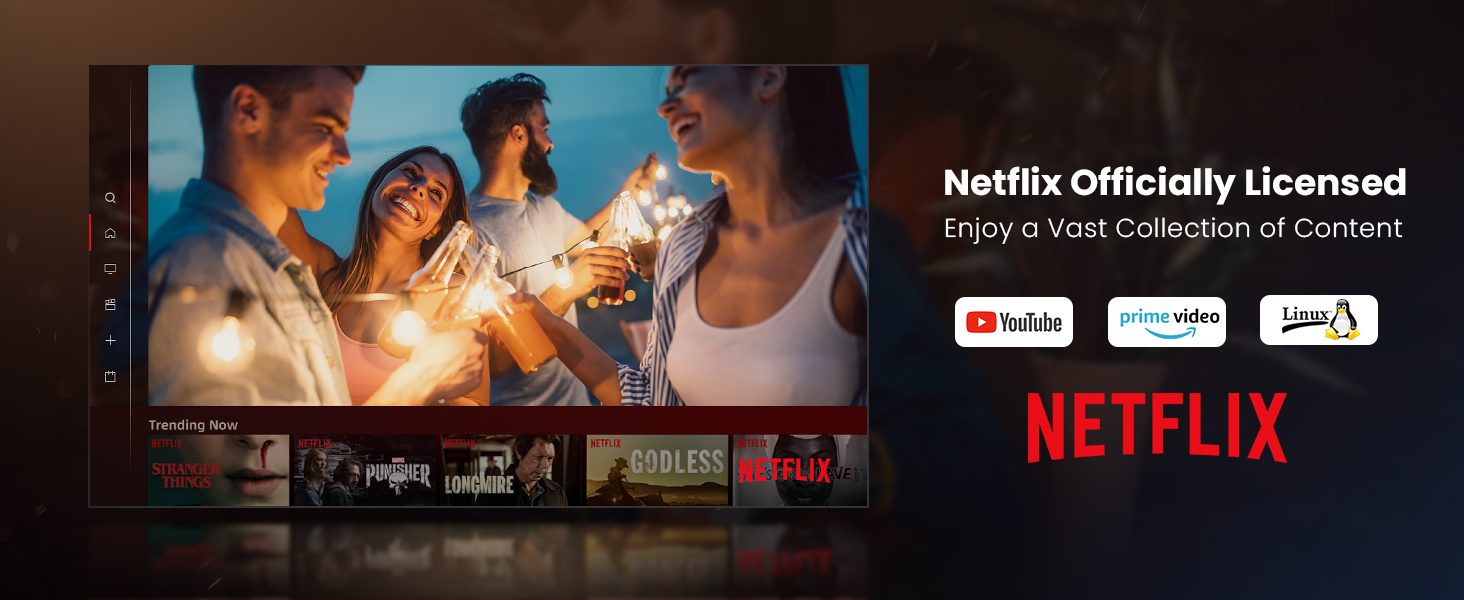
Figure 3: Visual representation of auto-focus and auto-keystone correction.
3.4 Tilslutning af eksterne enheder
Projektoren tilbyder flere tilslutningsmuligheder:
- HDMI: Connect gaming consoles, laptops, or other HDMI-enabled devices. One HDMI port supports ARC for enhanced audio return.
- USB: Use the USB ports for multimedia playback from external storage devices.
- SPDIF: Til digital lydudgang til kompatible lydsystemer.
- LAN: Til en kablet internetforbindelse.
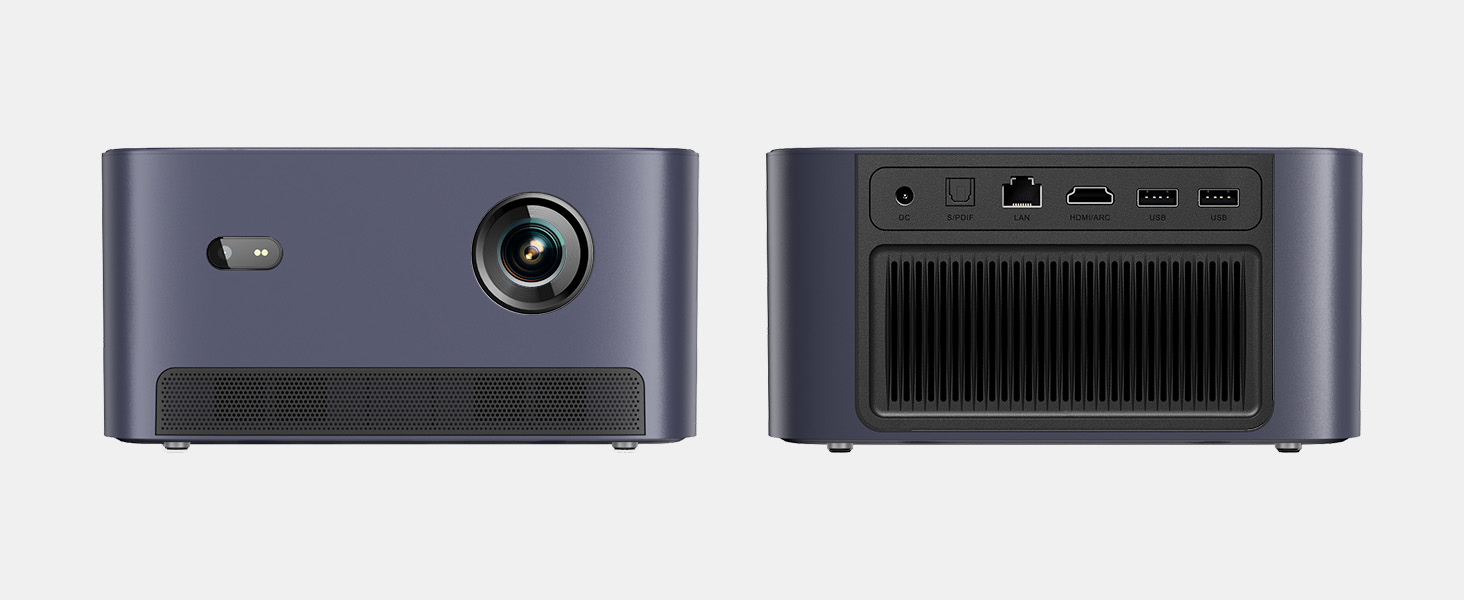
Figur 4: Bagside view of the projector showing various input/output ports.
5. Betjeningsvejledning
5.1 Navigering i brugerfladen
The projector runs on a Linux-based operating system with a user-friendly interface. Use the remote control's directional pad and 'OK' button to navigate through menus and select options.
5.2 Forinstallerede applikationer
Enjoy a variety of streaming content with pre-installed and officially licensed applications:
- Netflix: Access your Netflix subscription directly.
- YouTube: Stream videos from YouTube.
- Prime Video: Watch content from Amazon Prime Video.
- Additional apps are available through the integrated app store.

Figure 5: Projector displaying the Netflix interface.
5.3 Billed- og lydindstillinger
Optimer din viewerfaring med følgende funktioner:
- Opløsning: Native 1080P Full HD with support for HDR10/HLG for sharp, crisp images.
- Projektionsstørrelse: Up to 120 inches for an immersive cinematic experience.
- Lyd: Integrated 2x6W speakers with Dolby Audio support provide 360° surround sound.
- AI Brightness Adjustment: Automatically optimizes brightness based on ambient light.

Figure 6: Large projected image from the Dangbei Neo.

Figure 7: Illustration of 360° surround sound from the projector.
6. Vedligeholdelse
- Rensning: Use the provided cleaning cloth to gently wipe the lens and exterior surfaces. Avoid abrasive materials or harsh chemicals.
- Ventilation: Sørg for, at projektorens ventilationsporte er frie og uhindrede for at forhindre overophedning.
- Lamp Liv: The laser light source has a lifespan of up to 30,000 hours, providing long-term use without frequent lamp udskiftning.
7. Fejlfinding
| Problem | Mulig årsag | Løsning |
|---|---|---|
| No image/blurry image | Power issue, focus/keystone incorrect, lens obstructed | Check power connection. Use auto-focus/keystone or adjust manually. Clean the lens. |
| Ingen lyd | Volume too low, audio output settings, external device issue | Increase volume. Check audio settings. Ensure external device audio is working. |
| Problemer med Wi-Fi/Bluetooth-forbindelse | Incorrect password, device out of range, interference | Verify password. Move closer to router/device. Reduce interference. |
| Projektor overophedning | Blocked ventilation, prolonged use | Ensure vents are clear. Allow projector to cool down. |
8. Specifikationer
| Feature | Detalje |
|---|---|
| Mærke | Danbei |
| Model | Neo |
| Skærmopløsning | 1920 x 1080 (1080P FHD) |
| HDR-understøttelse | HDR10/HLG |
| Lyskilde | Laser (ALPD) |
| Lamp Liv | Op til 30,000 timer |
| Lysstyrke | 2100 ISO Lumen |
| Kontrastforhold | 12,000:1 (dynamisk) |
| Operativsystem | Linux OS |
| Forudinstallerede apps | Netflix, YouTube, Prime Video |
| Forbindelse | 5GHz Wi-Fi, Bluetooth 5.0, HDMI (ARC), USB, SPDIF, LAN |
| Lyd | 2x6W Dolby Audio Speakers, 360° Surround Sound |
| Intelligente funktioner | Auto Focus, Auto Keystone Correction, Intelligent Screen Fit, Obstacle Avoidance, AI Brightness Adjustment |
| Dimensioner | 7.87 x 6.18 x 3.94 tommer |
| Vægt | 0.141 ounce |
9. Garanti og support
The Dangbei Neo Smart Projector comes with a standard manufacturer's warranty. For detailed warranty information, product support, or service inquiries, please refer to the warranty card included in your package or visit the official Dangbei webwebsted.
Online support: www.dangbei.com
10. Officiel produktvideo
Se den officielle produktvideo for et visuelt overblikview of the Dangbei Neo Smart Projector's features and capabilities.
Video: Dangbei Neo Netflix Officially-Licensed Smart Projector. This video highlights key features and usage scenarios.