
VizGiz 749877697936
VizGiz Waterproof RJ45 Coupler User Manual
Model: 749877697936
1. Produktet er slutview
The VizGiz Waterproof RJ45 Coupler is designed to extend Ethernet cables (Cat5, Cat5e, Cat6) in outdoor and harsh environments, providing a secure and waterproof connection for devices such as security cameras, IP cameras, PoE cameras, and other LAN network components. Its IP67 waterproof rating ensures protection against dust and water ingress, making it suitable for various outdoor applications.
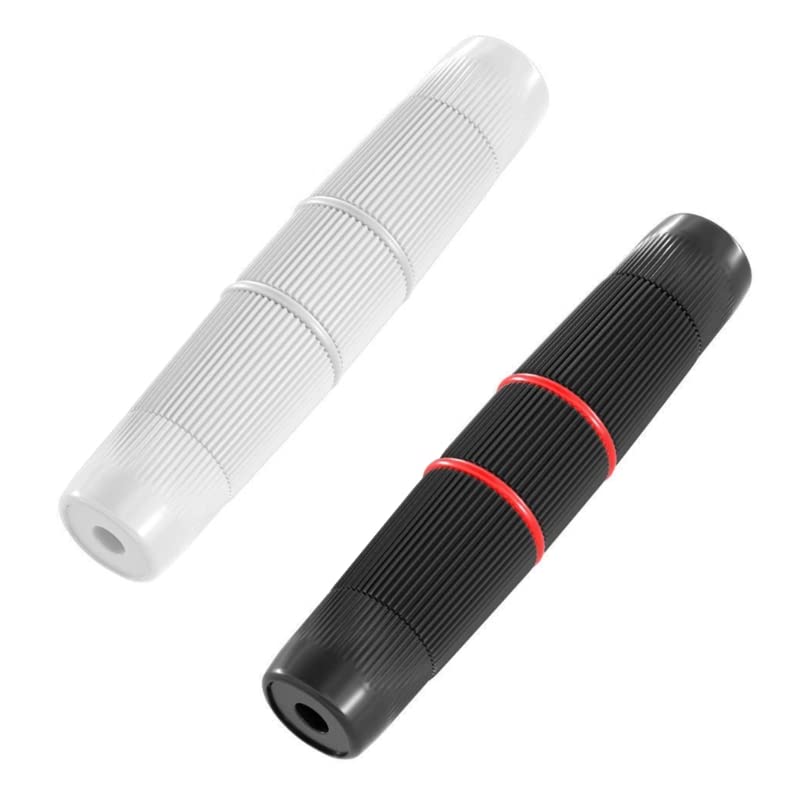
Image: Two VizGiz Waterproof RJ45 Couplers (black and white) included in the package.
2. Specifikationer
- Materiale: ABS
- Vandtæt vurdering: IP67
- Dimensioner: Approximately 105mm (length) x 18mm (diameter)
- Farve: Black and White (as a 2-pack)
- ledere: 8 Conductors with Gold-plated contacts
- Transmissionshastighed: Supports Gigabit transmission speed
- Kompatibilitet: Cat5, Cat5e, Cat6 Ethernet cables with RJ45 connectors
- Funktioner: Super durable, strong anti-interference ability, no attenuation, stable signal transmission.
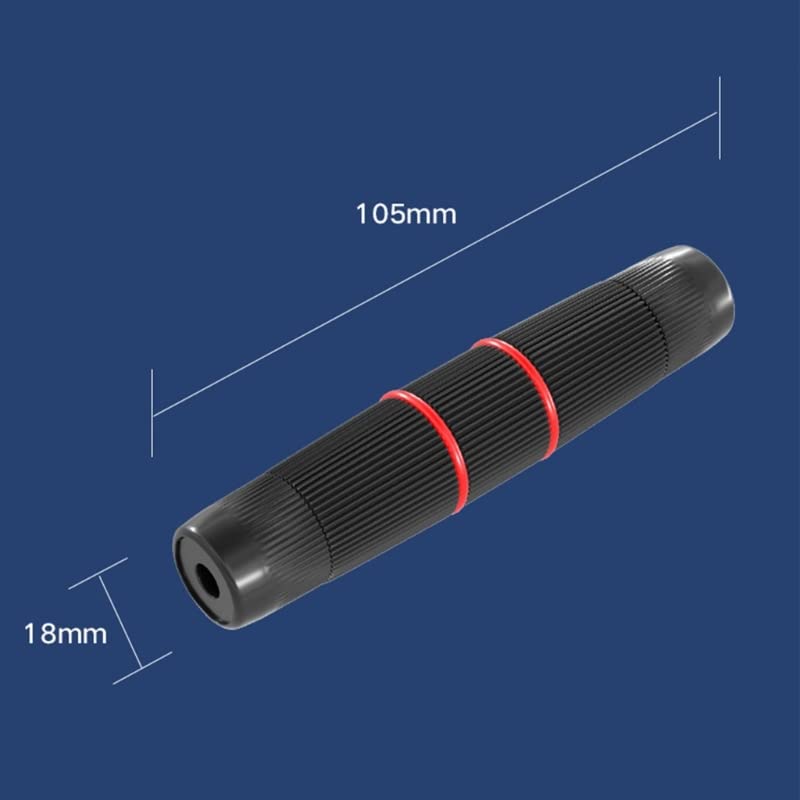
Image: Product dimensions for the VizGiz Waterproof RJ45 Coupler.
3. Pakkens indhold
Hver pakke indeholder:
- 2 x RJ45 Waterproof Couplers (1 Black, 1 White)
4. Opsætning og installation
Follow these steps to properly assemble and install the VizGiz Waterproof RJ45 Coupler for a secure and waterproof connection.
4.1 Komponentidentifikation
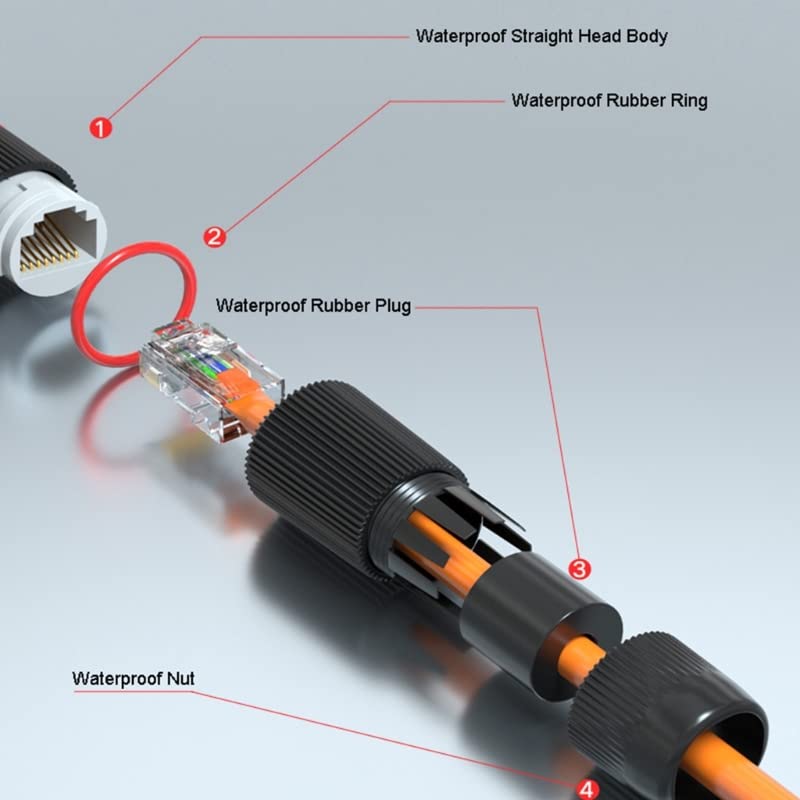
Billede: Eksploderet view showing the individual components of the coupler and their names.
Familiarize yourself with the coupler's components:
- Waterproof Straight Head Body: The main housing for the RJ45 connector.
- Waterproof Rubber Ring: Provides a seal around the RJ45 connector.
- Waterproof Rubber Plug: Seals the cable entry point.
- Waterproof Nut: Secures the cable and plug in place.
4.2 Monteringstrin
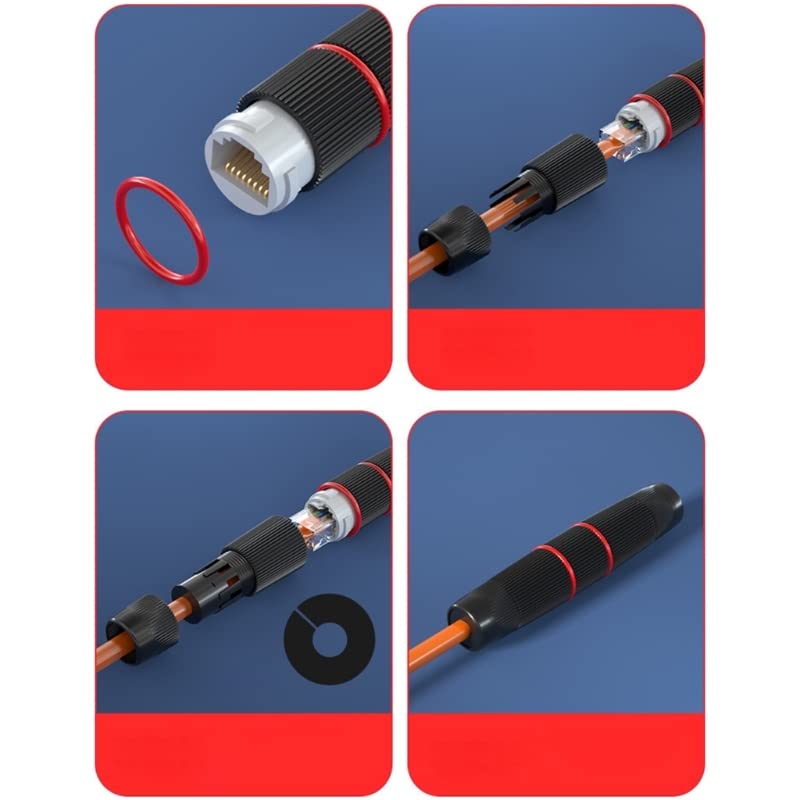
Image: Step-by-step assembly guide for the VizGiz Waterproof RJ45 Coupler.
- Step 1: Prepare the First Cable
Unscrew the waterproof nut and remove the rubber plug from one end of the coupler. Insert the RJ45 connector of your first Ethernet cable into the main body of the coupler until it clicks securely into place. Ensure the rubber ring is properly seated around the RJ45 connector inside the body.
- Step 2: Thread the Cable
Thread the Ethernet cable through the waterproof nut and then through the waterproof rubber plug. Ensure the cable passes cleanly through both components.
- Trin 3: Fastgør kablet
Push the waterproof rubber plug firmly into the opening of the coupler body, around the cable. Then, screw the waterproof nut onto the coupler body. Tighten the nut securely to create a watertight seal. Do not overtighten, but ensure it is snug.
- Step 4: Connect the Second Cable
Repeat Steps 1-3 for the second Ethernet cable on the other end of the coupler. Once both cables are connected and secured, the coupler is ready for use.
The installation process is designed to be tool-free and can be completed within minutes.
5. Betjeningsvejledning
Once assembled, the VizGiz Waterproof RJ45 Coupler functions as a direct extension for your Ethernet cables. Simply ensure both RJ45 connectors are fully inserted and locked into the coupler's receptacles.
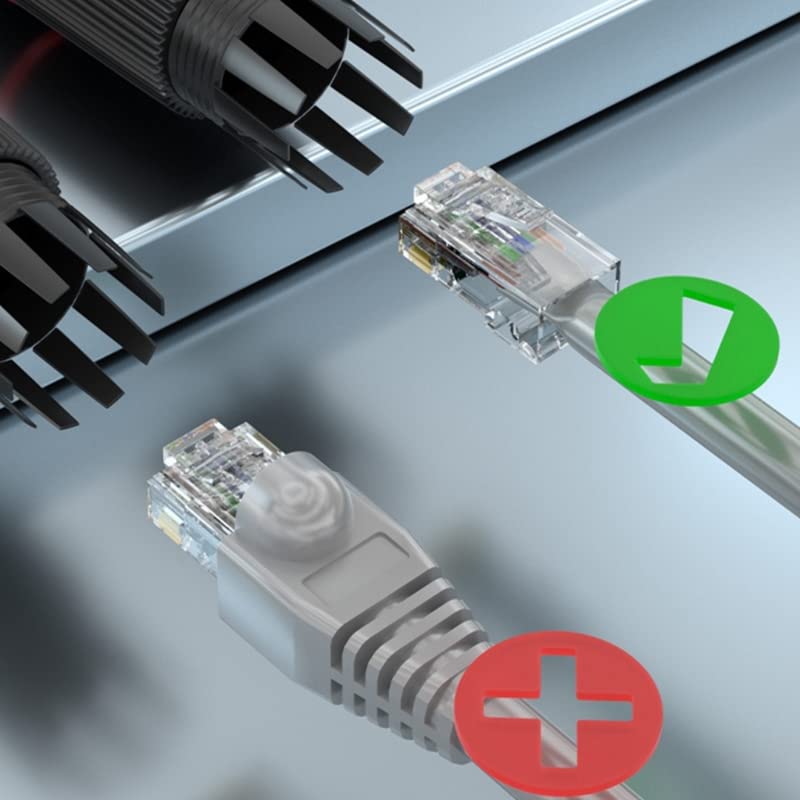
Image: Illustration of correct and incorrect RJ45 cable insertion into a connector.
- Ensure the RJ45 connector clicks into place when inserted into the coupler. A secure click indicates a proper connection.
- Verify that the waterproof nuts on both ends are tightly secured to maintain the IP67 rating.
- The coupler supports Power over Ethernet (PoE) applications, allowing power and data to be transmitted over the extended cable.
6. Vedligeholdelse
To ensure the longevity and optimal performance of your VizGiz Waterproof RJ45 Coupler, consider the following maintenance tips:
- Regelmæssig inspektion: Periodically inspect the coupler for any signs of physical damage, cracks, or wear on the rubber seals.
- Seglintegritet: Ensure the waterproof nuts are always tightened securely. If the coupler is frequently disconnected and reconnected, check the integrity of the rubber rings and plugs.
- Rensning: If the coupler becomes dirty, gently wipe it with a damp cloth. Avoid using harsh chemicals or abrasive materials that could damage the ABS plastic or rubber seals.
- Opbevaring: When not in use, store the coupler in a clean, dry place away from direct sunlight and extreme temperatures.
7. Fejlfinding
If you encounter issues with your VizGiz Waterproof RJ45 Coupler, refer to the following common problems and solutions:
Problem: No Network Connection / Intermittent Connection
- Solution 1: Check RJ45 Connections. Ensure both RJ45 connectors are fully inserted into the coupler and have clicked securely into place. A loose connection is a common cause of signal loss.
- Solution 2: Inspect Cables. Verify that the Ethernet cables themselves are not damaged or faulty. Test them directly if possible.
- Solution 3: Verify Coupler Assembly. Ensure all components of the coupler (rubber plug, nut) are correctly assembled and tightened. Improper assembly can lead to poor contact.
- Solution 4: Check for Corrosion. If the coupler has been exposed to moisture for an extended period and is not properly sealed, check the RJ45 contacts inside for signs of corrosion. If corroded, the coupler may need replacement.
Problem: Coupler Does Not Close / RJ45 Connectors Don't Lock
- Solution 1: Ensure Proper Insertion. Make sure the RJ45 connector is oriented correctly and pushed in straight.
- Solution 2: Check for Obstructions. Inspect the inside of the coupler for any debris or foreign objects that might prevent the RJ45 from fully seating or locking.
- Solution 3: Verify RJ45 Plug Compatibility. While standard, some RJ45 plugs might have slightly different dimensions. Ensure your RJ45 plugs are standard and not unusually large or shaped, which could prevent proper locking or sealing.
Problem: Water Ingress / Not Waterproof
- Solution 1: Tighten Nuts. Ensure both waterproof nuts are fully and securely tightened. The seal relies on proper compression of the rubber plug.
- Solution 2: Check Rubber Seals. Inspect the waterproof rubber rings and plugs for any tears, cracks, or improper seating. If damaged, the waterproof integrity will be compromised.
- Solution 3: Proper Cable Diameter. Ensure the cable diameter is appropriate for the rubber plug. While designed for standard Ethernet cables, extremely thin or thick cables might compromise the seal.
8. Garanti og support
For information regarding warranty coverage and customer support, please refer to the product packaging or contact VizGiz customer service directly through their official channels. Keep your proof of purchase for any warranty claims.