
1. Vigtige sikkerhedsinstruktioner
- Læs denne vejledning grundigt, før du bruger produktet.
- Gem denne vejledning til fremtidig reference.
- Udsæt ikke produktet for ekstreme temperaturer, fugtighed eller ætsende miljøer.
- Undgå at lytte ved høje lydstyrker i længere perioder for at forhindre høreskader.
- Do not disassemble, repair, or modify the product. Contact authorized service personnel for assistance.
- Hold produktet væk fra børn og kæledyr.
- Bortskaf produktet og dets batteri på en ansvarlig måde i henhold til lokale regler.
2. Pakkens indhold
Bekræft at alle varer er til stede i pakken:
- Edifier TO-U6+ True Wireless Earbuds (Left and Right)
- Opladningsetui
- USB opladningskabel
- Ørespidser (forskellige størrelser)
- Brugervejledning (dette dokument)
3. Produktet er slutview
The Edifier TO-U6+ earbuds are designed for comfortable in-ear fit and provide high-quality audio with touch controls.
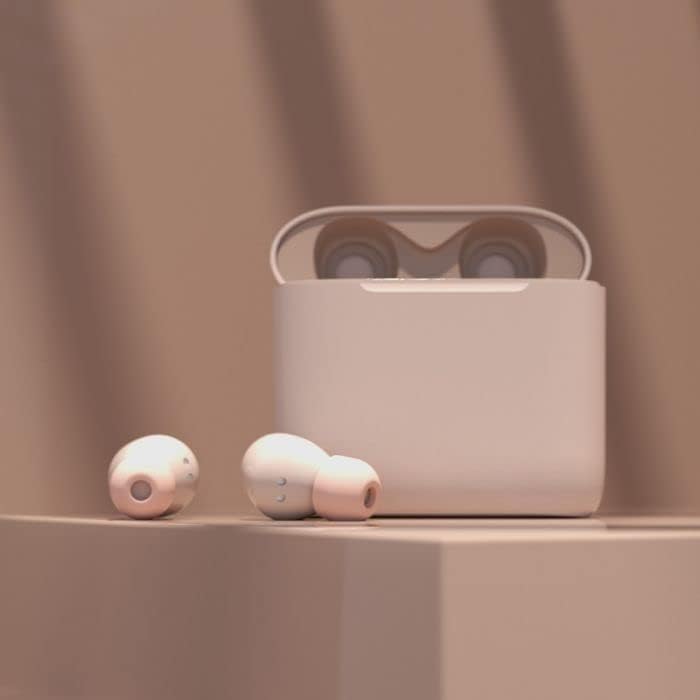
Image: Edifier TO-U6+ Earbuds removed from their open charging case, showcasinderes design.

Image: A person wearing Edifier TO-U6+ earbuds, demonstrating their ergonomic fit during use.
The charging case protects the earbuds and provides additional battery life for extended listening.
4. Opsætning
4.1 Opladning af øretelefoner og etuiet
Oplad ørepropperne og opladningsetuiet helt inden første brug.
- Placer ørepropperne i opladningsetuiet. Sørg for, at de er korrekt isat.
- Tilslut USB-opladerkablet til opladningsporten på etuiet og til en USB-strømkilde.
- The indicator light on the charging case will show charging status. A full charge provides up to 8 hours of playback for the earbuds and an additional 24 hours from the case, totaling 32 hours. A 15-minute charge can provide 1 hour of music playback.
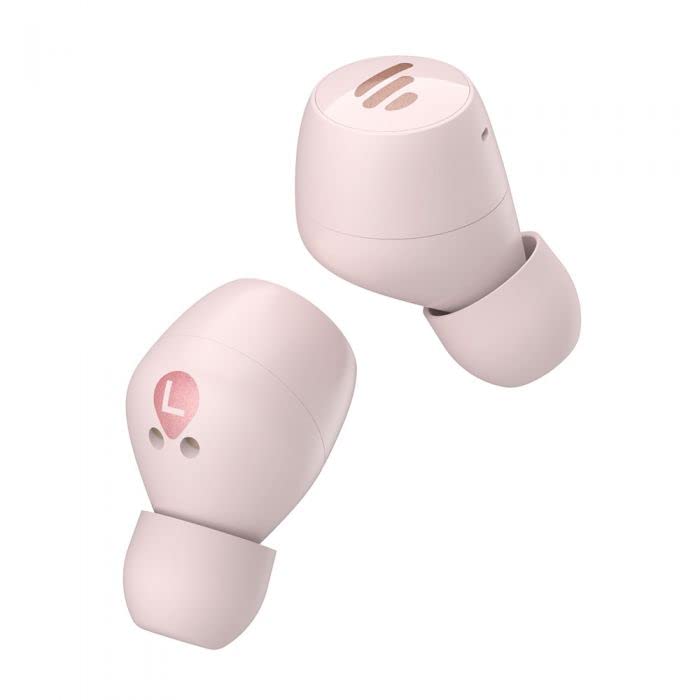
Image: The Edifier TO-U6+ charging case, illustrating its compact design.
4.2 Bluetooth -parring
- Åbn opladningsetuiet. Ørepropperne går automatisk i parringstilstand, hvilket indikeres af et blinkende lys på ørepropperne.
- Aktiver Bluetooth på din enhed (smartphone, tablet osv.).
- Søg efter available Bluetooth devices and select "Edifier TO-U6+" from the list.
- Once connected, the earbud indicator lights will turn off or show a steady light, depending on the model.
- If pairing fails, place the earbuds back into the case, close the lid, and then reopen to re-enter pairing mode.
5. Betjeningsvejledning
5.1 Tryk på kontrolelementer
The Edifier TO-U6+ earbuds feature intuitive touch controls on each earbud. The touch-sensitive area is located on the outer surface of each earbud.

Billede: Top view of the Edifier TO-U6+ earbuds, highlighting the touch control area.
| Handling | Fungere |
|---|---|
| Enkelt tryk (venstre/højre) | Afspil/pause musik, besvar/afslut opkald |
| Dobbelttryk (højre øretelefon) | Næste spor |
| Dobbelttryk (venstre øretelefon) | Aktiver Voice Assistant |
| Tredobbelt tryk (højre øretelefon) | Forrige spor |
| Langt tryk (venstre/højre) | Afvis opkald |
5.2 Taleopkald
The earbuds feature CVC 8.0 voice call noise cancellation, which reduces ambient noise for clearer conversations. Use the single tap action to answer or end calls, and long press to reject incoming calls.
6. Vedligeholdelse
6.1 Rengøring
- Rengør regelmæssigt ørepropperne med en blød, tør klud.
- Wipe the charging contacts on the earbuds and inside the case with a dry cotton swab to ensure proper charging.
- Brug ikke skrappe kemikalier eller slibende materialer til rengøring.
6.2 Opbevaring
- Opbevar altid ørepropperne i deres opladningsetui, når de ikke er i brug, for at beskytte dem og holde dem opladede.
- Opbevar produktet et køligt, tørt sted, væk fra direkte sollys og ekstreme temperaturer.
6.3 Vand- og støvafvisende
The Edifier TO-U6+ earbuds are IP55-rated for dust and water resistance. This means they are protected against limited dust ingress and low-pressure water jets from any direction. They are suitable for workouts and light rain, but ikke for swimming or submersion in water.
7. Fejlfinding
If you encounter issues with your Edifier TO-U6+ earbuds, refer to the following common solutions:
- Ingen lyd: Sørg for, at ørepropperne er opladet, korrekt parret, og at lydstyrken er justeret på både ørepropperne og din enhed.
- Parringsproblemer: Turn off Bluetooth on your device, place earbuds back in the case, close and reopen the lid, then try pairing again. Clear previous Bluetooth connections on your device if necessary.
- Én øretelefon virker ikke: Place both earbuds back in the case, close the lid, wait a few seconds, then take them out again. This often re-syncs them.
- Opladningsproblemer: Check the charging cable and power source. Ensure charging contacts on earbuds and case are clean and free of debris.
- Dårlig opkaldskvalitet: Ensure earbuds are properly seated in your ears. Check for strong Bluetooth signal.
If problems persist, consult the Edifier support webwebsted eller kontakt kundeservice.
8. Specifikationer
| Feature | Detalje |
|---|---|
| Model | TO-U6+ |
| Forbindelse | Trådløs, Bluetooth 5.0 |
| Bluetooth Profiles | A2DP, AVRCP, HFP |
| Lydteknologi | Qualcomm aptX |
| Støjreduktion af opkald | CVC 8.0 |
| Spilletid (øretelefoner) | Op til 8 timer |
| Samlet spilletid (med etui) | Op til 32 timer |
| Hurtig opladning | 15 minutter til 1 times afspilning |
| Vandmodstand | IP55 støv- og vandtæt |
| Kontrolmetode | Røre |
| Produktdimensioner | 2 x 2 x 3 cm (earbuds); 180 g (total weight) |
| Kompatible enheder | Smartphones, tablets, bærbare computere, stationære computere |
9. Garanti og support
Edifier products are covered by a limited warranty. For detailed warranty information, please refer to the warranty card included with your purchase or visit the official Edifier webwebsted.
For technical support, product registration, or further inquiries, please visit the Edifier customer support portal or contact their authorized service centers. Keep your proof of purchase for warranty claims.