
Edifier X2
Edifier X2 True Wireless Bluetooth Headphones Earbuds User Manual
Model: X2 | Brand: Edifier
Indledning
Welcome to the user manual for your Edifier X2 True Wireless Bluetooth Headphones Earbuds. This guide provides detailed instructions on how to set up, operate, maintain, and troubleshoot your device to ensure optimal performance and a satisfying audio experience. Please read this manual thoroughly before using your earbuds.

Image: Edifier X2 earbuds and their charging case.
Opsætning
Hvad er der i æsken
- Edifier X2 True Wireless Earbuds
- Opladningsetui
- Ladekabel
- Brugermanual
Opladning af øretelefoner og etui
Before first use, fully charge the earbuds and the charging case. Place the earbuds into the charging case. Connect the charging case to a power source using the provided USB cable. The indicator light on the case will show charging status. A full charge for the case typically takes approximately 2 hours. The earbuds provide up to 7 hours of playback on a single charge, with the charging case extending total playtime to 28 hours.

Image: Visual representation of charging times and total playback duration.
Parring med en enhed
- Open the charging case and remove both earbuds. The earbuds will automatically enter pairing mode, indicated by rapidly blinking red and blue LEDs.
- Gå til Bluetooth-indstillingerne på din Bluetooth-aktiverede enhed (smartphone, tablet, computer).
- Søg efter available devices and select "EDIFIER X2" from the list to connect.
- Once connected, the earbud LEDs will turn off, and you will hear an audible confirmation.
For subsequent use, the earbuds will automatically reconnect to the last paired device when removed from the case, provided Bluetooth is enabled on the device.

Billede: Eksample of pairing the Edifier X2 earbuds with a mobile device.
Betjeningsvejledning
Iført øretelefoner
Gently insert the earbuds into your ears, ensuring a comfortable and secure fit. The ergonomic design is intended for long-lasting comfort and stability during various activities.
Tryk på kontrolelementer
The Edifier X2 earbuds feature intuitive touch controls on each earbud. Refer to the table below for common functions:
| Handling | Kontrollere |
|---|---|
| Pause/afspil musik | Double-click the left or right earbud |
| Accepter/afslut et opkald | Double-click the left or right earbud |
| Næste spor | Triple-click the right earbud |
| Spiltilstand Til/Fra | Triple-click the left earbud |
| Afvis et opkald | Press and hold the left or right earbud for 3 seconds |
| Aktiver Voice Assistant | Triple-click the left or right earbud |

Image: Detailed diagram of touch control gestures and their corresponding functions.
Opkaldsfunktioner
The Edifier X2 earbuds are equipped with dual microphones and advanced call noise reduction technology to ensure clear voice quality during calls, even in noisy environments. Use the touch controls to manage your calls.

Image: Illustrates the clear call quality provided by the earbuds' noise reduction feature.
Lydkvalitet
Experience rich HiFi stereo sound delivered by the impressive 13mm large dynamic drivers. These drivers ensure a wide soundstage and balanced audio, allowing for an immersive listening experience.
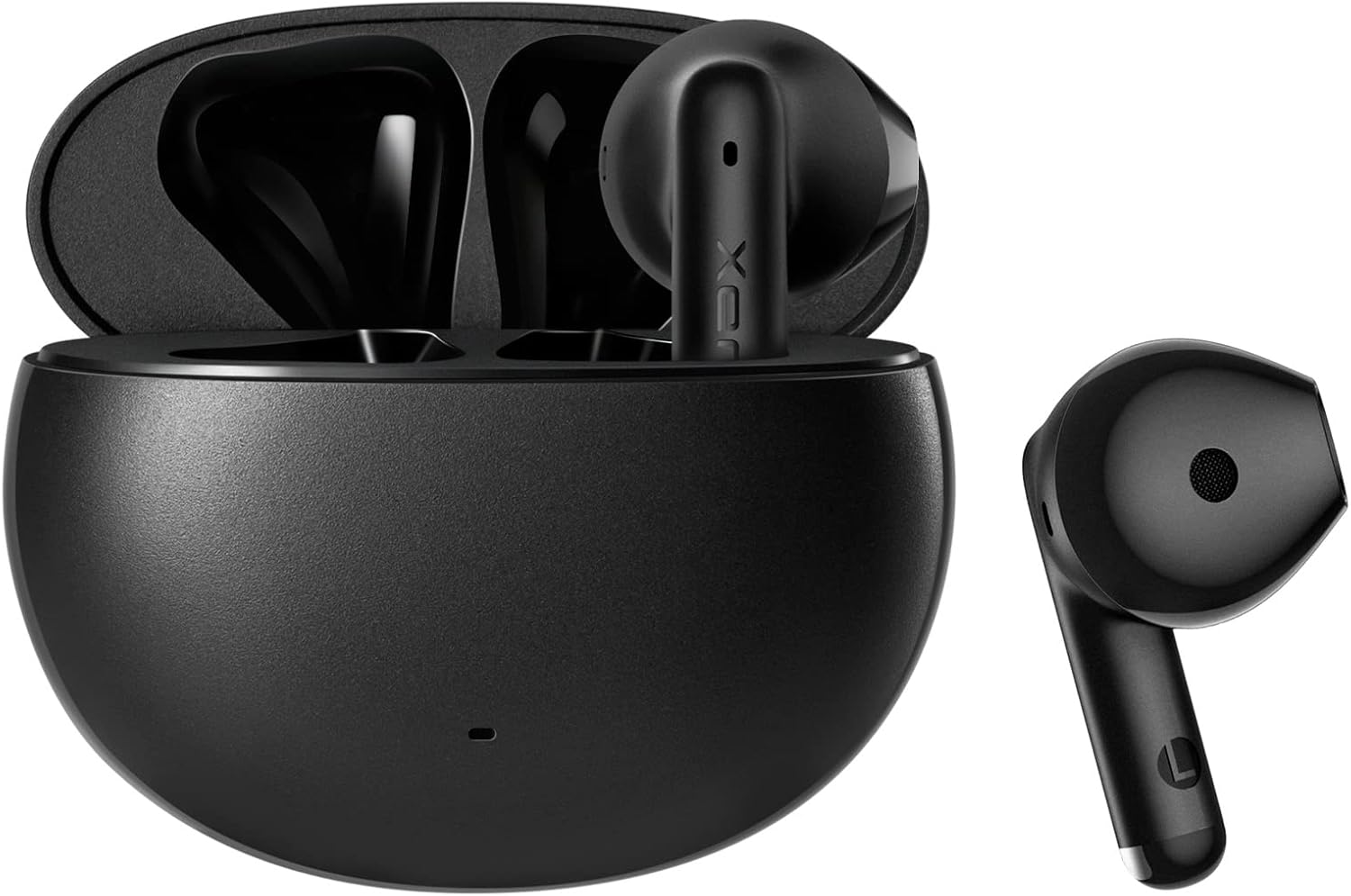
Image: Cutaway diagram highlighting the 13mm large dynamic driver and Bluetooth 5.1 chip.
Opretholdelse
Rensning
To maintain optimal performance and hygiene, regularly clean your earbuds and charging case. Use a soft, dry, lint-free cloth to wipe down the surfaces. Avoid using abrasive materials or harsh chemicals. For the earbud grilles, gently remove any debris with a small, soft brush.
Vandmodstand
The Edifier X2 earbuds feature an IPX54 water-resistant rating. This means they are protected against dust ingress and splashing water from any direction. They are suitable for use during workouts, running, or in light rain. However, they are not designed for submersion in water or exposure to pressurized water jets. Ensure the earbuds are dry before placing them back in the charging case.

Image: Earbuds shown with water droplets, emphasizing their IPX54 water-resistant capabilities.
Fejlfinding
- Ørepropper parrer ikke: Ensure both earbuds are out of the case and fully charged. Turn off and on your device's Bluetooth. If issues persist, try resetting the earbuds (refer to manufacturer's webwebsted for specifikke nulstillingsinstruktioner, hvis de ikke findes i manualen).
- Ingen lyd fra den ene øreprop: Place both earbuds back into the charging case, close the lid, wait a few seconds, then take them out again. Check your device's audio balance settings.
- Opladningsproblemer: Kontroller, at opladningskablet er korrekt tilsluttet til både etuiet og strømkilden. Sørg for, at opladningskontakterne på ørepropperne og inde i etuiet er rene og fri for snavs.
- Dårlig opkaldskvalitet: Ensure the microphones are not obstructed. Move closer to your connected device to improve signal strength.
- Intermitterende forbindelse: Reduce the distance between the earbuds and your device. Avoid environments with significant wireless interference.
Specifikationer
| Feature | Detalje |
|---|---|
| Modelnavn | Edifier X2 |
| Forbindelsesteknologi | Trådløs (Bluetooth) |
| Bluetooth version | 5.1 |
| Bluetooth rækkevidde | 10 meter |
| Audio driver type | Dynamisk Driver |
| Audio driver størrelse | 13 millimeter |
| Frekvensområde | 20Hz - 20KHz |
| Impedans | 32 Ohm |
| Batterilevetid (ørepropper) | Op til 7 timer |
| Samlet spilletid (med etui) | Op til 28 timer |
| Opladningstid | Ca. 2 timer (kasse) |
| Vandmodstandsniveau | IPX54 |
| Kontroltype | Touch-based Controller |
| Varens vægt | 1.76 ounces (50 gram) |
| Kompatible enheder | Android, Cell Phone, Computer, Laptop |
Garanti og support
Edifier products are designed and manufactured to the highest quality standards. For information regarding warranty coverage, terms, and conditions, please refer to the warranty card included with your product or visit the official Edifier website. For technical support, frequently asked questions, or further assistance, please visit the Edifier support page or contact their customer service directly.
Officiel redaktør Webwebsted: www.edifier.com
Ask a question about this manual
Ask about setup, troubleshooting, compatibility, parts, safety, or missing instructions. Manuals+ will review the question and use this page’s manual context to help answer it.