
Rebluum RB-3PT1-64GB
Rebluum Security Camera Wireless Outdoor User Manual
Model: RB-3PT1-64GB
Indledning
This user manual provides comprehensive instructions for the Rebluum Security Camera Wireless Outdoor, Model RB-3PT1-64GB. This 2K solar-powered, battery-operated PTZ security camera offers 360° pan-tilt capabilities, color night vision, and two-way audio. It comes with a pre-installed 64GB SD card for local storage, eliminating the need for monthly cloud fees. The camera is compatible with Alexa for enhanced smart home integration.
Nøglefunktioner omfatter:
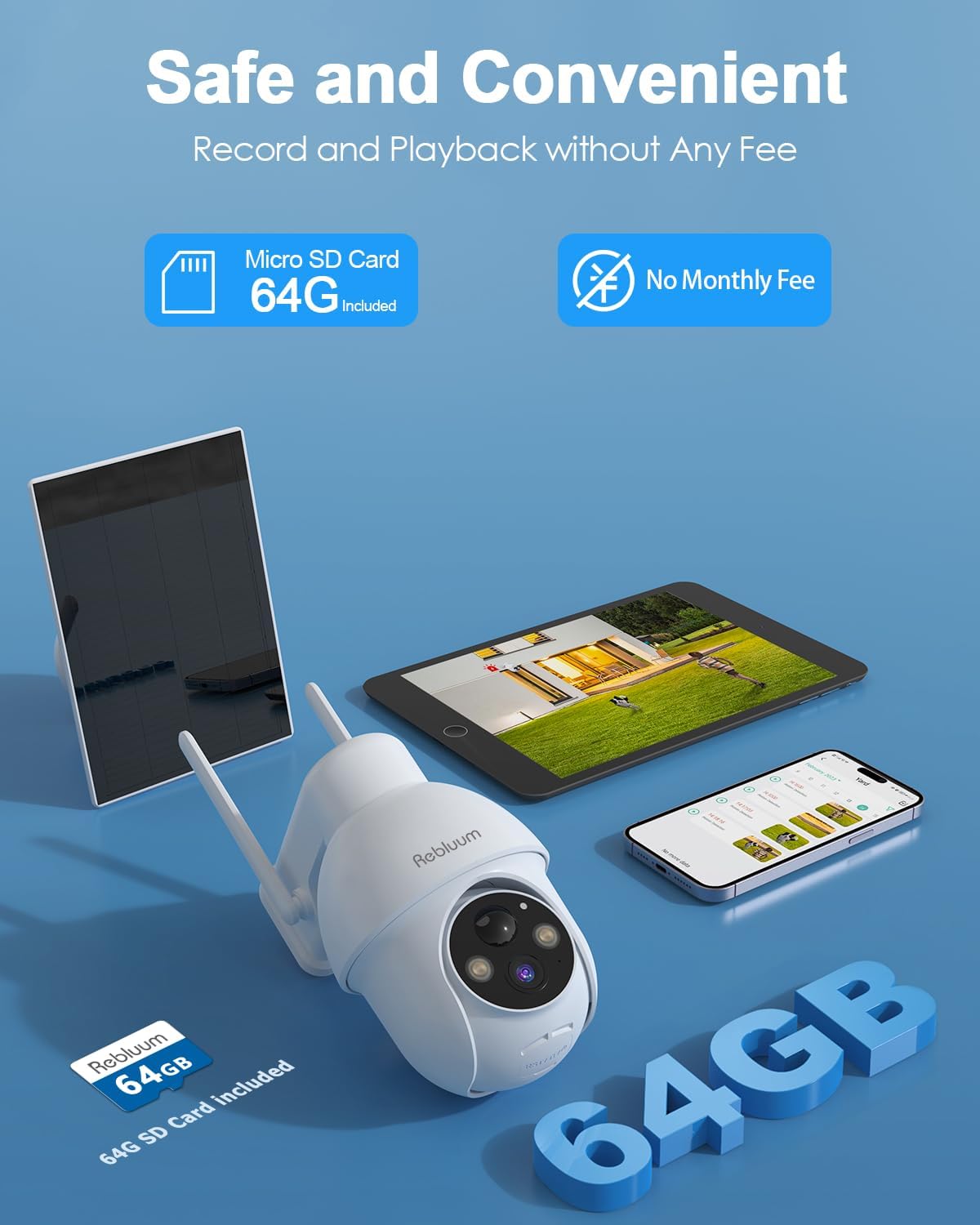
- No monthly fees with included 64GB SD card for storage.
- Solar-powered with a 9700mAh built-in battery for continuous operation.
- 2K Ultra HD (2048 x 1536) resolution, 1.5 times more detailed than 1080p.
- 360° Pan (355° horizontal) and Tilt (90° vertical) remote view.
- Color night vision enabled by 4 powerful spotlights.
- AI-powered human motion detection with customizable motion areas.
- Multi-alarms with siren, spotlight, and app push notifications.
- To-vejs lydkommunikation.
- Family sharing for remote access.
- Kompatibel med Amazon Alexa.
Opsætningsvejledning
Follow these steps to set up your Rebluum Security Camera and connect it to the mobile application.
1. Download og registrer appen
The camera operates with the "CloudEdge" application. Ensure your smartphone is connected to a 2.4GHz Wi-Fi network before proceeding.
- Søg efter "CloudEdge" in your device's app store (App Store for iOS, Google Play Store for Android).
- Download og installer applikationen.
- Open the CloudEdge app and register a new account using your email address. Set up a secure password.
Video: How to Setup the APP. This video demonstrates the process of downloading the CloudEdge app, registering an account, and preparing for device pairing.
2. Device Pairing with App
Before adding the device, ensure your smartphone is connected to a 2.4GHz Wi-Fi network. The camera does not support 5GHz Wi-Fi.
- In the CloudEdge app, tap the "Add Device" button.
- Select "Battery Camera" from the device list.
- Hold the power button on the camera for 4-5 seconds to turn it on. The red indicator light will turn on.
- Hold the reset button on the camera for 4-5 seconds until you hear a "bugu" tone, indicating a successful reset.
- On the app, select your 2.4GHz Wi-Fi network and enter the password.
- The app will generate a QR code. Position your camera approximately 15-20 cm (6-8 inches) in front of your phone screen to scan the QR code.
- Once scanned successfully, you will hear a tone, and the camera's indicator light will turn solid blue. This confirms successful connection.

Billede: The Rebluum Security Camera, its solar panel, and a smartphone displaying a live feed. This illustrates the complete system setup.

Billede: A Rebluum security camera and its solar panel mounted on an outdoor wall, emphasizing its wireless and solar-powered capabilities. Note the 2.4GHz Wi-Fi symbol indicating compatible network type.
Betjeningsvejledning
Remote Pan-Tilt-Zoom (PTZ) Control
Utilize the CloudEdge app to remotely control the camera's viewing angle. The camera supports 355° horizontal pan and 90° vertical tilt, ensuring comprehensive coverage of your monitored area. It also features 4X digital zoom to focus on specific details.

Billede: The Rebluum camera illustrating its 355-degree pan and 90-degree tilt rotation capabilities, controlled via a smartphone interface.
2K Ultra HD and Color Night Vision
The camera captures video in 2K (2048 x 1536) resolution, providing clear and detailed images. With its advanced color night vision, supported by 4 powerful spotlights, you can obtain full-color footage even in low-light conditions, enhancing visibility and identification.

Billede: A split image demonstrating the camera's 2K Ultra HD resolution for both daytime and nighttime viewing, highlighting the effectiveness of color night vision.

Billede: An illustration comparing the clarity of color night vision with 2 LED spotlights versus the upgraded 4 LED spotlights, showing improved image quality with more illumination.
AI Powered Motion Detection and Alerts
The camera features intelligent AI human motion detection, significantly reducing false alarms. You can customize motion detection areas and schedules within the app to focus on specific zones and times. When motion is detected, the camera can trigger multiple alarm modes including a siren, spotlights, and instant app push notifications.

Billede: A scenario depicting the camera's multi-alarm features, including a spotlight and siren, actively deterring an unwanted visitor, with an alert message shown on a smartphone.
Billede: Screenshots from the CloudEdge app demonstrating how to set custom motion detection areas, adjust sensitivity, and configure recording times for intelligent monitoring.
To-vejs lydkommunikation
The integrated microphone and speaker allow for real-time two-way audio communication. You can speak to visitors or deter intruders directly through the camera using the CloudEdge app.
Smart Home-kompatibilitet
The Rebluum security camera is compatible with Amazon Alexa, allowing you to view live-feeds på kompatible smart-skærme ved hjælp af stemmekommandoer.
Opretholdelse
Korrekt vedligeholdelse sikrer dit sikkerhedskameras levetid og optimale ydeevne.
- Rensning: Tør regelmæssigt kameralinsen og solpanelet af med en blød klud.amp klud til at fjerne støv og snavs. Undgå slibende rengøringsmidler.
- Placering af solpaneler: Ensure the solar panel is positioned to receive maximum direct sunlight throughout the day for efficient charging.
- Vejrbestandighed: The camera is IP66 waterproof, designed to withstand various weather conditions including rain and snow. However, avoid submerging the device in water.

Billede: The Rebluum security camera and its solar panel shown in rainy conditions, emphasizing its upgraded IP66 waterproof rating for outdoor durability.

Billede: An illustration highlighting the convenience of local recording and playback using the included 64GB Micro SD card, eliminating the need for monthly subscription fees.
Fejlfinding
If you encounter issues with your Rebluum Security Camera, refer to the following common troubleshooting tips:
- Forbindelsesproblemer: Ensure your Wi-Fi network is 2.4GHz. Verify the Wi-Fi password entered in the app is correct. Move the camera closer to your Wi-Fi router if signal strength is weak.
- Kamera tænder ikke: Check if the battery is charged. Ensure the power button is held for the specified duration (4-5 seconds).
- Nulstilling af kameraet: If the camera is unresponsive or fails to connect, hold the reset button for 4-5 seconds until you hear a "bugu" tone. This will restore factory settings.
- Falske alarmer: Adjust the motion detection sensitivity and customize the detection area within the CloudEdge app to minimize unwanted alerts.
- Intet nattesyn: Ensure the spotlights are enabled in the app settings if you desire color night vision. Check for any obstructions blocking the camera's view or the spotlights.
For more detailed troubleshooting or persistent issues, please refer to the full user manual PDF available on the product page or contact customer support.
Specifikationer
| Feature | Detalje |
|---|---|
| Modelnavn | RB-3PT1-64GB |
| Indendørs/Udendørs brug | Udendørs |
| Strømkilde | Solar Powered and Battery Powered (9700mAh) |
| Forbindelsesprotokol | Wi-Fi (kun 2.4 GHz) |
| Videooptagelsesopløsning | 2K, 3MP (2048 x 1536) |
| Pan / tilt vinkel | 355° vandret, 90° lodret |
| Digital Zoom | 4x |
| Nattesyn | Color Night Vision (4 Spotlights), IR Night Vision (100 Feet) |
| Opbevaring | 64GB Micro SD Card (pre-installed), supports up to 128GB |
| To-vejs lyd | Ja |
| Bevægelsesdetektion | AI Human Motion Detection, Customizable Zones |
| Vandmodstandsniveau | IP66 vandtæt |
| Kompatible enheder | Smartphone (iOS, Android), Amazon Alexa |
| Dimensioner (L x B x H) | 7 x 5 x 8 tommer |
| Varens vægt | 2.16 pund |
| Inkluderede komponenter | 1 x 3MP Solar PTZ Camera (64G SD Card Include), 1 x Solar Panel, 1 x User Manual, 1 x Warning Sticker, 2 x Stand (1 for Camera, 1 for Panel) |
Garanti og support
Rebluum provides a 365-day warranty and lifetime technical support for this product. For any inquiries, assistance, or to utilize your warranty, please contact Rebluum customer support. Local phone service is available for your convenience.
Du kan også besøge Rebluum Store on Amazon for mere information og ressourcer.
Ask a question about this manual
Ask about setup, troubleshooting, compatibility, parts, safety, or missing instructions. Manuals+ will review the question and use this page’s manual context to help answer it.