
1. Opsætning og installation
1.1 Tjekliste før installation
- Systemkompatibilitet: Ensure your motherboard has an available PCI Express 4.0 x16 slot.
- Strømforsyning: Kontroller, at din strømforsyning (PSU) opfylder minimumskravene for watttage requirements for the RTX 3060 Ti and has the necessary PCIe power connectors. Consult your PSU manual for details.
- Klarering: Confirm your PC case has adequate space for the graphics card dimensions.
- Drivere: Download the latest NVIDIA drivers from the official NVIDIA websted før installation.
1.2 Fysisk installation
- Sluk: Sluk computeren helt ned, og frakobl strømkablet.
- Åben sag: Åbn computerens kabinet for at få adgang til bundkortet.
- Find PCIe-slot: Identify an available PCI Express 4.0 x16 slot. Remove any expansion slot covers if necessary.
- Indsæt grafikkort: Juster forsigtigt grafikkortet med PCIe-stikket, og tryk det godt ned, indtil det sidder sikkert fast. Du bør høre et klik fra stikkets fastholdelsesklips.
- Sikkert kort: Fasten the graphics card to the case using the screw or latch mechanism.
- Tilslut strøm: Connect the appropriate PCIe power cables from your PSU to the graphics card. The PNY GeForce RTX 3060 Ti typically requires one 8-pin PCIe power connector. Ensure all pins are fully seated.
- Luk sag: Luk computerens kabinet, og tilslut strømkablet igen.
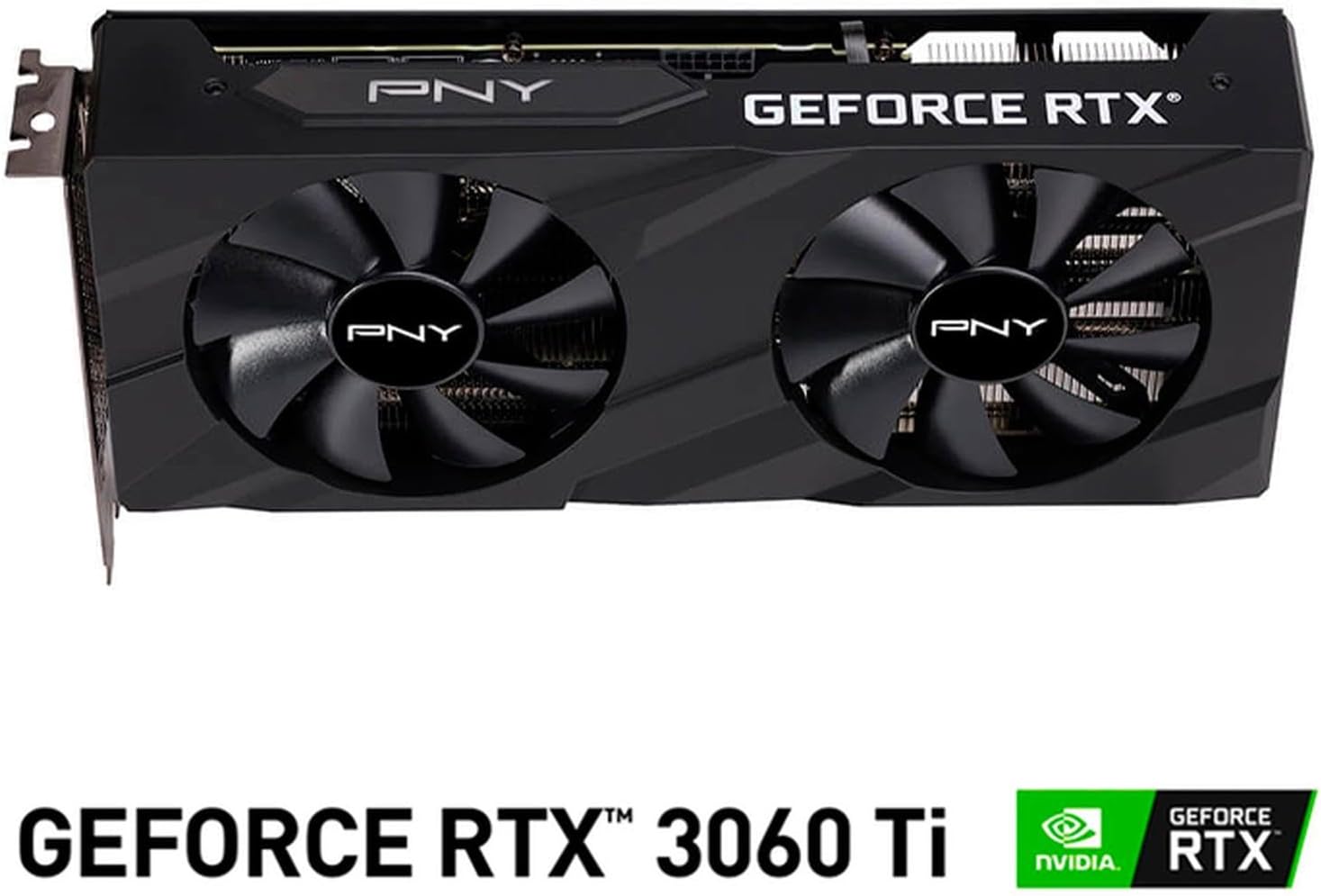
Billede: Forside view of the PNY GeForce RTX 3060 Ti Verto Dual Fan Graphics Card, showing the dual fans and PNY branding.
1.3 Driverinstallation
- Boot-system: Power on your computer. It may boot into a lower resolution or use generic display drivers initially.
- Installer drivere: Run the NVIDIA driver installer downloaded earlier. Follow the on-screen prompts to complete the installation. A restart may be required.
- Bekræft installationen: After restarting, open NVIDIA GeForce Experience or the NVIDIA Control Panel to confirm the graphics card is recognized and drivers are up to date.
2. Betjening
2.1 Tilslutning af skærme
The PNY GeForce RTX 3060 Ti features multiple video output interfaces for connecting displays:
- DisplayPort 1.4a: Til skærme med høj opløsning og høj opdateringshastighed.
- HDMI 2.1: For connecting to TVs or monitors supporting 4K at higher refresh rates.
Connect your display cables to the appropriate ports on the graphics card. The card supports a maximum display resolution of 7680 x 4320 @60Hz.

Billede: Vinklet view of the PNY GeForce RTX 3060 Ti Verto Dual Fan Graphics Card, highlighting the cooling solution and overall design.
2.2 NVIDIA GeForce Experience
NVIDIA GeForce Experience is a companion application for your graphics card. It allows you to:
- Optimize Game Settings: Automatically configure game settings for the best experience.
- Keep Drivers Up to Date: Receive notifications and easily install the latest NVIDIA Game Ready Drivers.
- Capture & Share: Record gameplay, take screenshots, and livestream with friends using features like ShadowPlay.
2.3 Ydeevne overview
The GeForce RTX 3060 Ti is built on NVIDIA’s 2nd generation RTX architecture (Ampere), featuring enhanced Ray Tracing Cores and Tensor Cores for advanced graphics and AI acceleration. Key performance specifications include:
- Core Ur: 1410 MHz
- Boost-ur: 1665 MHz
- Hukommelse: 8GB GDDR6X (256-bit) with up to 608GB/sec bandwidth.
- CUDA-kerner: 4864
3. Vedligeholdelse
3.1 Cleaning Your Graphics Card
Regular cleaning helps maintain optimal performance and extends the lifespan of your graphics card. Always power off your computer and disconnect the power cable before cleaning.
- Fjernelse af støv: Use compressed air to gently blow dust from the fans and heatsink fins. Hold the fans to prevent them from spinning rapidly during cleaning.
- Overflade rengøring: Tør de udvendige overflader af med en blød, tør og fnugfri klud. Undgå at bruge flydende rengøringsmidler direkte på kortet.
3.2 Driveropdateringer
Keep your graphics drivers updated to ensure compatibility with the latest games and applications, and to benefit from performance improvements and bug fixes. Use NVIDIA GeForce Experience or visit the official NVIDIA webwebsted for at downloade og installere de nyeste drivere.
4. Fejlfinding
4.1 Almindelige problemer og løsninger
- Ingen skærmoutput:
- Sørg for, at skærmkablerne er korrekt tilsluttet til både grafikkortet og skærmen.
- Verify the graphics card is fully seated in the PCIe slot and all power connectors are attached.
- Test med et andet skærmkabel eller en anden skærm, hvis det er muligt.
- Systemustabilitet eller nedbrud:
- Sørg for, at din strømforsyning opfylder de anbefalede wattkrav.tage.
- Check for overheating. Monitor GPU temperatures using software like MSI Afterburner or HWMonitor.
- Udfør en ren installation af de nyeste grafikdrivere.
- Dårlig ydeevne i spil:
- Sørg for, at du har de nyeste grafikdrivere installeret.
- Tjek indstillingerne i spillet; reducer opløsningen eller grafikkvaliteten om nødvendigt.
- Verify that your system is not bottlenecked by other components (CPU, RAM).

Billede: Side view of the PNY GeForce RTX 3060 Ti Verto Dual Fan Graphics Card, showing the heatsink fins and power connectors.
5. Specifikationer
Below are the detailed technical specifications for the PNY GeForce RTX 3060 Ti 8GB GDDR6X Verto Dual Fan Graphics Card:
| Feature | Specifikation |
|---|---|
| Grafik coprocessor | NVIDIA GeForce RTX 3060 Ti |
| Mærke | PNY |
| Grafik RAM-størrelse | 8 GB |
| Grafik RAM-type | GDDR6X |
| GPU urhastighed | 1410 MHz |
| Hukommelses urhastighed | 1410 MHz (Effektiv 19000 MHz) |
| Video Output Interface | DisplayPort, HDMI |
| Grafikkort interface | PCI-Express x16 |
| Antal fans | 2 |
| Skærmopløsning Maksimal | 7680 x 4320 ved 60Hz |
| Kompatible enheder | Desktop |
| Modelnavn | VERTO Dual Fan |
| Modelnummer | VCG3061T8LDFBPB1 |
| UPC | 751492767314 |
| Varens vægt | 1 kilo |

Billede: Bagside view of the PNY GeForce RTX 3060 Ti Verto Dual Fan Graphics Card, showing the backplate and PCB.
6. Garanti og support
6.1 Produktgaranti
This PNY GeForce RTX 3060 Ti Graphics Card comes with a 3 års garanti. For specific terms and conditions, please refer to the warranty documentation included with your product or visit the official PNY webwebsted.
6.2 Teknisk support
If you encounter any issues not covered in this manual or require further assistance, please contact PNY Technical Support. You can typically find support contact information, FAQs, and driver downloads on the official PNY webwebsted: