
1. Introduktion
Thank you for choosing the HDWR wagPRO-P500 Platform Scale. This manual provides essential information for the safe and efficient operation, setup, and maintenance of your new scale. Please read this manual thoroughly before use and keep it for future reference.
The HDWR wagPRO-P500 is a robust platform scale designed for precise weighing of larger items in industrial, warehouse, agricultural, and logistics environments. It features a high capacity, accurate measurements, and a user-friendly interface.
2. Produktfunktioner
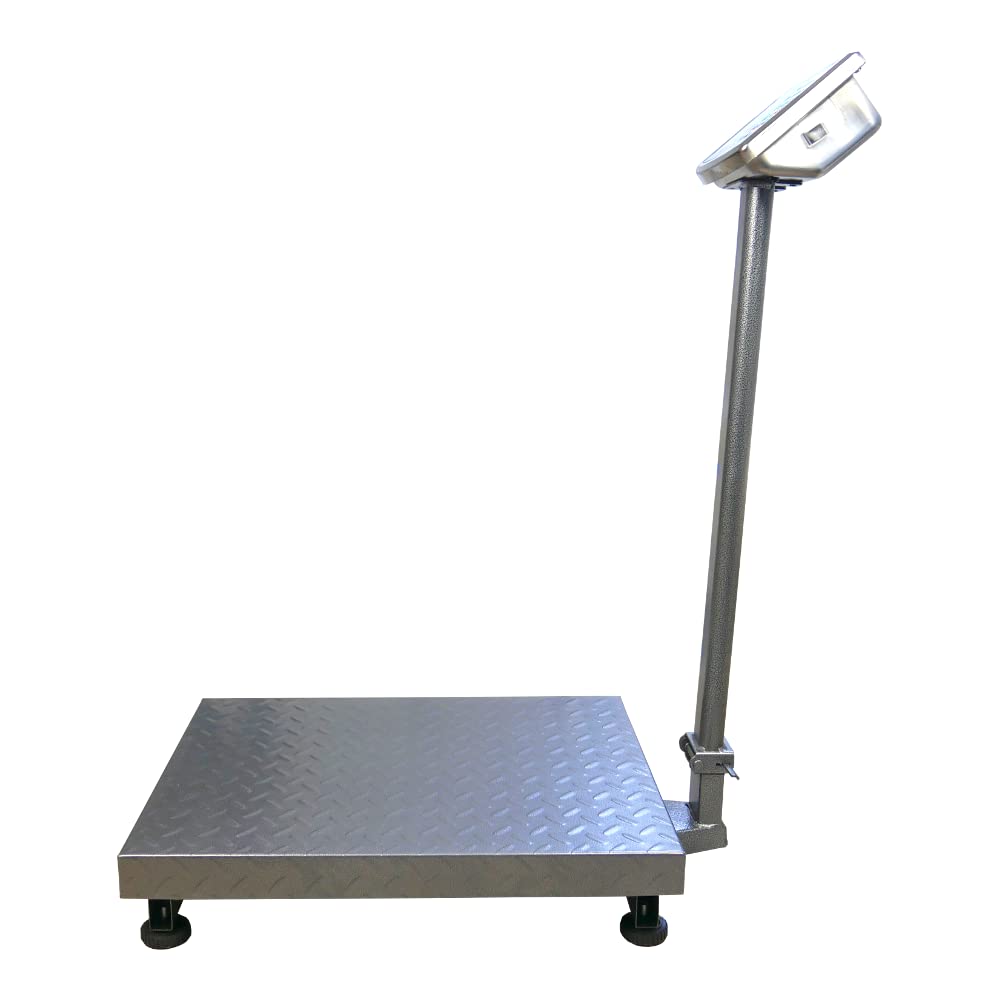
- Platform: The scale features a spacious 60 x 45 cm platform for easy placement of goods, equipped with special tabs to prevent accidental slipping.
- Præcis måling: Offers precise measurement for items weighing from 200 grams up to a maximum capacity of 500 kg, with an accuracy of 0.2 kg.
- Brugervenlig grænseflade: Features three easy-to-read, green backlit LCD digital displays showing product weight and unit price.
- Yderligere funktioner: Includes useful functions such as Tare, unit price input, and totalization.
- Strømdrift: An integrated 4 Ah battery provides wireless operation for approximately 150 hours.

Image: Key features of the HDWR wagPRO-P500 scale, including display, hold function, unit conversion, accuracy, tare, and battery power.

Image: Details on measurement accuracy, charging process, the robust platform, and the clear display of the scale.
3. Opsætningsvejledning
- Udpakning: Carefully remove all components from the packaging. Verify that all parts are present: platform, display unit, support column, power adapter, and user manual.
- Assemble the Support Column: Attach the display support column to the platform base. Ensure it is securely fastened using the provided hardware.
- Attach the Display Unit: Mount the display unit onto the top of the support column. Connect the cable from the platform to the display unit.
- Placering: Place the scale on a firm, level, and stable surface to ensure accurate readings. Avoid areas with excessive vibration, drafts, or extreme temperature changes.
- Indledende opladning: Connect the scale to a power outlet using the supplied mains adapter. Allow the internal battery to fully charge before the first wireless use. The charging indicator on the display will show the charging status.

Image: An assembled HDWR wagPRO-P500 platform scale, ready for use.
4. Betjeningsvejledning
4.1 Tænd/sluk
- Tryk på for at tænde for vægten [ON/OFF] knap.
- For at slukke vægten skal du trykke på og holde [ON/OFF] knappen, indtil displayet slukker.
4.2 Grundlæggende vejning
- Sørg for, at vægten er tændt, og at displayet viser '0.00'.
- Placer forsigtigt den genstand, der skal vejes, på midten af platformen.
- Aflæs vægten vist på skærmen.
4.3 Tara funktion
Tarafunktionen giver dig mulighed for at trække vægten af en beholder eller emballage fra, så kun indholdets nettovægt måles.
- Place the empty container onto the platform. The display will show its weight.
- Tryk på [TARE] knappen. Displayet nulstilles til '0.00'.
- Placer de varer, der skal vejes, i beholderen. Displayet viser nu kun vægten af varerne.
- To clear the tare, remove the container and items, then press [TARE] igen.
4.4 Enhedskonvertering
The scale supports measurement in kilograms (kg) and pounds (lb).
- For at skifte mellem enheder skal du trykke på [ENHEDER] button (or similar button as indicated on your display). The active unit will be shown on the display.
4.5 Price Calculation (if applicable)
If your model supports price calculation, follow these steps:
- Placer emnet på platformen.
- Using the numeric keypad, enter the unit price.
- The total price will be displayed automatically.
Billede: En detaljeret view of the scale's green backlit LCD display and control keypad, showing weight, unit price, and total price fields.
5. Vedligeholdelse
5.1 Rengøring
- Afbryd altid vægten fra strømforsyningen inden rengøring.
- Wipe the platform and display unit with a soft, damp klæde. Brug et mildt rengøringsmiddel, hvis det er nødvendigt.
- Do not use abrasive cleaners, solvents, or immerse any part of the scale in water.
- Ensure no liquid enters the display unit or internal components.
5.2 Pleje af batterier
- Recharge the battery when the low battery indicator appears on the display.
- For optimal batterilevetid bør du undgå at aflade batteriet helt ofte.
- If the scale is not used for an extended period, charge the battery every 3 months to prevent deep discharge.
5.3 Opbevaring
- Store the scale in a dry, clean environment, away from direct sunlight and extreme temperatures.
- Undgå at placere tunge genstande på platformen under opbevaring.

Billede: Et nærbillede view of the durable, textured metal platform, designed for secure placement of items.
6. Fejlfinding
| Problem | Mulig årsag | Løsning |
|---|---|---|
| Skalaen tænder ikke. | Batteriet er afladet, eller strømadapteren er ikke tilsluttet. | Connect the power adapter and charge the battery. Ensure the power outlet is functional. |
| Upræcise aflæsninger. | Scale not on a level surface, external vibrations, or overload. | Place the scale on a stable, level surface. Remove any sources of vibration. Do not exceed the maximum weight capacity. |
| Display shows 'Err' or similar error. | Overload, internal error, or unstable reading. | Remove the load from the platform. Power off and restart the scale. If the error persists, contact customer support. |
| Skærmen er svag eller flimrer. | Lavt batteri. | Recharge the battery using the provided power adapter. |
7. Specifikationer
- Model: wagPRO-P500
- Mærke: HDWR
- Dimensioner (L x B x H): 75 x 45 x 88 cm
- Platformens dimensioner: 60 x 45 cm
- Vægt: 11.6 kg
- Maksimal vægtkapacitet: 500 kg
- Læsepræcision: 200 gram (0.2 kg)
- Målenøjagtighed: +/- 0.2 %
- Materiale: Metal
- Skærmtype: LCD med grøn baggrundsbelysning
- Batteri: Integrated 4 Ah (approx. 150 hours wireless operation)
- Særlige funktioner: Backlit display, high load capacity, tare function, large display, portable.
- Anbefalede anvendelser: Industry, agriculture, logistics, wholesale.

Image: Dimensions of the wagPRO-P500 platform scale, illustrating its robust design and size.
8. Garanti og support
This product is supplied with a user manual. For information regarding warranty coverage, please refer to the documentation provided at the time of purchase or contact your retailer.
For technical support, service, or inquiries about spare parts, please contact HDWR customer service through their official website or the contact information provided with your purchase. Please have your model number (wagPRO-P500) and purchase date ready when contacting support.