
Antec NE650G M
Antec NeoECO NE650G M strømforsyning brugermanual
Model: NE650G M | Brand: Antec
1. Introduktion
This manual provides essential information for the safe and efficient installation, operation, and maintenance of your Antec NeoECO NE650G M 80+ Gold Certified Fully Modular Power Supply Unit (PSU). Please read this manual thoroughly before installation and keep it for future reference.
The Antec NeoECO Gold Modular series is designed to provide stable and efficient power to your PC system. Featuring an 80 PLUS Gold certification and a 100% full modular design, it ensures convenient installation and reduced electricity consumption. The integrated 120mm silent fan with Zero RPM mode optimizes cooling while maintaining quiet operation.
2. Sikkerhedsoplysninger
Overhold altid følgende sikkerhedsforanstaltninger for at forhindre personskade eller beskadigelse af dit udstyr:
- Sørg for, at strømforsyningen er afbrudt fra stikkontakten før installation eller vedligeholdelse.
- Åbn ikke strømforsyningen casing. Høj volumentager til stede indeni, selv når de er frakoblet.
- Installer strømforsyningen i et godt ventileret område, væk fra varmekilder og fugt.
- Use only the modular cables provided with this power supply. Using incompatible cables may damage the PSU or connected components.
- Dette produkt er designet til brug i personlige computersystemer. Brug det ikke til andre formål.
- Håndter forsigtigt for at undgå at tabe eller støde enheden.
3. Pakkens indhold
Bekræft at alle varer er til stede i din pakke:
- Antec NeoECO NE650G M Power Supply Unit
- Modular Cable Set (including ATX 24-pin, CPU 4+4-pin, PCIe 6+2-pin, SATA, and Molex cables)
- AC strømledning
- Monteringsskruer
- Brugervejledning (dette dokument)
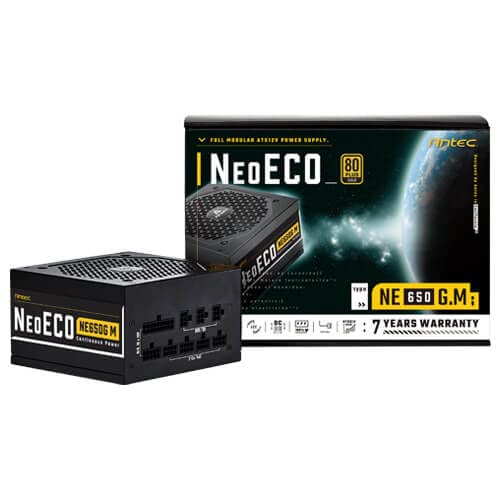
Figure 3.1: Antec NeoECO NE650G M Power Supply with its retail packaging.
4. Opsætning og installation
Follow these steps to install your Antec NeoECO NE650G M PSU into your computer system:
- Forbered dit system: Sørg for, at din computer er helt slukket og taget stikket ud af stikkontakten. Åbn computerens kabinet.
- Fjern den gamle strømforsyning (hvis relevant): Frakobl alle kabler fra din gamle strømforsyning. Skru den gamle strømforsyning af og fjern den fra kabinettet.
- Monter den nye strømforsyning: Carefully slide the Antec NeoECO NE650G M into the PSU mounting bay of your computer case. Ensure the fan faces the correct direction (usually downwards if your case has a bottom vent, or upwards if it's a top-mounted PSU). Secure the PSU with the provided mounting screws.
- Tilslut modulære kabler: Identify the necessary cables for your components (motherboard, CPU, graphics card, storage drives). Connect the appropriate modular cables to the corresponding ports on the PSU. The ports are clearly labeled on the PSU.
- Forbind til komponenter: Route the connected modular cables neatly through your case and connect them to your motherboard (24-pin ATX, 4+4-pin CPU), graphics card(s) (6+2-pin PCIe), and storage devices (SATA, Molex). Ensure all connections are firm and secure.
- Luk kabinettet og tilslut strømmen: Once all internal connections are made, close your computer case. Connect the AC power cord to the PSU's inlet and then to a wall outlet or surge protector.
- Tænd: Sæt tænd/sluk-knappen på bagsiden af strømforsyningen i positionen 'ON'. Du kan nu tænde din computer.
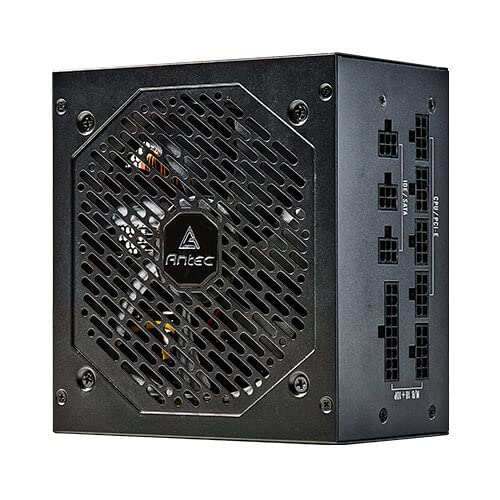
Figur 4.1: Side view of the Antec NeoECO NE650G M PSU, highlighting the modular cable connection ports.
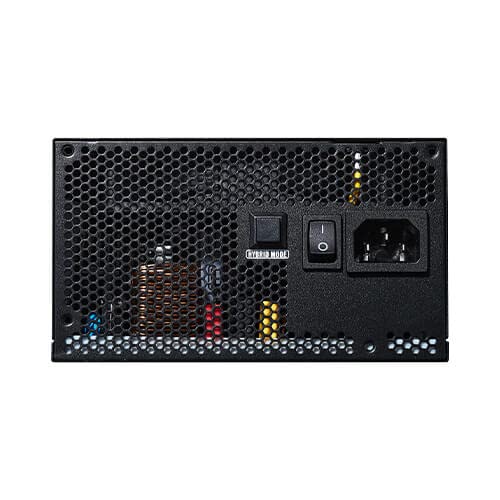
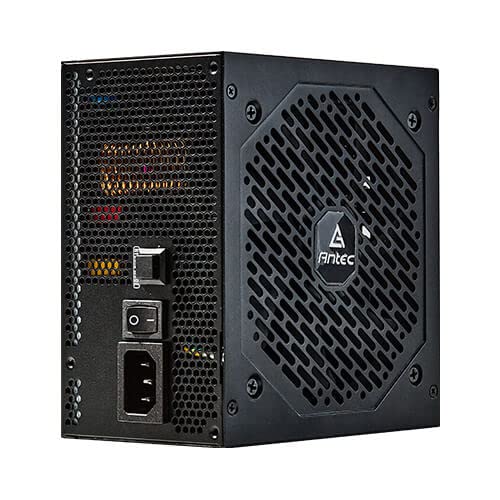
Figure 4.2: The Antec NeoECO NE650G M PSU with various modular cables attached, ready for system integration.
Figur 4.3: Bagside view of the Antec NeoECO NE650G M PSU, showing the main power switch and AC power inlet.
5. Betjeningsvejledning
The Antec NeoECO NE650G M PSU is designed for reliable and efficient operation. Key features include:
- 80 PLUS Guld-certificering: Ensures high power efficiency, reducing heat generation and electricity costs.
- Fuldt modulært design: Allows for cleaner cable management and improved airflow within your PC case by only using the necessary cables.
- Nul RPM tilstand: The 120mm silent fan will remain off at low loads (typically below 30% of total wattage) to provide absolute silence. As the load increases, the fan will automatically spin up to maintain optimal temperatures. This feature helps extend the fan's lifespan and reduces noise during light usage.
- CircuitShield Protection: Incorporates industrial-grade protections including OVP (Over Voltage Protection), UVP (Under Voltage Protection), OCP (Over Current Protection), OPP (Over Power Protection), SCP (Short Circuit Protection), OTP (Over Temperature Protection), and NLO (No Load Operation) to safeguard your system.
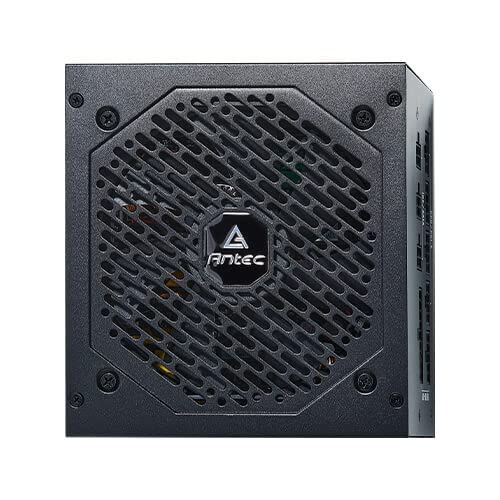
Figur 5.1: Forside view of the Antec NeoECO NE650G M PSU, showcasing the 120mm silent cooling fan grill.
6. Vedligeholdelse
Proper maintenance ensures the longevity and optimal performance of your PSU:
- Fjernelse af støv: Periodically clean dust from the PSU's fan grill and vents using compressed air. Ensure the PSU is powered off and unplugged before cleaning.
- Kabelstyring: Sørg for, at kablerne er korrekt ført og ikke blokerer luftstrømmen inde i pc-kabinettet.
- Miljøforhold: Brug strømforsyningen inden for de anbefalede temperatur- og luftfugtighedsområder. Undgå ekstreme forhold.
- Ingen dele, der kan serviceres af brugeren: Do not attempt to open the PSU casing. There are no user-serviceable parts inside, and opening it will void the warranty.
7. Fejlfinding
If you encounter issues with your Antec NeoECO NE650G M PSU, refer to the following common problems and solutions:
| Problem | Mulig årsag | Løsning |
|---|---|---|
| PC'en tænder ikke. |
|
|
| Systemet tænder, men lukker ned med det samme. |
|
|
| Ventilatoren roterer ikke. |
|
|
| Usædvanlige lyde fra strømforsyningen. |
|
|
If the problem persists after attempting these solutions, please contact Antec customer support or refer to the warranty section for service information.
8. Specifikationer
| Feature | Detalje |
|---|---|
| Mærke | Antec |
| Modelnavn | NE650G M |
| Formfaktor | ATX |
| Wattage | 650 watt |
| 80 PLUS certificering | Guld |
| Modularitet | Fuldt modulopbygget |
| Fan størrelse | 120 mm lydløs blæser |
| Nul RPM tilstand | Ja |
| Japanske kondensatorer | Ja |
| Dimensioner (LxBxH) | 15 x 14 x 9 cm |
| Varens vægt | 1.5 kg |
| Kompatible enheder | Personlig computer |
| Connector Type | ATX |
| Protections (CircuitShield) | OVP, UVP, OCP, OPP, SCP, OTP, NLO |
9. Garanti og support
The Antec NeoECO NE650G M Power Supply Unit is backed by a 7 års garanti fra købsdatoen. Denne garanti dækker fejl i materialer og udførelse ved normal brug.
For warranty claims or technical support, please contact Antec customer service. Keep your proof of purchase for warranty validation.
For more information, visit the official Antec webwebstedet eller se de kontaktoplysninger, der følger med din produktemballage.


Antec provides a comprehensive warranty and is recognized as a top brand in PC components.
Ask a question about this manual
Ask about setup, troubleshooting, compatibility, parts, safety, or missing instructions. Manuals+ will review the question and use this page’s manual context to help answer it.