
1. Sikkerhedsoplysninger
Please read this manual carefully before using the camera to ensure safe and proper operation. Keep this manual for future reference.
- Udsæt ikke kameraet for vand eller fugt.
- Undgå at tabe kameraet eller udsætte det for hårde stød.
- Do not attempt to disassemble or modify the camera. Repairs should only be performed by qualified personnel.
- Hold kameraet væk fra direkte sollys og høje temperaturer.
- Use only the specified battery type and charging cable.
- Bortskaf batterier korrekt i henhold til lokale regler.
- Clean the camera lens and screen with a soft, dry cloth.
2. Pakkens indhold
Bekræft, at alle nedenstående varer er inkluderet i din pakke:
- Andoer Digital Camera Body
- Lithium Battery (3.7V 550mAh)
- USB opladningskabel
- Carry Bag
- Brugervejledning (dette dokument)

Image: Contents of the Andoer Digital Camera package, showing the camera, wrist strap, USB charging cable, carry bag, and user manual.
3. Produktet er slutview
3.1 Foran View

Billede: Forside view of the Andoer Digital Camera, displaying the lens, built-in flash, and indicating 2.7" TFT screen and 18 Megapixels.
3.2 bag View (Display and Controls)
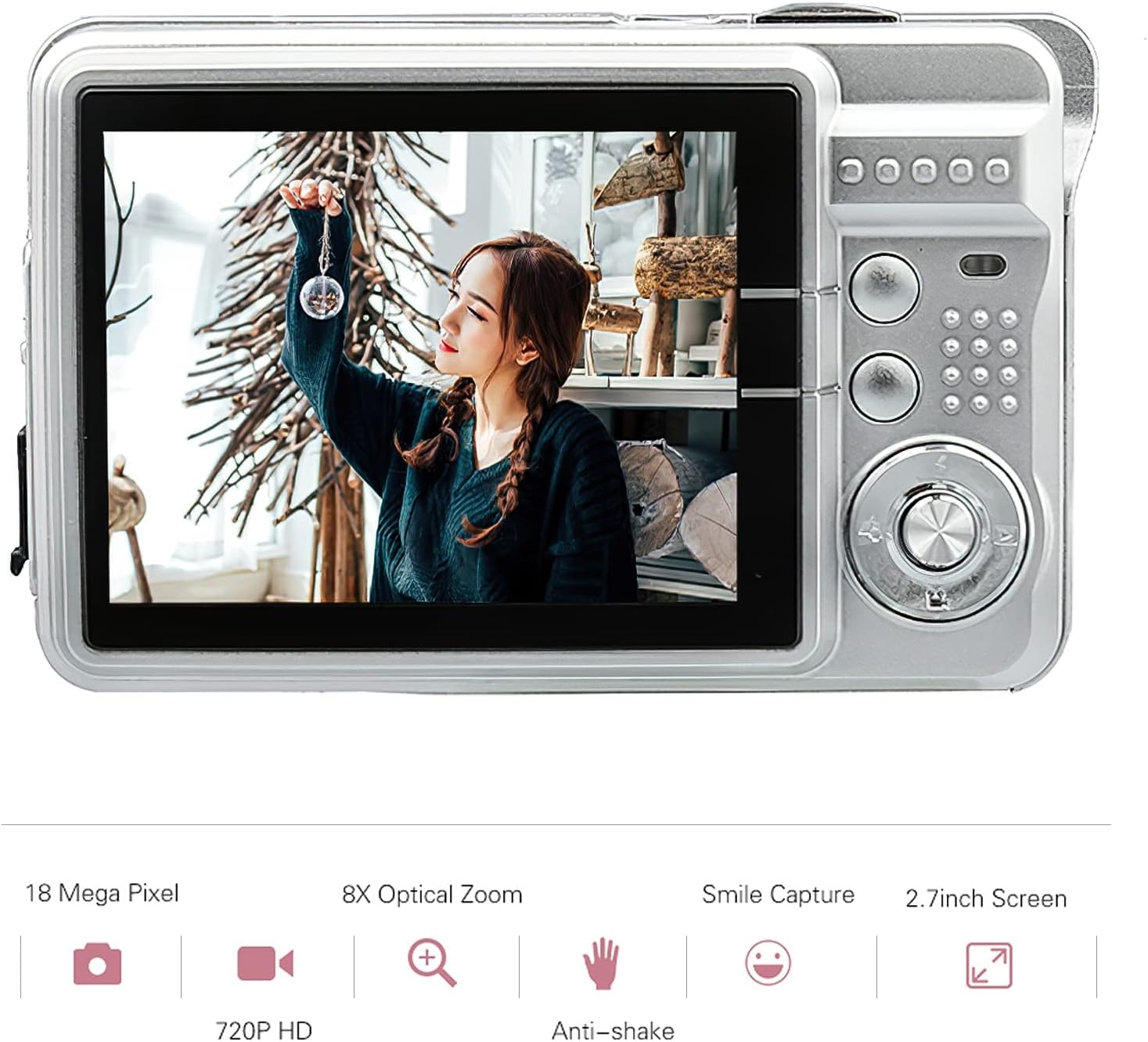
Billede: Bagside view of the Andoer Digital Camera, featuring the 2.7-inch TFT display and various control buttons on the right side.
The camera features a 2.7-inch TFT display for viewing photos and videos, along with intuitive controls for navigation and settings adjustment.
4. Opsætning
4.1 Opladning af batteriet
- Open the battery compartment cover on the side of the camera.
- Insert the provided Lithium battery (3.7V 550mAh) into the compartment, ensuring correct polarity.
- Luk batterirummets dæksel forsvarligt.
- Connect the camera to a USB power source (e.g., computer, USB wall adapter) using the supplied USB charging cable.
- The charging indicator light will illuminate. Charging is complete when the light turns off or changes color (refer to camera display for battery status).
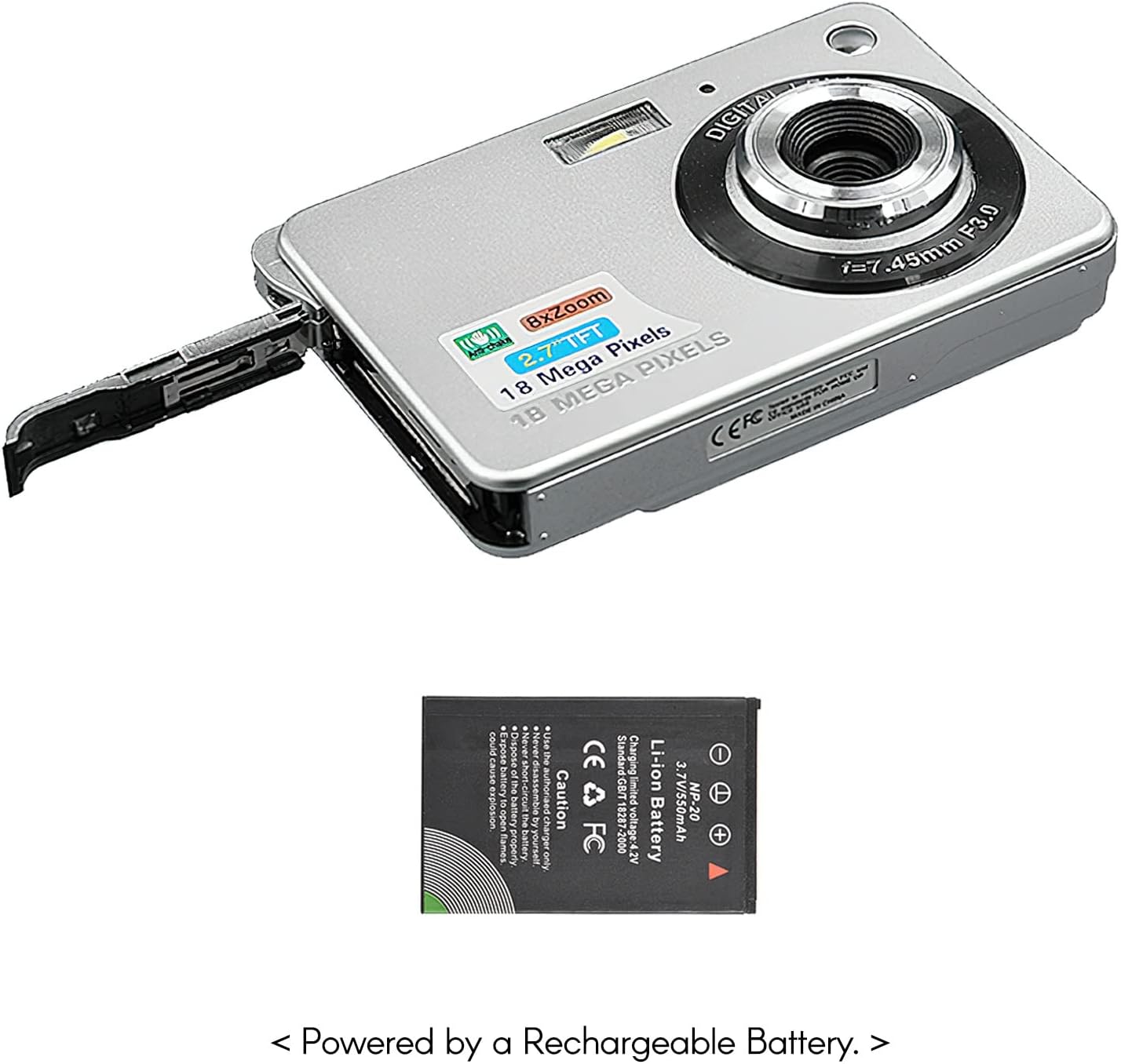
Billede: Side view of the camera with the battery compartment open, illustrating how to insert the rechargeable lithium battery.
4.2 Inserting a Memory Card (Not Included)
This camera supports SD memory cards up to 32GB. A memory card is required to save photos and videos.
- Locate the memory card slot, usually near the battery compartment.
- Isæt SD-kortet med metalkontakterne nedad (eller som vist på diagrammet nær kortpladsen), indtil det klikker på plads.
- For at fjerne det skal du forsigtigt skubbe kortet ind, indtil det springer ud.
5. Betjeningsvejledning
5.1 Tænd/sluk
Press and hold the Power button (usually located on the top or side) to turn the camera on or off.
5.2 Optagelse af billeder
- Tænd kameraet.
- Frame your shot using the 2.7-inch TFT display.
- Press the Shutter button (typically on top) halfway down to focus, then press fully to capture the image.

Image: The camera's screen showing a captured image, demonstrating the 18 Megapixel photo capability.
5.3 Optagelse af videoer
- Tænd kameraet.
- Switch to video recording mode (usually via a mode button or menu option).
- Press the Record button (often marked with a red dot) to start recording. Press again to stop.

Image: The camera's screen displaying a video playback, illustrating its 720P high-definition video recording function.
5.4 Digital zoom
The camera features 8X digital zoom. Use the zoom buttons (often labeled 'W' for Wide and 'T' for Telephoto) to adjust the zoom level.

Image: A visual representation of the 8x digital zoom capability, showing a scene at 1x magnification and then zoomed in at 8x.
5.5 Menunavigation
Press the 'Menu' button to access camera settings. Use the directional buttons to navigate and the 'OK' or 'Set' button to confirm selections. Available settings include:
- Selvudløser: Off/ 2 sec/ 5 sec/ 10 sec
- Eksponering: EV-3 to EV+3
- Hvidbalance: Auto/ Daylight/ Cloudy/ Incandescent/ Fluorescent
- Scenetilstande: Auto/ Night Portrait/ Night Scenery/ Portrait/ Scenery/ Sport/ Party/ Beach/ High sensitivity
- Andre funktioner: Anti-Shake, Face Detect, Smile Capture
6. Vedligeholdelse
6.1 Rengøring af kameraet
- Brug en blød, fnugfri klud til at rengøre kamerahuset.
- For the lens and screen, use a specialized lens cleaning cloth and solution if necessary. Avoid abrasive materials.
- Do not use organic solvents to clean the camera.
6.2 Pleje af batterier
- Oplad batteriet helt inden første brug.
- Hvis kameraet ikke skal bruges i længere tid, skal du fjerne batteriet.
- Opbevar batterier på et køligt, tørt sted.
7. Fejlfinding
| Problem | Mulig årsag | Løsning |
|---|---|---|
| Kameraet tænder ikke. | Batteriet er afladet eller isat forkert. | Oplad batteriet. Sørg for, at batteriet er isat med den korrekte polaritet. |
| Kan ikke tage billeder/optage videoer. | No memory card inserted or card is full/corrupted. | Indsæt et kompatibelt SD-kort. Slet unødvendigt fileeller formater kortet (dette vil slette alle data). |
| Billeder er slørede. | Lens is dirty, insufficient light, or camera shake. | Clean the lens. Use the flash in low light. Hold the camera steady or use anti-shake feature. |
| Kameraet fryser eller reagerer ikke. | Midlertidig softwarefejl. | Fjern og sæt batteriet i igen for at nulstille kameraet. |
8. Specifikationer
| Feature | Detalje |
|---|---|
| Model | IAT4319650447530BC |
| Billedsensor | CMOS sensor |
| Vise | 2.7 tommer TFT LCD |
| Foto opløsning | Op til 18 megapixel |
| Video opløsning | 1280x720 (720P), 720x480, 640x480 (VGA), 320x240 (QVGA) |
| Digital Zoom | 8X |
| Billedstabilisering | Digital Anti-Shake |
| Eksponeringskompensation | EV-3 to EV+3 |
| Hvidbalance | Auto/ Daylight/ Cloudy/ Incandescent/ Fluorescent |
| File Format | JPEG (Photo), AVI (Video) |
| Lagermedier | SD Card (up to 32GB, not included) |
| Strømforsyning | 1 * Lithium battery (3.7V 550mAh) |
| Understøttet system | Windows XP, VISTA, WIN7, MAC |
| Varestørrelse | 9 * 6 * 2 cm / 3.5 * 2.4 * 0.8 tommer |
| Varens vægt | 90 g / 3.2 oz |
9. Garanti og support
Andoer products are designed and manufactured to the highest quality standards. For warranty information and customer support, please refer to the documentation provided at the time of purchase or visit the official Andoer webwebsted.
If you encounter any issues not covered in this manual, please contact Andoer customer service for assistance.
Bemærk: Specifikationerne kan ændres uden forudgående varsel.