
1. Introduktion
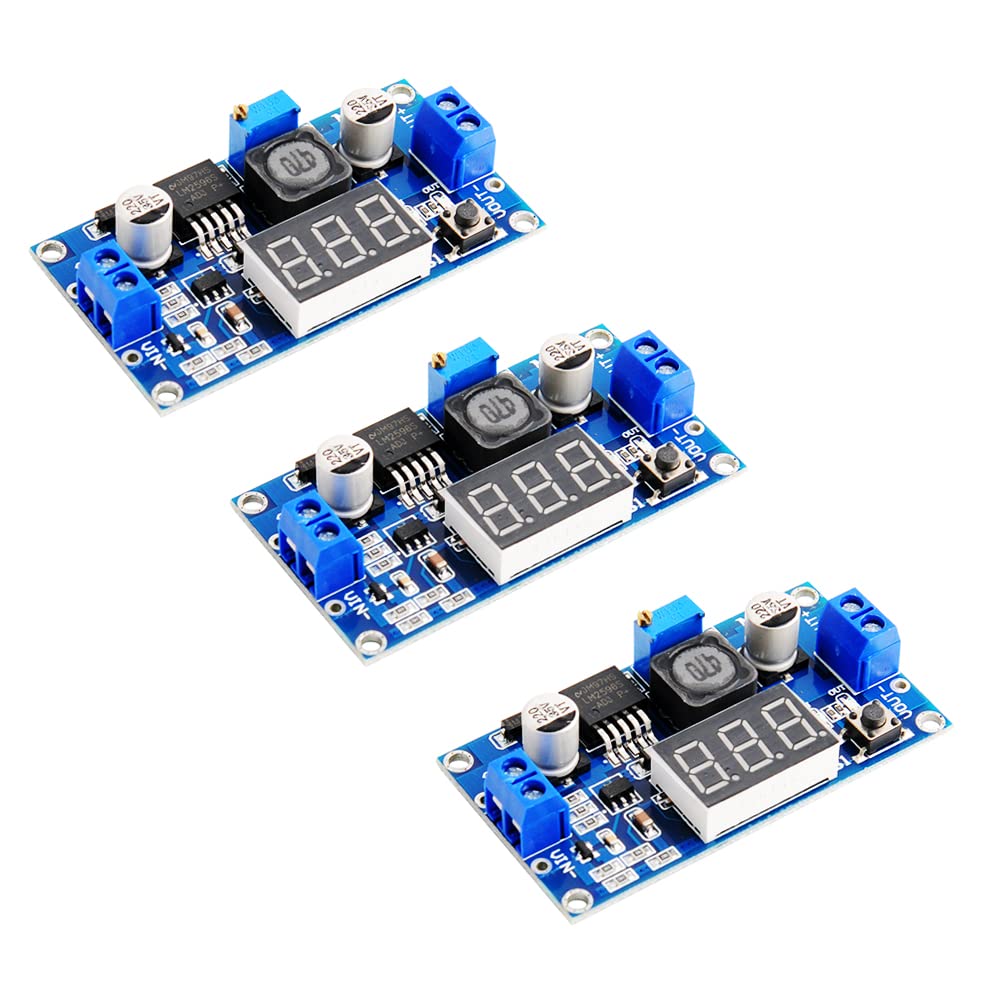
The Stemedu LM2596 Adjustable DC-DC Buck Converter Module is a voltage regulator designed to step down a higher input voltage to a lower, adjustable output voltage. It features an integrated LED voltmeter display for real-time monitoring of input and output voltages, making it suitable for various electronic projects, DIY power supplies, and battery charging applications. This manual provides essential information for safe and effective use of the module.
2. Sikkerhedsoplysninger
- Always ensure correct polarity when connecting power to the module. Reverse polarity protection is built-in, but incorrect wiring can still cause damage to connected components.
- Overskrid ikke den maksimale indgangsvolumentage of 40V DC or the maximum output current of 3A.
- For continuous operation above 15W or 2A, a heatsink is recommended to prevent overheating.
- Exercise caution when adjusting the potentiometer, as output voltage changes can affect connected devices.
- Hold modulet væk fra fugt og ekstreme temperaturer.
- This product is intended for experienced users familiar with electronics and DC power circuits.
3. Produktet er slutview
3.1 Funktioner
- LED Voltmeter Display: Built-in digital display with a push-button to switch between input and output voltage målinger.
- Nem ledningsføring: Equipped with screw terminal blocks for convenient, solder-free connections. Soldering pads are also available.
- Bredt input/output-område: Accepts DC 4V to 40V input, providing an adjustable output from 1.25V to 37V.
- Høj effektivitet: Up to 92% conversion efficiency.
- Beskyttelsesfunktioner: Includes input diode protection against reverse polarity, thermal overload, and short circuit protection.
- Kompakt design: Suitable for various embedded applications.
3.2 Komponenter
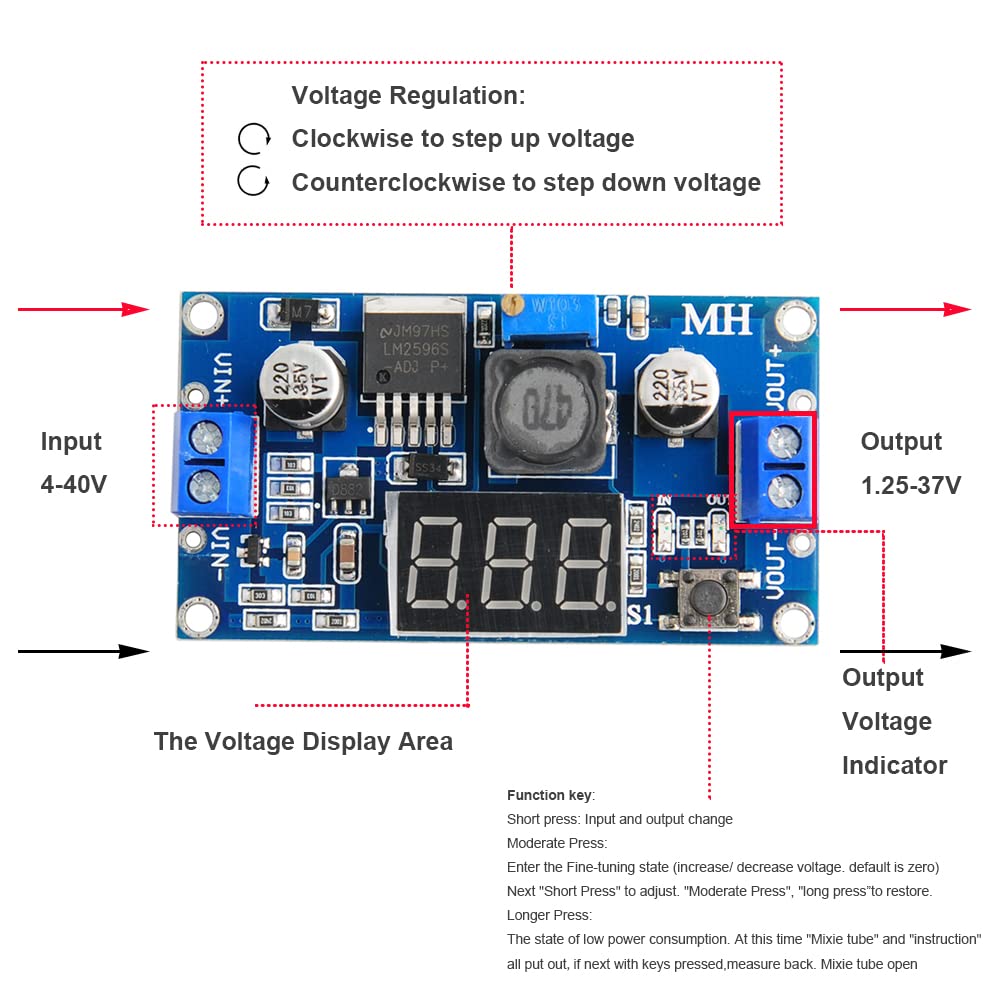
Refer to the diagram below for identification of key components on the LM2596 module.
- VIN+ / VIN-: Input voltage terminals (DC 4V-40V).
- VOUT+ / VOUT-: Udgang voltage terminals (DC 1.25V-37V).
- Voltage Display Area: 3-digit LED display for voltage aflæsninger.
- Function Key (S1): Short press to switch between input and output voltage display. Long press to enter/exit low power mode.
- Potentiometer (Blue Trimmer): Bruges til at justere udgangsvolumentage.
- Voltage Indicator (IN/OUT LEDs): Indicates whether the display shows input (IN) or output (OUT) voltage.

4. Specifikationer
| Parameter | Værdi |
|---|---|
| Input bindtage | DC 4V - 40V |
| Udgang Voltage | DC 1.25V - 37V (Adjustable) |
| Udgangsstrøm | 3A (Max) |
| Konverteringseffektivitet | Op til 92 % |
| Skiftefrekvens | 150 KHz |
| Driftstemperatur | -45℃ til +85℃ |
| Dimensioner (L x B x H) | 66 mm x 36 mm x 10 mm (2.6" D x 1.4" B x 0.4" H) |
| Vægt | 22 gram |
5. Opsætning
Follow these steps to set up your LM2596 Buck Converter Module:
- Tilslut indgangsstrøm: Connect your DC power source (4V-40V) to the VIN+ (positiv) og VIN- (negative) terminals. Ensure correct polarity.
- Tilslut belastning: Connect your load device to the VOUT+ (positiv) og VOUT- (negative) terminals. Do not connect the load until the output voltage has been adjusted to the desired level.
- Indledende kontrol: Before applying power, double-check all connections to prevent damage.
6. Betjeningsvejledning
6.1 Tænd- og visningstilstande
- Apply power to the VIN terminals. The LED display will light up.
- Skifter skærm: Short press the function key (S1) to toggle between displaying the input voltage (IN LED lit) and the output voltage (OUT LED lit).
- Lav strømtilstand: Long press the function key (S1) to enter or exit low power mode, which turns off the display.
6.2 Justering af udgangsvolumentage
Output voltage is adjusted using the blue potentiometer (trimmer) on the module. It is recommended to adjust the voltage before connecting your sensitive load.
- Ensure the module is powered on and displaying the output voltage (OUT LED lit).
- Using a small screwdriver, carefully turn the potentiometer.
- Turning the potentiometer med uret will generally øge output voltage.
- Turning the potentiometer mod uret will generally formindske output voltage.
- Rotate the potentiometer multiple turns (up to 20 or more) to observe significant changes in voltage. Adjust until the desired output voltage vises.
- Når den ønskede voltage is set, you can connect your load.
7. Vedligeholdelse
- Hold modulet rent og fri for støv og snavs.
- Regularly inspect connections for looseness or corrosion.
- If operating at higher power levels, ensure adequate ventilation or consider adding a heatsink if not already present.
8. Fejlfinding
| Problem | Mulig årsag | Løsning |
|---|---|---|
| No display/No output | No input power, incorrect wiring, or module failure. | Check input power source. Verify input wiring polarity. Ensure input voltage er inden for området 4V-40V. |
| Udgang voltage kan ikke justeres | Potentiometer not turned enough, or faulty potentiometer/module. | Turn the potentiometer multiple turns (20+ times) in both directions. If still no change, the module may be faulty. |
| Udgang voltage er ustabil | Input power fluctuations, excessive load, or faulty components. | Ensure stable input power. Reduce load current. Check for loose connections. |
| Modul overophedning | Excessive load current or insufficient cooling. | Reduce load current. Add a heatsink to the main IC. Ensure proper ventilation. |
9. Garanti og support
This Stemedu LM2596 DC-DC Buck Converter Module comes with a limited warranty. For specific warranty details and duration, please refer to your purchase documentation or contact the seller directly.
For technical support, questions, or assistance with your product, please contact Stemedu customer service through the platform where you purchased the item or visit the official Stemedu store page.
Stemedu Store: Visit the Stemedu Store on Amazon