
Unitech TS100
Unitech TS100 2D Hands-Free Presentation Barcode Scanner
Brugermanual
Indledning
This manual provides essential information for the proper setup, operation, and maintenance of your Unitech TS100 2D Hands-Free Presentation Barcode Scanner. Please read this manual thoroughly before using the device to ensure optimal performance and to prevent damage.
The Unitech TS100 is an omnidirectional USB wired desktop barcode reader designed for efficient and intuitive scanning of 1D and 2D barcodes, including PDF417 and Data Matrix, in retail and other point-of-sale environments.
Sikkerhedsoplysninger
- Udsæt ikke scanneren for ekstreme temperaturer, fugtighed eller direkte sollys.
- Undgå at tabe scanneren eller udsætte den for kraftige stød.
- Forsøg ikke at skille scanneren ad eller ændre den. Dette vil ugyldiggøre garantien.
- Brug kun det medfølgende USB-kabel til tilslutning.
- Hold scanningsvinduet rent for at sikre nøjagtig stregkodeaflæsning.
Pakkens indhold
Kontroller venligst pakkens indhold for at sikre, at alle varer er til stede:
- Unitech TS100 2D Presentation Barcode Scanner
- USB kabel
- Hurtigstartguide (hvis relevant)
Produkt overview
The Unitech TS100 features a compact design with a large scan window for easy barcode presentation. Its omnidirectional scanning capability allows for quick and efficient data capture.
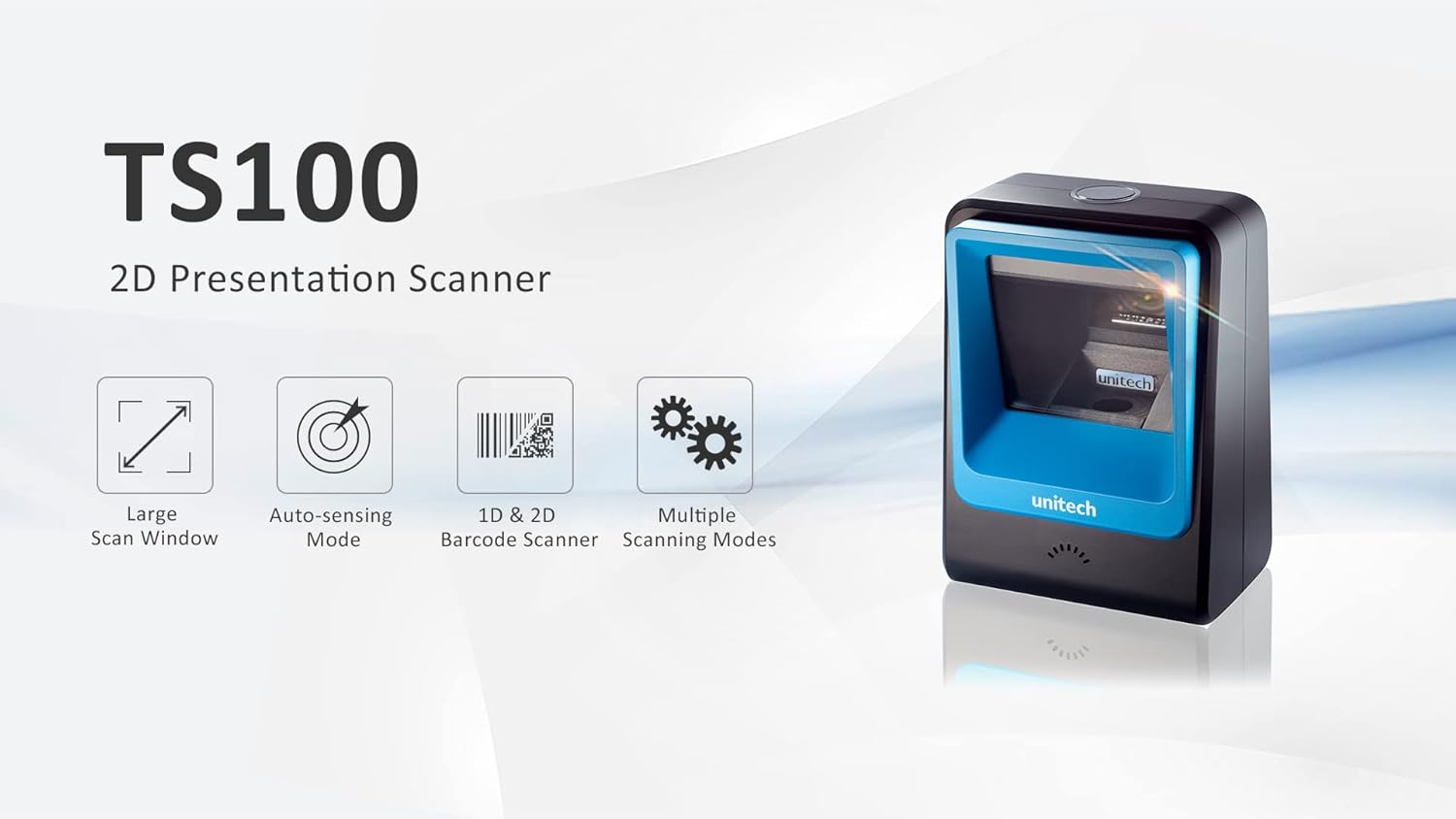
Figure 1: Unitech TS100 2D Presentation Scanner highlighting its large scan window, auto-sensing mode, 1D & 2D barcode scanning, and multiple scanning modes.

Figur 2: Forside view of the Unitech TS100 scanner, showing the blue scanning window and the Unitech logo.

Figur 3: Tilbage view of the Unitech TS100 scanner, displaying the product label with model number TS100-SUCB00-SG and power specifications.
Opsætning
Follow these steps to set up your Unitech TS100 barcode scanner:
- Pak scanneren ud: Carefully remove the TS100 scanner and its accessories from the packaging.
- Tilslut USB-kablet: Insert the USB cable into the port at the back of the scanner.
- Opret forbindelse til værtsenhed: Plug the other end of the USB cable into an available USB port on your computer, laptop, or POS system.
- Driver installation: The scanner is typically plug-and-play. Your operating system should automatically detect and install the necessary drivers. Wait for the installation to complete.
- Tænd: The scanner will power on automatically once connected to a powered USB port. A beep and/or LED indicator will confirm it is ready for use.
Betjeningsvejledning
The Unitech TS100 is designed for hands-free operation, offering multiple scanning modes for various applications.
Grundlæggende scanning
- Place the barcode within the scanner's field of view, facing the scanning window.
- The scanner will automatically detect the barcode and emit a successful scan indication (e.g., a beep and/or green LED).
- The scanned data will be transmitted to your connected host device as keyboard input.
Scanningstilstande
The TS100 supports multiple scanning modes to optimize performance for different barcode types and environments:
- Normal tilstand: Standard scanning for most 1D and 2D barcodes.
- Smartphone Mode: Optimized for reading barcodes displayed on smartphone screens, which can sometimes be reflective.
- Hurtig tilstand: Designed for faster scanning of multiple barcodes in quick succession.
Refer to the full programming manual (available on the Unitech website) for instructions on how to switch between these modes using configuration barcodes.
Opretholdelse
Proper maintenance ensures the longevity and performance of your scanner:
- Rengøring af scanningsvinduet: Brug let en blød, fnugfri klud damprengøres med vand eller et mildt, ikke-slibende rengøringsmiddel. Brug ikke skrappe kemikalier eller slibende materialer.
- Rengøring af ydersiden: Tør scannerens yderside af med en blød, tør klud.
- Opbevaring: Når scanneren ikke er i brug, skal den opbevares et rent og tørt sted, væk fra direkte sollys og ekstreme temperaturer.
Fejlfinding
If you encounter issues with your TS100 scanner, refer to the table below for common problems and solutions:
| Problem | Mulig årsag | Løsning |
|---|---|---|
| Scanneren tænder ikke. | USB cable not properly connected or host device USB port is not powered. | Sørg for, at USB-kablet er korrekt tilsluttet til både scanneren og værtsenheden. Prøv en anden USB-port eller værtsenhed. |
| Scanneren læser ikke stregkoder. | Barcode is damaged, poorly printed, or not supported. Scanning window is dirty. Incorrect scanning mode. | Ensure the barcode is clear and undamaged. Clean the scanning window. Verify the barcode symbology is supported. Try switching scanning modes (e.g., Smartphone Mode for screen barcodes). |
| De scannede data er forkerte eller ufuldstændige. | Poor barcode quality. Scanner configuration issues. | Ensure the barcode is clear. Refer to the programming manual for advanced configuration settings. |
| Scanneren bipper, men der sendes ingen data. | Host device not recognizing the scanner as a keyboard input. | Ensure the cursor is in a text field on your host device. Reconnect the USB cable. Restart the host device. |
Specifikationer
Detailed technical specifications for the Unitech TS100 scanner:
| Feature | Specifikation |
|---|---|
| Sensor | Image Sensor with 1280x800 pixels |
| Belysning | 650nm RED LED |
| Scanningshastighed | 60 fps |
| Skew Angle | Horizontal Angle: 50°; Vertical Angle: 35° |
| Pitch vinkel | ±65° |
| Rulle vinkel | 360° |
| Optisk opløsning | 1D: 4 mil; 2D: 6.7 mil |
| Printing Contrast Scale | 25 % |
| Host-interface | USB |
| Dimensioner (L x B x H) | 4.1 tommer x 5.7 tommer x 2.7 tommer (105 mm x 146 mm x 70 mm) |
| Vægt | 12.1 oz / 345g (without cable) |
| 1D Symbologies Supported | UPC-A/E, EAN-8/13, UPC/EAN Supplementals, EAN-8 Extend, Code 128, Code 39, Code 93, Code 11, Interleaved 2 of 5, Matrix 2 of 5, Codabar, MSI Plessey, GS1 DataBar, China Postal, Korean Postal, etc. |
| 2D Symbologies Supported | PDF417, MicroPDF417, DataMatrix, DataMatrix-Inverse, Maxicode, QRcode, MicroQR, Aztec, Aztec Inverse, Han Xin, Han Xin Inverse |
| Indikator | LED, Buzzer |
| Driftstemperatur | 32°F til 122°F (0°C til 50°C) |
| Opbevaringstemperatur | -40°F til 158°F (-40°C til 70°C) |
| Relativ luftfugtighed | 0% til 95% ikke-kondenserende |
Garanti og support
The Unitech TS100 barcode scanner main unit comes with a 1 års garanti fra købsdatoen. Denne garanti dækker fejl i materialer og udførelse ved normal brug.
For technical support, warranty claims, or further assistance, please contact Unitech customer service or visit the official Unitech webwebsted. Behold din købskvittering som købsbevis i forbindelse med garantiservice.
Unitech America Webwebsted: www.unitechamerica.com
Ask a question about this manual
Ask about setup, troubleshooting, compatibility, parts, safety, or missing instructions. Manuals+ will review the question and use this page’s manual context to help answer it.