
Vigtige sikkerhedsoplysninger
Read all instructions before operating this electric ride-on go kart. Failure to follow these safety guidelines may result in serious injury.
- Voksenopsyn påkrævet: Always supervise children when operating the go kart.
- Alders- og vægtgrænser: Suitable for children aged 37-96 months (approximately 3-8 years old). Maximum weight capacity is 66 lbs (30 kg). Do not exceed these limits.
- Sikkerhedssele: Ensure the safety belt is securely fastened before each use.
- Driftsmiljø: Use on flat, dry surfaces such as wood floors, cement roads, brick roads, or rubber tracks. Avoid slopes, uneven terrain, sand, gravel, or wet surfaces.
- Beskyttelsesudstyr: Always wear a helmet and other protective gear (e.g., knee pads, elbow pads) when riding.
- Ingen offentlige veje: Never operate the go kart on public roads, near motor vehicles, or in areas with pedestrian traffic.
- Opladningssikkerhed: Only use the provided charger. Do not overcharge the battery. Keep the charger away from water and extreme temperatures.
- Langsom startfunktion: The remote control features a slow start function to prevent sudden acceleration, enhancing safety.
Pakkens indhold
Kontroller, at alle komponenter er til stede før montering.
- 1 x Electric Ride-on Go Kart
- 1 x 2.4G fjernbetjening
- 1 x oplader
- 1 x brugsanvisning
Monteringsvejledning
Carefully follow the assembly steps outlined in the included instruction manual. Ensure all parts are correctly aligned and secured before use. Some assembly may require adult assistance.

Image: The assembled Costzon 6V Racer Go Kart in pink, showcasing dens elegante design.
During assembly, pay close attention to the rear axle and gearbox installation to ensure a proper fit. If any components do not fit flush, refer to the detailed diagrams in your physical manual or contact customer support.
Opladning af batteriet
Before first use, fully charge the battery for 8-12 hours. Subsequent charges should also be 8-12 hours. Do not charge for more than 12 hours to prevent battery damage.
- Locate the charging port on the go kart.
- Tilslut opladeren til opladningsporten.
- Sæt opladeren i en almindelig stikkontakt.
- The indicator light on the charger will typically remain red during charging. It may not change color to indicate a full charge; rely on the recommended charging time.
- Disconnect the charger once the charging time is complete.

Image: A visual guide to connecting the charger to the go kart, highlighting the 6V 4AH battery and 18000 RPM motor.
Betjeningsvejledning
1. Manual Operation (Pedal Control)
The go kart can be operated directly by the child using the steering wheel and foot pedal.
- Afbryderen: Turn on the go kart using the power switch located on the dashboard.
- Forward/Backward Switch: Select the desired direction (forward or backward) using the switch.
- Fodpedal: Tryk på fodpedalen for at accelerere. Slip pedalen for at bremse.
- Rat: Turn the steering wheel to control direction.

Billede: Detaljeret view of the go kart's dashboard, showing the power switch, forward/backward switch, music panel, and USB port.
2. Betjening af fjernbetjening
Parents can control the go kart using the 2.4G remote control for added safety and interaction.
- Batteri installation: Sæt 2 AA-batterier (medfølger ikke) i fjernbetjeningen.
- Parring: Follow the pairing instructions in the separate remote control manual to connect it with the go kart.
- Kontrolelementer: Use the joystick and buttons on the remote to control forward, backward, left, right, and speed. The remote also features a brake function.
- Slow Start: The remote control initiates a slow start to prevent abrupt movements.
- Kontrolafstand: The maximum control distance is approximately 65.6 feet (20 meters).

Image: The 2.4G parental remote control, indicating buttons for forward, backward, brake, speed, and direction. Requires 2 AAA batteries (not included).
3. Music and USB Functionality
The go kart includes an interactive dashboard with music and a USB port.
- USB-port: Connect external devices via the USB port to play music.
- Musik kontrol: Use the buttons on the music panel to play, pause, increase, or decrease volume, and skip tracks.
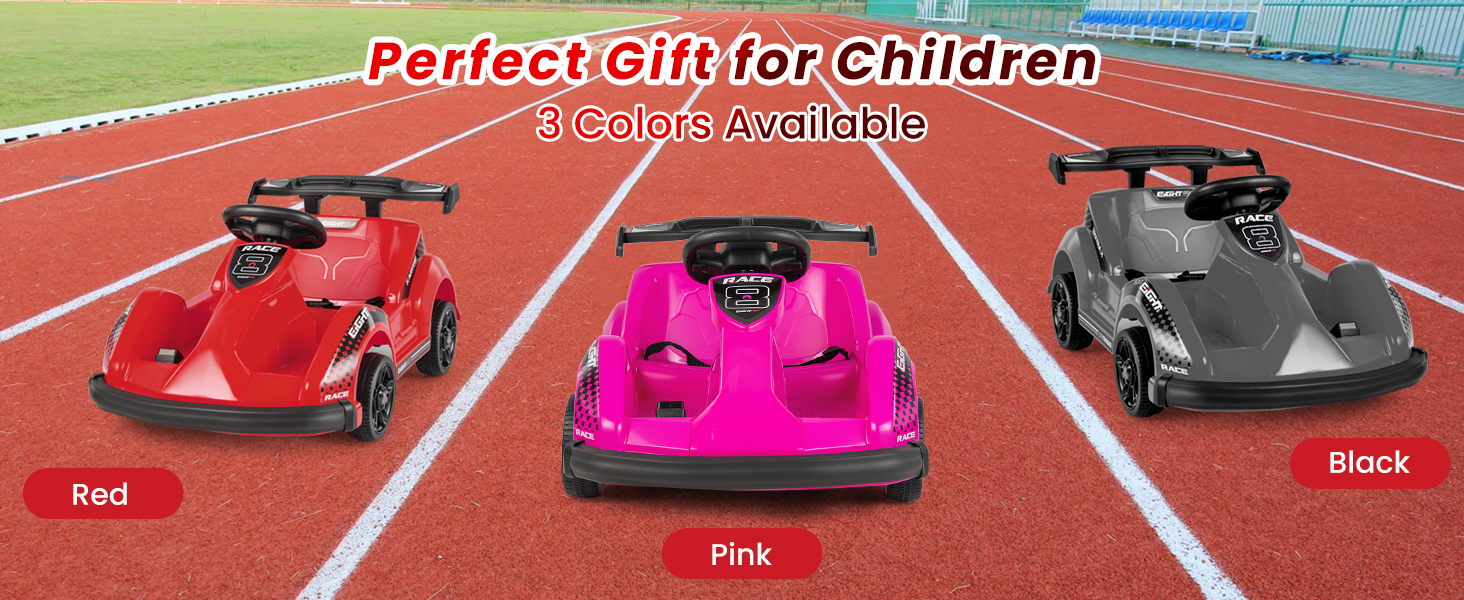
Image: A close-up of the go kart's dashboard, highlighting the sound buttons, forward/stop/reverse switch, power switch, device input (USB), and charge port.
Opretholdelse
Regular maintenance ensures the longevity and safe operation of your go kart.
- Rensning: Wipe the go kart with a soft, damp klud. Brug ikke skrappe kemikalier eller slibende rengøringsmidler. Undgå at sprøjte vand direkte på elektriske komponenter.
- Batteripleje: Always fully charge the battery after each use. If storing the go kart for an extended period, charge the battery once a month to maintain its health. Store the battery in a cool, dry place.
- Hjulinspektion: Periodically check the wheels for wear and tear. Ensure they are securely attached.
- Generel inspektion: Regularly inspect all nuts, bolts, and fasteners to ensure they are tight. Check the safety belt for any damage.
Fejlfinding
Hvis du støder på problemer, kan du se følgende almindelige problemer og løsninger.
| Problem | Mulig årsag | Løsning |
|---|---|---|
| Go kart does not move or moves slowly. | Low battery charge, weight limit exceeded, loose connection. | Charge the battery for 8-12 hours. Ensure rider weight is below 66 lbs. Check all electrical connections. |
| Fjernbetjening virker ikke. | Remote batteries low or not installed, remote not paired. | Replace remote control batteries (2 AA). Re-pair the remote control with the go kart as per its manual. |
| Go kart makes unusual noises. | Loose parts, debris in wheels/motor. | Inspect for loose components and tighten. Clear any debris from wheels or motor area. |
| Batteriet oplades ikke. | Charger not connected properly, faulty charger/battery. | Ensure charger is securely plugged into both the go kart and the wall outlet. If issues persist, contact customer support for charger/battery replacement. |
| Difficulty with assembly (e.g., parts not fitting). | Incorrect alignment, missing parts. | Review the assembly instructions carefully. Ensure all washers and pins are used as directed. Contact customer support if parts are damaged or missing. |
Video: A short clip demonstrating the Costzon 6V Racer Go Kart in operation, showing a child enjoying the ride. This video is provided by the seller.
Specifikationer
| Feature | Detalje |
|---|---|
| Modelnummer | JE1199 |
| Materiale | Alloy Steel, Polypropylene, Polyvinyl Chloride |
| Overordnede mål (L x B x H) | 33.5" x 21" x 15.7" (85 cm x 53 cm x 40 cm) |
| Varens vægt | 15.4 lbs (7 kg) |
| Batteri | 6V 4AH |
| Oplader | 6V 500mA |
| Opladningstid | 8-12 timer |
| Hastighed | 2 mph (3.2 km/t) |
| Drivmotor | 6V390*1 (18000 RPM) |
| Aldersinterval | 37-96 Months (approx. 3-8 years) |
| Vægt kapacitet | 66 lbs (30 kg) |
| Certificeringer | ASTM, CPSIA |

Image: A detailed graphic outlining the go kart's specifications and illustrating the smooth acceleration provided by the slow start function.
Garanti og support
For warranty information, technical support, or to inquire about replacement parts, please contact Costzon customer service. Refer to the contact details provided with your purchase documentation or visit the official Costzon webwebsted.