
1. Introduktion
Welcome to the user manual for your new Cecotec Cremmaet Macchia Super Automatic Coffee Machine. This manual provides essential information for the safe and efficient operation, maintenance, and troubleshooting of your appliance. Please read all instructions carefully before using the machine for the first time and keep this manual for future reference.
2. Sikkerhedsinstruktioner
For at sikre sikker drift skal du altid følge følgende sikkerhedsretningslinjer:
- Elektrisk sikkerhed: Sørg for, at voltagDen angivne strømstyrke på apparatet stemmer overens med din lokale elnetforsyning.tage before connecting. Do not immerse the appliance, power cord, or plug in water or any other liquid. Do not operate the machine with a damaged cord or plug.
- Heat and Hot Surfaces: The coffee machine generates hot water and steam. Avoid contact with hot surfaces and steam to prevent burns. Always use handles and knobs.
- Børn og udsatte personer: Dette apparat kan bruges af børn i alderen 8 år og derover og personer med nedsatte fysiske, sensoriske eller mentale evner eller mangel på erfaring og viden, hvis de har fået opsyn eller instruktion i brugen af apparatet på en sikker måde og forstår de involverede farer. . Børn må ikke lege med apparatet. Rengøring og brugervedligeholdelse må ikke udføres af børn uden opsyn.
- Placering: Place the machine on a stable, level, heat-resistant surface, away from water sources and direct sunlight. Ensure adequate ventilation around the appliance.
- Rensning: Always unplug the machine before cleaning. Do not use abrasive cleaning agents or scourers.
3. Produktet er slutview
Familiarize yourself with the main components of your Cecotec Cremmaet Macchia coffee machine.

Figur 3.1: Front view of the Cecotec Cremmaet Macchia coffee machine, showcasing its compact design and elegant white and rose gold finish.

Figur 3.2: Close-up of the intuitive touch control panel located on the top of the machine, featuring various function icons.
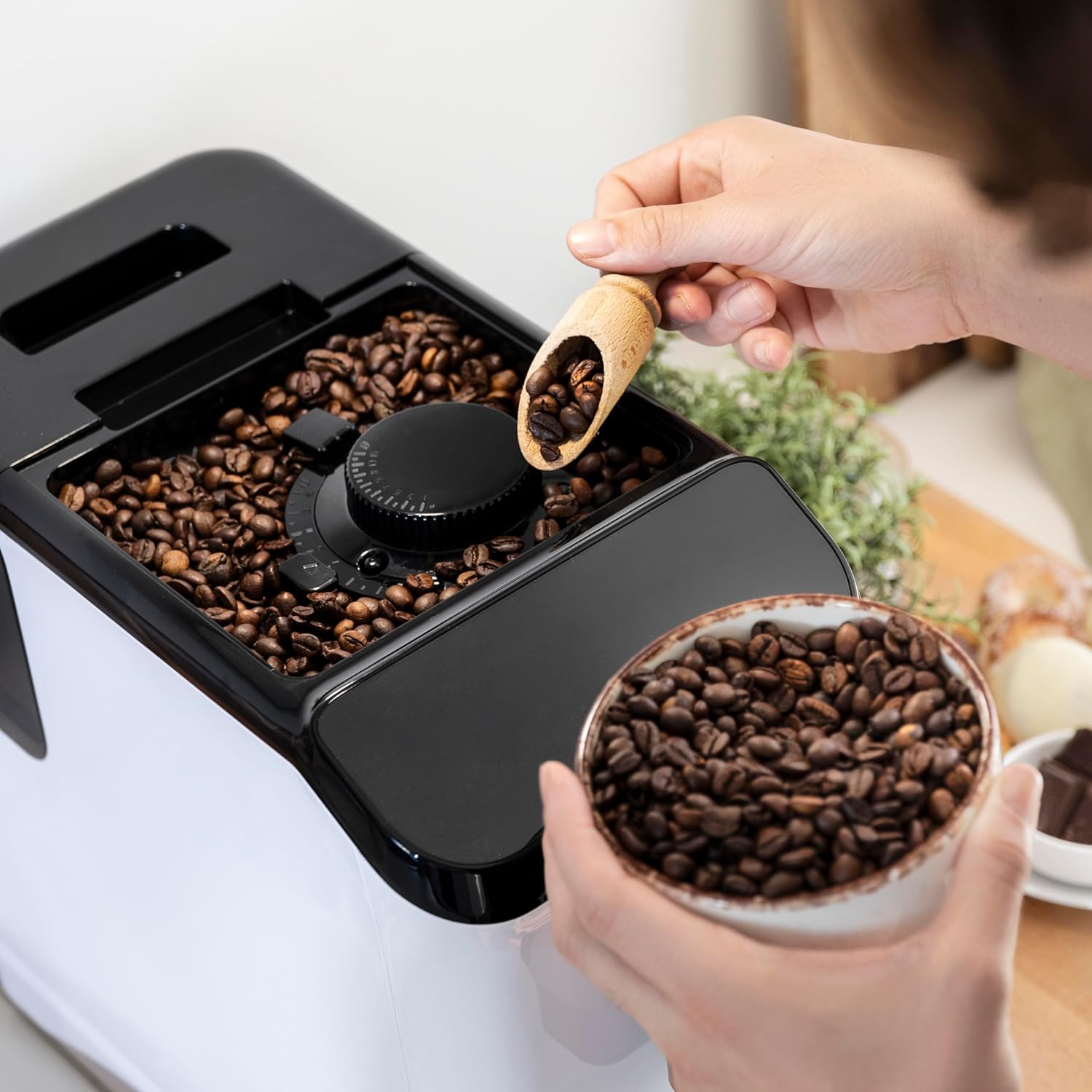
Figur 3.3: The integrated coffee bean hopper with a conical grinder, allowing for fresh grinding of beans for each cup.
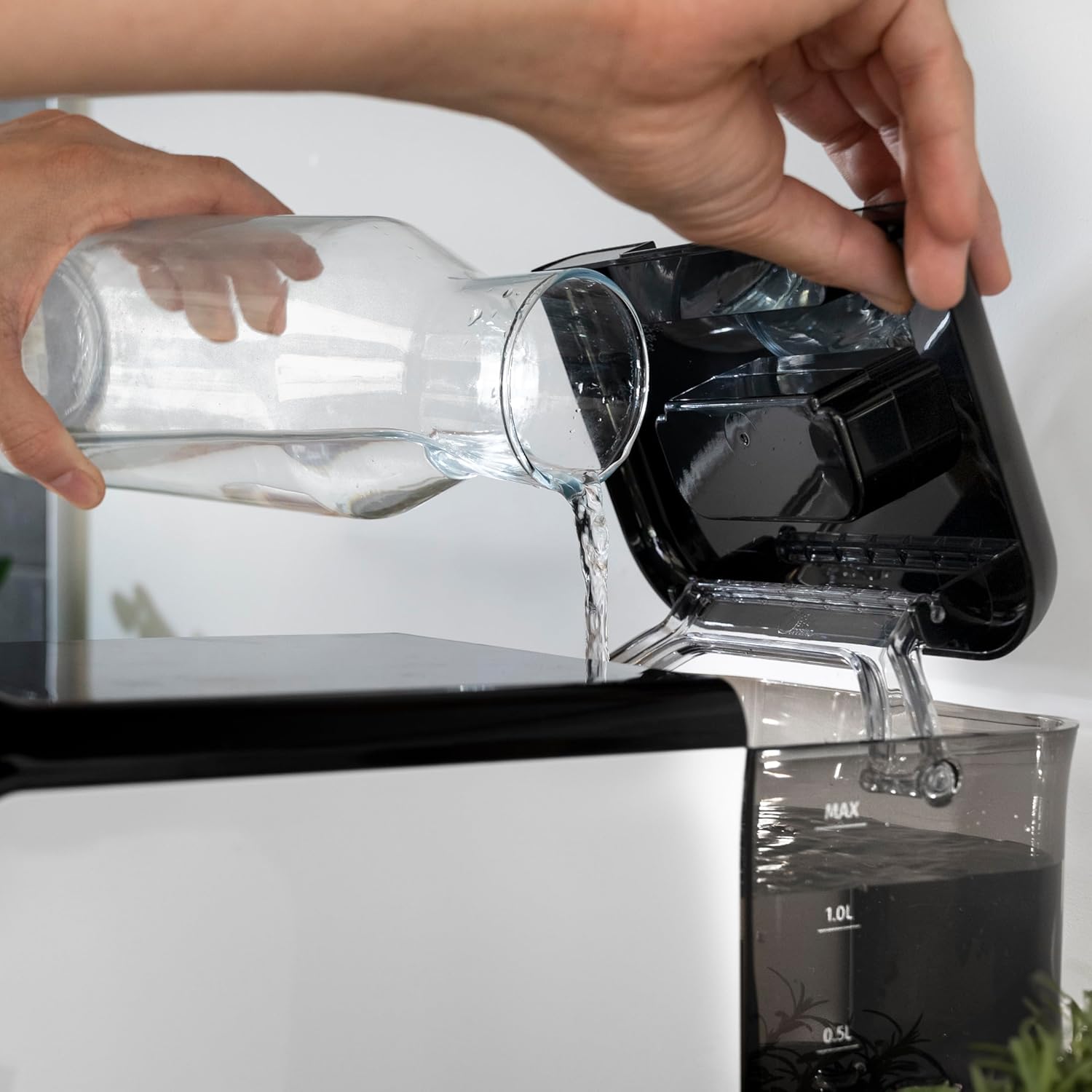
Figur 3.4: The removable 1.5-liter water tank, easily accessible for refilling and cleaning.
4. Opsætning
Følg disse trin for at konfigurere din kaffemaskine for første gang:
- Udpakning: Tag forsigtigt maskinen ud af emballagen. Fjern alle beskyttelsesfilm og emballagematerialer.
- Indledende rengøring: Before first use, wash the water tank, drip tray, and coffee grounds container with warm water and a mild detergent. Rinse thoroughly and dry.
- Fyld vandtank: Fill the removable water tank with fresh, cold drinking water up to the MAX level. Ensure the tank is properly seated in the machine.
Figur 4.1: Pouring fresh water into the machine's water tank.
- Tilsæt kaffebønner: Open the lid of the bean hopper and fill it with fresh whole coffee beans. The hopper has a capacity of 200g.
Figur 4.2: Adding whole coffee beans to the integrated grinder compartment.
- Tilslut: Tilslut netledningen til en passende stikkontakt.
- Første brug/grundbehandling: The machine may perform an initial rinse cycle when first turned on or after a period of inactivity. Follow any on-screen prompts or indicator lights.
5. Betjeningsvejledning
Your Cecotec coffee machine is designed for ease of use with its Plug & Play system.
5.1. Tænd/sluk
- Press the power button on the control panel to turn the machine on. The machine will heat up and perform a brief rinse cycle.
Figur 5.1: Activating the machine by pressing the power button on the touch control panel.
- Press the power button again to turn the machine off. It will perform a final rinse cycle before shutting down.
5.2. Justering af kværningsindstillinger
The integrated conical grinder offers 5 levels of grinding. Adjust the grind setting by rotating the dial inside the bean hopper. It is recommended to adjust the grinder only while it is operating to prevent damage.
5.3. At lave kaffe
The machine can prepare espresso and American coffee.
- Stil en kop under kaffetuden.
- Vælg den ønskede kaffetype (f.eks. Espresso, Americano) fra kontrolpanelet.
- Maskinen vil automatisk male bønnerne, brygge og dispensere din kaffe.

Figur 5.2: Selecting a coffee option on the control panel as the machine prepares the beverage.
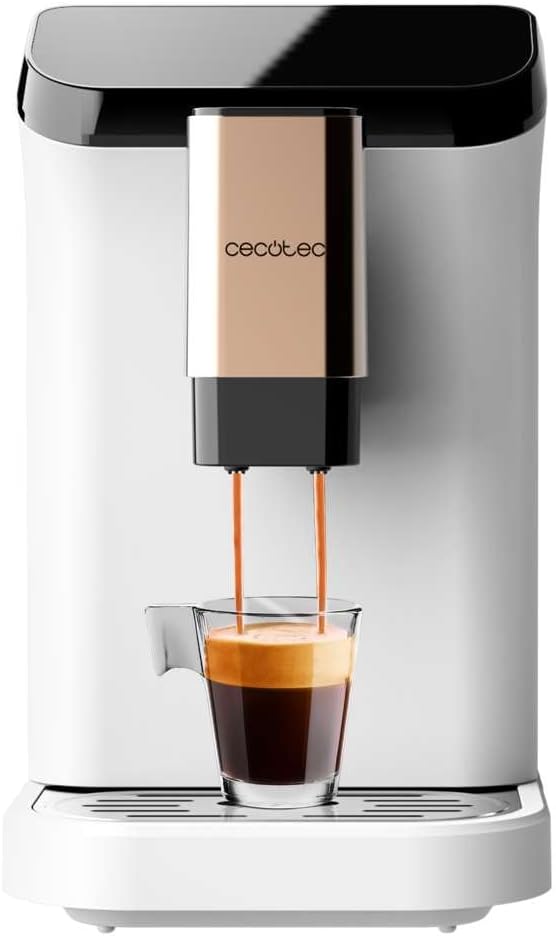
Figur 5.3: The machine actively dispensing freshly brewed coffee into a cup, highlighting the rich crema.
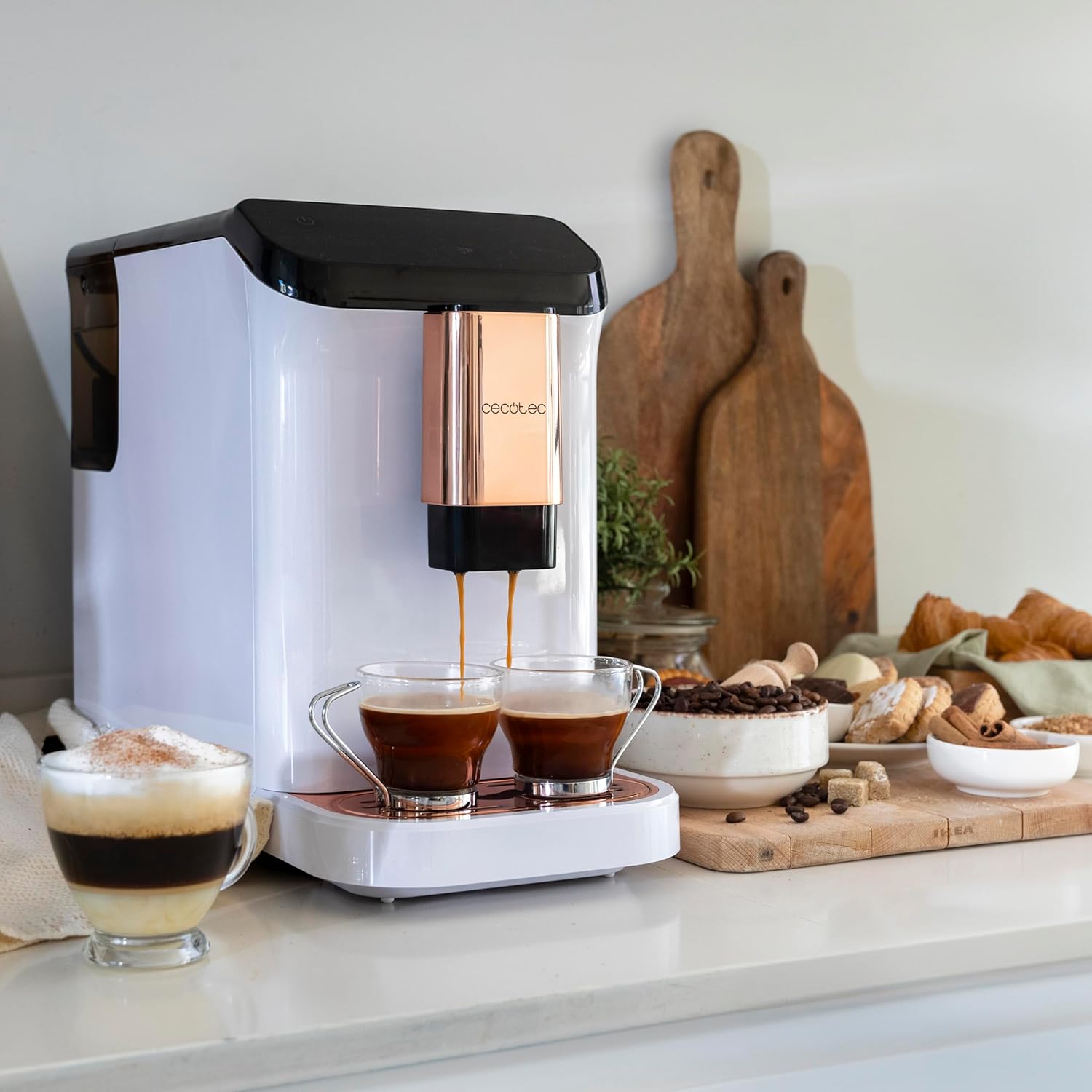
Figur 5.4: The machine's capability to brew and dispense two cups of coffee at once, ideal for sharing.
5.4. Customizing Coffee
You can easily customize and memorize the amount and intensity of your coffee to suit your taste preferences. Refer to the specific icons on the control panel for these adjustments.
6. Vedligeholdelse og rengøring
Regelmæssig rengøring og vedligeholdelse vil sikre din kaffemaskines levetid og optimale ydeevne.
- Automatisk rengøring: The machine features an automatic cleaning function to keep it clear at all times. This typically occurs upon startup and shutdown.
- Emptying Grounds Container: The machine will indicate when the coffee grounds container needs to be emptied. Remove and clean it regularly.
- Rengøring af drypbakke: The drip tray collects excess water and coffee spills. Empty and clean it frequently to prevent overflow and maintain hygiene.
- Aftagelige dele: Periodically remove and clean the water tank and other removable components as per the initial cleaning instructions.
- Afkalkning: Over time, mineral deposits can build up inside the machine. The machine will indicate when descaling is required. Use a suitable descaling solution designed for coffee machines and follow the instructions provided with the descaler.
7. Fejlfinding
Hvis du støder på problemer med din kaffemaskine, kan du se følgende almindelige problemer og løsninger:
| Problem | Mulig årsag | Løsning |
|---|---|---|
| Maskinen tænder ikke | Ikke tilsluttet; strømmen er slukkettage | Kontroller strømtilslutningen; kontroller afbryderen. |
| Der serveres ikke kaffe | Vandtank tom; bønnebeholder tom; maskinen skal afkalkes. | Fyld vandtanken; fyld bønnebeholderen; udfør afkalkningscyklussen. |
| Kaffe er for svag | Malingsgraden er for grov; utilstrækkelig kaffemængde. | Adjust grind to a finer setting; increase coffee intensity setting. |
| Vand lækker fra maskinen | Vandtanken er ikke korrekt placeret; drypbakken er fuld. | Ensure water tank is correctly inserted; empty and clean drip tray. |
| Fejlindikatorlampe lyser | Specific issue indicated by light (e.g., grounds full, water empty). | Refer to the machine's indicator light guide for specific meaning and action. |
Hvis problemet fortsætter efter at have forsøgt disse løsninger, bedes du kontakte Cecotecs kundesupport.
8. Specifikationer
Technical details for the Cecotec Cremmaet Macchia Super Automatic Coffee Machine:
- Mærke: Cecotec
- Modelnummer: 01718
- Farve: White Rose
- Produktdimensioner: 19 x 40 x 32 cm
- Varens vægt: 7.9 kg
- Særlige funktioner: Aftagelig tank
- Kaffemaskine type: Espressomaskine
- Filtertype: Genanvendelig
- Trykpumpe: 19 bar
- Varmesystem: termoblok
- Coffee Tank Capacity: 200 g (integrated grinder)
- Vandtankkapacitet: 1.5 liter
9. Garanti og support
Your Cecotec Cremmaet Macchia Super Automatic Coffee Machine comes with a manufacturer's warranty. For detailed information regarding warranty terms and conditions, please refer to the warranty card included with your product or visit the official Cecotec website. For technical support, spare parts, or service, please contact Cecotec customer service through their official channels.