
1. Introduktion
The GONEO Portable Power Station GNV-USY16 is a versatile and reliable power source designed for various applications, including outdoor activities, emergency backup, and powering sensitive electronics. This manual provides essential information for safe operation, optimal performance, and proper maintenance of your device. Please read this manual thoroughly before using the power station.
2. Vigtige sikkerhedsinstruktioner
- Enheden må ikke skilles ad, repareres eller ændres. Forkert samling kan forårsage brand eller personskade.
- Udsæt ikke enheden for ild eller høje temperaturer (over 60 °C/140 °F).
- Do not use or store the unit in a bathroom or in areas exposed to rain or moisture.
- Use only the recommended accessories and chargers.
- Hold enheden væk fra børn og kæledyr.
- Avoid dropping, heavy impacts, or strong vibrations.
- Indsæt ikke fremmedlegemer i portene.
- Sørg for tilstrækkelig ventilation under brug og opladning. Dæk ikke enheden til.
- I tilfælde af brand, brug en pulverildslukker.
3. Produktet er slutview
3.1 Pakkens indhold
- GONEO Portable Power Station GNV-USY16
- AC strømadapter
- Bil oplader kabel
- Brugermanual
3.2 Komponentidentifikation

Billede: Forside view of the GONEO Portable Power Station GNV-USY16, highlighting its various ports, display, and carrying handle.
3.3 Input/output porte

Image: Close-up of the power station's input and output ports, including DC, PV, Car Socket, USB-C, USB-A, and AC outlets, with exampantal kompatible enheder.
- DC Input/Output (12V/12A): For charging the power station or powering 12V DC devices.
- PV-indgang: For connecting solar panels to charge the power station.
- Car Socket (12V/12A): Til strømforsyning af 12V bilapparater.
- USB-C Input/Output (PD 100W): For fast charging the power station or compatible USB-C devices.
- USB-A Output (5V/2.4A): For charging standard USB devices.
- AC Output (110V/600W): Standard AC-stikkontakter til husholdningsapparater.
3.4 LED Display Panel

Billede: En detaljeret view of the 5.5-inch LED display, showing indicators for charging status (DC, CAR, PD), battery percentage, estimated time to full/empty, input/output power, and active output ports (DC, CIG, USB-A, USB-C, AC, LIGHT).
The 5.5-inch LED display provides real-time information about the power station's status:
- Batteri Percentage: Viser det aktuelle afgiftsniveau.
- Time to Full/Empty: Estimated time remaining for charging or discharging.
- Indgangseffekt: Displays the current power input (in Watts).
- Udgangseffekt: Displays the current power output (in Watts).
- Opladningsindikatorer: DC, CAR, PD icons illuminate to show the active charging method.
- Outputindikatorer: Icons for DC, CIG (Car Socket), USB-A, USB-C, AC, and LIGHT illuminate when their respective outputs are active.
4. Opsætning og første brug
- Udpakning: Tag forsigtigt kraftværket og alt tilbehør ud af emballagen.
- Indledende opkrævning: Before first use, fully charge the power station using the provided AC adapter. Connect the AC adapter to the DC input port and plug it into a wall outlet. The LED display will show charging progress.
- Tænd/sluk: Tryk og hold hovedafbryderknappen nede i et par sekunder for at tænde eller slukke enheden.
5. Betjening
5.1 Opladning af kraftværket
The power station can be recharged using three methods:
- AC-adapter: Connect the provided AC adapter to the DC input port.
- Solpanel: Connect a compatible 100W solar panel to the PV input port.
- USB-C PD 100W: Use a compatible USB-C PD charger and cable.
For fastest charging, use both the USB-C PD port and the DC input port simultaneously. This can fully recharge the battery in approximately 2 hours.
5.2 Strømforsyning til enheder
To power a device, ensure the power station is turned on. Press the respective output button (e.g., AC, DC, USB) to activate the desired port. The corresponding icon on the LED display will illuminate.
- AC-udgang: Connect devices requiring 110V AC power (up to 600W).
- DC Output/Car Socket: Connect 12V DC devices.
- USB-A/USB-C-udgang: Connect USB-powered devices for charging.
5.3 LED Flashlight Function
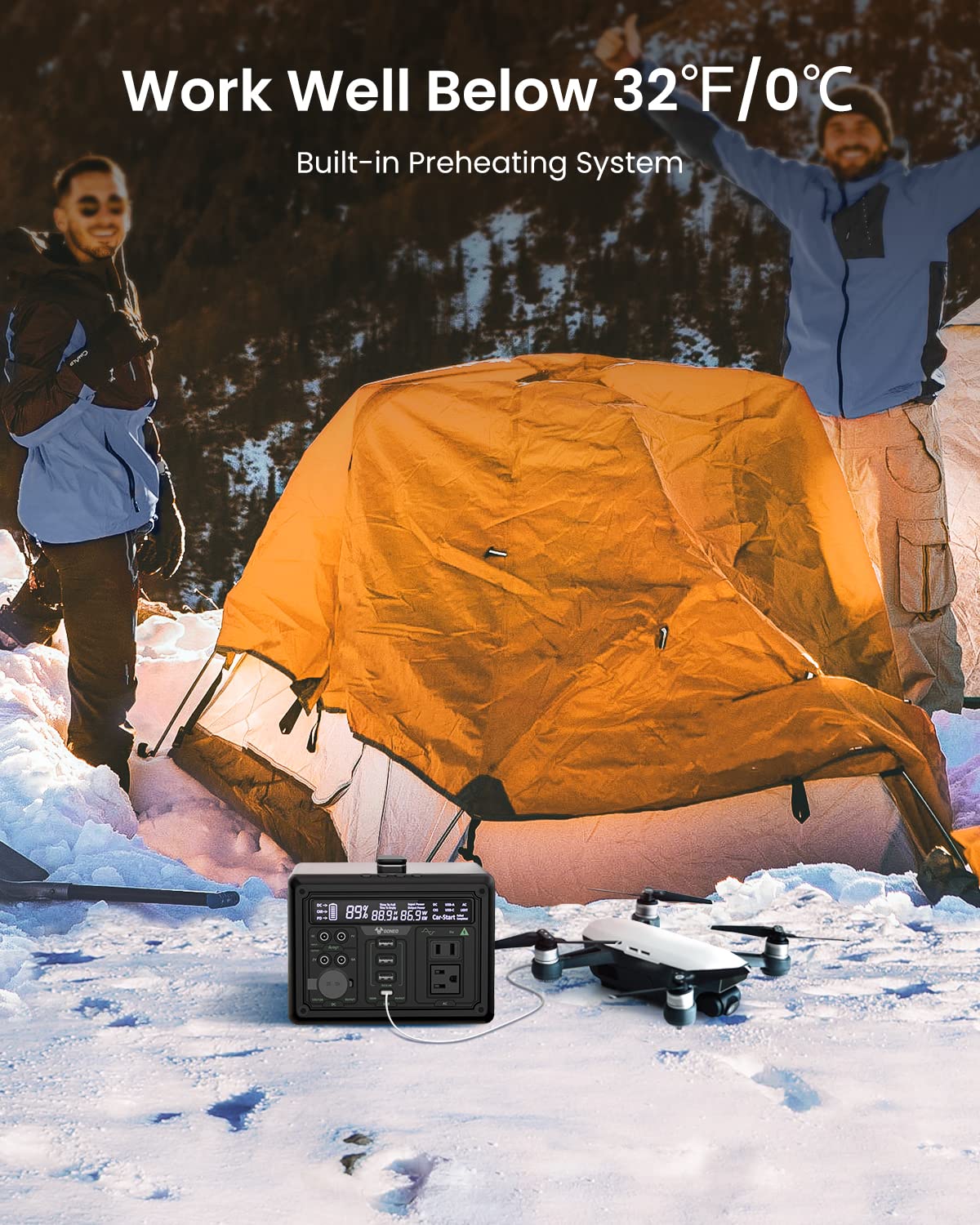
Image: The GONEO Power Station's 6.5-inch LED flashlight panel illuminating a camping tent at night, demonstrating its four lighting modes: Normal, Bright, SOS, and Flashing.
The power station features a 6.5-inch LED flashlight panel with four lighting modes:
- Normal: Standardbelysning.
- Lys: Increased brightness for enhanced visibility.
- SOS: Flashes the international distress signal.
- Blinker: A continuous flashing pattern.
To activate or cycle through modes, press the dedicated flashlight button.
5.4 Low Temperature Operation

Image: The GONEO Power Station in a snowy outdoor setting, demonstrating its ability to operate effectively in cold conditions (below 32°F/0°C) due to its built-in preheating system, shown charging a drone.
The power station includes a built-in preheating system that automatically detects low temperatures (down to -20°C/-4°F) and initiates heating to ensure optimal battery performance and charging capability in cold environments.
5.5 Stille drift
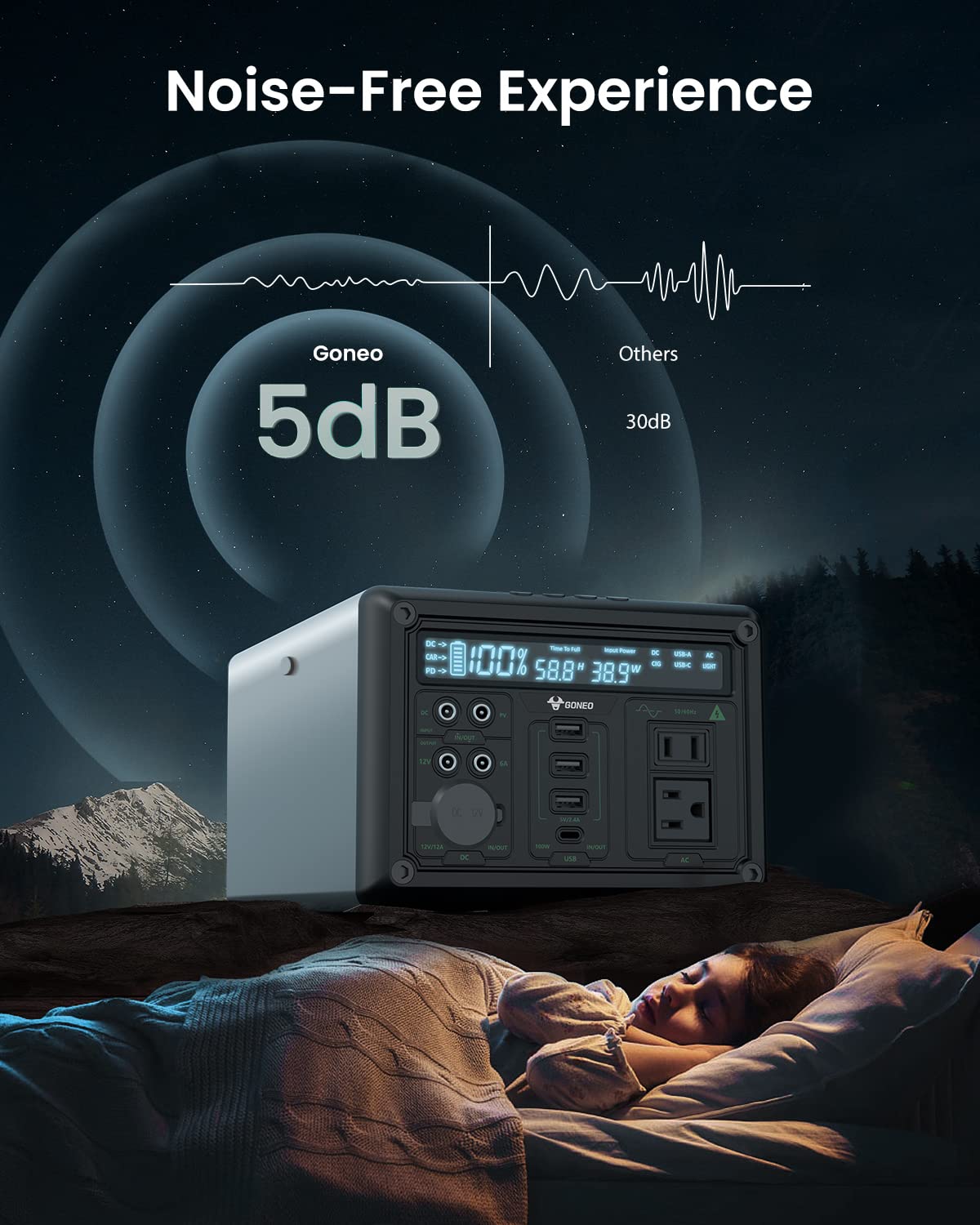
Image: The GONEO Power Station operating at a low noise level of 5dB, depicted next to a person sleeping peacefully in a tent, illustrating its fanless design for a quiet environment.
Designed with a fanless cooling system, the power station operates at a low noise level of approximately 5dB, providing a quiet environment suitable for camping, RV trips, or during power outages.
6. Pleje og vedligeholdelse
- Rensning: Use a dry, soft cloth to wipe the exterior of the unit. Do not use abrasive cleaners or solvents.
- Opbevaring: Store the power station in a cool, dry place, away from direct sunlight and extreme temperatures. For long-term storage, charge the unit to 50-80% every 3-6 months to preserve battery life.
- Batteripleje: Avoid fully discharging the battery frequently. Recharge the unit promptly after use.
7. Fejlfinding
| Problem | Mulig årsag | Løsning |
|---|---|---|
| Enheden tænder ikke | Batteriet er helt afladet; Tænd/sluk-knappen er ikke trykket længe nok ned. | Oplad enheden; Tryk på tænd/sluk-knappen og hold den nede i 3-5 sekunder. |
| Ingen output fra porte | Output port not activated; Device draws too much power; Battery is low. | Press the corresponding output button; Check device wattage; Recharge the power station. |
| Oplader langsomt | Using a low-power charger; Environmental temperature is too low. | Use the provided AC adapter or a 100W PD charger; Ensure unit is within operating temperature range. |
8. Tekniske specifikationer
| Model | GNV-USY16 |
| Batterikapacitet | 607Wh (Lithium Ion) |
| AC udgang | 110V, 600W (Pure Sine Wave) |
| DC Input | 12V/12A |
| USB-C input/output | PD 100W |
| USB-A-output | 5V/2.4A |
| Bilstikudgang | 12V/12A |
| LED lommelygte | 6.5 inch, 4 Modes (Normal, Bright, SOS, Flashing) |
| Dimensioner (LxBxH) | 27.94 x 18.8 x 13.72 cm (11.0 x 7.4 x 5.4 tommer) |
| Vægt | Ikke specificeret i de angivne data |
| Materiale | Aluminium |
| Driftstemperatur | -20°C til 40°C (-4°F til 104°F) |
9. Garanti og kundesupport
For warranty information, technical support, or any questions regarding your GONEO Portable Power Station GNV-USY16, please refer to the warranty card included with your product or contact GONEO customer service directly. Contact details are typically available on the official GONEO webwebsted eller via din købsplatform.