
1. Introduktion
Thank you for choosing the fojep Wireless Earbuds BX28. These earbuds are designed to provide a high-quality audio experience with advanced features for daily use and sports activities. This manual will guide you through the setup, operation, and maintenance of your new earbuds.

Figure 1.1: fojep Wireless Earbuds BX28 with charging case. The earbuds feature an ergonomic design with earhooks for a secure fit, and the charging case has an LED digital display.
2. Pakkens indhold
Kontroller venligst, at alle varer er til stede i din pakke:
- fojep Wireless Earbuds (Left and Right)
- Opladningsetui med LED digitalt display
- USB Type-C opladerkabel
- Eartips (3 sizes: S, M, L)
- Brugermanual
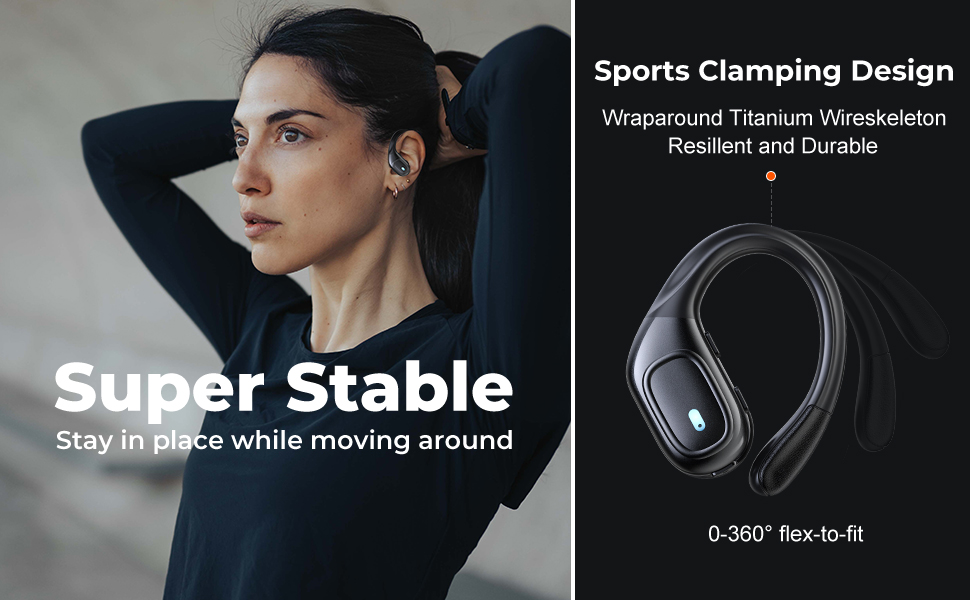
Figure 2.1: Illustration of the items included in the fojep BX28 earbud package, showing the earbuds, charging case, charging cable, and various eartip sizes.
3. Opsætning
3.1 Opladning af øretelefoner og etuiet
Before first use, fully charge the earbuds and the charging case. The charging case features an LED digital display that shows the battery percentage of the case and individual battery status bars for each earbud.
- Place both earbuds into the charging case. Ensure they are correctly seated; the indicator lights on the earbuds will illuminate.
- Tilslut USB Type-C-opladerkablet til opladningsporten på etuiet, og den anden ende til en USB-strømkilde (f.eks. en vægadapter, computerens USB-port).
- The LED display on the charging case will show the charging progress. A full charge typically takes approximately 1.5-2 hours.

Figure 3.1: The charging case displays the battery percentage for the case and individual charge levels for the left and right earbuds. The earbuds offer up to 7 hours of playtime, extended to 75 hours with the charging case.
3.2 Parring med en Bluetooth-enhed
The fojep BX28 earbuds feature one-step auto pairing for convenience.
- Åbn opladningsetuiet. Ørepropperne tændes automatisk og går i parringstilstand.
- On your device (smartphone, tablet, laptop), activate Bluetooth.
- Søg efter available Bluetooth devices. Select "BX28" fra listen.
- Når der er forbindelse, hører du en bekræftelsestone, og ørepropperne er klar til brug.
Ørepropperne genopretter automatisk forbindelse til den sidst parrede enhed, når de tages ud af etuiet, forudsat at Bluetooth er aktiveret på enheden.
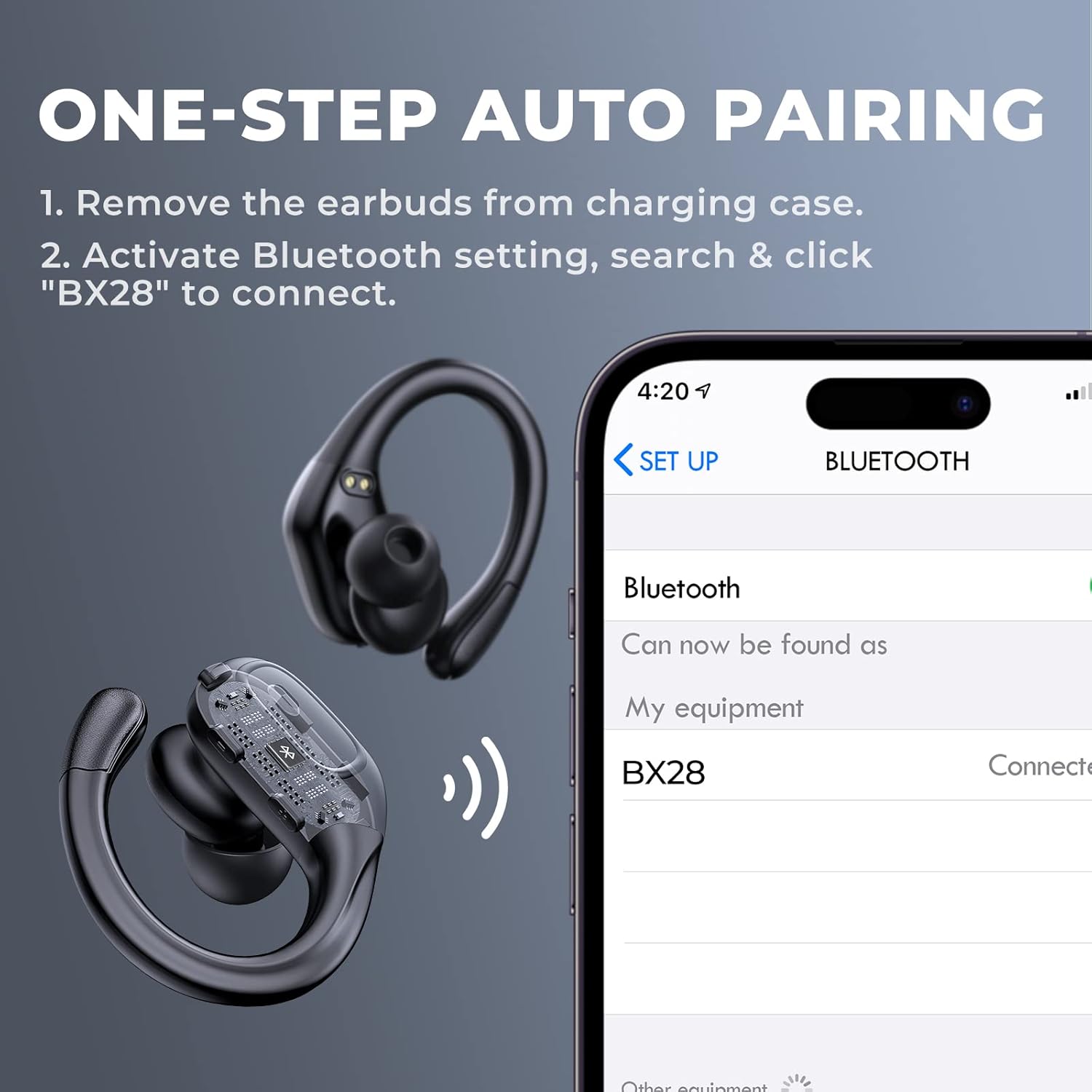
Figure 3.2: Visual guide for the one-step auto pairing process. Simply remove the earbuds from the charging case, and they will appear as "BX28" in your device's Bluetooth settings for connection.
3.3 Sådan tager du ørepropperne på
For optimal sound quality and comfort, choose the correct size eartips and adjust the earhooks.
- Select the eartips (S, M, L) that provide a snug and comfortable fit in your ear canal. A good seal enhances bass response and noise isolation.
- Gently place the earbud into your ear, ensuring the earhook wraps securely around the back of your ear. The earhooks are flexible for a customized fit.

Figure 3.3: The ergonomic design of the fojep BX28 earbuds, featuring flexible earhooks and multiple eartip sizes (S/M/L) to ensure a comfortable and secure fit, especially during sports activities.
4. Betjeningsvejledning
The fojep BX28 earbuds feature intuitive touch controls on each earbud. The controls are mirrored on both earbuds, allowing for single-earbud use.
4.1 Kontrolknapper til musikafspilning
| Handling | Venstre øretelefon | Højre ørepropper |
|---|---|---|
| Afspil/pause | Enkelt tryk | Enkelt tryk |
| Næste sang | N/A | Dobbelttryk |
| Forrige sang | Dobbelttryk | N/A |
| Lydstyrke op | N/A | Tredobbelt tryk |
| Lydstyrke ned | Tredobbelt tryk | N/A |
4.2 Kontrolelementer til opkaldsstyring
| Handling | Venstre øretelefon | Højre ørepropper |
|---|---|---|
| Besvar opkald | Enkelt tryk | Enkelt tryk |
| Afslut opkald | Enkelt tryk | Enkelt tryk |
| Afvis opkald | Langt tryk (2 sekunder) | Langt tryk (2 sekunder) |
4.3 Stemmeassistent
Activate your device's voice assistant (Siri, Google Assistant, etc.) by performing a specific tap gesture.
| Handling | Venstre øretelefon | Højre ørepropper |
|---|---|---|
| Aktiver Voice Assistant | Langt tryk (2 sekunder) | Langt tryk (2 sekunder) |
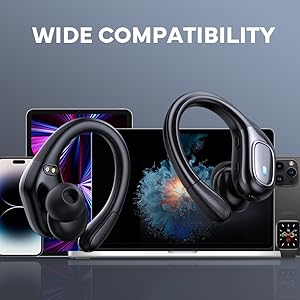
Figure 4.1: Detailed diagram of the touch controls for both left and right fojep BX28 earbuds, illustrating functions for music playback, call management, and voice assistant activation.
5. Vedligeholdelse
Proper maintenance ensures the longevity and optimal performance of your fojep Wireless Earbuds BX28.
5.1 Rengøring
- Rengør regelmæssigt ørepropperne, især ørepropperne og opladningskontakterne, med en blød, tør og fnugfri klud.
- Til genstridigt snavs, let dampRengør kluden med vand eller et mildt, ikke-slibende rengøringsmiddel. Undgå for meget fugt.
- Brug ikke skrappe kemikalier, alkohol eller slibende materialer.
- Sørg for, at ørepropperne er helt tørre, før du sætter dem tilbage i opladningsetuiet.
5.2 Opbevaring
- Når ørepropperne ikke er i brug, skal de opbevares i deres opladningsetui for at beskytte dem og holde dem opladede.
- Opbevares køligt og tørt, væk fra ekstreme temperaturer og direkte sollys.
5.3 Vandtæthed (IPX7)
The earbuds are rated IPX7 waterproof, meaning they can withstand submersion in up to 1 meter of water for 30 minutes. This makes them suitable for sweat resistance, rain, and splashes.
- Note: Opladningsetuiet er IKKE waterproof. Do not expose the charging case to water.
- After exposure to water or sweat, ensure the earbuds are completely dry before placing them back into the charging case to prevent damage to the charging contacts.

Figure 5.1: The fojep BX28 earbuds are IPX7 rated, providing protection against rain, sweat, and splashes, making them suitable for various activities.
6. Fejlfinding
If you encounter issues with your fojep Wireless Earbuds BX28, refer to the following common solutions:
| Problem | Mulig årsag | Løsning |
|---|---|---|
| Øretelefoner parrer/forbinder ikke | Bluetooth slukket, ørepropper ikke i parringstilstand, interferens, tidligere parret enhed. |
|
| Kun én øretelefon virker | Low battery, not properly paired, earbud not connected to each other. |
|
| Lav lydstyrke eller dårlig lydkvalitet | Incorrect eartip size, earwax buildup, low device volume, poor connection. |
|
| Ladeetui oplader ikke | Faulty cable, power source issue, dirty charging port. |
|
7. Specifikationer
| Feature | Detalje |
|---|---|
| Modelnummer | BX28 |
| Bluetooth version | V5.3 |
| Spilletid for øretelefoner | Op til 7 timer (enkelt opladning) |
| Samlet spilletid (med opladningsetui) | Op til 75 timer |
| Vandtæt vurdering | IPX7 (kun øretelefoner) |
| Kontrolmetode | Tryk på kontrol |
| Mikrofon | Built-in, CVC Noise Cancelling |
| Opladningsport | USB Type-C |
| Materiale | Plast |
| Farve | Dyb sort |

Figure 7.1: The fojep BX28 earbuds utilize advanced Bluetooth 5.3 technology, offering improved connection stability and efficiency compared to older versions.

Figure 7.2: The fojep BX28 earbuds are widely compatible with various Bluetooth-enabled devices, including smartphones, tablets, laptops, and smartwatches.
8. Garanti og support
fojep products are designed with quality and reliability in mind. For warranty information and customer support, please refer to the following:
- Garanti: Specific warranty terms and duration may vary by region and retailer. Please retain your proof of purchase for warranty claims.
- Kundesupport: If you experience any issues or have questions not covered in this manual, please contact fojep customer support through the platform where you purchased the product (e.g., Amazon Message Center).
- Online ressourcer: For the latest information, FAQs, and additional support, visit the official fojep store page on Amazon: fojep Amazon Store.
Your satisfaction is important to us. We are committed to providing excellent service and support.